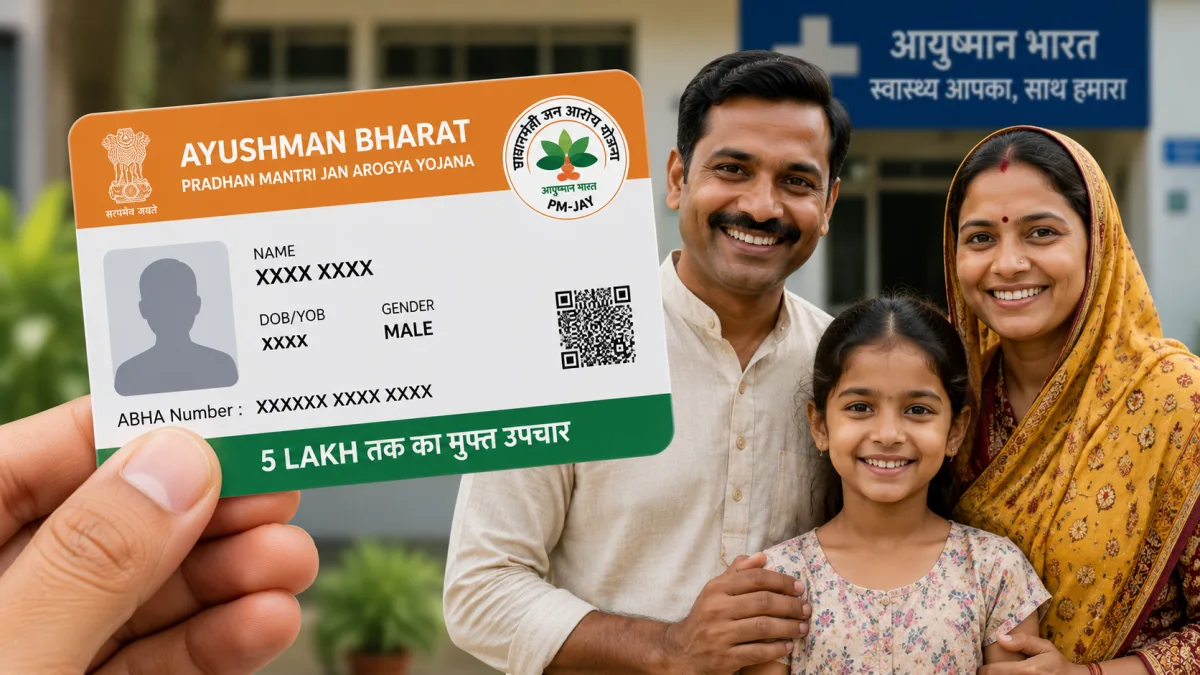
Medical emergencies in India don't send a warning. One bad accident, a sudden heart issue, or a severe illness, and you're staring at a hospital bill that can wipe out a decade of hard-earned savings. Look, this is exactly why the government's ₹5 lakh health insurance scheme exists. But the problem I see every day is that people just don't know how to get it, or they think the process is a mess. So today, I'm going to walk you through the complete Ayushman Bharat Card Download 2026 process. And yes, you can do all of this right from your smartphone in about five minutes.
I know government portals can be frustrating. You probably expect a broken website and endless loading screens. Honestly, the system has gotten much better lately. The National Health Authority actually streamlined the whole interface. If you have your Aadhaar card handy and the mobile number linked to it is active, you're mostly sorted.
What is the Ayushman Bharat PM-JAY Scheme in 2026?
Before we jump into the technical steps, let's get the basic facts straight. The Pradhan Mantri Jan Arogya Yojana (PM-JAY) gives eligible families up to ₹5 lakh per year for secondary and tertiary medical care. We're talking about major surgeries and ICU admissions. It covers the costs completely at empanelled public and private hospitals across the country.
The coverage isn't just for the surgery itself. It includes three days of pre-hospitalization and fifteen days of post-hospitalization expenses. That covers your medicines and diagnostics. There is no restriction on family size or age, which is massive for large joint families. Buying private health insurance for everyone would cost an absolute fortune.
And here is some news for my readers in the east. West Bengal finally implemented the Ayushman Bharat scheme on August 16, 2026. This means around 1.5 crore families in the state can now get coverage under this umbrella. I think this is a huge relief for people there who were previously relying only on state schemes. Now they can use their card at thousands of private hospitals outside West Bengal if they need specialized treatment in cities like Chennai or Mumbai.
The scheme now covers millions of additional families in West Bengal as of August 2026, meaning you can use your card at thousands of private hospitals across India, not just in your home state.
Step 1: Check Ayushman Card Eligibility Online
You can't just sign up for this like you would for a Netflix account. The government decides who gets it based on socio-economic data, mostly the SECC 2011 census and other state-specific criteria. If you have an active ration card, especially a BPL or Antyodaya Anna Yojana card, you're highly likely to be on the list. I'm not sure exactly why the system is built this way, but that is how it works.
Here is how you actually find out if your family is covered.
Grab your phone and follow these exact steps.
- Open the Chrome browser on your phone and go to the official Beneficiary Portal at beneficiary.nha.gov.in. Make sure you type exactly that, because there are fake phishing sites out there trying to steal data.
- You will see a login box on the homepage. Select the "Beneficiary" option, not the "Operator" one.
- Enter your active 10-digit mobile number and tap on the "Verify" button next to it.
- You will get an OTP via SMS almost instantly. Type that in, fill the captcha code carefully, and hit login.
- Now you are on the main search page. Select your State from the dropdown, choose "PMJAY" as the Scheme, pick your District, and then select how you want to search.
- I highly recommend choosing the "Aadhaar Number" option. It is the fastest and most accurate. You can also search by Name, Family ID, or Ration Card number.
- Enter the 12-digit Aadhaar number and hit the search icon.
If your name pops up in the search results below, congratulations. You're eligible for the ₹5 lakh cover. If the screen says "No Record Found", you might want to try searching by your Family ID or ration card just to be absolutely sure. Sometimes names get misspelled in government records. (I know, shocking.)
Ayushman Bharat Card Download 2026: Step-by-Step Guide
Finding your name on the list is only half the battle. If your status in the search result says "Not Generated" in red, you need to complete your eKYC before you can download the actual card. This is where people usually get stuck and give up. But it's really not that hard if you follow along.
Let's go through the exact process to apply online, complete your verification, and get that PDF downloaded to your phone.
- On the same search result page where you found your name, look to the right side of your details. You will see an "Action" icon that looks like a little ID card. Tap on it.
- A popup will appear asking you to authenticate using your Aadhaar details. Click on "Verify".
- A long consent form will show up. Read it if you want, check the little box at the bottom, and click "Allow".
- Select "Aadhaar OTP" as your authentication mode from the dropdown menu.
- You will receive two different OTPs now. One from the Aadhaar system (UIDAI) on the number linked to your Aadhaar card, and another from the PMJAY portal on the number you used to log in initially.
- Enter both OTPs correctly in their respective boxes. (Take a breath, I know managing two OTPs on a phone screen is annoying.)
- The page will now show your family details and compare them. At the bottom, you need to do the final eKYC. Choose "Aadhaar OTP" again and verify.
- Now comes the tricky part. You need to upload a live photo. The website will ask for camera permissions. Click a clear selfie with good lighting. Make sure your face matches your old Aadhaar photo at least a little bit.
- Fill in the extra details asked below the photo: your mobile number (verify it again with another OTP, sorry), your relation to the family head, your pin code, state, district, and village or town.
- Hit the "Submit" button at the bottom.
Boom. You're done. In most cases, the system approves your application instantly. Sometimes it takes a few hours if a human needs to review the photo match manually. Once it is approved, your status will change to a green "Approved".
How to Actually Save the PDF to Your Phone
Once your status says approved, click the download icon next to your name. Select your name from the list of family members, and tap "Download Card". It saves as a secure PDF file on your phone. Keep it safe in a designated folder. Better yet, print a color copy and laminate it for your parents. They'll appreciate having the physical card when they walk up to a busy hospital reception desk.
Using the Ayushman App Instead of the Website
If you find using the mobile browser clunky, the government actually has a dedicated Android app for this. You can search for the "Ayushman App" on the Google Play Store (make sure the developer is the National Health Authority). The process is exactly the same as the web portal.
The app is honestly a bit smoother when it comes to taking the live selfie for eKYC. Plus, you can use the app's "Face Auth" feature if your Aadhaar mobile number isn't working. But you'll have to download a separate Aadhaar Face RD app for that specific feature to work. For most people, sticking to the OTP method is much simpler. If you need app recommendations, we have an entire section of tools and essential apps reviewed for Indian users.
Common Registration Errors and How to Fix Them
Things don't always go smoothly with digital India initiatives. Here are the most common headaches people face during this process and how to get past them.
Aadhaar Mobile Number Not Linked: This is the absolute biggest roadblock. If the phone number tied to your Aadhaar is dead or belongs to an old SIM you threw away, you can't get the required OTP. You can't fix this online. You have to physically visit a local CSC (Common Service Centre) or an Aadhaar Seva Kendra to update your phone number first. There is no shortcut around this.
Name Mismatch Errors: Sometimes your name in the PMJAY ration card list is recorded as "Ramesh Kumar" but your Aadhaar clearly says "Ramesh Kumar Sharma". If the match score between the two systems falls below 80 percent, the system flags it for manual review. If this happens, you just have to wait a few days. The local health authorities will review the application and approve it manually. For serious errors, you can check our guides on how to correct your Aadhaar details first before applying.
Website Crashing or Timeout: The portal gets heavy traffic during the day. If it keeps throwing 504 gateway errors or the OTP takes ten minutes to arrive, just close the tab and try again after 9 PM. The government servers are much more relaxed at night.
Beware of Ongoing Health Schemes Scams
I have to warn you about this. Scammers are getting aggressive in India right now. Nobody from the government is going to call you offering to make an Ayushman card for a ₹500 fee. Nobody is going to send you a WhatsApp link containing an APK file saying "Click here to update Ayushman KYC".
If someone calls you asking for your Aadhaar OTP to "activate your health cover", hang up immediately. If you fall for this, they won't give you health insurance. They will empty your bank account in seconds. The Ayushman scheme is 100 percent free. You only pay a small printing fee of ₹30 or so if you get the physical card printed at a private cyber cafe. Read our full scams section to understand how these WhatsApp APK scams operate and how to secure your phone.
Using the Card at Hospitals: What You Need to Know
Having the downloaded PDF on your phone is great. But how do you actually use it when trouble hits? When you or a family member needs hospitalization, you first need to find an empanelled hospital. You can search for these on the PMJAY website or directly through the official Ayushman App. In my experience, using the app is slightly faster for this.
Go to the hospital's reception and ask for the "Ayushman Mitra" desk. Every registered hospital under this scheme has a dedicated person and desk for this. Show them your downloaded card (or the PDF on your phone) and your original Aadhaar card. They'll log into their system, verify your identity via a fingerprint or OTP, and block the estimated treatment amount from your ₹5 lakh balance.
And that's basically it. You don't have to pay a single rupee out of pocket for the covered treatments. The hospital claims the money directly from the government later.
Honestly, spending ten minutes today to check your name and download this card is the smartest financial move you can make for your family this year. Don't wait for a medical emergency to figure this out. Hospital billing departments won't wait for your eKYC to process when your family member is waiting in the ER. Get this sorted out today.