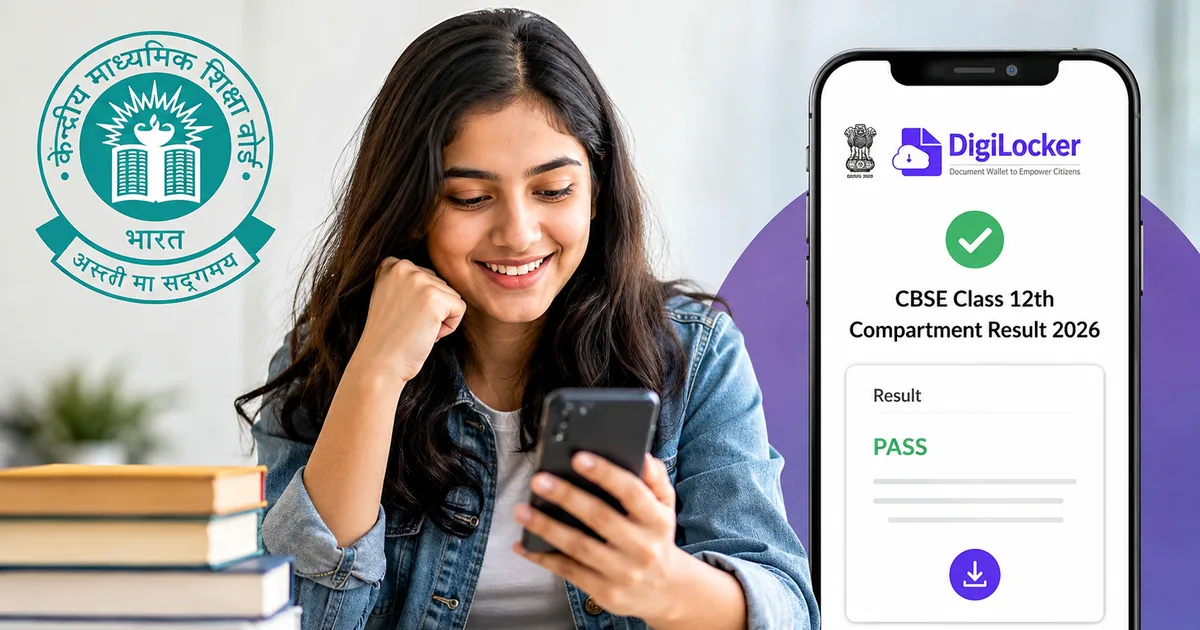
So, the wait is almost over. If you or someone in your family wrote the supplementary exams on July 28, you're probably checking the official portals obsessively. The CBSE Class 12th Compartment Result 2026 is expected to drop any time this week in August. Over 1.63 lakh students are in the same boat. They're all waiting to see those revised marks.
Look, waiting for board results is stressful enough the first time around. Doing it a second time for compartment exams is just exhausting. I know exactly how it feels. You just want to see the scorecard and download the marksheet. Then you can figure out college admissions before the seats fill up. The anxiety is real. And the constant questions from relatives don't help at all.
But here's the deal. When the results do go live, the main CBSE websites (like cbse.gov.in and cbseresults.nic.in) are going to crash. They almost always do. Too many people hit refresh at the exact same second. The servers just give up. You'll see '504 Gateway Timeout' or the page will just spin endlessly.
That's exactly why you need to skip the main websites and go straight to DigiLocker.
Why DigiLocker is your best bet for the CBSE Class 12th compartment result 2026
Honestly, the government got this one right. DigiLocker is a flagship initiative under the Digital India program. And it's linked directly to your Aadhaar card. This means the documents you pull from it are legally valid under the Information Technology Act of 2000. Colleges and universities across India are legally required to accept these digital marksheets immediately.
Thing is, their servers have massive cloud infrastructure. It handles immense traffic spikes well. When the regular Class 12 results came out earlier this year in May, students who used DigiLocker got their marksheets an hour before people who kept refreshing the official website. The official site just couldn't handle millions of requests. But the app held up perfectly.
If you don't have it set up yet, you need to do it right now. Don't wait for the results to actually drop. Trying to set up an account when the results are already live is a bad idea. Your hands will be shaking with nerves.
If you want to understand more about how the government secures these documents, you can read our detailed breakdown on how digital infrastructure works in India. I think the backend setup is actually pretty interesting.
Step-by-step guide to check scores on DigiLocker
Setting this up takes about five to ten minutes. That's if your Aadhaar is linked to your current mobile number. If it isn't, things get a bit messy (annoying, I know). Assuming your phone number is correct, follow these exact steps to get ready.
Step 1: Download and setup the app
First, go to the Google Play Store on your Android phone or the Apple App Store on your iPhone. Search for the official DigiLocker app. Watch out for fake apps that look similar. You need the one published by the National e-Governance Division (NeGD), Government of India.
Once it's installed, open it. Tap on 'Sign Up' if you're a completely new user. If you already have an account from when you passed class 10, just hit 'Sign In'.
For new accounts, you need to enter your full name exactly as it appears on your physical Aadhaar card. Don't use nicknames. Add your date of birth and select your gender. Put in your mobile number. You'll also need to create a 6-digit security PIN. Memorize this PIN. You'll need it every single time you open the app.
Step 2: Complete Aadhaar verification
This is the part that usually trips people up. The app will ask for your 12-digit Aadhaar number. Enter it carefully.
You'll get an OTP on the phone number linked to your Aadhaar card. Enter the OTP to verify your account. If you don't have that phone number anymore, or if you lost that SIM card, you can't create a DigiLocker account right now. You'd need to visit an Aadhaar enrollment center to update your number. That takes days. If you're in this situation, you'll have to rely on the CBSE websites instead.
Step 3: Navigate to the education section and add your CBSE details
Now that you're logged in and verified, look at the bottom menu. Tap on the 'Search' icon.
Type 'CBSE' in the search bar at the top. You'll see an option for 'Central Board of Secondary Education, Delhi' pop up with the official logo. Tap on that.
Scroll down the list of available documents until you find the option for 'Class XII Marksheet'.
Step 4: Pull your result
The app will show your name automatically. It pulls it from your Aadhaar data. You just need to enter your passing year. Since this is the supplementary exam, you'll select 2026. Then, carefully type in your roll number exactly as it's printed on your compartment exam admit card.
Tap on 'Get Document'. The app will fetch your marksheet directly from the CBSE backend database.
Once it loads, it's saved permanently in your 'Issued Documents' folder. You can view it anytime or download it as a PDF to your phone. You can also share it directly with colleges for admission through email. It even has a green checkmark at the bottom. That indicates a verified digital signature.
What about the official CBSE websites?
I get it. Some of you might not have a working Aadhaar-linked phone number (which is super common, honestly). Or you might just prefer using a laptop instead of a mobile app. If you have to use the official websites, here's the standard drill you need to prepare for.
Keep these URLs handy and open them in separate tabs on your browser:
- cbseresults.nic.in
- cbse.gov.in
- results.cbse.nic.in
When the news breaks that the results are announced, go to one of those links. You'll see a specific, newly added link for 'Senior School Certificate Examination (Class XII) Results 2026 (Compartment)'. Click that link immediately.
You'll need three specific pieces of information to log in. Have them written down on a piece of paper right next to your keyboard:
- Your roll number
- Your school number
- Your admit card ID
Type those in and hit submit. Your marksheet will pop up on the screen. Take a screenshot immediately. I mean it. Use the Snipping Tool on Windows or Command+Shift+4 on a Mac. If the server crashes two seconds later, you at least want a record of your marks saved on your hard drive. You can look at that while you wait for the site to come back online.
Beware of result link scams on WhatsApp
We seriously need to talk about this because it happens every single year without fail. You're stressed and waiting for the result. You're checking your phone constantly. Suddenly you get a WhatsApp message from an unknown number or forwarded in a family group.
It says something like: 'CBSE Class 12 Compartment Results 2026 are out early! Click here to download your marksheet fast before servers crash.'
Don't click it. Just delete it.
Scammers are incredibly smart. They know that 1.63 lakh students are desperate for updates. They create fake websites that look exactly like the official CBSE portal. They even include the logos and government emblems. When you enter your roll number and other details, they steal your data.
Sometimes, the link asks you to download an APK file to 'view your result faster'. That APK is actually malware. Once installed, it is designed to steal your banking details or read your OTPs. It might even hijack your phone completely.
If you're unsure about a link, read our latest scam alerts to see what the current threats look like. Always go directly to the official website by typing the address yourself. Or use the official DigiLocker app. Never trust a sketchy link forwarded in a WhatsApp group, even if it comes from your favorite uncle. If you want to know more about how to protect yourself online, check out our cybersecurity guides for everyday users.
Other ways to check your score: UMANG app and SMS
If DigiLocker is acting up and the CBSE website is completely dead, you have one more solid option. The UMANG app.
UMANG is another massive government initiative. It aggregates different services into one place. You can download it from the Play Store or App Store, register with your mobile number, and look for the CBSE section. It connects to the same backend database as DigiLocker. I'm not sure exactly why, but it sometimes experiences slightly less traffic during the initial result rush. It's a great backup plan to keep installed on your phone.
You can also check for SMS options. In the past, CBSE allowed students to get their results offline via text message. They haven't officially confirmed the SMS format for the 2026 compartment exams just yet. But it usually involves texting a specific format like 'CBSE12 (Roll No)' to a designated phone number like 7738299899. Keep an eye on our education news section for the exact numbers when they're officially announced.
What happens next? The rush for college admissions
Once you have your revised marksheet in hand, you need to move fast. Very fast. College admissions across India are well underway. Many state universities and private colleges have already closed their first few rounds of counseling. So you're basically playing catch-up.
Print out the DigiLocker marksheet immediately. Most Indian universities and colleges accept this printout for provisional admission without any arguments because of the digital signature. You don't need to wait for your school to hand you the physical hard copy. That usually takes another couple of weeks to arrive by speed post.
Check the admission deadlines for the colleges you want to target. Many universities hold a few seats back specifically for compartment students. Some have later admission rounds. Get your applications in immediately. Contact the admission offices directly and tell them you just got your compartment results. Ask them about the procedure.
The reality of compartment exams
I want to be completely honest here for a second. There's a lot of stigma around compartment exams in India. People talk. Relatives ask annoying questions at family gatherings. The pressure is exhausting.
But giving this exam on July 28 was just a speed bump. It doesn't define your entire career. And it certainly doesn't define your intelligence. In my experience, some of the absolute smartest people I know had to retake an exam. Maybe they had a bad day or fell sick. Or they just messed up the math paper. It happens to the best of us.
The important thing is that you took the exam. You faced the challenge, and now you're getting the result. Once you have that downloaded marksheet, this entire mess is behind you. You get to move on to college and start fresh. Nobody asks about your compartment exam when you're interviewing for a job five years from now.
Wrapping it up
So, get your roll number and admit card ID written down on a physical piece of paper right now. You'll need your school number too. Make sure your DigiLocker app is fully set up and updated. Also ensure it's logged in. Check your internet connection.
And then, just breathe. The results will be out when they're out. You've done the hard part by actually sitting for the exam. Now it's just a waiting game.
Good luck.