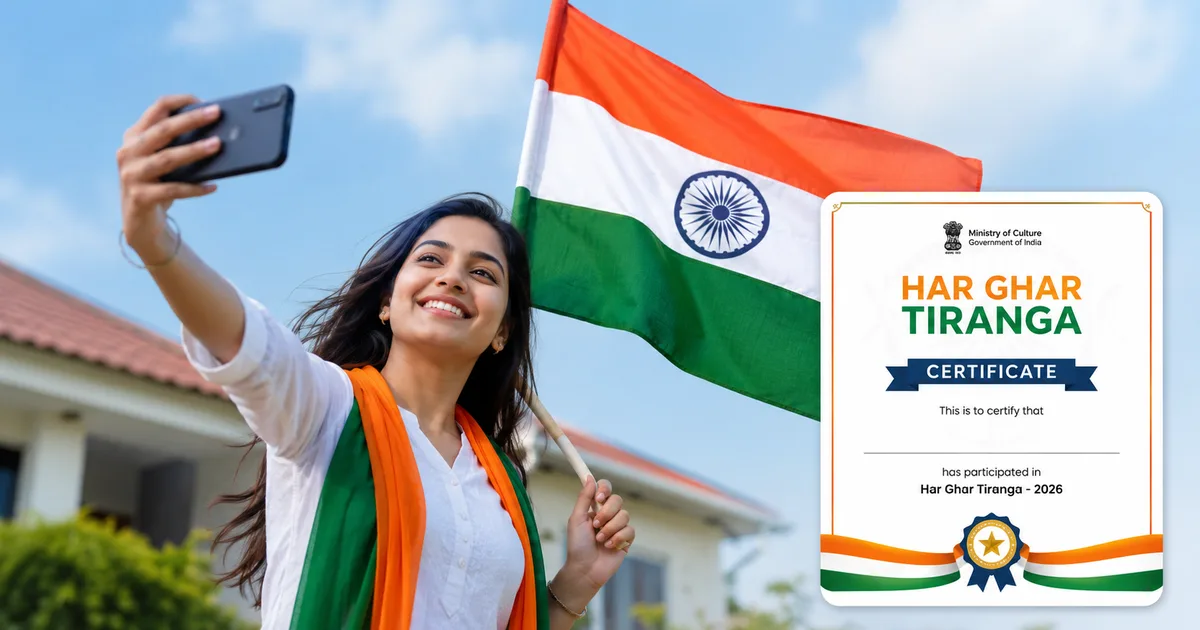
So, the Har Ghar Tiranga Certificate 2026 campaign is back. Honestly, seeing flags everywhere during August has become one of my favorite things over the last few years. But if you want the official government certificate to show you participated, you have to do a little bit of online work. Don't worry, it's pretty simple.
I tried doing this for my parents last year. They got totally confused at the photo upload step (which makes sense, actually). The portal is sometimes a bit of a mess on older phones. You can get frustrated pretty fast. Here's the deal. This year the campaign runs from August 9 to August 17, 2026. The Ministry of Culture just wants everyone to hoist the national flag and upload a selfie to get that certificate.
We're going to walk through the exact steps you need to take. I'll also cover what to do if the website crashes. Plus, we'll talk about spotting those fake links floating around on WhatsApp.
What is the Har Ghar Tiranga campaign for 2026?
Basically, this is the government's push to get Indians to fly the flag at home to celebrate our 79th Independence Day. It's a mass public movement. You don't have to pay anything to get the Har Ghar Tiranga certificate. You just need a flag and a smartphone with internet. Oh, and you'll need to enter your name exactly as you want it printed on the document.
"The Ministry of Culture has appealed to all citizens to actively engage in the Har Ghar Tiranga movement, aligning with the 150th anniversary of Vande Mataram."
If you're reading this before August 15, you have plenty of time. But if you're reading this on the 15th? Do it right now. Do it before the servers crash. Trust me. I've seen the site slow to an absolute crawl on Independence Day morning. Half the country is trying to log on all at once.
The whole idea is about building a personal connection to the flag. You don't only see it on government buildings these days. You see it on our balconies or our WhatsApp statuses. And the digital certificate is a neat way to officially mark your participation in 2026.
Step-by-step: Har Ghar Tiranga 2026 registration and selfie upload
Ready to get your certificate? Grab your phone.
Here is exactly what you need to do.
- Buy a flag or find yours from last year: You can buy a real cloth flag from your local post office for 25 rupees. They've made it really accessible. Or just get one from a local stationery shop.
- Take a good selfie: Go outside or stand near a window. Hold the flag properly, saffron band must be at the top. Smile. Make sure the lighting is okay so your face is clearly visible. Don't use heavy Instagram filters.
- Visit the official website: Open Chrome or Safari on your phone and go to harghartiranga.com. Do not click random WhatsApp links your uncle forwarded. Scammers are everywhere. We cover a lot of these tricks in our scam alerts section.
- Click on 'Upload Selfie with Flag': You will see a big button right on the homepage. It's hard to miss. Tap it.
- Enter your details: The form will ask for your full name. Enter it carefully because this is what gets printed on the final PDF. Sometimes it asks for a mobile number, so use your active Indian number. Don't worry, they aren't going to spam you with calls.
- Allow camera and location permissions: Your browser will pop up a little box asking for location access. You have to say yes. The government uses this to track where people are participating from across India, and it pins your flag on a digital map. If you deny it, the process simply stops.
- Upload the photo: Choose the selfie you took in step two from your phone's gallery. You can also take a photo live if you prefer.
- Submit: Hit the submit button and wait. It might take a few seconds if the network is slow, especially if you are using an older 4G connection.
How to download your Har Ghar Tiranga certificate online
Once you hit submit and the system accepts your photo, you're pretty much done. But you still need to save the file.
Right after uploading, a success screen pops up. You'll see a preview of your certificate with your name on it. Look for the download button. It's usually a downward arrow icon or literally just the word "Download".
Tap that. A PDF or image file will save to your phone's downloads folder. That's it. You can now share it on your WhatsApp family group or put it on your Instagram story. If you can't find it, check your file manager app. Sometimes these government certificates end up linking with DigiLocker eventually. That's honestly super convenient if you happen to lose the file.
The servers take a massive hit during this week. If the download button doesn't respond, don't panic. Just refresh the page. You can also try taking a clean screenshot of the certificate preview. A screenshot works perfectly fine for social media.
Beware of fake certificate links (WhatsApp scams)
Look, I have to warn you about this. It happens every single time there's a big national campaign. Sketchy links spread fast. People will forward you messages claiming "Click here for VIP Tiranga Certificate" or "Download special 3D certificate via this APK".
Don't click them.
These are phishing links designed to steal your bank details or install malware on your phone. The only place you should go is the official harghartiranga.com website. No government official or bank will ever ask you for your UPI PIN or Aadhaar OTP to issue a flag certificate. It just doesn't happen.
If you see a link that looks like "har-ghar-tiranga-free-gift.com" or asks you to download an app outside the Google Play Store, ignore it. But if you accidentally clicked one and installed an app? Put your phone on airplane mode immediately. Check your banking apps from another device. Report it to the cybercrime portal at cybercrime.gov.in or call the 1930 helpline. Check our safety guides to learn more about protecting your phone from these modern digital thieves (annoying, I know).
Common problems and how to fix them
Things don't always work perfectly. This is especially true with government portals handling millions of requests. Here are a few issues I've run into in my experience. We'll show you how to sort them out.
- The website won't load: This usually happens on August 14th or 15th. Just wait an hour and try again. Or try late at night when the traffic drops.
- Location permission denied: If you accidentally clicked "Block" when Chrome asked for your location, you are stuck. You have to go into your browser settings, find site settings, and clear permissions for the site. Then reload the page and hit "Allow".
- Name spelled wrong on the certificate: Unfortunately, once it's generated, you can't really edit it. Your best bet is to just clear your browser cookies and do the process again with the correct spelling.
- Photo won't upload: Make sure your file size isn't massive. If you have a high-end phone that takes 20MB photos, the portal will probably reject it. You might need to compress it, or honestly, just take a screenshot of your photo in the gallery and upload that instead. It's a quick hack that almost always works.
Why should you participate?
You might be wondering if it's worth the effort. I mean, it's just a digital file. Right? Yes. But it's also about the feeling of being part of something bigger. We often get caught up in our daily routines like going to work or paying bills on UPI.
Taking five minutes to hoist the flag and get the Har Ghar Tiranga Certificate 2026 is a small way to connect with the rest of the country. And hey, it's free. Seeing the tricolor everywhere just feels good.
When you talk about tech in India today, a lot of it is about fast commerce and apps. But sometimes tech is used to bring people together for a common cause. The Har Ghar Tiranga portal is a great example. Millions of people log in and upload a photo. I'm not sure exactly why it works so well this time around, but the system hasn't completely broken down yet. It's actually a pretty impressive technical feat when you consider the sheer scale of India.
You also need to follow the rules of the flag code. If you're hoisting a physical flag, it shouldn't be torn or damaged. The saffron colour has to be on top. And when the campaign is over after August 17? Don't just throw the flag away. Fold it respectfully and keep it somewhere safe. The government has very clear guidelines about this stuff. It's just basic respect.
It's also a fun activity to do with kids.
My nephew spent twenty minutes trying to get the perfect angle for his upload. It gets them involved and aware of Independence Day beyond just another school holiday.
If you're having trouble with your mobile internet connection while doing this out on your balcony, maybe it's time to check out some of the broadband upgrades happening this year. But for now, just get that flag up and download your certificate.