If you want a stable government post in Tamil Nadu, submitting your TNPSC Group 4 2026 application without clerical mistakes is half the battle won. The Tamil Nadu Public Service Commission is filling 6,574 vacancies this season under Notification No. 11/2026. That tally covers everything from Village Administrative Officers (VAO) to Junior Assistants, Typists, and Bill Collectors.
It's a massive recruitment drive. Lakhs of applicants chase these seats every single cycle.
The state government changed things in a big way this round. They bumped the maximum age limit by five full years across all categories. I'm not sure exactly why it took so long to push that through, but it shifted the final application closing date to November 8, 2026. If you already filed your papers, you're sitting right inside the official three-day correction window that runs until November 11, 2026. And if you missed this round, getting a grip on how this portal actually works will save you hours of panic when the next notification drops.
Honestly, the official websites (tnpsc.gov.in and tnpscexams.in) aren't the friendliest pieces of software on the Indian internet. In my experience, simple forms turn painful fast. Buttons disappear behind pop-up blockers. The photo resizer throws vague errors, and if your Aadhaar name doesn't match your school mark sheets down to the last initial, the whole portal just grinds to a halt. But once you break the steps down, it's completely manageable.
What you need before opening the portal
Don't open the browser yet. Sit down with your documents first.
Look, I spent an afternoon helping my cousin navigate the upload screen last week, and the photo tool rejected four separate crops before we got the dimensions right (annoying, I know). If you ask me, state government servers don't forgive blurry scans or bloated file sizes. So save yourself the headache.
Have these items ready on your phone or laptop drive:
- Active mobile number and personal email address that you plan to keep for at least two years.
- Aadhaar card linked with your current mobile number for quick OTP verification.
- SSLC or Class 10 mark sheet showing your registration number, board name, and Tamil language subject marks.
- Community certificate issued by a competent revenue authority in Tamil Nadu, complete with the digital certificate number.
- Scanned passport-size photograph taken within the last three months, formatted under 50 KB in JPG format.
- Scanned signature in black ink, cropped cleanly and kept under 20 KB.
- Valid UPI handle or net banking access to pay the application charges.
If you claim Persons Studied in Tamil Medium (PSTM) quota, grab your PSTM certificates from Class 1 to Class 10 right now. Don't wait until certificate verification to track down headmasters from schools you attended fifteen years ago.
Stage one: completing one-time registration
You can't just pick an exam and pay the fee on the TNPSC website. Everything runs through One Time Registration (OTR).
Think of OTR as your permanent master profile. It stays active for five years from registration (which makes sense, actually). If you already set one up for Group 2 or another state exam three years ago, you don't need a fresh account. Basically, you just log in and check if your profile details need an update.
If you're brand new to TNPSC exams, here's how you build your profile:
- Open your browser, head to tnpscexams.in, and click on the One Time Registration tab on the homepage menu.
- Select New User and enter your primary mobile number and email. The portal sends a one-time password to verify your phone.
- Enter your basic personal identity: full name, date of birth, father's name, mother's name, gender, religion, and community.
- Type in your Aadhaar number. The system runs an automated UIDAI check and asks you to confirm with an Aadhaar OTP.
- Create your login ID and a strong password. Note these down in a physical diary because password resets on this portal can take days when traffic peaks.
- Pay the ₹150 OTR fee through the integrated payment gateway using UPI, debit card, or net banking.
Here's a warning. In my experience, this trips up hundreds of beginners every single recruitment cycle. OTR registration doesn't count as your exam application. Candidates pay the ₹150, download their OTR slip, and assume they applied for Group 4. They didn't. OTR is simply the master profile that opens the door.
Step-by-step guide to submitting your application
Once your OTR dashboard shows an active status, you can link it straight to the Combined Civil Services Examination IV form. The whole thing takes around twenty minutes if your files are already cropped and ready. I think that's pretty fast for a government portal, honestly.
- Log into your account at tnpscexams.in using your login ID and password. You will land on your applicant dashboard showing your profile photo on the top right.
- Click on Apply Online and locate Combined Civil Services Examination IV (Group 4 Services) under active notifications. Click the Apply link on the right side of the row.
- Review your auto-filled personal details pulled straight from your OTR record. Verify your community category and date of birth before moving forward.
- Fill in your educational qualifications. Start with SSLC details: school name, state board or CBSE, month and year of passing, certificate number, and whether Tamil was a subject. If you hold higher qualifications like Higher Secondary or a college degree, enter them in the subsequent fields.
- Declare your eligibility for special reservations. Indicate whether you belong to categories like Destitute Widow, Ex-Serviceman, or Person with Benchmark Disability. If you are also following our UIIC AO application guide, you will notice Tamil Nadu has strict documentation rules for these quotas.
- Select your preferred post types. For posts like Typist or Steno-Typist, enter your technical qualification details from the Government Technical Examination in Typewriting and Shorthand.
- Pick your preferred examination districts and test center centers. Pick centers close to your permanent residence because inter-district travel on exam morning can turn chaotic.
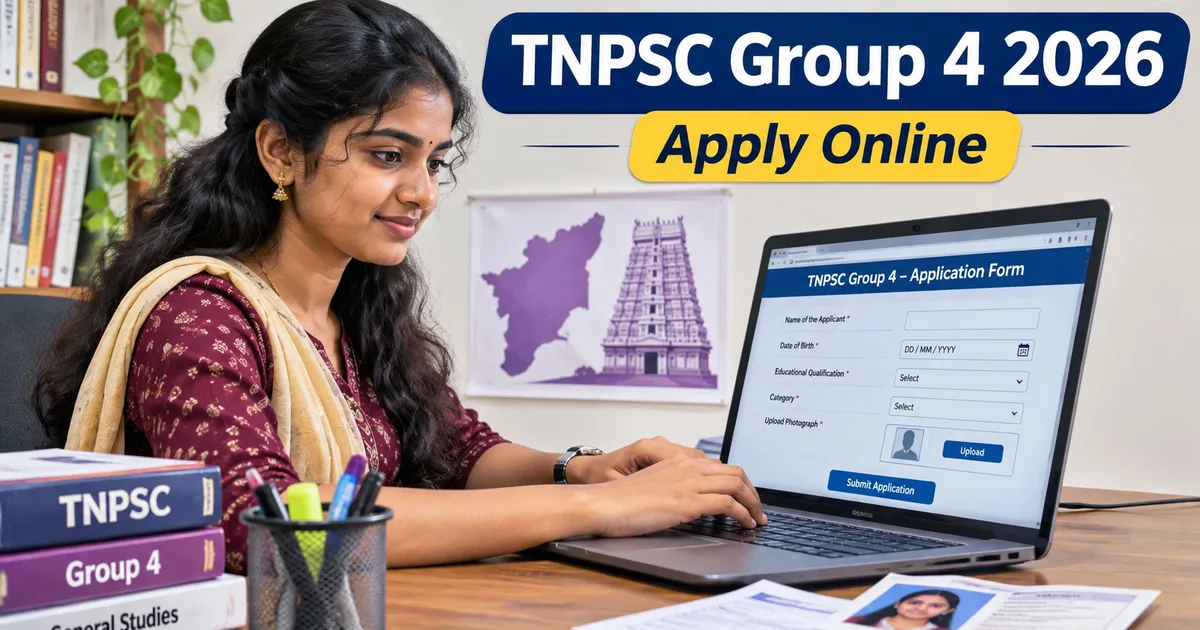
- Upload your scanned photograph and signature. The preview screen will display both images side by side. Make sure the face is sharp, ears are visible, and the signature is dark enough to read clearly.
- Complete the final preview check. The portal generates a multi-page draft summary. Read every single line. Check the spelling of your father's name, your community classification, and your date of birth.
- Tick the declaration boxes and pay the ₹100 exam fee through SBI e-Pay using Google Pay, PhonePe, or net banking. Candidates belonging to SC, SC(A), ST, and differently abled categories get full fee exemptions under Tamil Nadu government rules.
Download the submitted PDF application immediately. Print two copies. Don't put it off. Keep one hard copy in your study folder and back up the digital file on Google Drive or DigiLocker. You'll need that application number during hall ticket downloads and counseling.
How the three-day correction window works
Made a typo on your form? You can still fix it, but you'll have to move fast.
TNPSC opened the official correction window on November 9, 2026, at 12:01 AM. It stays open until November 11, 2026, at 11:59 PM. Once that deadline passes, the database locks down until counseling begins. If you ask me, three days isn't much time, especially since the portal slows down during peak hours.
Here's what you can modify inside the correction tab:
- Spelling adjustments in candidate name, father's name, or mother's name.
- Community category claims and reservation statuses like PSTM or Ex-Servicemen.
- Examination center and city preferences across Tamil Nadu.
- Re-uploading blurry photos, distorted signatures, or unreadable educational certificates.
Here's the catch:
TNPSC does not allow direct edits to your core identity data like Aadhaar or basic parent names inside the exam correction tab. If you spotted a mistake there, you have to edit your One Time Registration profile separately before you finish.
If you change any detail that affects fee concessions, you might have to pay the difference before the system saves anything. Don't close your browser tab until you see the confirmation screen and save your revised application receipt.
Frequent mistakes that lead to rejected applications
It happens every single year. Thousands of candidates miss out on the final selection list because of avoidable paperwork blunders during registration. In my experience, seeing someone score high on the written test only to get disqualified at certificate verification over an invalid certificate date is just brutal.
Watch out for these specific slip-ups:
- Uploading a selfie or a photograph wearing sunglasses and caps. The commission explicitly demands a plain background with both ears visible.
- Entering your roll number instead of the certificate number printed on your Class 10 marksheet. Check the top corner of your state board mark sheet carefully.
- Claiming PSTM benefits without proper school certificates. Studying in English medium through primary school and switching to Tamil in high school does not qualify you. You must have studied from Class 1 all the way through Class 10 in Tamil medium.
- Using an internet cafe operator's phone number or email address. When hall tickets drop or exam dates shift, SMS alerts go to that number. Always use your personal SIM card.
- Paying the fee at the last minute and closing the tab before transaction confirmation. Always check your bank debit and verify that the portal displays the status as Application Submitted Successfully.
If you want to see how these online application setups run across different public exams, our detailed government job guides walk through systems like the PM Internship Scheme portal. And watch out for sketchy agents promising direct government appointments for quick cash. Check our recruitment scam warning guides so you don't lose your money to a scam.
Exam date and what happens after submission
Now that the application phase is closing out, all your focus shifts to preparation.
The single written examination is set for January 10, 2027. It's an OMR-based offline test held in a morning session from 9:30 AM to 12:30 PM across designated centers in Tamil Nadu.
The question paper has 200 objective questions for 300 total marks. Basically, the syllabus is split into two sections. Part A is the Tamil Eligibility and Scoring Test with 100 questions. Part B carries 75 General Studies questions along with 25 Aptitude and Mental Ability questions. If you ask me, Part A is where people make or break their rank. You need at least 40 percent (60 marks) in Part A, or the commission won't even glance at your Part B answer sheet.
Hall tickets usually drop on tnpscexams.in about ten to twelve days before the exam date. The exact release dates here are a bit fuzzy until an official notice goes live, so check the site regularly. Keep your OTR login details handy, and check your test center location as soon as your slip arrives.