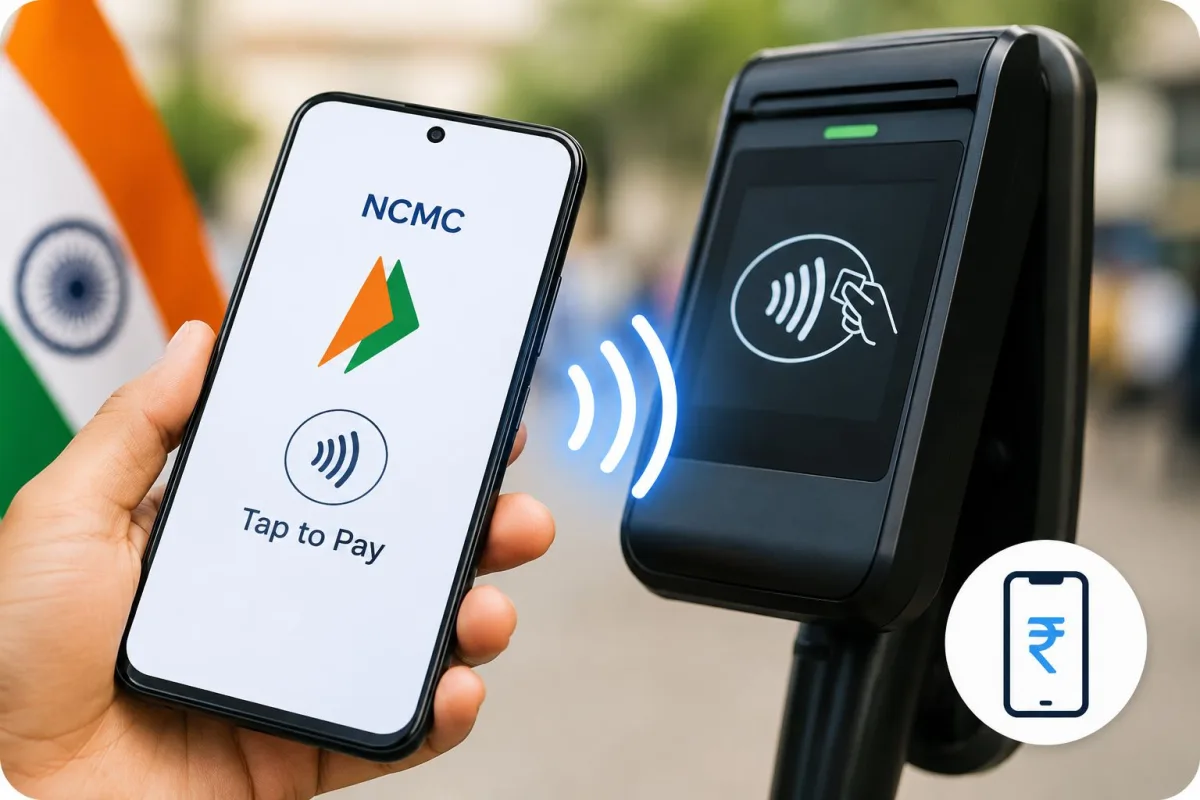
You are running late for the office. You run down the stairs of the metro station, dodge the people standing around the ticket counters, and walk up to the automated fare collection gate. Instead of digging through your wallet for a plastic smart card or opening an app to scan a highly uncooperative QR code, you just tap your phone against the reader. The gate opens instantly. You walk right through.
This is not a concept for the future. It is happening right now across major Indian cities using a virtual NCMC. We have heard about the National Common Mobility Card for years. The government pitched it as a single card for your metro, bus, parking, and retail payments. Now, in 2026, companies have finally figured out how to pull that physical card out of your wallet and put it entirely inside your smartphone.
Honestly, this changes the daily commute completely. No more lost plastic cards. No more waiting in queues to top up your balance. Setting it up requires understanding exactly what your phone can and cannot do. I will break down how this transit technology works and how you can actually start using it today.
The problem with our current metro payments
Before we look at the solution, we have to look at why the current setup is frustrating. Right now, most commuters use one of three things. You either buy a physical token, use a plastic smart card, or scan a QR code from a UPI app.
Tokens are terrible because you have to stand in line every single day. Physical smart cards are better. But you still have to remember to carry them. Then there is the top-up problem. You load money onto your plastic card using UPI on your phone, but the money does not actually go onto the card immediately. You have to walk up to an Add Value Machine at the station, insert the card, and wait for the machine to write the new balance onto the plastic chip. It is a deeply annoying extra step.
Then came WhatsApp and UPI QR tickets. These sounded great on paper. In reality, they are painfully slow. You buy the ticket on your phone. You walk up to the gate. You hold your bright phone screen under the scanner. The scanner fails to read it. You adjust the angle. You adjust the brightness. Meanwhile, five angry commuters are sighing loudly behind you. It takes a solid five to ten seconds per person.
A virtual NCMC solves all of these problems at once.
What a virtual NCMC actually is
A virtual NCMC is simply a digital version of the physical National Common Mobility Card. Instead of a plastic card with a microchip inside, the data is securely stored inside your smartphone.
When you hold your phone near the transit gate, the phone communicates directly with the gate reader using Near Field Communication. We call this NFC. The gate reads your virtual card, deducts the exact fare for your journey, and opens the flaps. The entire process takes less than half a second. It is exactly as fast as tapping a physical card.
Why offline payments matter
Here is the smartest part of the NCMC system. It works completely offline.
When you use standard UPI at a shop, your phone needs an active internet connection to tell your bank to send money to the shop bank. Metro stations, especially underground ones, have famously terrible mobile network coverage. If transit gates relied on live internet transactions, the queues would stretch out of the station.
A virtual NCMC stores a prepaid balance locally on your device. When you tap the gate, the transaction happens instantly between your phone and the gate itself. No internet required. The metro operator system collects these offline transaction records and settles the money with the banks later in the day.
How to set up tap-and-pay for transit
You cannot just download a random app and expect it to work. You need specific hardware and specific software to use a virtual NCMC in India right now.
Step 1: Check your phone hardware
Your smartphone must have an NFC chip inside it. This is a non-negotiable requirement. Most premium smartphones have included NFC for years. If you own an iPhone, you have NFC. If you own a Samsung Galaxy S-series or a mid-to-high-end device from brands like OnePlus, Google, or Motorola, you likely have it.
Budget Android phones often skip this hardware to keep costs down. You can check if your phone supports it by opening your settings menu and searching for the word NFC. If the toggle switch appears, turn it on.
Step 2: Choose a provider app
The National Payments Corporation of India runs the underlying tech through their RuPay On-The-Go network. But you interact with it through consumer digital payment tools. In 2026, companies like PhonePe and Airtel Payments Bank are the main players pushing this feature.
If you use PhonePe, you can find the transit or NCMC section right on the home screen. The app will guide you through generating a virtual RuPay NCMC card. This process usually involves verifying your basic details and linking the virtual card to your existing UPI bank account or wallet.
PhonePe is not the only option. Paytm and other apps are also rolling out their own integrations, though PhonePe and Airtel got there faster with RuPay On-The-Go. The Reserve Bank of India has been pushing for this interoperability for years. They wanted a system where you do not need ten different transit cards for ten different cities. They finally achieved it. You just need to ensure your KYC details are updated in whichever payment app you choose.
Step 3: Load the wallet
Once your virtual card is generated, you need to add money to it. Because this is an offline wallet, you have to transfer money from your main bank account into the NCMC balance. You can add anywhere from INR 100 to INR 2000. I recommend keeping a balance of around INR 500 for regular commuting.
When you add money through the app, the balance updates immediately on your virtual card. There is no need to visit an Add Value Machine at the station. Your phone handles the entire update internally. For more detailed instructions on wallet setups, you can check our dedicated setup guides.
What if you still want to use a physical card?
I know plenty of people who do not want to rely entirely on their phones. Batteries die. Phones get misplaced. Physical cards are still very much a reality.
The government and banks know this. Transit authorities are issuing highly specialised physical cards right now according to recent transport news. In Delhi, the government rolled out the Saheli Pink Smart Card for women. This replaces the old paper tickets for free bus and metro travel, cutting down on administrative waste while keeping commutes straightforward. Similarly, ISIC India partnered with NPCI to launch a 5-in-1 student identity card that also functions as an NCMC transit card.
If you prefer using one of these physical cards, your smartphone can still make your life easier. Airtel Payments Bank recently rolled out a brilliant feature for physical RuPay transit cards. When you recharge your physical card using their app, you no longer have to go to the station machine to validate the balance.
You simply open the app, hold your physical plastic card against the back of your NFC-enabled smartphone, and the phone NFC chip physically writes the new balance directly onto the smart card. It takes two seconds. You can do it sitting at your kitchen table before you even leave for work.
Where can you actually tap your phone?
The rollout of NCMC-compliant transit gates was slow initially. State transit authorities had to rip out old proprietary systems and install universal ones. But the coverage in 2026 is solid.
If you are in Bengaluru, the Namma Metro gates accept NCMC universally. You can also use it on BMTC buses, though finding a conductor whose handheld machine is charged and working can occasionally be a gamble. Delhi Metro has fully upgraded its automated fare collection gates. Cities like Pune, Kanpur, and Ahmedabad built their metro systems with NCMC support from day one. Mumbai is slowly integrating it across its vast local train network and BEST buses.
Chennai Metro is also aggressively pushing this technology. They have been replacing older token scanners with universal NFC readers. If you commute in Chennai, you have probably noticed the new green contact pads on top of the fare gates. Those are specifically designed for your smartphone and virtual cards.
The goal is absolute interoperability. The virtual card you set up in PhonePe in Bengaluru will work perfectly when you travel to Delhi for a business trip. You just walk up to the gate and tap.
A quick word on security
People always ask me if storing a tap-and-pay card on a phone is risky. What if someone brushes past you on a crowded train with a hidden card reader? What if you fall victim to a digital theft ring? (If you are worried about the latter, read our cybercrime alerts to stay protected).
First, the virtual NCMC has a strict balance limit. The maximum you can lose is the INR 2000 loaded in the offline wallet, not your entire bank account balance. Second, modern smartphones require the device to be awake or unlocked for NFC payments to trigger. An attacker cannot pull money from your phone while it is sitting locked inside your pocket.
If you lose your plastic metro card, anyone who picks it up can travel using your balance until it runs out. If you drop your smartphone, the finder cannot use your transit card because they cannot unlock your phone lock screen.
The tech is finally ready. It is fast, it skips the network issues, and it gets you through the gates without the QR code shuffle. Check your phone settings today. If you have NFC, set up a virtual card before your next commute. You will never go back to the ticket counter again.