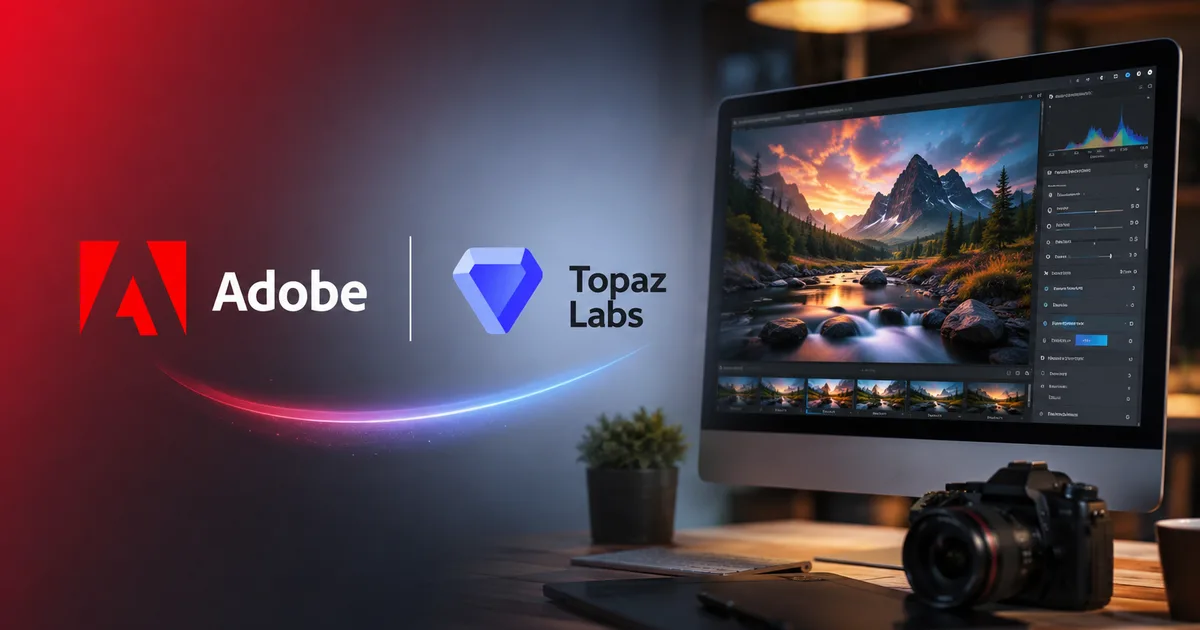
If you're an Indian video editor or creator, your daily workflow is about to change in a big way. The news that Adobe acquires Topaz Labs has sent shockwaves through the creative community. For years, I've had to jump between Premiere and Topaz to clean up grainy footage or upscale low-res clips. It was slow. And expensive. But now, with Adobe bringing these tools in-house, the way we edit is going to change. We can expect deep integration of professional-grade upscaling right inside our timeline.
How Topaz tools will change Premiere Pro
If you've ever worked on a budget shoot in India, you know the exact drill. The client wants a Bollywood-grade cinematic look but hands you footage shot on a basic mirrorless camera in a poorly lit wedding hall. It's a mess. The final files are noisy. They're packed with all kinds of ugly digital artifacts. Honestly, editors have always relied on Topaz Video AI to save these projects, even if the workflow is a total pain. I tried this workflow on a recent music video, and the back-and-forth was just exhausting. You have to export your clip from Premiere Pro. Then you open it in Topaz, run the heavy AI model, export the new file, and import it back into Premiere. That's a massive waste of time when you're racing against tight deadlines.
"Adobe's acquisition of Topaz Labs allows the company to integrate specialized restoration models directly into the Creative Cloud ecosystem, eliminating standard plugin bottlenecks," according to CG Channel.
But things are about to change. Since Adobe bought Topaz Labs, they can build these algorithms directly into their main applications. Imagine having the Artemis or Proteus enhancement models right in your effects panel. You won't need to leave your workspace. It's a huge win for efficiency, if you ask me. Fstoppers reported that the deal aims to put these high-end restoration tools inside the Creative Cloud suite. That means we get them without exporting files all the time.
The technical hurdle of on-device AI
So why did Adobe buy the company instead of building their own tool? Honestly, building high-quality AI models for video restoration is incredibly hard. Topaz has spent nearly a decade training their neural networks on millions of low-quality and high-quality image pairs (which makes sense, actually, given how complex video is). Startup Fortune noted that building this kind of on-device AI tech from scratch would take Adobe too long. In my experience, it's just faster to buy a company that already has Emmy-winning algorithms. Topaz models run locally on your own computer. They don't rely on external cloud servers. This keeps things fast and secure for client work.
The price of premium AI: Freelancers vs studios
Let's talk about cash. Right now, a standalone license for Topaz Video AI is $299. In Indian rupees, that's around 25,000 INR, plus taxes. For a freelance editor in Mumbai or Bangalore, that's a lot of money to pay upfront. You buy it once. Then you get a year of upgrades (which is kind of sketchy, if you ask me, because they block new versions if you stop paying). It's a fine deal for studios making good money. But it's way too expensive for students or casual creators. If you want to check out other editing resources, you can find them in our tools section.
So what happens next? Adobe will probably put these tools into the Creative Cloud. If you already pay for the full suite, which is about 4,000 INR to 5,000 INR per month in India, you might get these tools without paying extra. Thing is, Adobe always raises prices when they add big new features. We don't know the final details yet. But history suggests we might see a price hike soon.
The hardware tax: Can your system handle it?
Here's the deal. Topaz Labs tools are massive hardware hogs. Unlike Adobe's Firefly, which runs in the cloud, Topaz runs entirely on your local computer. This is great for privacy. But it means your computer does all the heavy lifting. If you want to optimize your machine, read our editing guides for tips on hardware setup.
You need a beefy setup. We're talking about a dedicated GPU with at least 8GB of VRAM. If you're on Windows, Nvidia RTX cards are the standard choice. If you're on Mac, you'll need a machine with Apple Silicon, preferably an M2 Pro or M3 Pro chip. Honestly, I think that's great (it forces people to drop ancient hardware). If you edit on a basic office laptop, this integration won't help you at all. Not until you upgrade. Rendering times will just be too slow for daily work.
To see how the two platforms stack up before the big integration, here is a quick breakdown of their current features.
| Feature | Premiere Pro (Built-in) | Topaz Video AI (Standalone) |
|---|---|---|
| Upscaling Quality | Basic bilinear or bicubic interpolation, which often looks soft or pixelated. | Neural network models that reconstruct fine details and textures. |
| Processing Location | Runs locally and quickly, with low hardware requirements. | Runs locally but requires a powerful dedicated graphics card. |
| Denoising Ability | Standard noise reduction which can blur details in low light. | Temporal denoising that keeps edges sharp while removing grain. |
| Pricing Model | Included in the monthly Adobe subscription. | One-time fee of $299 with optional annual upgrades. |
How to prepare your setup today
If you make a living from video editing in India, don't panic and buy new gear yet. The integration is going to take some time. Historically, when Adobe buys a company, they keep the standalone apps alive for a year or more. So you can keep using your current version of Topaz Video AI without any issues. But you should start planning. If you're due for a hardware upgrade, prioritize GPU power and VRAM. Don't cheap out on the card if you want to run these AI tools.
If you're looking to upgrade your workstation to handle these new tools, focus on these components in your budget:
- A dedicated graphics card with at least 8GB of VRAM, such as an NVIDIA RTX 4060 or higher.
- A modern processor with at least 8 cores to handle background rendering.
- At least 32GB of RAM to prevent bottlenecking when running multiple creative apps.
Take a look at your current client contracts. If you find yourself upscaling a lot of old or low-resolution footage, these tools will quickly become part of your daily toolkit. Keep an eye on the official Adobe newsroom for release updates. Also, you can check the latest tech developments in our news section to stay informed about beta releases.
The impact on the Indian editing industry
The Indian post-production industry is massive. It ranges from small YouTube creators all the way to major Bollywood studios. Out in smaller cities, editors operate on really tight budgets. For them, paying for standalone tools is tough. But if Adobe includes Topaz features in the standard Creative Cloud subscription, it'll democratize everything. Suddenly, editors in Pune or Kochi will get the same restoration power as big studios in Mumbai.
But the hardware limit remains. Internet speed in India has improved a lot thanks to fiber networks. Honestly, cloud AI is terrible for huge video files. Local processing is the only way to do professional work. Basically, the pressure is on hardware manufacturers to offer cheap, AI-ready laptops and desktops in the Indian market. The demand for budget systems with decent GPUs is going to skyrocket as these features become standard in Premiere.
What this means for the competition
Adobe's buyout is a direct challenge to other editing software. DaVinci Resolve is eating Premiere's lunch in India thanks to its one-time payment model and color tools. The Futurum Group analyzed that on-device content workflows are the new battleground for creative software companies. By buying Topaz, Adobe is trying to match and exceed Resolve's capabilities. It's a classic corporate move to protect their market share.
For creators, this competition is great. It forces both Adobe and Blackmagic Design to innovate faster. But it also shows a growing divide. On one side, you have subscription-based software that gets regular updates but costs a lot over time. On the other side, you have perpetual licenses that are cheaper in the long run but require a huge payment upfront. As an editor, you have to decide which business model works best for your cash flow. If you're just starting out, the subscription model is easier to justify. But long-term professionals often prefer owning their tools. Honestly, I've always preferred the one-time buy, but the convenience of Creative Cloud is hard to ignore.