So, the wait is finally over. The Institute of Chartered Accountants of India, or ICAI, is releasing the CA Intermediate May 2026 result today, June 24, 2026. If you've been losing sleep over this, I get it. It's one of the toughest exams in India, and the tension is real. Considering you spent around INR 18,000 on registration fees, paid via UPI or net banking, plus months of grueling preparation, the stakes are high. In this guide, we'll walk you through how to download your scorecard, look at the merit list, check the pass percentage, and find your results without pulling your hair out.
Honestly, the official ICAI website is terrible at handling traffic (which is typical, actually). It crashes. In my experience, the servers choke every single year when thousands of students hit refresh at the exact same second. I've seen my friends stare at blank white screens for hours. But you don't have to do that. We'll show you the direct links and the exact steps to get through. The main site is caresults.icai.org, but you have backup options to get your marks. Just get your roll number and registration number ready before we start.
How to access your ICAI CA Inter scorecard download
Here's the step-by-step process to download your result. It's easy. You'll just need your registration number (or PIN) plus your roll number. So, let's look at the actual steps.
- Open your web browser and go to the official ICAI result portal at caresults.icai.org. You'll see a simple, blue-and-white page with a list of active results. It looks quite dated, like something from the early 2000s, but it gets the job done. Look for the link that says Intermediate Examination (May 2026).
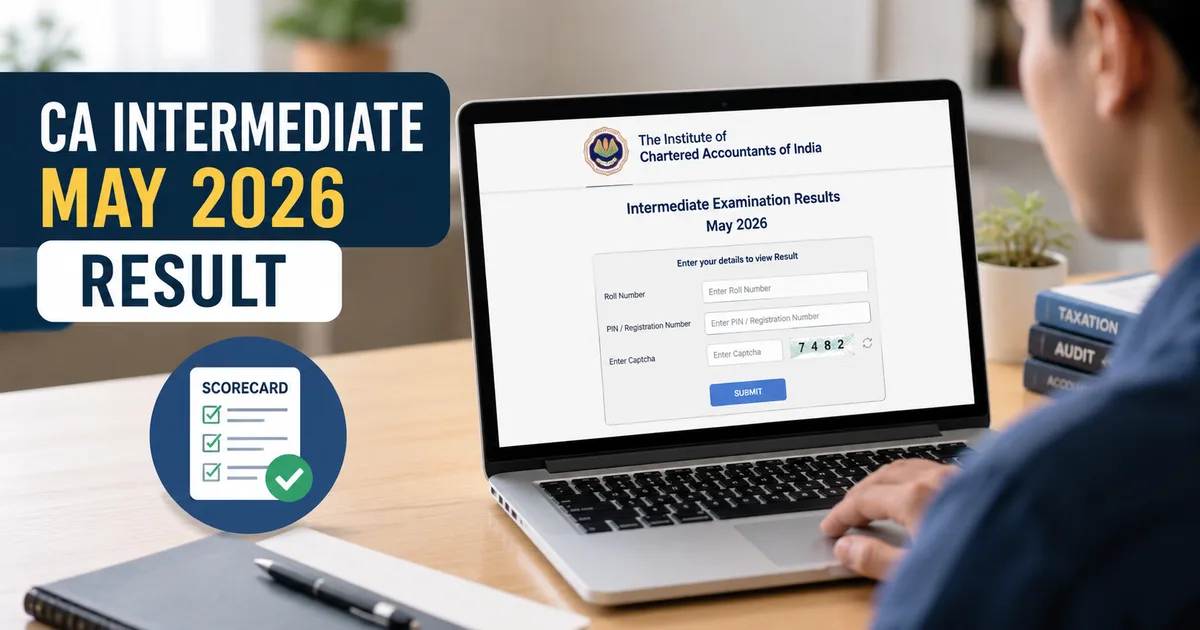
- Click on that link to open the login page. The new screen will show three blank text boxes. The first box asks for your six-digit roll number. The second box asks for your registration number, which starts with letters like NRO, SRO, or WRO. The third box is a captcha security code.
- Enter your details carefully. Make sure you don't confuse the letter O with the number 0 in your registration code. That's a very common mistake that leads to login errors.
- Type the captcha characters into the text box. If the captcha is too blurry to read, click the refresh button next to it to generate a new one.
- Click the submit button. A new page will load showing your detailed marks. You'll see your name, roll number, marks for individual papers in Group I and Group II, and your final pass or fail status.
- Save the document as a PDF. Click the print button at the top right of your screen. In the print menu, select Save as PDF instead of a physical printer, and save it on your computer. I always tell students to save three copies in different folders.
Checking this on your phone? Expect a cramped layout. So, you'll probably have to zoom in to read the numbers properly. But you don't need any Aadhaar verification or OTP here (unlike other Indian government sites like DigiLocker). Honestly, the portal is super basic. I'm not sure what the exact pass percentage numbers for May 2026 will be, but they usually follow the historical trend.
How to check the ICAI merit list
- Go back to the homepage at caresults.icai.org.
- Look for the link that says Intermediate Examination (May 2026) - Merit List.
- Click the link to open the merit list search page. You'll see a screen that looks identical to the result scorecard page, but this one only requires your roll number and the captcha code.
- Type your roll number and the captcha code, then click submit. If your marks are high enough to place you in the top 50, the screen will show your rank, your name, your city, and your total score. If you aren't in the top 50, the system will show a message saying Record not found.
Honestly, making it to this list is incredibly difficult. You need to score at least 70% in aggregate across all papers in a single attempt to even qualify for a rank. I've known brilliant students who missed it by a single mark, so don't beat yourself up if you don't see your name here.
Want to read more about preparing for these tough Indian exams? Check out our exam preparation guides.
Understanding the CA Intermediate pass percentage May 2026
Now for the interesting part. ICAI releases the pass percentage details along with the results. This tells you how many students actually cleared the exam out of everyone who appeared. Let's break down what these numbers actually mean.
For the May 2026 exam, the pass percentage details show how tough the grading was. It was brutal. In previous attempts, the pass rate hovered around 10% to 15% for individual groups, and was even lower for students who took both groups together. Historically, both groups have a pass rate of about 5% to 8%.
The Times of India reported that this year's pass percentage followed a similar trend. Basically, passing both groups is still a massive hurdle. Let's look at the numbers.
- Group 1 pass percentage: Usually, around 15% of candidates clear this group. The papers this time were slightly trickier, especially the accounting standards section.
- Group 2 pass percentage: This group tends to have a slightly better pass rate, around 18%, but the auditing paper always acts as a filter.
- Both groups pass percentage: This is the real killer. Only a small fraction, usually around 6% to 9%, manage to pass both groups in one go.
I think this low pass rate is actually a good thing. It keeps standards high. If it was easy, the degree wouldn't hold the same value in the corporate world. But if you failed, you're in the company of the vast majority. It's not the end of the road.
If you're feeling overwhelmed by the results, check our guide on tools for stress management.
What to do if you forgot your credentials
Let's face it, losing your admit card in the post-exam chaos is incredibly easy. It happens. Without your roll number or registration number, you can't access the caresults.icai.org website. But don't panic. You can still recover your details.
First, check your email. ICAI sends confirmation emails when you register for the exam and when you download your admit card. Search for words like ICAI, Intermediate, CA, or Admit Card. You'll probably find a PDF copy of your admit card right there.
Second, you can log in to the Self Service Portal, or SSP, of ICAI. This is where you manage your student profile. Let's walk through the steps.
- Go to the ICAI SSP portal at eservices.icai.org. You'll see a modern login screen. This page requires your student user ID (which ends with @icai.org) and your password.
- Enter your credentials. If you forgot your password, click the Forgot Password link at the bottom of the form. The portal will send a reset link to your registered Indian mobile number or email ID.
- Navigate to the Student Functions tab. Once you log in, the dashboard displays several boxes. Click on Student Functions, then go to the submitted applications section.
- Find your Intermediate exam application. Here, you can view your application status and download a duplicate copy of your admit card. The admit card will contain your roll number.
But what if you can't log in to the SSP portal either? That's a mess. Your best option then is to contact the ICAI helpline. They have regional phone numbers and email addresses. You'll need to share details like your name, date of birth, registered email, and father's name to verify your identity.
To avoid this in the future, check our guide on digital locker apps in India. It'll keep your admit cards and marksheets safe.