Look, getting into Delhi University has always been a stressful experience for Indian students. But nowadays, you don't just fight for marks. You fight against a portal. If you're trying to navigate the DU CSAS Portal UG 2026 right now, you know exactly what I mean.
I've seen students with stellar CUET scores miss out on their dream colleges because they messed up the preference list on the Common Seat Allocation System. Over 1.9 lakh applications came in this year for around 71,624 seats. The competition is brutal. So I'm going to break down exactly how this portal works and what you need to do to avoid the stupid mistakes that cost people their admission.
What is the DU CSAS portal anyway?
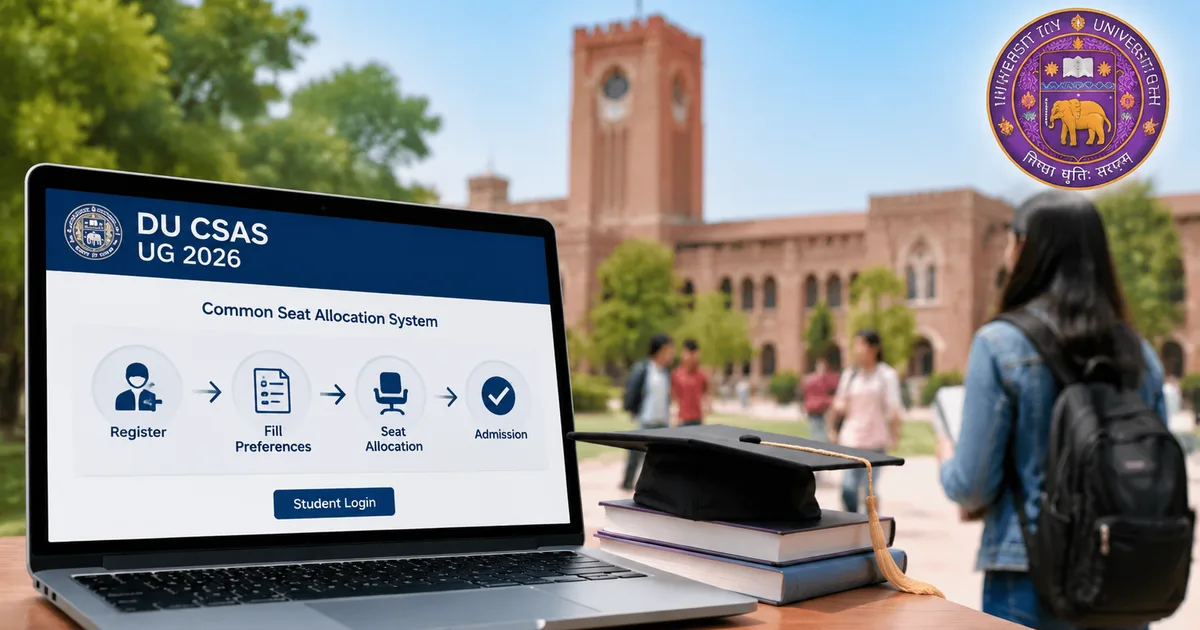
Basically, CSAS is short for Common Seat Allocation System. DU stopped using 12th board marks a while back. Now everything runs through CUET UG scores. The CSAS portal is just the website where you tell DU, "Hey, I took the CUET, here are my scores, and here are the colleges I want."
You access the portal at ugadmission.uod.ac.in. The entire system is broken down into a few phases. First you have registration. Then comes preference filling and the actual seat allocation.
And let me tell you, the anxiety during that third phase is incredibly real. Just this week, they released the Round 1 seat allocation list. Out of nowhere, 61,932 applicants jumped to confirm their seats. If you're reading this, you're probably trying to figure out if you should freeze your seat or upgrade. We'll get to that.
First, you need to understand the actual steps you have to take. Missing a single deadline on this platform means you're out of the race. It's brutal. If you ask me, the deadlines are the scariest part.
Phase 1: Registration and linking documents
First things first, you have to register. You absolutely need your CUET application number. That's your primary ID. You can't just create an account from scratch using an email address.
When you log in, the portal pulls your basic details directly from the NTA database. You can't change your name or your date of birth here. If NTA messed it up during your CUET registration, you're stuck with it for now.
You'll need to upload some documents. This is where most people panic. Here's exactly what you need to scan and keep ready on your laptop.
- Class 10 mark sheet (this serves as your date of birth proof)
- Class 12 mark sheet
- Category certificate if you have one (OBC-NCL, SC, ST, EWS)
- Your signature and a recent passport-sized photograph
Make sure your category certificates are issued after March 31, 2026. I see students trying to upload three-year-old OBC certificates every year, and their applications get rejected instantly. The portal integrates fairly well with DigiLocker (which makes sense, actually), and it saves you the hassle of scanning physical copies at a cybercafe. Honestly, using DigiLocker is the safest way to get the documents verified quickly.
If your name on the category certificate doesn't match your Aadhar or CUET application exactly, you need an affidavit. Do not ignore this. DU is notoriously strict about document matching.
You also have to pay a non-refundable registration fee. It's usually INR 250 for general category and INR 100 for reserved categories. If you're applying under the Sports or ECA quota, there's an extra fee. Pay it using UPI. It's much faster than waiting for an OTP from your bank for a debit card transaction. I'm not sure exactly why debit cards fail so often on this portal, but they do.
Phase 2: The preference filling nightmare
This is the phase that actually matters. Phase 2 is where you tell the DU CSAS Portal UG 2026 which college and course combinations you want.
Here's the deal. You can select as many preferences as you want. Some kids select over 500 combinations. I actually recommend filling out at least 50 to 100. Don't just pick St. Stephen's and SRCC and call it a day unless your CUET score is absolutely perfect.
You have to rank them. Preference 1 should be your absolute dream college and course. Preference 2 is your second choice. The algorithm will look at your score, check your first preference, see if a seat is empty, and give it to you. If not, it moves to preference 2.
If you put a mediocre college as preference 1 just because you think you have a better chance, the system will give it to you. And you can't upgrade to preference 2 later. Upgrades only go up the list. Never down.
This is where a lot of students rely on our detailed guides to understand cutoffs. You really need to map this out on paper before touching the portal.
The simulated rank list
Before the actual allocation begins, DU releases a simulated rank list. This is essentially a mock drill. The portal tells you where you stand among all the applicants for a particular course.
If your simulated rank for B.Com Hons at Hindu College is 5000, and they only have 100 seats, you know you aren't getting in.
The portal gives you a two-day window to change your preferences after seeing your simulated ranks. Use this time. If your ranks are terrible for your top choices, push some of your backup colleges higher up the list. I can't stress this enough. Reordering your list based on simulated ranks is the smartest thing you can do on the CSAS portal.
Phase 3: Seat allocation and what to do next
So the Round 1 list finally drops. You log into the portal and you see a college name. What now?
You have to accept the seat within a specific window. Usually, you get about two to three days. If you don't click accept, the portal just assumes you're out. Your admission is cancelled instantly. You won't be considered for the later rounds.
Once you accept, the specific college will review your documents. The principal of that college has to approve your file digitally. You'll see the status change on your dashboard from "Pending Document Verification" to "Verified by Convener" and finally "Approved by Principal" (annoying, I know).
If they find an issue with your documents, they'll raise a query on the portal. You have to reply to that query and upload the correct document immediately. If you miss the query, your admission gets cancelled and it's all over.
Once approved, you pay the admission fees online. Only then is your seat confirmed.
To freeze or to upgrade?
This is the biggest question I get from students.
After you pay the fees, the portal gives you two options. Freeze or Upgrade.
- Freeze: You are happy with the college. You do not want any other college. You are done.
- Upgrade: You accept the current seat, but you want the portal to consider you for your higher preferences in the next round.
Honestly, unless you got your exact number one preference, you should probably hit upgrade. You have nothing to lose. Your current seat remains yours unless you get allotted a higher preference in the next round. If you get a higher preference, your old seat is automatically cancelled and given to someone else.
Just remember, if you upgrade, you might end up in a different college. You can't ask for your old seat back.
Tie-breaking rules for equal scores
What happens if two students have the exact same CUET score and they both want the last seat at Hansraj College? The portal has a tie-breaking algorithm built in.
First, it looks at your Class 12 board marks. Specifically, the marks in your best three subjects. Whoever has a higher percentage gets the seat. If that's a tie, it checks the best four subjects. And if that's also a tie, the older student gets the seat based on the date of birth.
It's entirely automated. Nobody sitting in a DU office is manually picking students.
Common errors on the portal
The DU portal crashes. A lot. Especially on the day the allocation list comes out.
If you get a 504 Gateway Timeout error, don't panic. Just wait an hour and try again. Constantly trying to refresh 50 times will just lock up your browser session.
Payment failures are another massive headache. If money gets deducted from your bank account but the portal still says "Payment Pending", don't pay again immediately. Wait 24 hours. The payment gateway usually syncs up. If you pay twice, getting a refund from DU takes months. Use UPI if possible. It tends to have fewer timeout issues than debit cards on this specific portal.
For more technical updates like this, you can check out our daily news section.
The mid-entry scheme
DU also introduced a mid-entry scheme for students who somehow missed the initial Phase 1 registration deadline.
During the middle of the allocation process, usually around Round 3, the portal reopens for a brief window. You can register fresh. But there's a massive catch. You have to pay a heavy penalty fee, usually around INR 1000. And more importantly, you'll only be considered for the seats that are completely empty after the regular rounds.
You can't claim a seat that a regular student is eligible for, even if your CUET score is higher than theirs. The mid-entry scheme is a last resort. Don't plan your admissions around it. Only use it if you genuinely messed up and missed the July deadlines. I think it's a bit of a mess, frankly.
ECA and sports quota admissions
If you're applying through the Extracurricular Activities (ECA) or Sports quota, your process is slightly different on the portal.
You still have to go through the regular preference filling. But your allocation doesn't happen in Round 1. DU actually conducts physical trials for sports and ECA categories. You have to download the trial admit card directly from the CSAS dashboard.
Your final score for these quotas is calculated by adding your CUET score and your trial score. The portal will release a separate allocation list specifically for ECA and Sports candidates after the regular rounds are mostly wrapped up. The numbers here are a bit fuzzy, but you get the idea.
Make sure you upload your certificates correctly during Phase 1. If you upload a state-level certificate under the national-level category, the automated system might reject it during the document verification stage.
What happens if you miss out?
Look, 1.9 lakh students for 71,000 seats means over a lakh of you won't get in. It's just math.
If you don't get a seat in the first three rounds, there are sometimes spot admission rounds for empty seats. DU announces these on the portal. You have to opt-in for spot rounds separately. But honestly, those are rare and highly sketchy.
Keep backup options open. Don't rely entirely on the DU CSAS Portal UG 2026. State universities and private colleges are completely valid paths.
The most important thing is to keep checking the dashboard. Don't wait for SMS alerts. Sometimes the SMS gateway fails, and you might miss your window to accept a seat. Log in twice a day during the allocation weeks.
That's pretty much it. Be careful with your preferences and keep your documents ready. And have some patience with the servers. The whole process is incredibly long.