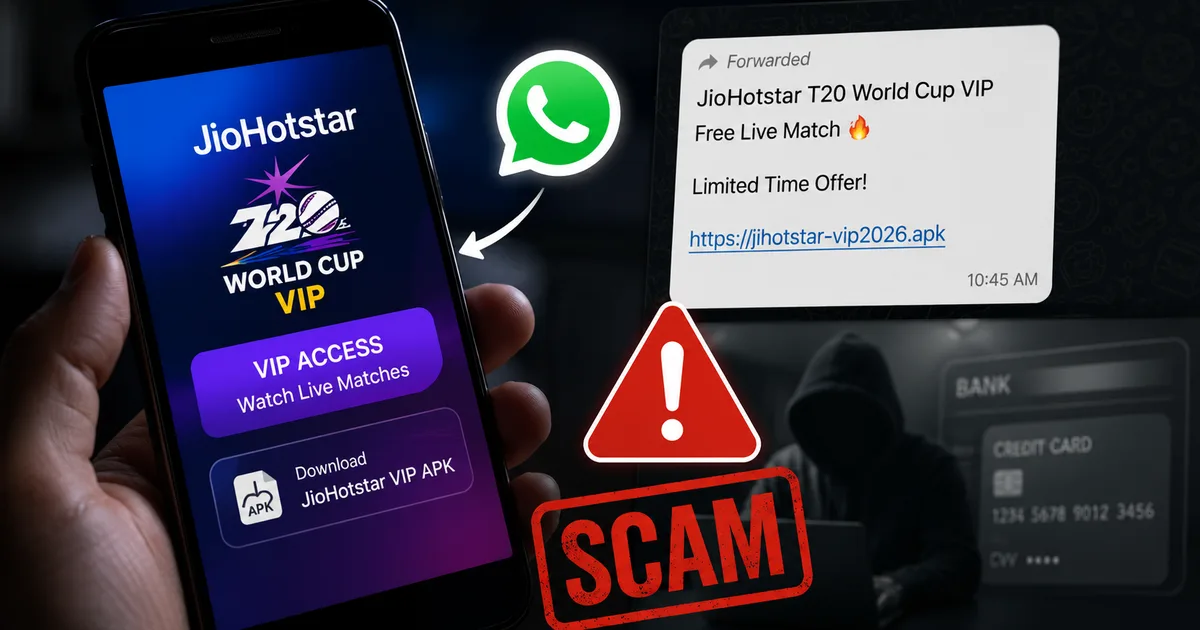
The T20 World Cup is happening right now, and finding a free stream is basically a national sport in India. This desperation makes the fake JioHotstar T20 World Cup VIP APK scam 2026 one of the most dangerous threats on WhatsApp today. I see these links popping up in family groups every single day. Someone forwards a message claiming you can watch the India versus Pakistan match for free if you download a "VIP Mod APK" of the streaming app.
Do not click it. Honestly, that link isn't giving you a free cricket match. It is just handing over your entire bank account to cybercriminals.
I've seen a massive spike in reports of people losing their life savings just hours after they tried to watch a match on their phones. It's a mess. Let me explain exactly what this scam is and how these tiny files get around your security. You need to know what to do right now to keep your money safe.
The fake JioHotstar VIP APK scam explained
Official streaming for the tournament requires a subscription. Real telecom providers like Jio, Airtel, and Vi have specific prepaid recharge plans that bundle access to these matches. That is the legal way to watch. But humans love free things. People don't want to pay Rs 299 or upgrade their data plans just for a few matches. So they look for shortcuts.
Scammers know this. They spend their days figuring out what people want and turning it into a weapon. They create a sketchy piece of malware that looks like the official streaming app. Then they package it as an APK file. Look, an APK is just the file format Android uses for apps. When you buy from the Google Play Store, Android handles the APK quietly in the background. When you download a random file from a WhatsApp link, you get around every security measure Google has.
These fake apps are built to do one specific thing. They read your incoming text messages and quietly send your bank OTPs to fraudsters. I'm not sure exactly why we keep falling for this, but the urgency of a cricket match makes us do weird things.
How the WhatsApp APK trap actually works
The mechanism here is incredibly simple. That's what makes it terrifying. The criminals rely entirely on your urgency to watch the live match.
Step 1: The forwarded bait
First, you get a WhatsApp message. It usually has some urgent text like "Watch T20 World Cup Live Free Unlocked" and a link. It often has the "Forwarded many times" label. Sometimes it comes from a friend or an uncle whose phone is already compromised. You trust the sender, so your guard drops. (Which is exactly what they want, honestly.)
Step 2: The malicious download
You tap the link. It doesn't open the Google Play Store. Instead, your browser gets a raw file directly to your device storage. Your phone will usually show a stern warning that files from "Unknown Sources" are dangerous. People ignore this warning all the time. They turn off the security block because they think they're just getting a modified video player.
Step 3: Handing over the keys
The app installs. When you open it, it asks for a series of permissions. It'll ask to access your contacts or your SMS messages. Just think about that for a second. A video streaming app has no reason to read your personal text messages. But users are usually rushing to catch the first over. In my experience, no one actually checks permissions when they're excited for a match. They just tap "Allow".
Step 4: The financial wipeout
Once you grant SMS permission, the trap shuts. The app is silent in the background. It might even show you a low-quality stream of the match just to keep you busy. Meanwhile, the scammers on the other end have full access to your messages.
They take your phone number and go to a banking portal. They start a password reset or a fund transfer. Your bank generates an OTP and sends it via SMS to verify the transaction. The fake JioHotstar app gets that OTP instantly. It sends the code to the scammers and then deletes the SMS from your phone. You never even see the text arrive.
You just wake up the next morning to an empty bank account. The Times of India recently reported how users downloading random APK files ended up losing amounts as high as Rs 6 lakh in a single afternoon. The underlying mechanism is the same whether they use fake wedding invites or fake cricket streams. It is a total disaster for the victim.
Warning signs you are downloading malware
You can spot these frauds if you look closely before you hit install. Your phone usually tries to tell you something is wrong.
- The installation link comes via WhatsApp or an unknown website instead of the official app store.
- Your Android phone gives you a strict security warning about installing apps from "Unknown Sources."
- The app asks for SMS or call log permissions immediately when you open it.
- The app size is unusually small. Real streaming apps are heavily coded and large. These malware files are often under 10 megabytes.
- The app icon looks slightly distorted or has an old logo.
How to protect your bank account today
Your phone has built-in security features to stop this kind of attack. You just need to leave them turned on.
First, turn off auto-download for documents and files on WhatsApp. Go to your settings, find the "Storage and data" section, and turn off auto-download for documents. This stops random APKs from automatically saving to your phone when someone posts them in a group chat. It's a simple fix. But it works.
Never install apps from outside official app stores. The Google Play Store and Apple App Store aren't perfect, but they run scans to catch obvious malware. Sideloading apps is a massive risk. You are essentially letting a stranger walk into your house and open your drawers.
Pay attention to app permissions. If a calculator app asks for your location, delete it. If a streaming app asks for your SMS messages, delete it immediately. You can check your current permissions by going to your phone settings, tapping "Apps", and selecting "Permission manager".
If you want to watch the cricket matches, pay for access legally. Check your existing telecom plans. Many Vi, Jio, and Airtel recharge plans currently include access to official tournament streams at no extra cost. Spending a few hundred rupees on a real data pack is far better than losing your entire salary to a scammer operating out of another state.
Read about similar frauds in our scam alert directory to stay updated on what criminals are doing right now. You can also check our tech explainers to understand how different app permissions actually function on Android devices.
What to do if you already installed the fake app
Panic won't help you here. Speed will. If you installed a sketchy APK to watch the match and realize you made a mistake, you must act right now. Every single minute counts.
Disconnect your phone from the internet immediately. Turn off Wi-Fi and mobile data. Turn on Airplane mode. This cuts the connection between the malware on your phone and the scammer's remote server. They can't get your OTPs if your phone is offline.
Go to your phone settings and uninstall the app completely. Don't just delete the shortcut. Go deep into your app manager, find the fake JioHotstar app, clear its cache and data, then hit uninstall.
Once the phone is offline and the app is gone, use a different, safe device to check your bank accounts. Log into your net banking from a laptop or use a family member's phone. If you see transactions you didn't make, freeze your accounts instantly. Use your banking app's emergency block feature or call your bank's customer care.
Call 1930 immediately to report the financial fraud. Time is your biggest asset here. The 1930 cybercrime helpline is the official government channel for financial fraud. They have a direct line to the banks and can sometimes freeze the transferred money in the scammer's account before they withdraw it at an ATM.
You must also file a formal written complaint at cybercrime.gov.in. Authorities like CERT-In track these malware campaigns. Your detailed report helps them find the malicious servers and take them down. If you need help securing your digital life further after an attack, browse our security guides for step-by-step instructions on resetting your passwords safely.
Stay alert out there. Cybercriminals are counting on your love for cricket to get around your common sense. Watch the game legally, and keep your money where it belongs.