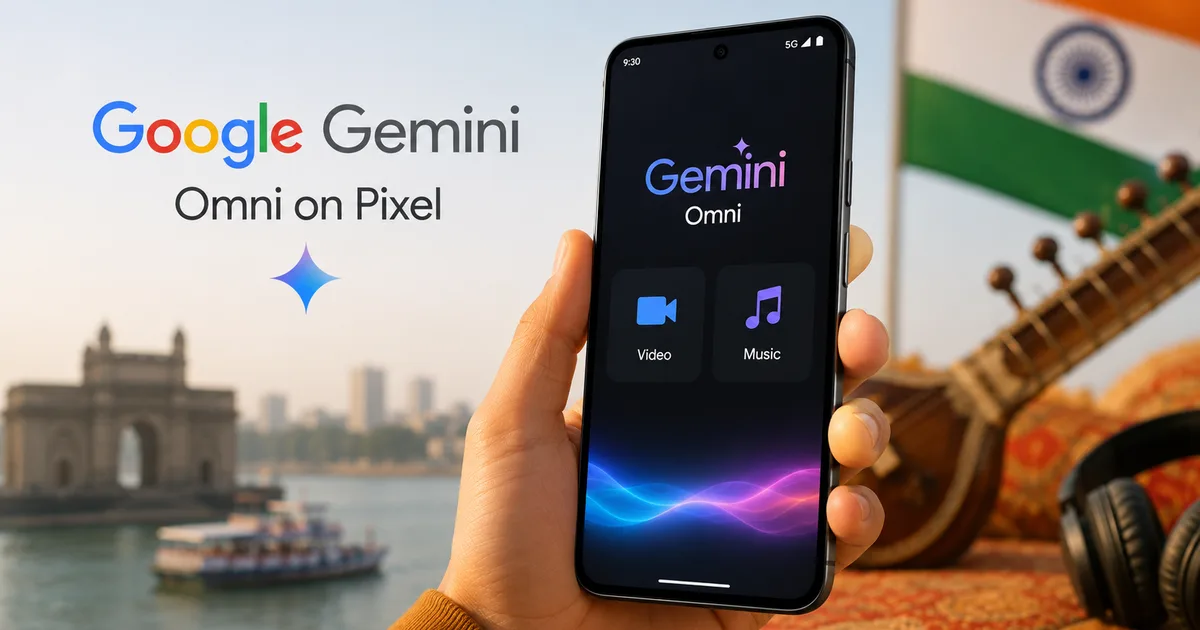
If you've bought a Pixel phone recently, you probably know Google keeps adding updates through its Pixel Drops. The June 2026 update's finally here. The highlight is the rollout of Google Gemini Omni on Pixel devices in India. It brings real AI-driven video and music creation tools straight to your phone. If you're a creator or just someone who likes playing with new tech, they're worth checking out.
What Gemini Omni and Lyria 3 bring to your phone
Google's been pushing AI on its phones for a while, but this update's different. Honestly, if you ask me, the integration of Gemini Omni directly into the system is a big deal (which makes sense, actually, given the hardware power of these new chips). The system can process video and audio on-device or on Google's cloud servers. In India, this update arrives with Android 17, which also brings improvements like floating app bubbles and screen reactions. The install package's huge. We're talking around 2.1 GB on a Pixel 9 Pro. So you'll need stable Wi-Fi before you download.
Lyria 3's the engine running the music side of things. It lets you create custom music tracks by typing what you want. You don't need to know anything about music theory. You don't need to play instruments either. Just describe the beat and the genre you want, and the phone does the rest. It's a massive step forward from those simple, robotic MIDI generators we had on phones a couple of years ago.
The Hindu reported that the June Pixel Drop adds screen reactions, Gemini Omni features, and customized music generation in India, alongside several security upgrades.
Before you get started, make sure your phone's updated. Update it first. You'll need a Pixel 8 or Pixel 9 series phone to use most of these features. Older models lack the hardware needed for on-device processing. Specifically, the base Pixel 8 only gets the music features. The Pro models get the full video suite. I found this out the hard way. I tried to run the video generator on a standard Pixel 7a, which flat out refused to show the option. I'm not sure exactly why Google made this choice, but for now, it's a Pro-only club.
Let's talk multitasking. Android 17 introduces floating app bubbles for all apps, which lets you keep a small window of the Gemini generator open while you scroll through Instagram or chat on WhatsApp. It makes waiting for the cloud rendering a lot less boring. You don't have to keep the Gemini app open on your screen the whole time.
How to generate clips with AI video generation in India
Generating videos using AI on your phone is pretty simple. The interface's clean. But rendering is slow if your connection's patchy. Look, here's how you do it.
First, open the Gemini app on your Pixel. If Gemini's your default assistant, just hold the power button or swipe from the screen's corner. Look for that new "Create Video" icon in the input bar. Tap it. The video generation interface will pop up with a few prompt suggestions to get you started.
Second, write your prompt. Be descriptive. If you write "a dog playing," you'll get a generic clip. Instead, try something specific like "a Golden Retriever chasing a tennis ball in a Bengaluru park, shot in cinematic style." For Indian creators, adding local details works surprisingly well. I tried "a street vendor making jalebis in old Delhi with steam rising" (which sounds delicious, actually) and the result was decent, even if the jalebi shapes looked a bit sketchy. If you want to link this to our other tutorials on writing prompts, check our AI tools section.
Third, adjust your settings. You can select the aspect ratio (16:9 for landscape or 9:16 for vertical reels) and how long the clip runs. The system currently limits clips to six seconds. It's short. But it's enough for social media posts or quick edits. You can also select the style, choosing between photorealistic and 3D render.
Finally, tap generate. The phone'll send the request to Google's cloud servers. It takes around two minutes to render. Once it's ready, you can download the video directly to your gallery. Or just share it using Indian apps like WhatsApp or ShareChat. Be prepared for occasional network errors during peak Indian evening hours when Google's servers get overloaded.
In my experience, generating a video of a busy market in Mumbai was a mixed bag. The details were mostly accurate. But the text on the store signs looked like scrambled letters. That's a common limitation of these generators right now. So don't go expecting readable shop boards in your clips.
Creating custom tracks with AI music creation on Pixel
Basically, the music creation feature uses Google's Lyria 3 model. It's designed for creators who need background music for their videos without dealing with copyright issues. You can create instrumental tracks of up to thirty seconds. It's simple.
To start, open YouTube Music and tap the 'AI Lab' tab. Or you can get to it directly through the Gemini app by typing a prompt starting with 'create music.' The system'll automatically redirect you to the creation console. There, you'll see a simple synthesizer layout.
You then choose your parameters. The app gives you a list of genres like Lo-Fi, electronic, ambient, and Indian classical. You can also specify instruments. For example, you can ask for a track featuring a sitar, tabla, flute, and a modern synth wave beat. I think this is particularly useful for local businesses trying to make reels. In my experience, the results are surprisingly good. I tried creating a backing track for a tea stall video using a sitar and an acoustic guitar at a slow chill tempo, and it came out sounding clean.
Once you enter the prompt, the engine generates three different variations. You can listen to each one. Then select the one that fits your project. You can also edit the tempo or the key if you've got a specific sound in mind (which is handy, actually). The variations're usually distinct enough to give you real choices, rather than just minor tweaks of the same track.
When you're satisfied, export the audio. The file saves as a high-quality WAV or MP3 file. You can import these tracks directly into video editing apps like LumaFusion or VN Editor. Since these tracks're royalty-free, you won't get copyright strikes on YouTube or Instagram. This's a massive win for young Indian YouTubers who're tired of getting their videos demonetized over a tiny three-second music loop.
Pricing, availability, and Indian support
While the basic Gemini features're free, generating video and music requires a Google One AI Premium subscription. In India, this plan costs INR 1,950 per month. You can pay using UPI, credit cards, debit cards, or net banking. Google offers a one-month free trial for new users. It's a good way to test the tools before committing your cash. If you ask me, that monthly fee's a major expense if you're a student or a small business owner. So make sure you actually need the generation tools before letting the subscription auto-renew.
If you don't want to pay, the free tier of Gemini still lets you use basic text and image generation. But the video rendering and Lyria 3 music tools're locked behind the paywall. We've detailed comparisons of other free options in our tech guides. Also, the subscription gives you 2 TB of Google Drive storage (which is a lot of space), helping offset the high price tag if you already pay for cloud storage.
Google also localized the language support. You can type prompts in Hindi, Tamil, Telugu, and Bengali. The AI understands mixed language prompts too, like 'dhabe pe chai peete hue log.' This makes it much easier for Indian users who prefer Hinglish. The translation engine works in the background. It converts your regional prompt into machine instructions in real time. And it handles common Indian slang surprisingly well.
Feature comparison
| Feature | Previous Gemini Nano | New Gemini Omni on Pixel |
|---|---|---|
| Video generation | None (text only) | Up to 6-second clips, cloud-rendered |
| Music creation | None | Up to 30-second tracks via Lyria 3 |
| Language support | English mainly | English, Hindi, Tamil, Telugu, Bengali |
| Processing type | On-device only | Hybrid (on-device + cloud) |
Safety, regulations, and reporting
AI generation raises concerns about deepfakes and misinformation. Google applies digital watermarks to all videos and music generated through Gemini Omni. These watermarks're invisible to the eye. But search engines and verification tools can detect them. This follows guidelines discussed by India's Ministry of Electronics and Information Technology (MeitY) to ensure digital safety.
Also, the Android 17 update accompanying this Pixel Drop includes anti-scam tools. In my experience, these tools are highly effective. They detect real-time call patterns associated with bank scams and alert you immediately. The system doesn't send your call audio to Google, keeping the process private. Honestly, it's a very welcome feature in India, where fake courier and electricity bill scams're on the rise.
If you encounter fake videos or AI-generated scams mimicking government officials, you should report them. You can lodge a complaint at the national portal cybercrime.gov.in or call the 1930 helpline immediately. Check out our guide on avoiding digital scams in India for more details.