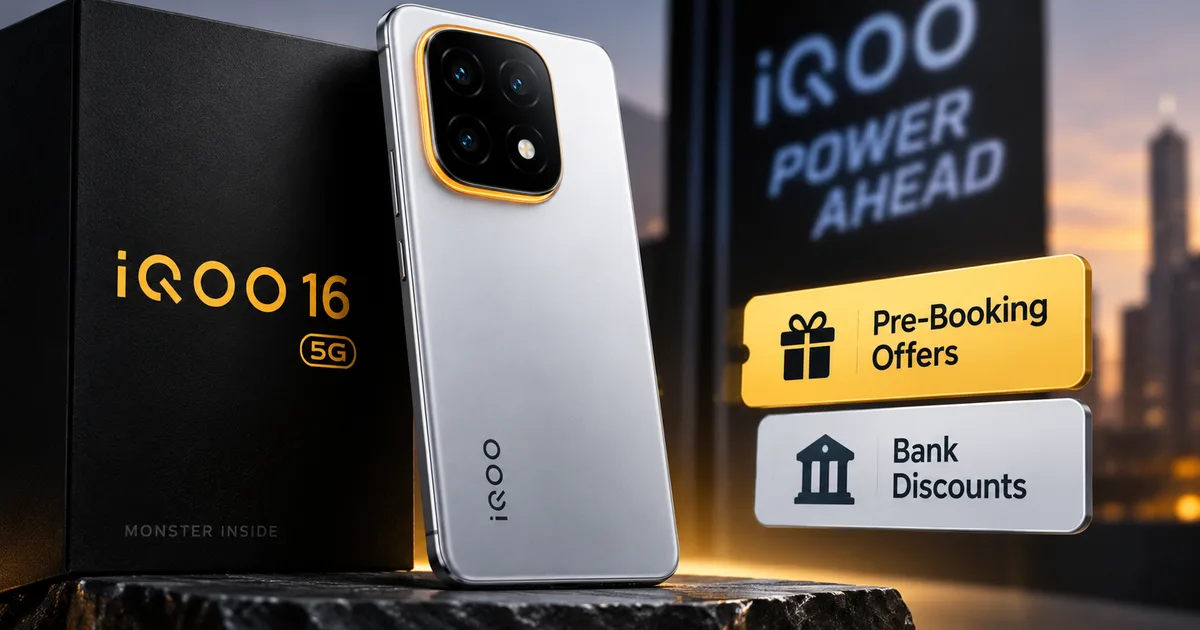
The iQOO 16 5G 2026 India launch is officially here, and honestly, the pre-booking process is always a bit chaotic. I tried doing this for a previous generation last year, and getting all the bank offers to stack correctly was a massive headache. If you're looking at dropping Rs 44,999 on a phone, you want to make sure you get every single discount available. But phone brands love making the initial buying process confusing. They throw around terms like instant discount, exchange bonus, weird coupon codes, and bundle offers until you don't even know what you're paying anymore. This guide will walk you through exactly how to secure the phone and actually get the discounts they advertise. I'll break down the exact steps you need to follow on both Amazon India and the official iQOO website. Because yes, the offers actually differ slightly depending on where you buy it, which is sketchy.
Look, reading through terms and conditions is boring. But you really need to understand what you're claiming before hitting the checkout page. The standard base variant is Rs 44,999 for the 8GB RAM and 256GB storage model. Nobody should be paying that full amount. There's an instant discount of Rs 4,000 if you use HDFC or Axis Bank credit cards. This applies to debit cards and EMI transactions too. And if you pre-book early enough, there's a bundle offer that includes a free iQOO TWS worth Rs 1,899. That's almost six thousand rupees in value just for clicking the right buttons.
But here's the catch. These offers run out fast. The early sale usually begins a day before the general sale, and the bundle deals are notoriously limited in stock. You need to be ready. Just like the iQOO Z11 Lite 5G India Launch 2026: Expected Price, Processor and Gaming Features Explained, the hype is real and units move quickly. People get stuck on the payment page. The bank server times out. And suddenly the TWS bundle is out of stock. We're going to avoid that entirely.
What you need to prep before the booking window opens
Don't wait until 1 PM to start finding your credit card. You need everything ready at least twenty minutes beforehand. I can't stress this enough. Amazon and the iQOO store both get heavy traffic during these flash sales. You want to be the person who just clicks through to the end. Not the person typing out a sixteen-digit card number while the site lags.
- Save your HDFC or Axis Bank card to your Amazon account right now. Go to your payment settings and add it. Make sure the CVV is memorized.
- Check your card limit. It sounds basic, but I've seen so many transactions fail because someone forgot their online transaction limit was capped at Rs 20,000 on their banking app.
- Keep your phone nearby for the OTP. If you have dual SIM, make sure you are in an area with good network coverage for that specific bank's SMS delivery.
- Update your default delivery address. You don't want to accidentally ship a fifty-thousand rupee phone to your old office address.
- If you plan to use an EMI option, calculate the interest rate beforehand. Bajaj Finserv also offers zero down payment options, so keep that card handy if you prefer going that route.
You also need to decide which colour you actually want.
The phone comes in Dark Knight and Triumph Silver. The Apex variant, which is more expensive, comes in a shifting cloud pattern design. Make a decision now so you aren't hesitating on the product page. I personally lean towards the Dark Knight finish because matte black is just practical (annoying, I know, to be so basic). But it's your money.
Step-by-step guide to pre-book on Amazon India
Amazon is usually the most reliable platform for these launches. Their servers handle traffic better than standalone brand websites. But I think their UI can be a mess. It's easy to miss the bank offer checkbox.
- Open the Amazon India app exactly ten minutes before the sale goes live. Navigate to the electronics section or just search for the phone directly.
- Refresh the page exactly when the clock hits the launch time. You'll see the 'Add to Cart' or 'Pre-book Now' button appear. Click it immediately.
- On the cart page, verify that the free iQOO TWS bundle has been added automatically. Sometimes it shows up as a separate item with a zero rupee price tag. If it isn't there, the stock might be gone.
- Proceed to checkout. This is the most important part. Select your saved HDFC or Axis Bank card.
- Look for a small green text that says "Rs 4,000 instant discount applied". If you don't see this text, the discount hasn't registered. Do not proceed to OTP unless you see the final price drop to Rs 40,999.
- Enter your CVV, hit submit, and wait for the OTP. Do not switch away from the app. Just wait.
- Enter the OTP and let the payment process. Take a screenshot of the confirmation page once it goes through.
It's straightforward. But people panic when the page takes five seconds to load. Just breathe and don't hit the back button. If you're someone who regularly looks for How-to Tech Guides to figure out online payments, just take it slow and read the screen prompts.
How to claim offers on the official iQOO store
Sometimes Amazon runs out of stock. Or maybe you just prefer buying directly from the manufacturer. The iQOO Indian website has its own pre-booking process. It's a bit different, and occasionally they offer exclusive accessories that Amazon doesn't.
- Create an account on iQOO.com beforehand. Don't try to checkout as a guest. Guest checkouts often fail during high-traffic events.
- Navigate to the product page and select your variant. Remember, the 12GB RAM and 256GB storage model costs Rs 47,999. Select carefully.
- Hit the pre-book button. The iQOO site usually requires you to pay a token amount—sometimes just Rs 1,000—to secure the booking, with the rest payable later. Check if this is the case.
- Apply any specific coupon codes. Sometimes iQOO drops a random promo code on their social media five minutes before the sale. Keep an eye out.
- Select your HDFC or Axis Bank card at the payment gateway. The exact same Rs 4,000 discount applies here too.
- Complete the transaction. You'll get an email and an SMS with your booking ID. Keep that safe.
In my experience, one thing about the official store is their delivery times. They use third-party logistics like BlueDart or Delhivery. These are generally fine, but maybe a day slower than Amazon Prime delivery depending on where you live in India. If you're in a tier-2 city, factor that in.
Why this phone is actually getting so much attention
I know this is a buying guide, but we should probably talk about why you're jumping through these hoops in the first place. You can read up on the Latest Tech News to see the hype. But let me break down the actual hardware you're paying for.
The spec sheet on this thing is aggressive. It's powered by the Snapdragon 8 Gen 5 processor built on a 3nm process. That alone is going to make it ridiculously fast. But the real selling point is the battery.
They crammed a 7,600mAh silicon anode battery into a phone that is somehow only 7.9mm thick. I genuinely don't know how they managed the thermals on that. It supports 100W fast charging, meaning it goes from zero to fifty percent in around 33 minutes (the numbers here are a bit fuzzy depending on room temperature, but it's fast). For anyone tired of charging their phone twice a day, this is a massive upgrade.
Then there's the display. It's a 6.59-inch AMOLED panel pushing a 144Hz refresh rate. They're clearly targeting mobile gamers here. They even included a SuperComputing Chip Q2 specifically to stabilize frame rates and lower latency during heavy gaming sessions. It's built for BGMI and Genshin Impact at max settings.
"The iQOO 15R 5G is designed to deliver extreme performance for mobile gamers and professionals alike. With its Snapdragon 8 Gen 5 processor and Supercomputing Chip, the phone supports up to 144 FPS gameplay, making it one of the most powerful gaming smartphones in India."
The camera setup isn't bad either. You get a 50MP primary sensor. And on some variants, they swap that to a 200MP wide-angle lens with OIS. It's not going to beat a flagship Samsung or Apple device in video recording. But for still photography? It's going to be more than capable for most people.
Common mistakes that will cost you the discounts
I've seen so many people mess this up. The biggest mistake is using UPI.
Yes, UPI is convenient. We all use it for everything from buying vegetables to splitting dinner bills. But the Rs 4,000 instant discount explicitly requires a bank card transaction. If you select Google Pay or PhonePe at checkout, you'll pay the full Rs 44,999. Don't use UPI for this specific purchase if you want the bank offer.
Another mistake is trying to use a corporate credit card. Most bank offers explicitly exclude commercial or corporate cards. Use your personal retail banking card. If you're using a friend's card, make sure they're awake and ready to text you the OTP. Nothing is more frustrating than watching the session timer expire because your friend is in a meeting and ignoring their phone.
Finally, watch out for the default exchange options. I'm not sure exactly why, but Amazon will sometimes try to auto-select an exchange offer if you have an old phone linked to your account. If you don't actually want to trade in your current phone, make sure that toggle is switched off. Otherwise, the delivery agent will demand your old device when they drop off the new one. And if you refuse, they cancel the entire order.
Is the pre-booking actually worth it?
Honestly, yes. I'm usually the first person to tell people to wait a month before buying new tech. Let the early adopters deal with the software bugs. But the financial math on this specific launch makes waiting a bad idea.
If you wait two months, the price will probably still be Rs 44,999. But the Rs 4,000 bank discount will likely drop to Rs 2,000, or disappear entirely. And the free TWS earbuds will definitely be gone. So if you know you want this phone, and you have the budget ready, securing it during the pre-booking window is just financially smart. You get the maximum value for your money right at the start.
Just follow the steps. Get your HDFC or Axis card ready, check your transaction limits, log in early, and don't use UPI. It's a straightforward process if you just do a little bit of prep work beforehand. Enjoy the new hardware.