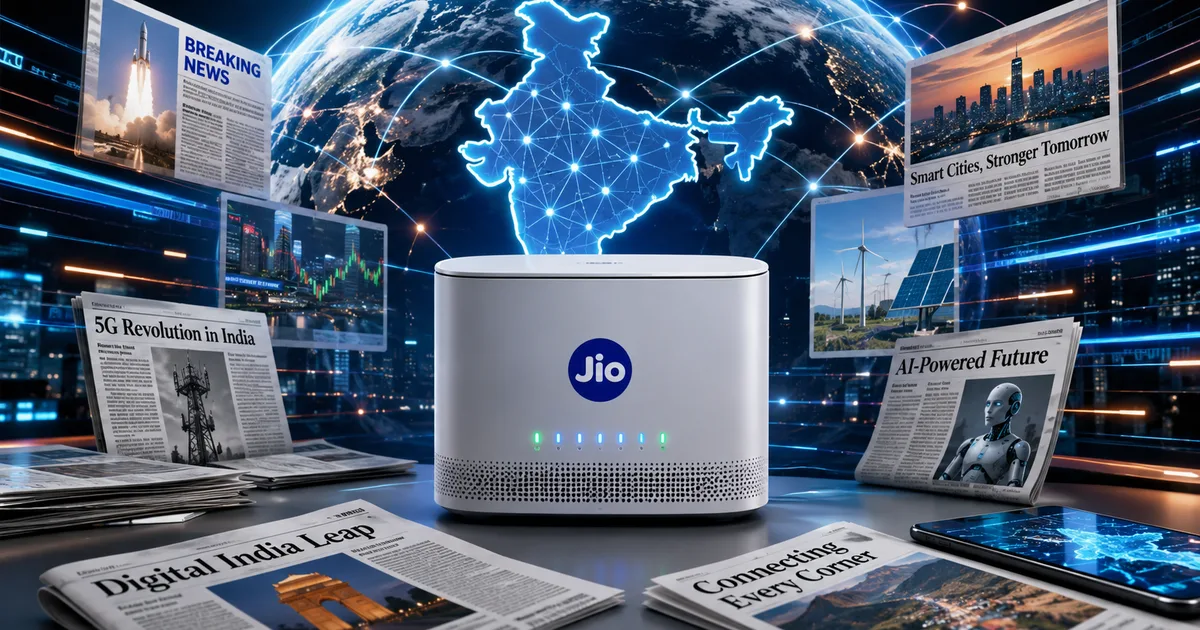
The Jio AI-Ready 5G Home Gateway isn't just a router. It's the hardware sitting at the center of Jio's entire bet on becoming, as Akash Ambani put it earlier this year, India's digital and AI gateway. With Jio AirFiber crossing 13 million subscribers and the company clocking an ARPU of Rs 214 in Q4 FY26, there are a lot of Indian homes now plugging in this device and wondering what it can actually do beyond giving them internet.
So here's a proper walkthrough — what the gateway is, what smart home features it supports, how to set it up, and honestly, whether the AI stuff is real or just marketing.
What you actually get: the hardware
Jio has been iterating on its home gateway hardware steadily. The device most new AirFiber subscribers get in 2026 is built around 5G Fixed Wireless Access, meaning it pulls in 5G signal and distributes it as broadband inside your home with no fiber cable needed. Think of it like a very powerful mobile hotspot, but designed for home use with proper antennas, better heat management, and dedicated Ethernet ports.
The bigger news for existing Jio broadband users is the AX6000 Universal Router Jio launched with Wi-Fi 6 and AI Mesh support. It's a dual-mode device that works with Jio's fiber connections as well as AirFiber. The AX6000 spec means theoretical combined speeds up to 6000 Mbps, though real-world speeds in a typical 2BHK in Chennai or Pune will be nowhere near that. Wi-Fi 6 matters practically because it handles multiple connected devices far better. If you've got ten or more gadgets on your network, phones, laptops, smart TVs, speakers, smart ACs, you'll notice the difference versus an older router, especially during evening peak hours.
The AI Mesh part is what's genuinely new.
What 'AI Mesh' does in plain terms
Mesh networking itself isn't new. You place multiple router nodes around a large home and they work together to give seamless Wi-Fi coverage. What Jio calls AI Mesh is an extension where the system uses onboard processing to constantly analyze signal strength, device behavior, and congestion, then automatically adjusts which devices connect to which node and on which frequency band.
Practically: your phone moving from the bedroom to the kitchen should switch to the nearest node without any dropout. Streaming on your smart TV should get priority bandwidth if the system detects you've started a 4K video. Your kid's tablet doing homework in a far corner of the flat gets routed intelligently rather than clinging to a weak signal from a distant node.
Does it work as advertised? Honestly, decent but not magic. I've seen reports in Jio AirFiber user threads where the band-steering, the bit where the router decides whether to push a device to 2.4GHz or 5GHz, sometimes takes longer than it should to kick in. It's better than no mesh at all. It's not quite as seamless as premium third-party mesh systems that cost Rs 15,000-25,000 per unit. But it's included in your Jio plan, which changes the value calculation entirely.
Smart home features: what's actually supported right now
There's a gap between what Jio claims and what's available in mid-2026, so let's be clear about both.
The gateway supports standard smart home connectivity. Anything running on Wi-Fi 6 connects easily. Xiaomi smart bulbs, Philips Hue, Alexa-compatible devices, Google Home devices, smart plugs from Wipro or Anchor Smart, all of these just need a Wi-Fi network and they'll work fine with the Jio gateway like with any router.
What's specific to Jio's setup:
- The MyJio app now includes router management — you can see connected devices, set up parental controls, and pause internet for specific devices directly from your phone without logging into a complicated admin panel.
- Guest network creation is straightforward, useful when you have domestic help or visitors and don't want them on your main network.
- QoS (Quality of Service) settings let you prioritize certain devices or applications. Gaming or video calls on a work laptop can be bumped up so they don't get throttled when someone else downloads a large file.
- For homes using the JioFiber set-top box, the gateway handles seamless integration — the STB talks to the router over Ethernet for more stable streaming than Wi-Fi.
The bigger AI-native features Jio has been hinting at, local AI processing for smart home commands, deeper JioAI assistant integration, energy monitoring, are partially rolled out through firmware updates. The latest news on Jio's digital platform push suggests more is coming through 2026. But as of now, you're not getting a fully autonomous AI home hub out of the box. It's a solid router with smart management and good mesh support. The rest is roadmap.
Step-by-step setup guide
Setting up the Jio AirFiber gateway is genuinely simpler than older broadband setups. The hardware installation, placing the antenna and running Ethernet inside, is what requires the Jio technician. The software side you can handle yourself.
First-time AirFiber gateway setup
- The Jio technician installs the outdoor antenna unit and runs a cable to the indoor gateway. Once powered up, the gateway should connect automatically.
- Download the MyJio app if you haven't already. Log in with your Jio mobile number.
- Open the app, go to the JioFiber/AirFiber section, and follow the guided setup. It detects your gateway automatically once you're on the same network.
- Set your Wi-Fi name (SSID) and password. Avoid broadcasting your flat number or full name — pick something vague for basic security hygiene.
- Enable the guest network separately under Settings > Wi-Fi > Guest Network.
- If adding mesh extender nodes, plug each one in and use 'Add Device' in the router section of MyJio. The AI mesh handles node pairing from there.
Setting up parental controls
This is one of the more genuinely useful features in the app. Under router settings in MyJio, you can create 'Profiles' for family members and assign devices to each. Then set time limits — no internet on your child's phone after 10 PM, or block specific website categories. It won't stop a determined teenager from switching to mobile data, but for younger kids it works well (annoying, I know, but that's the reality). And it takes about three minutes to set up, which I think is actually the right bar for this kind of feature.
Power backup: the Oakter fix
One real-world problem with AirFiber gateways is that they go down during power cuts. The gateway needs uninterrupted power, and a standard home inverter won't always cover it. Oakter recently updated its Mini UPS, a compact device designed specifically to keep Jio AirFiber gateways running for up to 4 hours during load shedding. It fits right next to the gateway and costs around Rs 1,200-1,500 on Amazon. If your area has frequent power cuts, buy it at the same time as your AirFiber connection. Don't wait until the first outage.
The larger AI ambition behind the hardware
There's a bigger picture worth understanding. Akash Ambani's positioning of Jio as India's AI gateway isn't just a tagline for the router. Jio Platforms posted revenue of Rs 1,46,885 crores in FY26, up 14.5% year-on-year, and profit of Rs 30,053 crores. That's serious capital being deployed into AI infrastructure.
The home gateway is designed to be the edge device for this ecosystem. The thing in your home that eventually connects Jio's cloud AI services to your local smart devices. Something like what the Amazon Echo became for Alexa, but built on top of a telecom infrastructure that already reaches over 52 crore subscribers. The broader story of India's AI infrastructure push matters here because Jio isn't just selling internet. It's building the local node of a much larger network.
In my experience, the gap between what a company promises and what actually ships at launch is always wider than the press release suggests. I'm not sure exactly why Jio's AI home features are taking this long to fully arrive, but the hardware is clearly built with room to grow. Whether that pays off for users depends entirely on what services Jio actually ships.
Should you get Jio AirFiber in 2026?
If you're in an area with good 5G coverage and fiber installation isn't practical, yes, AirFiber is a solid choice. Plans start around Rs 599/month for basic speeds. The gateway hardware is meaningfully better than it was at launch. Setup is simple enough that most people won't need to call support.
If you already have Jio fiber and you're considering the AX6000 router upgrade specifically, it depends on your home size. A 1BHK or small 2BHK probably doesn't need AI mesh. A larger flat, an independent house, or a home office where coverage is patchy, that's where the mesh justifies the move.
AI features improve automatically through firmware updates. You don't need to do anything. Jio pushes updates over the air, and a device you buy today will have more capabilities six months from now. That's a real reason to be on this hardware sooner rather than later. For more on choosing the right home internet setup in India, we've got a full comparison of AirFiber, JioFiber, Airtel Xstream, and BSNL options.
The Jio AI-Ready gateway is real infrastructure, not vaporware. It's just not fully realized yet. Buy it for what it is today, a well-built 5G home router with smart management and mesh support. The AI layer is a bonus that grows over time. And given Jio's track record of improving products post-launch, that's actually a reasonable bet to make.