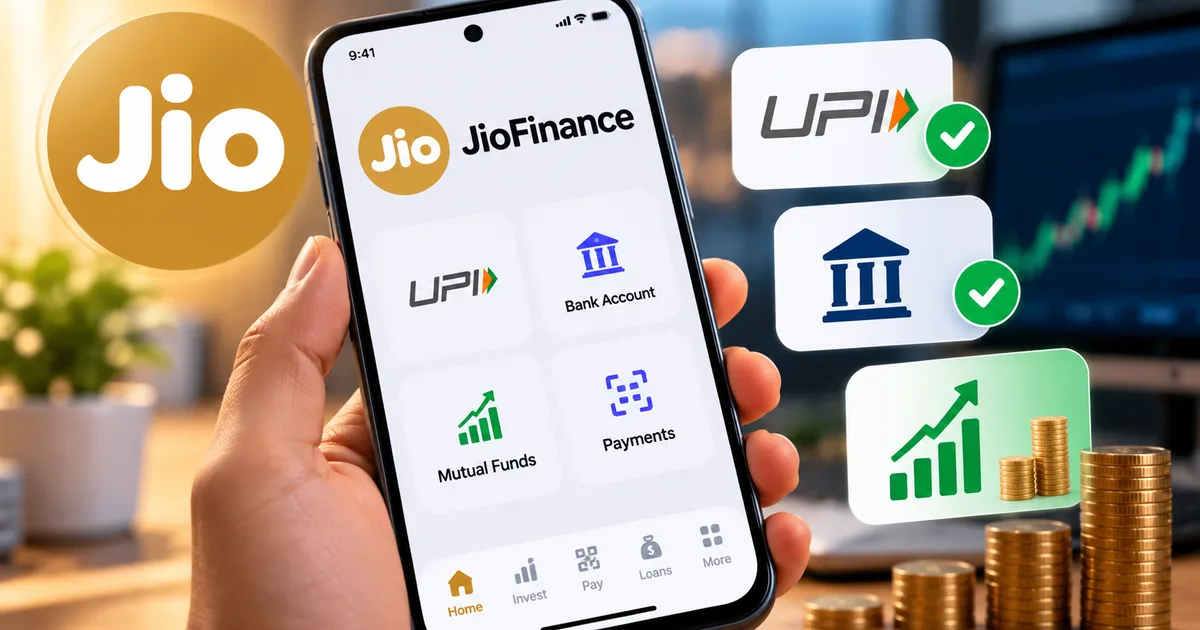
I've been testing the JioFinance app since they quietly rolled it out in beta, and honestly, it's about time someone tried to clean up the mess that is Indian digital payments. We have a dozen apps for UPI, another three for mutual funds, and banking apps that look like they were designed in 2012. The new JioFinance app wants to fix that by throwing everything (UPI, digital accounts, fixed deposits, mutual fund tracking) into one massive super app.
Look, I get it. Trusting Reliance with all your financial data sounds scary. But you might change your mind when you see what they offer with the JioFinance360 feature and those up to 8.15% fixed deposit rates. And they even launched JioFinance+ for third-party products. So if you're wondering how to navigate this beast, I've got you covered.
Here is exactly how to set up the app. I'll show you how to link your bank accounts and manage your money without wanting to pull your hair out.
Why the JioFinance app is actually worth your time
Let's talk about why you should care before we get to the setup part. PhonePe and Google Pay dominate the UPI market right now (which makes sense, actually). But Jio Financial Services didn't just build another UPI clone. They made a smart digital marketplace.
The app has a feature that scores your financial health. It also offers cashback on transactions. Which, if you ask me, is a brilliant way to keep users hooked. They recently rolled out a multi-bank FD platform with rates up to 8.15% across banks and NBFCs. And if you're into silver, they just launched JioSilver. You can start digital investments there for a ridiculous ₹10.
"Jio Financial Services plans an AI personal CFO on JioFinance, moving beyond basic payments to actual wealth management."
Basically, they want to replace Paytm and your banking app in one shot. I don't praise apps easily. If you frequently read our How-to Tech Guides, you already know this. But this app has serious potential.
Step 1: Download and verify your identity
First things first. You need to get the app on your phone. Then you have to prove you are who you say you are. This isn't just a basic wallet. It is a full financial suite.
- Open the Google Play Store or Apple App Store and search for "JioFinance". Don't download random APKs from Telegram, please. We've seen too many people lose money that way.
- Install the app and open it. You'll be greeted by a surprisingly clean interface.
- Enter your mobile number. It doesn't have to be a Jio number. Airtel and Vi users, you are welcome here too.
- Enter the OTP sent via SMS.
- Now comes the KYC part. You'll need your Aadhaar card and PAN card handy. Enter your PAN details when prompted.
- Next, verify your Aadhaar using DigiLocker. The app will redirect you. Enter your Aadhaar number and the OTP sent to your Aadhaar-linked mobile number. (If you're using DigiLocker for ITR Filing 2026, you know the drill.)
- Take a quick selfie. Make sure you're in a well-lit room and not wearing glasses or a mask.
That's it. Your basic account is ready. The whole process took me about four minutes.
Step 2: Setup UPI on JioFinance
You can't really do much without linking a bank account for UPI. So here is how to get your @jio handle up and running.
- Tap the "UPI" icon right on the home screen. It's hard to miss.
- Select "Link Bank Account".
- Choose the SIM card that is registered with your bank. The app will send a verification SMS in the background.
- Pick your bank from the list. Whether it's SBI, HDFC, or a small cooperative bank, they support almost everything on the NPCI network.
- The app will fetch your account details. Confirm them.
- Set a 4-digit or 6-digit UPI PIN using your debit card details if you haven't set one before. If you already use UPI on another app, just enter your existing PIN.
Boom. Now you can scan any merchant QR code at the local kirana store or just send money to friends.
Step 3: Open a Jio Payments Bank digital account
Maybe you don't want to clutter your main HDFC or SBI statement with ₹20 chai payments. Opening a digital account inside the app is a pretty smart move then.
- Go to the "Banking" tab at the bottom of the screen.
- Tap on "Open Digital Account".
- You'll need to do a quick video KYC. Keep your physical PAN card ready. A Jio representative will connect with you via video call.
- They'll ask you to read out a code on the screen and show your PAN card to the camera. The whole process takes maybe three minutes.
- Once approved, you get a zero-balance account and a virtual debit card instantly.
I set this up last week. It is incredibly fast. And it is perfect for managing daily expenses away from your salary account.
Step 4: Use JioFinance360 to track mutual funds
This is where things get really interesting. JioFinance360 is their account aggregator feature. It pulls all your financial data into a single dashboard. It is similar to what you might see in some wealth management apps, but they baked it right into your daily payment app.
- Tap the "JioFinance360" banner on the home screen.
- Give the app permission to access the Account Aggregator (AA) network. This is regulated by the RBI, so it's safe.
- Enter the mobile number linked to your mutual funds and bank accounts.
- You'll get an OTP from your AA provider (like Sahamati or CAMS).
- Select which accounts and folios you want to share with JioFinance.
- Hit submit.
You'll see a consolidated view of your net worth in seconds. This includes your savings accounts, your active SIPs, your EPF balance, and your stock portfolio. It is honestly a bit jarring to see it all in one place. But it is highly effective for tracking where your money actually goes. And if you recently checked your SBI Funds Management IPO Allotment Status, you can track its performance right here once it gets listed.
Step 5: Book a high-interest fixed deposit
Let's talk about those FD rates. Traditional banks are stingy right now. JioFinance partnered with a bunch of banks and NBFCs to offer better returns directly inside the app.
- Navigate to the "Save & Invest" section.
- Tap on "Fixed Deposits".
- You'll see a list of partner banks and NBFCs with their respective interest rates. As of October 2026, you can get up to 8.15%.
- Enter the amount you want to invest. The minimum is usually just ₹1,000.
- Choose your tenure. The app shows you exactly how much interest you'll earn at maturity.
- Pay via your linked UPI account or Jio Digital Account.
The FD receipt is generated instantly.
The app stores it for you. No branch visits, and zero paperwork. It is just straightforward investing. I think it is one of the more useful features they added here.
Applying for credit cards and loans
If you need credit, they have you covered there too. You can apply for a credit card online in under 10 minutes. They check your credit score instantly through major bureaus. Based on your score, you see pre-approved offers for personal loans and credit cards.
Just tap the "Loans" or "Cards" tab and enter your employment details. The app does the heavy lifting from there. The approval happens in real-time. Just remember to borrow responsibly, though. The convenience is great, but a 36% APR on a personal loan will hurt.
Exploring JioFinance+ and third-party products
They recently introduced JioFinance+ for third-party advisory and premium products. This isn't just about payments anymore. They are actively trying to become your broker and insurance agent.
When you open the JioFinance+ tab, you find curated mutual fund portfolios and insurance plans. You'll also see digital gold in there. Speaking of gold, you can buy 24K digital gold starting at just ₹10. It is a pretty neat feature if you want to accumulate small amounts over time. Their JioSilver offering works exactly the same way, by the way.
I find the advisory layer pretty interesting. I'm not exactly sure how they map the data, but they use details from your JioFinance360 dashboard to recommend specific insurance coverages. If it sees you have a car loan but no motor insurance linked, it prompts you about it. Some might find this intrusive. I find it mildly helpful, though I always compare premiums on other platforms before I buy directly through any app.
And let's not forget the bill payment section. It integrates with Bharat BillPay (BBPS). You can fetch your electricity bills, FASTag recharges, broadband bills, and water bills automatically. The cashback offers here are currently quite aggressive. They clearly want to pull users away from PhonePe and Google Pay.
Managing your privacy settings
This app asks for a lot of permissions. You really need to know how to control your data here. You don't have to share everything.
- Open the app and go to your profile by tapping your picture in the top left corner.
- Scroll down to "Privacy & Security".
- Here, you can manage your Account Aggregator consents. If you linked a bank account to JioFinance360 and later regret it, you can revoke the consent right here. The data stops syncing immediately.
- You can also turn off promotional notifications. I highly recommend doing this unless you want three alerts a day about new credit card offers.
- Enable biometric login. This ensures that even if someone gets past your phone's lock screen, they can't open the JioFinance app without your fingerprint or Face ID.
Taking five minutes to adjust these settings makes the experience much less spammy. It is also far more secure. We cover these security basics often in our Scam Alerts & Safety section, so make sure you check that out for the latest threats.
Final thoughts on setting it up
Setting up the JioFinance app takes a bit more effort than a standard UPI app. It just wants to do so much more. You need your PAN and your Aadhaar, plus a few minutes for video KYC if you want that digital bank account. But the payoff is a significantly more capable financial tool.
Maybe you're tired of switching between apps to check your SIPs, pay your maid, book an FD, and track expenses. This app is a solid solution. Just take it one step at a time. Set up your UPI first. Get comfortable with it. Then explore the wealth management features later. You really don't have to use every single feature on day one.
I also want to touch on their customer support. Historically, digital payment apps in India have terrible support. Getting a human on the line when a transaction fails is nearly impossible (annoying, I know). Jio seems to be aware of this mess. They integrated a chat support system that actually connects you to an agent relatively fast. When my video KYC dropped mid-way due to a network glitch, I used the chat feature. They sent me a new link within two minutes. It's a small detail, sure. But when money is involved, responsive support is a must-have.