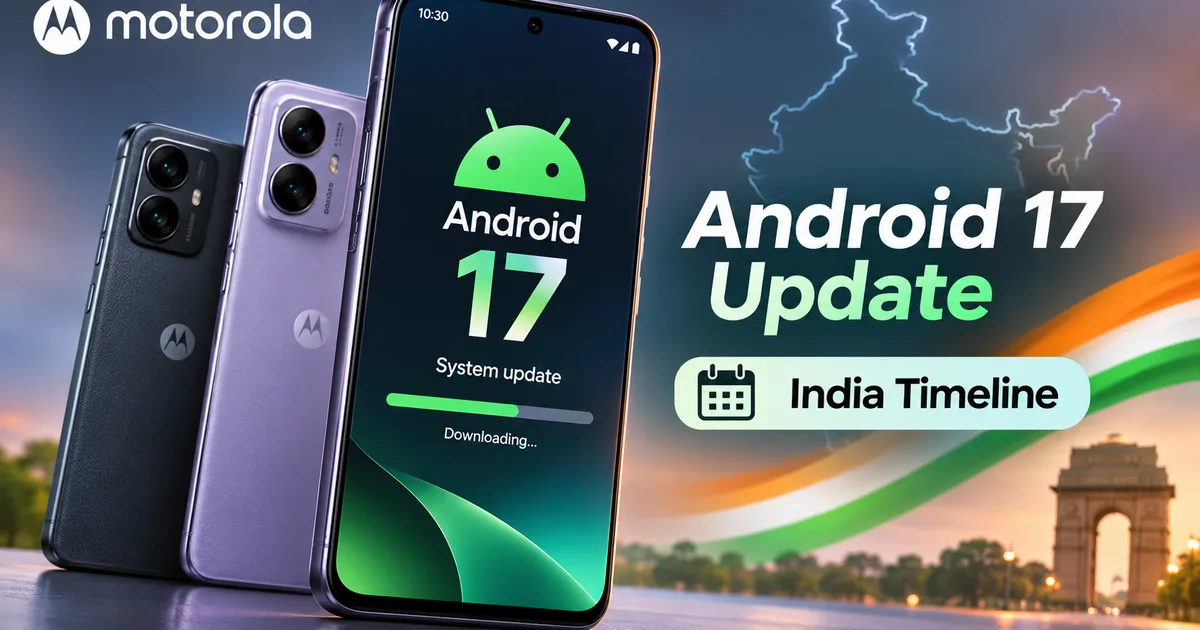
If you own a Moto phone in India, you already know the drill. Motorola makes solid hardware for reasonable prices, but when it comes to Android updates, patience is usually required. Well, some good news finally arrived. Motorola officially published a revised list confirming the Motorola Android 17 update for 29 smartphones across its Edge, Razr, Moto G, and Signature lineups. Right now, nine devices are getting the stable build in India and global markets. The other 20 will follow over the next few months.
Look, if you bought a Moto G phone under Rs 20,000 last year thinking you'd get day-one updates, I feel your pain. I've argued with friends for years about Moto's software policies (it's usually a mess, honestly). But credit where it's due. Motorola actually moved fast this time compared to their usual sluggish pace. If you want to keep up with broader mobile software news, check our Latest Tech News hub for daily coverage.
Motorola Android 17 update eligible phones: full 29-device list
Here's the full list of all 29 phones confirmed across Motorola Brazil and global announcements. I split them by lineup so you can spot your model fast. No messy tables to scroll through.
Motorola Signature line
- Motorola Signature (Ships with Android 17 pre-installed out of the box)
Razr series foldables
- Razr 70 Ultra / Razr Ultra 2026 (Stable update rolling out now)
- Motorola Razr 50 Ultra / Razr+ 2024 (Stable update rolling out now)
- Motorola Razr 70 Plus / Razr+ 2026 (Confirmed, pending rollout)
- Motorola Razr 70 / Razr 2026 (Confirmed, pending rollout)
- Motorola Razr 60 Ultra / Razr Ultra 2025 (Confirmed, pending rollout)
- Motorola Razr 60 / Razr 2025 (Confirmed, pending rollout)
- Motorola Razr 60s and Razr 60D (Confirmed, pending rollout)
Edge series flagships and mid-rangers
- Motorola Edge 70 (Stable update rolling out now)
- Motorola Edge 70 Fusion (Stable update rolling out now)
- Motorola Edge 70 Fusion+ (Stable update rolling out now)
- Motorola Edge 60 Pro (Stable update rolling out now)
- Motorola Edge 70 Pro and Edge 70 Pro+ (Confirmed, pending rollout)
- Motorola Edge 70 Max and Edge 2026 (Confirmed, pending rollout)
- Motorola Edge 60, Edge 60 Fusion, and Edge 60 Neo (Confirmed, pending rollout)
- Motorola Edge 50 Ultra, Edge 50 Pro, Edge 50 Fusion, and Edge 50 Neo (Confirmed, pending rollout)
Moto G budget and mid-range series
- Moto G86 (Stable update rolling out now)
- Motorola Moto G87 (Confirmed, pending rollout)
- Motorola Moto G86 Power (Confirmed, pending rollout)
- Motorola Moto G77 Power and Moto G57 Power (Confirmed, pending rollout)
- Motorola Moto G Stylus 2026, Moto G Power 2026, Moto G Play 2026, and Moto G 2026 (Confirmed, pending rollout)
- Motorola Moto G 2025, Moto G Power 2025, and Moto G Stylus 2025 (Confirmed, pending rollout)
Honestly, seeing nine phones get stable Android 17 before December is a real surprise, if you ask me. Let's be clear about what pending actually means for Indian buyers, though. If your phone is on that pending list, you're stuck waiting until early 2027, most likely.
Android 17 India rollout timeline for Moto phones
Here's how the schedule looks on the ground in India. Updates roll out in batches after regional testing and 5G approvals with Jio and Airtel. The exact dates are always a bit fuzzy, and I'm not sure why some models take months longer than others.
- Wave 1 (November 2026 to December 2026): Ultra-premium models and current flagships. This wave includes the Motorola Signature, Razr 70 Ultra, Razr 50 Ultra, Edge 70, Edge 70 Fusion, Edge 70 Fusion+, Edge 60 Pro, and Moto G86. If you own one of these, check your update center today.
- Wave 2 (January 2027 to March 2027): Upper mid-range Edge hardware. Devices like the Edge 60, Edge 60 Neo, Edge 50 Ultra, Edge 50 Pro, and Edge 50 Fusion will receive notifications during this window.
- Wave 3 (April 2027 to June 2027): Budget Moto G handsets. Popular mass-market phones like the Moto G77 Power, Moto G57 Power, Moto G 2025, and Moto G 2026 sit in this final phase.
If you're comparing brand schedules, check our Samsung Galaxy A56 Android 17 update guide to see how Samsung handles mid-range phones. And you can read our OnePlus ColorOS 17 update timeline if you want to see how fast they're moving.
New Hello UI features in Motorola Android 17
Moto software has always stayed close to stock Android. Their clean skin is called Hello UI now, and this update actually has useful stuff instead of gimmicks.
First up is built-in Circle to Search with instant translation. Just hold the home bar and circle any text or image, and Google translates it right inside the app. Super handy if you read regional news or bilingual PDFs.
Next, Motorola added Quick Share for iOS over QR codes. You can send full-res photos and videos straight to an iPhone without installing sketchy third-party apps or dealing with terrible WhatsApp compression. (A huge win if half your friends use iPhones, in my opinion.)
Android 17 puts better scam protection right in the Moto dialer and messaging app. The phone uses on-device machine learning to flag scam OTP requests and sketchy incoming calls. India has seen a huge jump in digital arrest scams lately. So yeah, built-in scam protection helps.
"Motorola's Android 17 build focuses heavily on scam detection, system-level media HDR controls, and direct iPhone file sharing without cloud uploads."
Other changes include stackable widgets and better notification clustering, while 4K HDR brightness also works much better on YouTube and Prime Video.
Is Motorola getting better at software updates?
Let's be real. Motorola has been pretty bad at long-term software support. Google and Samsung promise six to seven years of OS updates on mid-range phones. Motorola? You usually get one or two OS updates on Moto G models, and three on Edge flagships.
Thing is, pushing stable Android 17 to nine phones in November is real progress. Still, if you bought a budget Moto G hoping for fast updates, you're waiting six months longer than Edge or Razr owners. They're still behind Samsung and Google on budget phones, at least in my experience.
How to check and install the update on your phone
Once your phone gets the ping, the install takes around 15 to 20 minutes, so just follow these steps:
- Connect to a stable Wi-Fi network. The Android 17 package ranges between 2.8 GB and 4.2 GB depending on your model.
- Make sure your battery is charged past 50 percent, or keep your phone plugged into its TurboPower charger.
- Open Settings on your Moto phone.
- Scroll down and tap System, then choose System updates.
- Tap Check for updates. If the OTA package is ready, tap Download and Install.
- Restart your phone when prompted. Do not force restart during the installation process.
Before you hit update, back up your WhatsApp chats to Google Drive and make sure DigiLocker is synced. I learned that lesson the hard way once. If you want more help managing apps and phone software safely, check our How-to Tech Guides section.