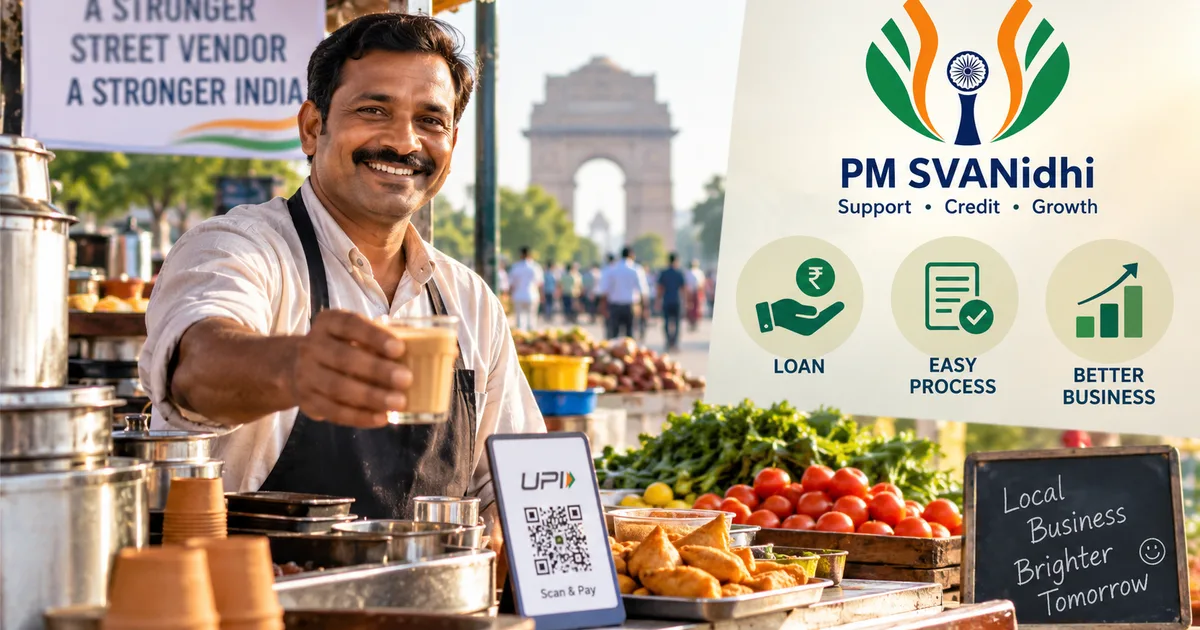
If you sell vegetables or run a tea stall on the pavement, getting a loan used to be a nightmare. You probably had to borrow from local moneylenders at ridiculous interest rates just to keep things running. But that changed a bit in 2020. Today, the PM SVANidhi Scheme 2026 is actually one of the more useful government initiatives out there right now for everyday vendors.
Here's the deal. The government recently extended the PM SVANidhi scheme until March 2030. They've allocated ₹7,332 crore for it. And they bumped up the loan amounts. You can now get up to ₹50,000 without putting up any collateral. No house papers. No guarantees at all.
I know government paperwork sounds intimidating. We've all been there, stuck in long queues outside banks holding a bunch of photocopies. But applying for this is mostly digital now. You can do a lot of it right from your smartphone (which makes sense, actually). If you're looking for more walkthroughs like this, check out our How-to Tech Guides section.
Applying for the PM SVANidhi loan online in 2026 involves a few specific steps. It takes a little patience. But the financial breathing room is completely worth it.
What exactly is the PM SVANidhi scheme?
Basically, it's a micro-credit facility for street vendors. When the pandemic hit in 2020, street vendors took the hardest hit because of lockdowns. The Ministry of Housing and Urban Affairs started PM SVANidhi to help them get back on their feet. Today, it is less about survival. It's more about giving you the capital to actually grow your business. If you're a fruit seller wanting to buy more stock, or a cobbler needing better tools, this money is for you.
"PM SVANidhi has emerged as a major initiative supporting vendors working across India's informal urban economy. Beyond providing collateral-free loans, the scheme has encouraged digital adoption, improved access to institutional credit and expanded social security coverage." - Press Information Bureau
According to the Press Information Bureau, over 75.5 lakh people have already benefited from this. Banks have handed out more than 1.12 crore loans worth over ₹17,800 crore. These aren't just empty numbers. That's real money going into the local urban economy. And it helps small businesses scale up. Honestly, in my experience, direct capital injection like this is what actually works.
The loans come in three phases. You don't just get ₹50,000 on day one.
- First loan: You get up to ₹15,000. Pay this back on time, and you unlock the next level.
- Second loan: Up to ₹25,000.
- Third loan: Up to ₹50,000.
You also get an interest subsidy of 7%. The government pays a chunk of the interest for you. Plus, if you use digital payments like UPI through PhonePe or Google Pay, you can earn up to ₹1,600 in cashback. That practically covers a large part of your interest right there. It's a smart way to push vendors toward digital transactions.
Once you clear the second loan, they even offer a UPI-linked RuPay Credit Card. It has a limit of ₹30,000. This is a solid way to build your credit score without needing a traditional salaried job. Having a credit score opens up doors for bigger loans later on when you want to open a proper shop.
SVANidhi se Samriddhi: The hidden benefit
There's another part of this scheme that people often miss. It's called SVANidhi se Samriddhi. Once you're in the PM SVANidhi system, the government profiles your family to see what other welfare schemes you might qualify for. They link you up with things like the Pradhan Mantri Jeevan Jyoti Bima Yojana for life insurance. Or the PM Suraksha Bima Yojana for accident cover. They even help you register on the e-Shram portal.
It's a gateway to broader social security. You get the loan for your business, and your family gets a safety net. Not many people talk about this part. But it's incredibly valuable for households with irregular income. I'm not sure exactly why it isn't advertised more heavily.
Check your eligibility before you start
Look, before jumping into the application, make sure you actually qualify. You don't want to waste an hour filling out forms for nothing.
You need to be a street vendor active in an urban or semi-urban area. The scheme now covers census towns and peri-urban areas too. You should have a Certificate of Vending or an Identity Card issued by your Urban Local Body (ULB). The ULB is usually your municipal corporation or town council.
If you don't have this certificate, you can still apply. You just need to check if your name is in the recent street vendor survey list. If it isn't there, you can get a Letter of Recommendation (LoR) from your local Town Vending Committee. You can apply for this LoR online on the exact same portal.
And make sure your Aadhaar card is linked to your mobile number. I can't stress this enough. If your Aadhaar is linked to an old number you lost three years ago, go to an Aadhaar center and fix that first. The entire online process relies on OTPs sent to your Aadhaar-linked number. Without it, you're stuck.
Documents you will need to keep handy
Keep these ready before you open the portal. Take clear photos of them on your phone if you're applying online. Blurry photos will just get your application rejected.
- Aadhaar Card (must be linked to your active mobile number)
- Voter ID Card, Driving License, or PAN Card (for extra ID proof)
- Bank Account Passbook (the exact account where you want the money sent)
- Certificate of Vending or Letter of Recommendation
Step-by-step guide to apply online
You can apply directly through the PM SVANidhi portal. You can also use the newer Jan Samarth portal. Jan Samarth is this massive platform that handles a bunch of government schemes. They've processed over ₹3 lakh crore in loan applications so far across different sectors like agriculture and business. But for simplicity, we'll use the direct PM SVANidhi website here.
If you're also helping a younger family member find government opportunities, you might want to read our PM Internship Scheme 2026: Complete Step-by-Step Guide to Apply Online and Check Eligibility.
Here's exactly what you need to do to get your loan application submitted.
- Visit the official website. Open your browser and go to pmsvanidhi.mohua.gov.in. Be careful not to click on random WhatsApp links. Always check that the URL ends in ".gov.in".
- Click on Apply for Loan. Right on the homepage, you will see buttons for the different loan amounts. You will see Apply for 15k, Apply for 25k, and Apply for 50k. If this is your first time applying, you have to click on the 15K option.
- Enter your mobile number. Type in the mobile number linked to your Aadhaar. Complete the captcha code shown on the screen and hit Request OTP.
- Verify the OTP. You will get a 6-digit code via SMS. Enter it and submit.
- Select your vendor category. The portal will ask how you are classified. If you have a Certificate of Vending, select that option. If you only have a Letter of Recommendation, choose that route.
- Fill in your Aadhaar details. Enter your 12-digit Aadhaar number. You will receive another OTP for Aadhaar verification. This proves you are who you say you are. It fetches your basic details automatically.
- Complete the application form. This is the long part. You need to enter your personal details, family details, and address. They will ask for your bank account number and IFSC code. Double-check these numbers. If you type them wrong, the loan money will bounce and fixing it takes weeks.
- Upload your documents. You will need to upload a photo of yourself and copies of your documents. Make sure the photos are well-lit. If the text is unreadable, they will just reject the application.
- Select your lender. You can choose which bank you want to process your loan. It is usually best to pick the bank where you already have an account. They process things faster when you are an existing customer.
- Submit the application. Once everything is filled out, submit the form. You will get an Application Reference Number. Write this down on a piece of paper or take a screenshot. You will need it to track your status later.
How to apply for a letter of recommendation
Thing is, many vendors don't have the official Certificate of Vending. If that's your situation, don't worry. You can ask for a Letter of Recommendation (LoR) directly on the portal.
You go to the PM SVANidhi homepage and click on Apply for LOR. You log in with your mobile number and Aadhaar, just like the loan process. Then you fill out a short form detailing where you vend and what you sell. You submit this to your Urban Local Body online. It's pretty straightforward.
It usually takes a couple of weeks for them to approve it (annoying, I know). Once approved, you can download the LoR and then proceed with the main loan application. It adds a step. But it keeps the door open for vendors who aren't officially registered yet.
What happens after you submit?
Your application goes to the local authorities for verification, and then to your chosen bank. Honestly, it can take a few weeks. Don't expect the money the next morning. Banks have their own internal checks to run.
You can check the status on the same website. Just click Know Your Application Status and enter your reference number.
If the bank approves it, they might call you to the branch once to sign the final loan agreement. After that, the money lands straight in your bank account. Then you can start using it to buy inventory or upgrade your cart.
Watch out for scams targeting street vendors
Whenever there's free government money or subsidized loans involved, scammers follow. It's a sad reality in India right now. The numbers here are a bit fuzzy on how many people get scammed, but it's a mess. If you're interested in how these things work or want to warn your family, you can browse our Scam Alerts & Safety section.
Scammers will call you pretending to be from the PM SVANidhi office or your bank. They'll say your loan is approved but you need to pay a ₹500 or ₹1000 processing fee via UPI to release the funds. Don't pay them. The government never asks for upfront UPI payments to release a loan.
Sometimes they send WhatsApp messages with fake APK files pretending to be the PM SVANidhi App. Installing these can give them access to your phone and bank OTPs. Never install apps from sketchy WhatsApp links. Only use the Google Play Store, or better yet, just use the official website.
If someone asks for your OTP over a phone call, hang up immediately. Bank officials and government workers don't need your OTP to process a file. If you spot a scam, report it to the national cyber crime helpline at 1930 or file a complaint on cybercrime.gov.in.
The scheme works well if you can navigate the online form and keep your documents in order. Take your time. Make sure your Aadhaar is sorted. Go get that capital to grow your business.