If you've spent any time trying to log into the EPFO Unified Member Portal on a Monday morning, you know the frustration. You wait for an OTP that arrives twelve minutes late, and then the captcha expires right before your session crashes. So when news broke about the EPFO WhatsApp helpline, half of salaried India breathed a sigh of relief. But before you open WhatsApp expecting an automated bot to instantly hand over your money details, we need to talk about what's live right now and what's still in the works.
Here's the deal. EPFO does have an official presence on WhatsApp now, but there's a lot of confusion about how it actually works. Scammers jumped on this mess right away, putting together fake bots and sketchy phishing links. To save your time and protect your hard-earned retirement savings, I tested every working method myself. Some work. Others fail completely. In my experience, you don't need to pull your hair out just to get your PF balance.
What the EPFO WhatsApp helpline actually offers in 2026
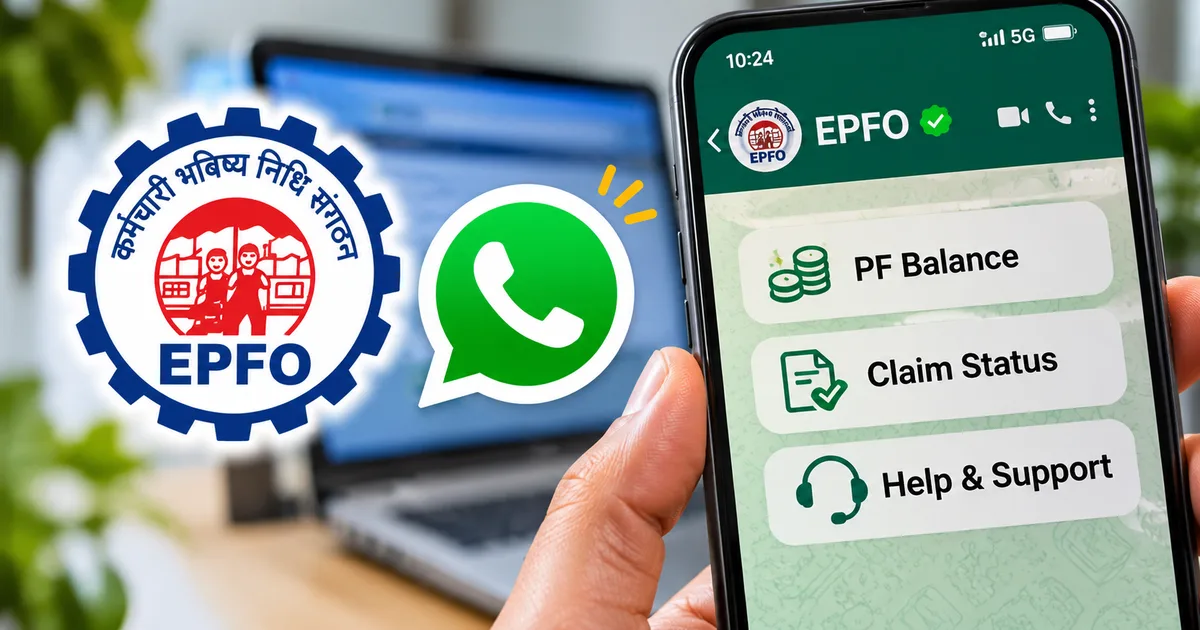
You've probably seen reels claiming you can just text "Hi" to an EPFO WhatsApp number and immediately get your passbook balance along with your claim status. Honestly, I wish that were true. It isn't. The real setup is split into two separate tools.
First, EPFO has an official WhatsApp Channel. It's basically a one-way broadcast feed meant to share infographics, deadline alerts, interest rate notifications, and step-by-step guides. You can't text personal questions here. And you certainly can't check your individual balance. Think of it like a digital notice board pinned to your WhatsApp screen.
Second, EPFO has regional WhatsApp helpline numbers for complaints across its regional offices. If your PF withdrawal has been stuck for six weeks, or your previous employer refuses to approve your date of exit, you can message your specific regional desk directly. In my experience, actual desk officers monitor these numbers to look into escalated grievances (which is a relief when the web portal goes silent).
What about that automated self-service chatbot to check balances with an Aadhaar OTP? Look, the Labour Ministry and EPFO have run pilot tests for chat services under their digital upgrade, but a universal automated bot for member passbooks isn't publicly active for direct messaging yet. I'm not sure exactly why the rollout has taken this long, but the timeline details are a bit fuzzy right now. If someone sends you an unofficial phone number promising instant passbook downloads on WhatsApp, step back immediately. (Annoying, I know, but knowing this keeps you safe from phishing traps). For the full context on where things stand, read our guide on the EPFO WhatsApp updates rollout.
"EPFO's journey over the past 74 years is built on trust, service and commitment to workers. Simplifying digital access and grievance resolution remains our top priority." (Dr. Mansukh Mandaviya, Union Minister of Labour and Employment)
How to join the official EPFO WhatsApp channel
If you want real circulars without dealing with fake WhatsApp forwards, joining the verified channel takes less than a minute. And you don't even have to register your mobile number or share personal details.
- Open WhatsApp on your Android or iPhone and tap on the Updates tab at the bottom or top of your screen.
- Scroll down past your contacts' status updates to the Channels section and tap the plus icon or search icon.
- Type Employees' Provident Fund Organisation into the search bar. Look for the green verified checkmark next to the name. Screen: You will see the official EPFO logo alongside the verified green tick and member count.
- Tap the Follow button in the top right corner. Screen: A confirmation prompt appears, and the button changes to Following with a bell icon.
- Tap the bell icon at the top to unmute notifications if you want immediate alerts whenever EPFO posts new withdrawal rules or interest rate declarations.
Once you follow the channel, you'll get announcements in Hindi, English, Gujarati, and other regional languages. But remember that this feed is strictly read-only. You can't reply to posts. And if you ask me, that's a good thing, because nobody from EPFO will ever send you a private message asking for your login credentials from this channel.
Step-by-step guide to check your PF balance online right now
So how do you actually check your balance right now if WhatsApp won't spit out your passbook?
Don't waste twenty minutes waiting for the portal to load. It's just infuriating. Instead, use the two official offline methods that work in seconds. Or check the government's central mobile app.
Method 1: Give a missed call to the official toll-free line
This is easily my favourite method. It costs zero rupees. You don't need any data pack or internet connection. The only catch is that your mobile number has to be registered with your Universal Account Number on the EPFO portal, or you won't get any reply.
- Open the phone dialer on your smartphone.
- Dial 011-22901406 from your registered mobile SIM card.
- Let the call ring two or three times until the system automatically disconnects the line. You do not need to speak with anyone.
- Wait about 30 to 60 seconds. Screen: You will receive an incoming SMS from sender ID EPFOHO.
- Open the SMS to view your details. Screen: The message displays your UAN, member name, date of birth, total PF balance, and the last contribution credited by your employer.
Method 2: Send an SMS to the official EPFO gateway
If the missed call line is busy during month-end salary cycles, the SMS route gives you the exact same result without waiting. I think it's the most dependable backup when phone lines get clogged.
- Open your default SMS messaging app.
- Compose a new message and type EPFOHO UAN ENG in the message box. If you want the reply in Hindi, replace ENG with HIN. For Marathi, use MAR. For Tamil, use TAM.
- Send the text to 7738299899 from your registered phone number. Standard telecom SMS charges may apply depending on your recharge pack.
- Wait for the reply. Screen: A return message from EPFOHO arrives showing your current balance, member ID, and last credit date.
Method 3: View your complete passbook on the UMANG app
When you need to see month-by-month breakdowns of employer and employee shares or verify accrued interest, the official UMANG app beats the desktop site every single time. It just works. If you want a detailed breakdown of how interest credits work, check our tutorial on checking your passbook balance on Umang.
- Download and open the official UMANG application from the Google Play Store or Apple App Store.
- Search for EPFO in the top search bar and tap on the service card.
- Select View Passbook from the list of member services.
- Enter your 12-digit UAN and tap Get OTP. Screen: An OTP input box appears with a 120-second timer.
- Enter the 6-digit OTP received on your Aadhaar-linked mobile number and tap Submit. Screen: A list of your employer Member IDs appears. Tap your current organization to view the full graphical statement.
How to track PF claim status without portal errors
Waiting on a claim is nerve-racking, especially if you need money for a medical emergency or a home purchase. But if you filed Form 19, Form 10C, Form 31, or Form 10D, tracking where your money is takes just a couple of taps. And if you switched jobs recently, make sure to transfer your PF online so your service records merge properly.
- Launch the UMANG app on your phone and open the EPFO section.
- Tap on Track Claim from the main services dashboard.
- Input your UAN and submit the OTP sent to your registered mobile number.
- Screen: The screen shows an active timeline of your claim, including the date of receipt, current field office handling the file, and status labels such as Under Process, Approved, or Settled.
- If the claim shows Settled, verify your bank account statement within three business days. Funds transfer directly via NEFT.
In my experience, tracking here saves you hours of refreshing broken web portals. If you want more walkthroughs on government digital portals, explore our collection of step-by-step tech guides.
How to contact regional EPFO WhatsApp helpline numbers
What if your claim has been stuck on "Under Process" for more than twenty days? This is where the regional WhatsApp grievance desks come in handy.
EPFO regional offices across India, from Bandra in Mumbai to Peenya in Bengaluru, have dedicated WhatsApp numbers to resolve public complaints. These aren't automated bots. They're staffed by actual regional desk personnel during regular working hours (which makes sense, actually, given how messy PF claims can get).
To find your specific regional office number, check the Member ID on your salary slip or passbook. The first two letters indicate your state (like MH for Maharashtra or DL for Delhi), followed by a three-letter office code like CPM for Central Mumbai. Then visit the official EPFO website directory under the Contact Us section to match your office code with its listed WhatsApp helpline number.
When you message the regional helpline, keep your text brief and clear. Send your full name, UAN, Member ID, claim tracking ID, and a two-sentence summary of the delay. Don't send repeated "Good morning" greetings that only crowd the queue. If you ask me, sticking to the facts is the only way to get a reply. Regional teams usually respond within three to five business days.
How to protect yourself from fake WhatsApp PF scams
Scammers know that PF balances involve serious money. Lately, thousands of salaried employees across Bengaluru and Pune have received sketchy WhatsApp messages out of nowhere. These texts claim your PF account has an unexpected bonus or refund credited, and they ask you to tap a link to claim the cash.
Here's how the scam actually works. You get a message sporting an official-looking EPFO logo. The sender asks you to download an APK file or visit a copycat website that looks nearly identical to the real Member e-Sewa portal. Once you enter your login credentials, the scammer hijacks your session and changes your registered bank details.
To keep yourself safe, look out for these clear red flags:
- Messages received from ordinary +91 mobile numbers without any verified business tick or channel badge.
- Anyone asking you to share an Aadhaar OTP, banking PIN, or password over chat.
- Links ending in suspicious extensions or random domains instead of the official gov.in address.
- Demands for processing fees or advance commissions to release a delayed provident fund claim.
Never download APK files sent through a chat window. EPFO never asks for money to settle claims, and real officers will never ask for your passwords or OTPs over text. If you spot a sketchy number or fall for a fake message, check our common WhatsApp scam alerts to see how these scams work. And please report the incident immediately on the National Cyber Crime Reporting Portal at cybercrime.gov.in or dial the 1930 toll-free helpline number.
Managing your PF doesn't need to be an endless headache. While we wait for a fully automated EPFO WhatsApp chatbot to launch across India, stick to the missed call service or the UMANG app. They work fast, and they cost zero rupees. Best of all, they keep your hard-earned retirement savings safe from digital scammers.