So, the Samsung Galaxy Z Fold 8 is almost here, and we need to talk about the Samsung Galaxy Z Fold 8 AI features. If you've been tracking the leaks ahead of the July 2026 Galaxy Unpacked event, you already know we're looking at some serious hardware changes. We're talking about a wider, passport-style design that competes directly with the Apple iPhone Ultra. And there's a much-needed reduction in that annoying display crease.
But the hardware isn't the whole story anymore. The software is what actually matters if you're thinking of dropping a massive amount of rupees on a foldable phone. Samsung has pushed Galaxy AI hard. They even pushed new AI features to the older Z Fold 7 in the June security update. So what does the Z Fold 8 bring to the table for everyday use in India?
Let's break down the tools you'll actually use every day: Live Translation and Note Assist. I'll skip the fluff. I'm going to explain how they work. And honestly, we need to know if they're worth the battery drain.
The big picture: what's new with Galaxy Z Fold 8 AI features?
I use a lot of AI tools every day for work. Most of them are web-based. Having AI baked directly into your phone's operating system is a different experience entirely. You don't have to open a separate app. And you don't have to pay a monthly subscription fee (which makes sense, actually).
The Z Fold 8 is expected to launch alongside the Z Flip 8 and Galaxy Watch 9 on July 22. Leaked pricing from NokiaPowerUser suggests a pretty massive price hike. To justify that price tag in the Indian market, Samsung relies on its AI suite.
We're expecting upgraded processors. It is likely the Snapdragon 8 Gen 4 or a custom Exynos chip depending on the region. This means faster on-device processing. That matters a lot for privacy. When you use Live Translation, you don't want your phone calls sent to a server. You want that happening right on the phone.
Galaxy AI Note Assist: the freelancer's best friend
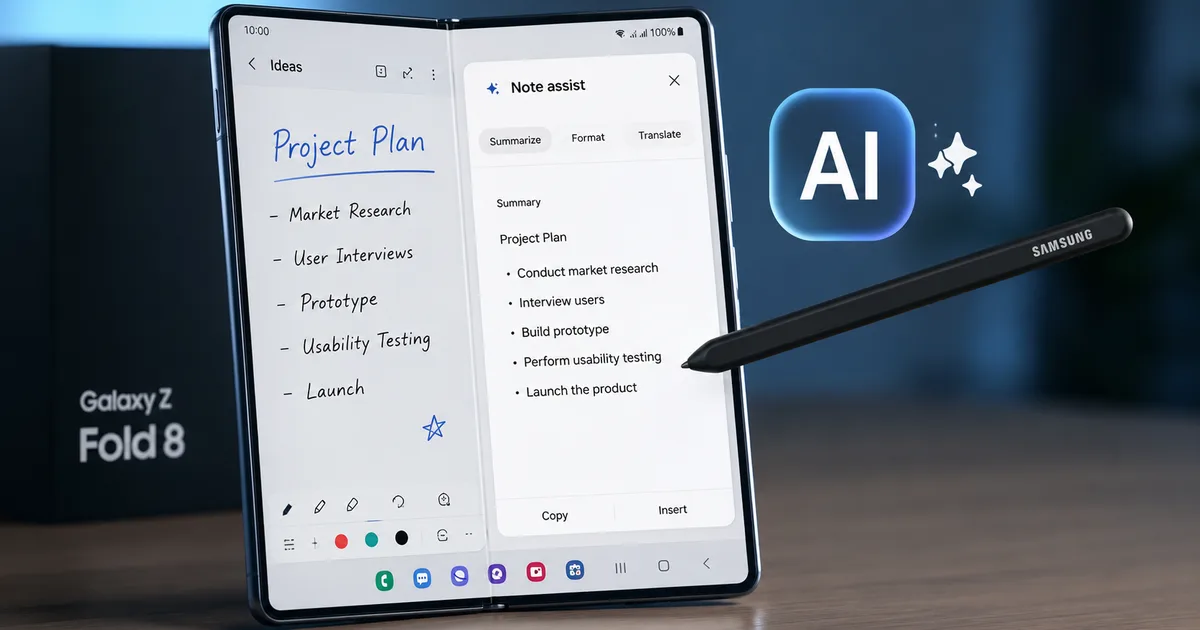
If you take a lot of notes, Note Assist is probably the main reason you'd want a Z Fold 8. The large inner display is basically built for taking notes. This is especially true if you use the S Pen.
Taking notes is only half the battle. Organizing them is the part where most of us fail. You go to a client meeting and scribble down a bunch of thoughts. Then you never look at them again because they're a mess.
Note Assist takes your messy notes and turns them into something you can actually read. It can auto-format your scribbles into neat bullet points or headers. It can summarize long meetings. It can even check your spelling and grammar on the fly.
Step-by-step: using Note Assist on the Z Fold 8
Here's exactly how you use it once you get the phone:
- Open the Samsung Notes app and create a new note.
- Write down your thoughts. Don't worry about formatting. Just get the words on the screen.
- Tap the Galaxy AI icon on the toolbar. It usually looks like a few stars.
- Choose auto format if you want the AI to organize your text with headers and bullet points.
- Choose summarize if you just want a quick overview of what you wrote.
Honestly, the auto-format feature is a lifesaver. I tried something similar on an older Samsung device. It saves me about twenty minutes of formatting after every long interview. For Indian small business owners who're constantly on the move, this means you can finish your admin work on your commute home. I think that is pretty neat.
Live Translation: breaking the language barrier
India is a country of many languages. If you travel for work, you've probably run into language barriers. The same goes if your business deals with clients across different states.
Live Translation is Samsung's attempt to fix this. It translates phone calls in real-time. You speak in English or Hindi. The person on the other end hears it in their language. They reply in their language, and you hear it in yours.
It sounds like sci-fi. When it works, it's pretty incredible. But there are limitations you need to know about.
How Live Translate handles Indian languages
Currently, Hindi is supported. It works reasonably well for everyday language. But if you're using heavy slang or technical jargon, the AI might stumble. I'm not sure exactly why we don't know yet if regional languages like Tamil and Telugu, along with Marathi, will be available right at launch.
The real magic is that this happens on-device. No internet connection is strictly required once you get the language packs. This is a big deal if you're traveling in areas with spotty 5G coverage.
Step-by-step: setting up Live Translation for calls
Before you can use it, you've got to turn it on:
- Go to your phone's Settings app.
- Scroll down and tap on Advanced features.
- Select Advanced intelligence, then tap on Phone.
- Toggle Live translate to the ON position.
- Download the language packs you need.
When you make a call, you'll see a Call assist button on the screen. Tap it and select Live translate. Then you're good to go.
"The integration of real-time translation at the OS level changes how small businesses operate across state lines. It reduces the friction of multi-lingual communication without needing third-party apps."
Comparing the Z Fold 8 AI tools to the competition
You might be wondering if you should just wait for the iPhone Ultra. Or maybe you want to stick to cloud-based apps. Let's look at a quick comparison.
| Feature | Galaxy Z Fold 8 (Expected) | Cloud AI Apps |
|---|---|---|
| Processing Location | Mostly On-Device | Cloud Server |
| Privacy | High (data stays on phone) | Variable (read privacy policies) |
| Offline Capability | Yes (for many features) | No |
| Integration | Built into OS and apps | Requires switching apps |
| Cost | Included in phone price | Often requires monthly INR subscription |
The built-in aspect is what sells it. You don't have to copy and paste text between apps. If you're reading an article in the browser, you can summarize it right there. And if you're texting someone, you can translate the chat inside the messaging app.
Browsing Assist and Transcript Assist
Note Assist and Live Translate get all the attention. But there are a couple of other AI features you'll probably use daily on the Z Fold 8.
First is Browsing Assist. Think about how much time you spend reading long articles or research papers. If you're a student preparing for exams or a freelancer researching a pitch, reading takes up half your day. Browsing Assist works within the Samsung Internet browser. You just tap a button. Then it generates a summary of the webpage.
It's actually a bit weird at first. You feel like you're skipping details. But for quickly scanning news, it's brilliant. It's also great for deciding if a long article is worth your time. I use it constantly when I'm looking for specific facts and don't want to read a 3,000-word piece.
Then there's Transcript Assist. This is built into the Voice Recorder app. If you record a lecture, an interview, a meeting, or a phone call, the phone will automatically transcribe the audio into text. It can even differentiate between multiple speakers.
Once you have the text transcript, you can run it through Note Assist to get a summary. For Indian journalists, students, corporate workers, and researchers, this combination of offline recording and transcribing is a massive time saver. The summarizing part helps too.
What about photo editing?
Yes, Galaxy AI includes photo editing tricks too. The Z Fold 8 is expected to have Generative Edit. Say you take a photo and realize a random person walked into the background. You can circle them and tell the AI to remove them. The phone will fill in the blank space. It does this by generating new pixels that match the background.
It isn't perfect. Sometimes you'll get weird blurry patches if the background is complex (annoying, I know). For cleaning up casual photos before posting them to Instagram, it works well enough. Just remember that Samsung adds a small watermark to images altered with Generative Edit. This way, people know it isn't a completely real photo.
Are there any hidden costs?
Here's the catch that a lot of people ignore. Samsung has stated that Galaxy AI features will be free until the end of 2025. But what happens in 2026?
We don't know for sure yet. It's very possible Samsung will introduce a premium subscription tier for advanced AI features. Given the current trend of tech companies pushing subscriptions in India, I wouldn't be surprised. Some of the heavy-lifting AI tasks might end up behind a paywall eventually.
When you're factoring in the cost of the Z Fold 8, remember that you might have to pay a monthly INR fee down the line. You'll need it to keep using all these features. Read our news coverage for updates on Samsung's pricing strategy as we get closer to 2026.
The battery life question
Running AI models locally on your phone takes processing power. And processing power eats battery life. The Z Fold 8 Ultra is expected to have a slightly larger battery. But the massive internal screen already drains power quickly.
If you're using Live Translate on a one-hour phone call, expect your battery percentage to drop noticeably. The same goes for making the phone transcribe a long lecture. You'll definitely want to carry a fast charger or a power bank if you plan on being a heavy Galaxy AI user.
The expected price hike: is it worth it?
This is the tough part. The Z Fold series is never cheap. Now, multiple sources suggest Samsung is planning a massive price hike for the Unpacked 2026 event. We could be looking at a starting price well over ₹1,60,000. That is a lot of cash.
That's a massive amount of money. For context, Samsung usually cuts the prices of their S-series phones before a new foldable launch. We're already seeing discounts on the Galaxy S26 Ultra. If you just want good AI features and don't care about a folding screen, buying a discounted S26 Ultra might actually be the smarter financial move.
If you need the massive inner screen for reading spreadsheets or editing documents, the Z Fold 8 Ultra might be the only device that fits your needs. It is great for using Note Assist to its full potential. The rumored wider, passport-style design means the outer screen will finally be usable like a normal phone. That fixes one of the biggest problems with older Fold models.
What else is coming at Galaxy Unpacked 2026?
The Z Fold 8 isn't launching alone. We're also expecting the Z Flip 8. It usually sells much better in India due to its more accessible price point. The Flip 8 should get all the same Galaxy AI features, just on a smaller screen.
We're also looking at the Galaxy Watch 9. Leaks indicate it'll bring new AI health upgrades and something called a "Gemini Wrist-Raise" feature. In my experience, if you're deep in the Samsung ecosystem, July 22 is going to be a big day.
Final thoughts: don't fall for scams
A quick warning: whenever a massive tech launch happens in India, the scammers come out in full force. We're already seeing fake pre-booking websites. They are offering the Z Fold 8 at ridiculous discounts.
If a deal looks sketchy, it probably is. Never click on random WhatsApp links offering early access or heavy discounts on unreleased phones. Always buy directly from the official Samsung India website or Amazon India. You can also get it from Flipkart, or authorized physical retailers like Croma and Reliance Digital.
If you run into a fake pre-booking site, report it immediately to cybercrime.gov.in or call the 1930 helpline. Check our scams section for more tips on staying safe online.
The Galaxy Z Fold 8 AI features are going to be powerful. They won't do your work for you, though. If you're a professional looking to save time on admin tasks, translation, note organization, and photo editing, these built-in tools are worth your time. We'll have a full, hands-on review once we get the device in the office. In the meantime, you can read our other guides to get the most out of your current tech setup. Or check out our detailed explainers on how foldable screens actually work.