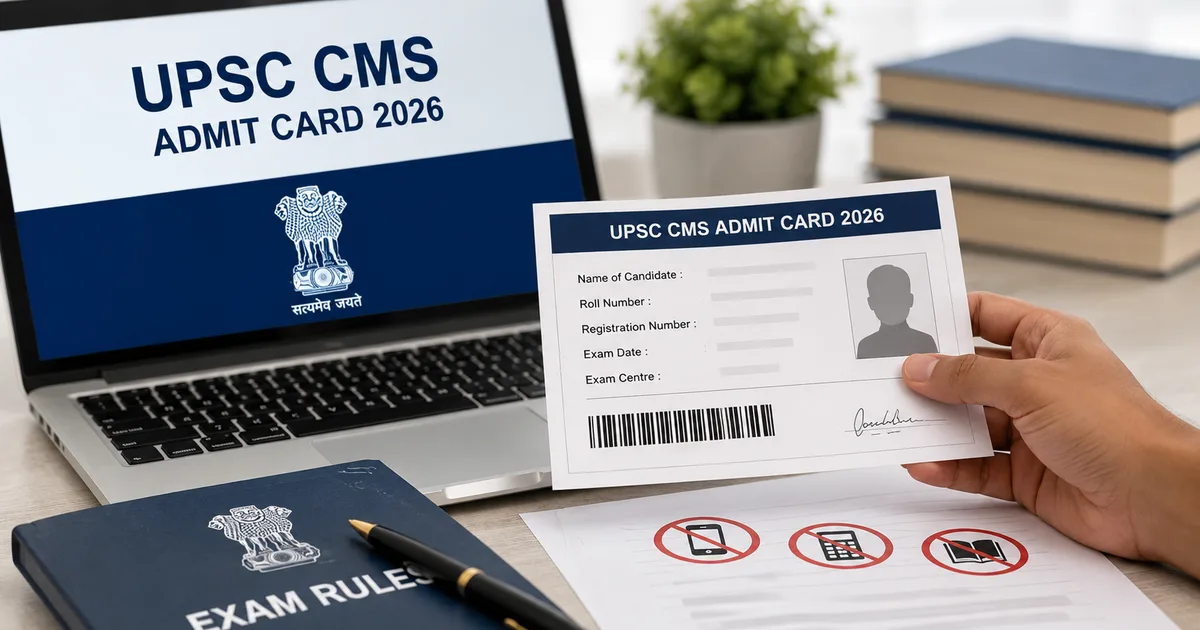
If you've been refreshing the Union Public Service Commission website waiting for updates, you can finally stop. The UPSC CMS Admit Card 2026 is officially available for download as of July 24.
The Combined Medical Services Examination is scheduled for August 2, 2026. This means you've got exactly a few days left to get your paperwork sorted and figure out your exam center location. Honestly, that's not much time. This year, the UPSC has 1,358 Medical Officer vacancies across various government departments. Competition is incredibly tough. You really don't want to be the person who gets disqualified at the gate because of a missing printout or a mismatched Aadhaar card.
I've seen it happen too many times. People study for months and then show up with a soft copy of their hall ticket on their phone. The security guards just turn them away (which makes sense, actually, given the rules). Don't let that be you.
So follow these instructions to get your admit card and prep for Sunday.
Step-by-step process to download the UPSC CMS Admit Card
The official portal is sometimes a total mess. The UPSC has multiple websites. But for admit cards, you have to go to their specific online application portal. If you ask me, they should really simplify this.
- Open your web browser and go directly to upsconline.nic.in. Do not just search on Google and click random links. Go to the official URL.
- Look for the section that says 'e-Admit Cards for Various Examinations of UPSC' on the homepage. Click on it.
- You will see a link for the Combined Medical Services Examination 2026. Click the download link next to it.
- The site will show you a long page of instructions in both English and Hindi. Read through them quickly. Scroll to the bottom and click 'Yes' to confirm you have read them.
- The system will ask how you want to download your card. You can choose either 'By Registration ID' or 'By Roll Number'.
- Enter your chosen ID, your date of birth, and the random captcha code shown on the screen.
- Click submit. Your admit card will appear on the screen as a PDF file.
- Save the PDF to your phone or computer immediately. Then take a printout.
Print your admit card as soon as you download it. Do not wait for the night before the exam to find a print shop. Things always go wrong when you are in a rush.
What to check on your printed hall ticket
Don't just print the card and throw it in your bag. You need to verify every single detail printed on it. The UPSC is incredibly strict about any mistakes. If the name on your card doesn't match the name on your government ID, you're going to face major problems at the entry gate. Take five minutes right now to check these details.
- Your full name. Check the spelling carefully against your ID card.
- Your clear photograph. If the photo is blurry or missing, you need to carry two identical passport-size photographs to the exam hall along with a written undertaking.
- Your signature. Make sure it is legible and matches your usual signature.
- Your roll number. Keep this handy for checking results later.
- The exact address of your exam center. Look it up on Google Maps today, not on Sunday morning.
- The exam timings for both Paper 1 and Paper 2.
If you find any mistakes in your name or details, you have to contact the UPSC right away. In my experience, it's best to reach their facilitation counter or just send them an email. Don't hope the invigilator will understand. They won't. They have strict orders to follow the rules exactly as written.
How to recover a lost Registration ID
Thing is, it happens all the time. You filled the application months ago and cleared your inbox. Now you can't find your Registration ID. Don't panic.
The UPSC actually has a built-in recovery system for this. When you're on the download page and the system asks for your RID, look below the submit button. You'll find a small link that says 'Forgot RID'. Just click that.
The website will ask you for a few basic details to verify your identity. You'll need to enter your exact name, your father's name, your mother's name, and your date of birth. All these must exactly match what you typed in your original application form. Once you submit these details, the system instantly sends your Registration ID to your registered email address and your mobile number via SMS. I think this is one of the few government tech features that actually works well.
Check your spam folder if the email doesn't arrive in a few minutes. Also, make sure your phone has active SMS validity to receive incoming messages. Sometimes telecom operators block automated SMS messages if your inbox is full. Or if your recharge has expired. (The numbers here are a bit fuzzy, but it happens a lot.)
Essential items you must carry on August 2
The morning of the exam is always chaotic. So pack your bag the night before. The UPSC has very clear rules about what is allowed inside the examination hall. If you forget any of these mandatory items, you simply won't write the exam.
- The printed copy of your e-admit card. Black and white is fine, but a color printout is better if your photo looks dark.
- Your original photo identity card. This is mandatory. You must bring the exact same ID card whose number is printed on your admit card. If you submitted your Aadhaar card number during registration, you must bring your physical Aadhaar card. Do not bring your PAN card instead. They will check the ID number against their records.
- A black ballpoint pen. Only black ballpoint pens are allowed for filling the OMR sheets. Gel pens, ink pens, and pencils are strictly prohibited. The scanner will reject OMR sheets marked with anything other than a black ballpoint pen. Take two pens just to be safe.
A quick note on digital IDs. While the government promotes the DigiLocker app for everything, many exam centers still hesitate to accept digital Aadhaar cards on phones. Why? Because phones aren't allowed inside the center. The security guard at the gate might not want to deal with checking your phone and making sure you deposit it. Save yourself the argument and bring the physical card. For more tips on navigating these kinds of government processes, you can check our detailed preparation guides.
Strictly prohibited items and exam day rules
Look, the UPSC doesn't mess around with security. Their rules are absolute. Don't try to argue with the staff about these restrictions. Seriously, don't.
First, leave all electronic gadgets at home or in your bag outside. This includes mobile phones, smartwatches, fitness bands, and calculators. Even basic digital watches are sometimes sketchy for the guards. Wear a simple analog watch if you really need to track time. Most exam halls have a wall clock anyway.
Second, avoid wearing valuable items or heavy jewelry. You might get asked to remove them during the frisking process. It's better to dress simply and comfortably. A plain t-shirt and loose trousers are your best bet for a long day of sitting.
Third, timing is everything. The entry gates close exactly 10 minutes before the scheduled start of the examination. If your paper starts at 9:30 AM, the gates will shut at 9:20 AM sharp. If you arrive at 9:21 AM, you're going home. Traffic on a Sunday morning might seem light. But random roadblocks can easily delay you. Plan to reach your center at least an hour early. Honestly, I'd aim for 90 minutes early.
Understanding the exam pattern for August 2
Since you're taking this exam, you probably know the syllabus well. But it helps to mentally prepare for the long day ahead. The CMS exam has two objective-type papers. Each paper carries 250 marks and lasts for two hours.
Paper 1 covers General Medicine and Pediatrics. You'll face 120 questions in total. General Medicine gets the lion's share with 96 questions, while Pediatrics accounts for 24 questions. This paper usually happens in the morning session.
Paper 2 covers Surgery, along with Gynecology and Obstetrics. It also includes Preventive and Social Medicine. Here too, you have 120 questions split evenly. Each of the three subjects gets 40 questions. This paper takes place in the afternoon session.
Remember the negative marking. For every wrong answer, the UPSC deducts one-third of the marks assigned to that question. Don't guess wildly. If you can eliminate two options, taking a calculated risk makes sense. If you have absolutely no idea, just leave it blank. Leaving a question blank attracts zero penalty. For more strategies on tackling negative marking, you can read our explainer on exam tactics.
How to avoid OMR sheet mistakes
I think I need to emphasize this because candidates mess this up every single year. You get one OMR sheet per paper. The invigilators won't give you a replacement if you make a mistake.
Read the instructions on the OMR sheet before you write anything. Fill in your roll number and subject code carefully in the designated boxes. Then darken the corresponding circles below them completely. If you write your roll number correctly but darken the wrong circles, the computer will grade someone else's paper. Or it might reject yours entirely.
When marking your answers, darken the entire circle. Don't just put a tick mark or a dot. If you try to erase a mark with a blade or whitener, the scanner might reject the sheet (I'm not sure exactly why it's so sensitive, but it is). Make a decision. Mark it firmly with your black ballpoint pen and move on.
Travel tips for outstation candidates
If your exam center is in another city, your logistics need extra attention. August is monsoon season in many parts of India. Trains get delayed. Flights get rescheduled.
If possible, travel to your exam city a day early. Book a room at a cheap hotel or stay with a friend near the center. Waking up at 4 AM to catch a bus and heading straight into a difficult medical exam is a terrible idea. Your brain needs rest to recall complex medical facts.
Figure out your local transport beforehand. Don't rely entirely on Ola or Uber at the last minute, especially if your center is on the outskirts of the city. Auto-rickshaws might be more reliable in some areas. Keep some spare cash for auto fares, as UPI doesn't always work if the network is poor.
Understanding the medical officer vacancies and competition
We should talk about the stakes for this exam. The Combined Medical Services exam is the primary gateway for medical graduates to enter the central government health services.
This year, the government announced 1,358 vacancies. These positions are spread across various departments. A large chunk goes to the Central Health Service as Medical Officers. Others are allocated to the Assistant Divisional Medical Officer posts in the Railways. They also go to General Duty Medical Officer posts in the New Delhi Municipal Council and Municipal Corporation of Delhi.
These are highly sought-after secure jobs. They offer a stable career and good pay scales under the central government structure. You're competing with some of the best minds in the country. Your focus right now should only be on revision and taking mock tests. Basically, don't waste time worrying about things outside your control.
Final advice for the last few days
You've done the hard work. You've studied the massive MBBS syllabus again. Now isn't the time to start reading a new textbook or panic about a topic you skipped.
Spend these last few days reviewing your short notes. Focus on high-yield topics and numerical values that are easy to forget. Solve a few previous years' question papers. This gets your brain used to the exam format and helps you manage your time better during the actual test.
Make sure you're sleeping well. A tired brain makes silly mistakes (annoying, I know). You don't want to lose marks because you misread a 'not' in a question due to lack of sleep. Eat simple meals and stay hydrated.
Download that admit card today. Print it out. Put it in a clear plastic folder along with your Aadhaar card and your black pens. Set your alarms.
The process of getting a government job in India is a long journey. The UPSC CMS is just one hurdle. Give it your best shot. If you want to keep track of other upcoming medical exams and results, you can check our latest updates section.
Go get that admit card and get back to your books.