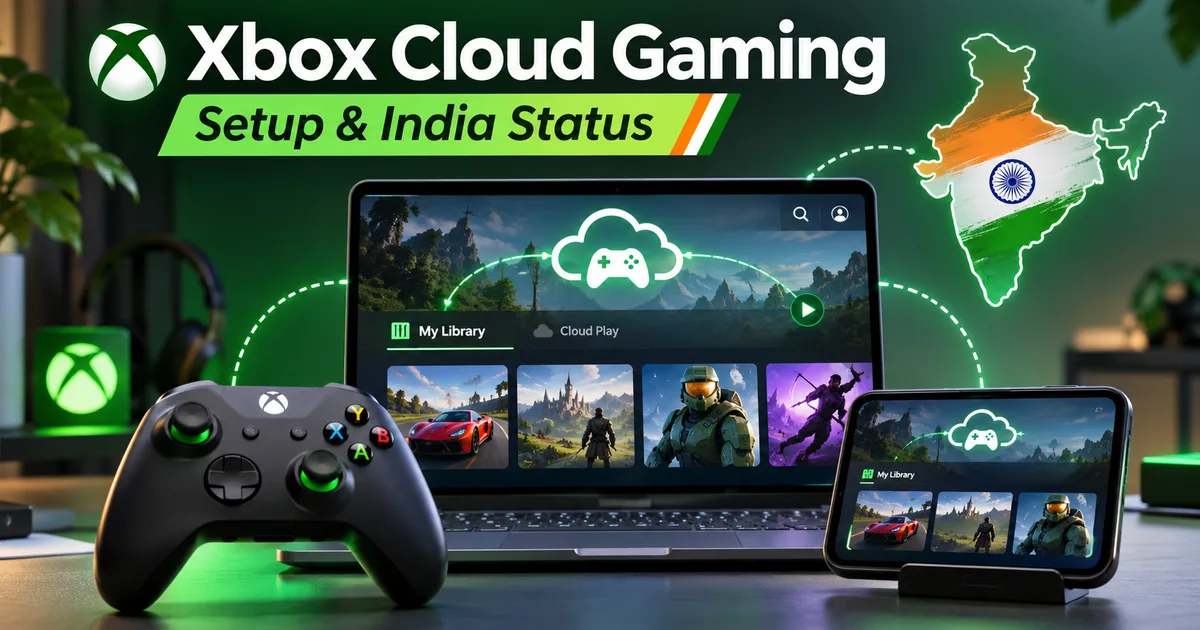
Microsoft has finally started rolling out one of its most requested features: the ability to stream your own purchased game library through Xbox Cloud Gaming. Until now, cloud streaming was strictly limited to whatever title happened to be sitting inside the rotating Game Pass library. If a game left the service, you lost access over the cloud even if you owned it digitally. That changes now. You can now fire up select digital games you bought on your Microsoft account and stream them straight to a smartphone, a cheap laptop, an old Xbox One, or even a smart TV. But like most things in tech, there's a mix of good news, bad news, and a few catches specifically for players sitting here in India.
Honestly, Microsoft promised this feature back in 2019, so it took them long enough to get here. But seeing big titles like Grand Theft Auto VI confirmed for day-one cloud availability on older consoles like the Xbox One makes it worth a look. So let's break down how this streaming update works, what it costs in Indian rupees, and how to set it up right now.
What the stream your own library update actually does
Here's the deal: previously, Xbox Cloud Gaming worked purely as a Netflix-style buffet. You paid your monthly fee for Xbox Game Pass Ultimate (which costs ₹549 per month plus taxes in India) and played whatever was listed. The moment Rockstar or Ubisoft pulled their game off the catalog, your access vanished.
With this new update, Microsoft separates ownership from cloud streaming. If you buy a supported game digitally through the Xbox Store, you can stream it over cloud servers without needing the physical console sitting under your TV. (Which makes sense, actually.) That means an old Xbox One sitting in your bedroom can run next-gen games by getting a 1080p 60fps video stream powered by custom Xbox Series X server blades in data centers.
If you ask me, this is huge for anyone who doesn't want to drop ₹55,000 on a current-gen console just to play a couple of major releases. But not every game in your library works right away. Microsoft is turning this on in waves, starting with popular third-party titles from publishers who signed cloud distribution deals.
The catch: Hour caps and per-hour cloud pricing
Now for the part that made me raise an eyebrow. Running high-end server racks to stream heavy games to millions of players costs a lot of money. I'm not sure exactly why they timed it like this, but Microsoft seems to be feeling the pinch because this launch comes with some annoying changes to cloud limits.
Microsoft has started capping basic cloud streaming hours for subscribers to around 15 hours per month in several regions. If you blow past that 15-hour limit in a single week playing an open-world game, Microsoft is testing a system that charges anywhere from 24 to 40 cents (around ₹20 to ₹35) per extra hour of cloud play. (I know, paying per hour for a game you already bought sounds absurd, but that's where server costs are pushing things.)
If your gaming sessions run 4 hours a day, those extra fees will add up fast. Look, Microsoft wants cloud gaming to be an added convenience for casual sessions rather than your main gaming setup.
Is Xbox Cloud Gaming officially live in India?
This is where things get tricky for Indian gamers. If you open your Xbox app or go to xbox.com/play, Microsoft still lists India as a region where Xbox Cloud Gaming is under preview. We don't have dedicated Azure cloud gaming servers sitting in Mumbai or Chennai tuned for low-latency gaming yet.
So how are players in India actually running it? Mostly through two simple tricks:
- Official web portal preview links that route traffic to nearby Asian servers like Singapore or South Korea.
- Using a fast DNS service or a quick location switch on your browser to initiate the cloud stream, after which you can disconnect the routing tool and let your local broadband handle the data feed.
If you're looking for alternative cloud gaming options or mobile game stores, check our guide on the Epic Games Mobile Store India launch to see how other publishers handle regional game access. Meanwhile, if you want to explore other cloud initiatives happening locally, read our coverage on Jio PC cloud features and expected pricing.
Thing is, your experience in India depends almost entirely on your internet connection and latency. In my experience, you need a stable connection to make it work. Here's what you actually need to get a smooth stream:
- Broadband Speed: A minimum of 50 Mbps down, though 100 Mbps on JioFiber, Airtel Xstream Fiber, or ACT Fibernet is much safer.
- Wi-Fi Bandwidth: You must connect over 5GHz Wi-Fi or an Ethernet cable. Trying to stream games over a standard 2.4GHz Wi-Fi network will give you unplayable input lag and constant screen tearing.
- 5G Mobile Data: Jio 5G and Airtel 5G work surprisingly well outdoors if your signal strength is solid, though mobile ping spikes can cause occasional stutter.
- Latency (Ping): Anything under 45ms to the nearest streaming server feels responsive. If your ping hits 80ms or higher, action games will feel like your character is moving through wet concrete.
Step-by-step setup guide for phone, PC, and TV
Setting up your account to stream your owned games is pretty simple once you have an active Game Pass sub. Here's how to do it across different devices.
Streaming on a PC or laptop
- Open Google Chrome or Microsoft Edge and navigate to
xbox.com/play. - Sign in with the Microsoft account that holds your active subscription and digital game purchases.
- Connect a compatible controller to your PC using Bluetooth or a USB cable. An official Xbox controller works best, but PlayStation DualSense or budget Bluetooth controllers like Cosmic Byte work fine too.
- Scroll down past the Game Pass section to find the section titled Stream Your Library.
- Click on your owned game and hit Play.
Streaming on an Android phone, iPhone, or iPad
- On Android, download the Xbox Game Pass app from the Google Play Store. On iOS, open Safari, head to
xbox.com/play, tap the Share icon, and select Add to Home Screen to create a progressive web app. - Pair your wireless controller to your phone via Bluetooth. Alternatively, plug in a mobile controller clamp like a Backbone One or Razer Kishi.
- Launch the web app, sign in, and select your purchased title from your cloud library.
Streaming on a Smart TV or Fire TV Stick
- If you have a recent Samsung Smart TV or an Amazon Fire TV Stick 4K, search the app store for the official Xbox app.
- Install the app and log in using your account credentials.
- Pair a Bluetooth controller directly to your TV or Fire TV Stick settings menu.
- Launch the app and pick your game.
For step-by-step walkthroughs on other digital services, take a look at our dedicated How-to Tech Guides section for troubleshooting help.
Supported games: What can you stream right now?
While Microsoft wants to expand this list, not every digital game you own will show up on day one. Game publishers have to opt-in to allow cloud streaming for their titles. (Which takes time, obviously.) Here's a quick list of games supported at launch or confirmed for cloud streaming:
- Grand Theft Auto VI (launching with cloud support for Xbox Series X|S and Xbox One)
- Cyberpunk 2077
- Hogwarts Legacy
- The Witcher 3: Wild Hunt
- Assassin's Creed Mirage
- NBA 2K series
- Final Fantasy XIV Online
- Elden Ring
If you're waiting for major PC releases and want to compare hardware requirements, you can read our detailed breakdown on the Rockstar Games GTA VI PC specs and pricing.
Cloud streaming allows old hardware to punch above its weight, but it cannot fix a poor Wi-Fi connection. Low latency matters far more than raw download speed.
The practical verdict for Indian gamers
Is Xbox Cloud Gaming library streaming worth your time in India right now? Honestly, yes, but with a few caveats. If you already pay for Game Pass Ultimate and have built up a decent library of digital games over the years, streaming Cyberpunk or GTA VI onto a low-end laptop without buying a console is a great option.
But if you play competitive multiplayer games where a tiny delay gets you killed, cloud streaming won't replace a real console. The lag over Asian servers is fine for single-player stories, but it'll drive you crazy in fast shooters. I'm not sure how quickly Microsoft will build local servers here, so keep an eye on hour caps and make sure you're on a fast 5GHz connection before buying games just to stream them.
Stay tuned to our Latest Tech News coverage for future updates on official Indian server deployments from Microsoft.