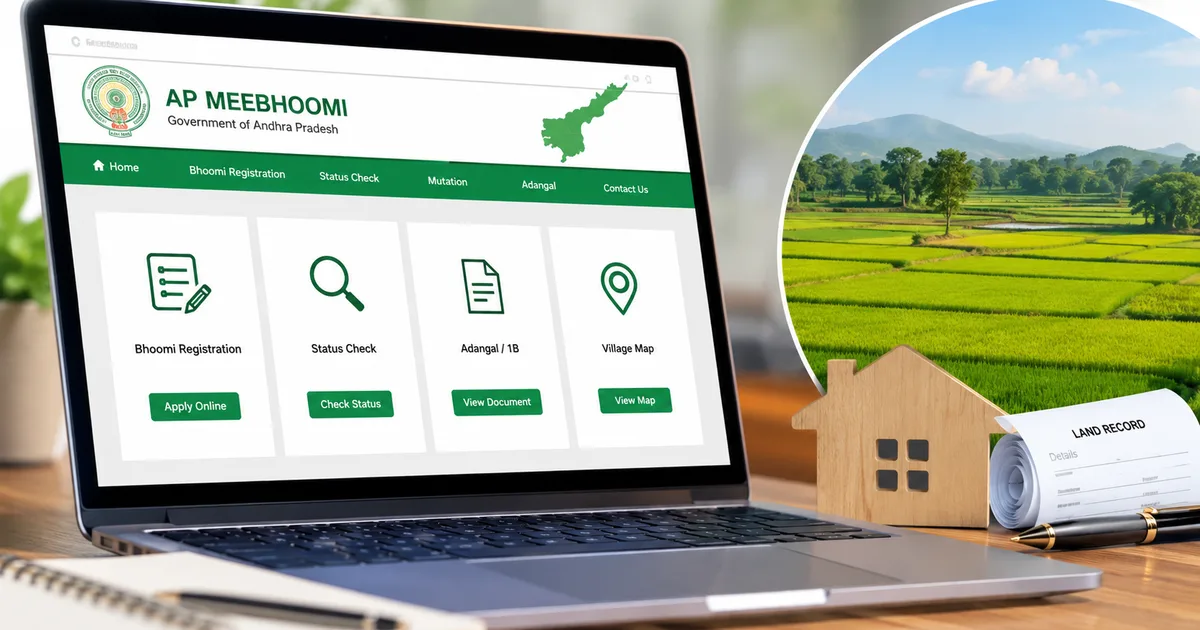
Dealing with land records in Andhra Pradesh used to mean spending days at the local Mandal office, drinking lukewarm chai while waiting for an official to locate a dusty ledger. Not anymore. The AP Meebhoomi Portal 2026 is actually a massive relief for anyone trying to manage property in the state. I tried navigating it recently, and while it has its quirks, it absolutely beats standing in line for hours.
Chief Minister N. Chandrababu Naidu recently confirmed that all land records in the state will be digitized. They're pushing hard to get everything online. And honestly, it makes a huge difference. You can just sit at home and pull up your Adangal or 1B documents in minutes.
But the site can be a mess if you don't know exactly where to click. I spent a good hour clicking the wrong dropdowns before figuring out the exact sequence. So I wrote this down to save you that headache.
What exactly is the Meebhoomi portal?
It's the official online depository for all land records in Andhra Pradesh. The government launched it to stop people from having to bribe local officials just to see their own property details (which makes sense, actually). The system now supports auto-mutation across the state. That means when you buy or sell land, the changes update automatically in the system once the registration is complete.
I can't overstate how big of a deal auto-mutation is. It cuts out the middleman entirely. You no longer have to submit a separate application just to get your name on the record after paying stamp duty. Everything connects on the backend.
You can do a lot on this site.
- Check your Adangal and 1B documents online.
- Find your Field Measurement Book (FMB) map.
- Link your Aadhaar card to your land account.
- File complaints about incorrect survey numbers.
- See the list of village landlords and court disputes.
- Download your electronic passbook.
If you're dealing with agricultural land, you'll be on this site a lot. It's the central hub for proving you actually own the dirt you're farming.
How to search for your Adangal online
Your Adangal is basically your property's resume. It tells you the land type, who owns it, what crops are growing there, and if there are any liabilities. Look, you need this document for almost any agricultural loan in India, including the Kisan Credit Card.
Follow these exact steps to get yours.
- Open your web browser and go to the official AP Meebhoomi website. Make sure the URL ends in ap.gov.in. There are some fake sites out there, so be careful.
- Look at the top menu bar. Click on the word "Adangal".
- A dropdown menu will appear. Click on "Your Adangal" if you want just your specific record, or "Village Adangal" if you need the entire village list. I recommend starting with "Your Adangal".
- You will land on a new search page. The system asks how you want to search. You can pick Survey Number, Account Number, Aadhaar Number, or Automation Records.
- Pick "Aadhaar Number". It is almost always the fastest option, assuming you linked it previously.
- Select your District from the first dropdown menu.
- Select your Zone or Mandal from the second menu.
- Select your Village name.
- Type your 12-digit Aadhaar number into the text box.
- Type the captcha code exactly as you see it in the image. The captcha is case-sensitive, so watch your capital letters.
- Click the blue "Click" button at the bottom.
Your Adangal will pop up on the screen. You can print it or save it as a PDF. In my experience, it's best to always save a copy locally just in case the server goes down later. And the server does go down. Frequently. Especially during the monsoon season when rural internet acts up.
Always check the date printed at the top of your Adangal. It should show the current date of download. If a bank asks for it, they usually want a copy downloaded within the last 30 days.
Checking your 1B document
The 1B document is different from the Adangal. It's an extract from the state's land records register. You use this to prove actual ownership. If you're selling land, the buyer will ask for this to verify that you have the right to sell it.
The steps are very similar, but people often click the wrong tab.
- Go back to the homepage of the portal.
- Find the "1B" tab in the top menu.
- Click on "Your 1B" from the options.
- The search screen looks identical to the Adangal search. Pick your district, zone, and village.
- Enter your Account Number this time. If you don't know it, you can use your Aadhaar number again.
- Fill in the captcha.
- Hit submit to view the document.
I find the 1B loads a bit slower than the Adangal. Give it a minute before hitting refresh. If you refresh, you have to type the captcha all over again. The document lists the Khata number, the name of the pattadar, the father's name, and the total extent of the land in acres and cents.
How to get your Electronic Passbook
The electronic passbook is a digital version of the old physical passbooks farmers used to carry. It has your photo and a summary of your landholdings. This is incredibly useful for applying for government subsidies.
I think getting it is simple.
- Click on the "Electronic Passbook" tab on the main menu.
- Select your district, zone, and village.
- Enter your Account Number.
- Enter your mobile number. It does not have to be the one linked to your Aadhaar, but it helps if it is.
- Enter the captcha.
- Click submit to view and download your passbook.
Keep a PDF of this on your phone. If a local official asks for proof of land, showing them this PDF is usually enough to get the conversation moving.
Viewing your Field Measurement Book (FMB)
Sometimes you need to see the actual shape and boundaries of your land. This is where the FMB comes in. It's a map showing the exact dimensions of your survey number.
- Click on "FMB" in the top menu.
- Select your district, zone, and village.
- Select your survey number from the dropdown. This list can be very long, so scroll carefully.
- Enter the captcha and click submit.
The system will generate a map. Honestly, the maps look like they were drawn in MS Paint circa 1998, but the measurements printed on them are legally binding. If you have a boundary dispute with a neighbor, this is the map the surveyor will use to settle it. I'm not sure exactly why they haven't updated the graphics, but they work.
How to link your Aadhaar card
You really need to link your Aadhaar to your land records. The government makes it mandatory for most services now. If you haven't done it yet, you might face issues accessing your records or getting benefits like PM Kisan. If you want to understand how these benefits work, you can check our guides section.
Here's how you link it through the portal.
- Click on the "Aadhaar/Other Identities" tab on the main menu.
- Select the first option, which says "Aadhaar Linking".
- Add your district, zone, and village details just like before.
- Enter your Account Number. You must know your account number for this step.
- Type in your Aadhaar number.
- Submit the form.
The system usually verifies it instantly. But sometimes it throws an error saying the name on your Aadhaar doesn't match the name on the land record. If that happens, you have a bigger problem. You'll actually have to visit the local MeeSeva center with your physical documents to sort it out. I had to do this for my uncle last year in Guntur, and it took about three days and multiple photocopies to resolve (annoying, I know).
Understanding online bhoomi registration
Registering property in Andhra Pradesh involves more than just the Meebhoomi portal. You actually do the heavy lifting on the IGRS portal. But the changes reflect in Meebhoomi.
When you buy a plot, you pay the stamp duty and registration fees through the AP IGRS system. Once the sub-registrar approves the sale, the auto-mutation process kicks in.
The system updates the ownership details automatically. The Meebhoomi database talks directly to the registration database. If you ask me, this is a massive improvement over the old system. You used to carry a physical copy of the sale deed to the Village Revenue Officer. You'd hand over a few hundred rupees and just beg them to update the ledger.
But you still need to verify that it actually happened. Don't just trust the system blindly.
- Wait about two weeks after your property registration is complete.
- Log into the Meebhoomi portal.
- Pull up the 1B document for your new survey number.
- Check the owner name. It should show your name now.
If it doesn't show your name after a month, something broke. You need to file a grievance on the portal.
Filing a grievance for incorrect records
Mistakes happen. Sometimes the survey number is wrong, or the total area doesn't match your physical documents. The numbers here are a bit fuzzy sometimes if a data entry operator types a 5 instead of a 6, which can cause years of headaches. You can report these issues directly on the site.
- Click the "Complaints" tab on the main menu.
- Select "Register a Complaint".
- Fill out the form. You need to provide your phone number and Aadhaar details.
- Explain the issue clearly in the text box. Keep it brief. "My extent is 2.5 acres but the record says 2.0 acres" is better than a long story.
- Upload a scanned copy of your proof. If you say the area is wrong, upload your original registered sale deed.
- Submit the complaint and save your ticket number.
You can track the status of this ticket under the same "Complaints" menu. They usually take a few weeks to respond. If it's an urgent issue, you might still need to visit the local Tehsildar office. But having the online ticket number helps speed things up. It proves you already initiated the process officially.
Checking court disputes
Before buying any land in Andhra Pradesh, you should check if there are any active court cases involving it. The portal actually lets you do this. Which is incredibly handy.
Go to the "Details of Court Disputes" section. Select the district and village. It'll show a list of survey numbers currently tied up in litigation. If the land you want to buy is on that list, walk away. It's just sketchy. It's not worth the legal fees.
A quick warning about scams
Because everything is digital now, scammers are targeting people who need these documents. You might get a WhatsApp message offering to get your Meebhoomi records for a fee of ₹500 via UPI. Ignore it. The portal is completely free to use.
Some fake websites look exactly like the real AP government site but charge a "processing fee" to download an Adangal. Always check the URL. It has to be a .gov.in address. If you fall for one of these scams, report the scam immediately to the national cyber crime portal at cybercrime.gov.in or call the 1930 helpline. We have a full breakdown of these types of scams and how to spot them in our scams section. You can also look at our explainers section to understand how these phishing sites work.
You also don't need an agent or a broker to do this for you. The site is available in Telugu and English. Take ten minutes to read the options and you can do it yourself. It really is that straightforward.
Keep your Aadhaar details private. Never share OTPs. And double-check the URLs before typing any personal information.