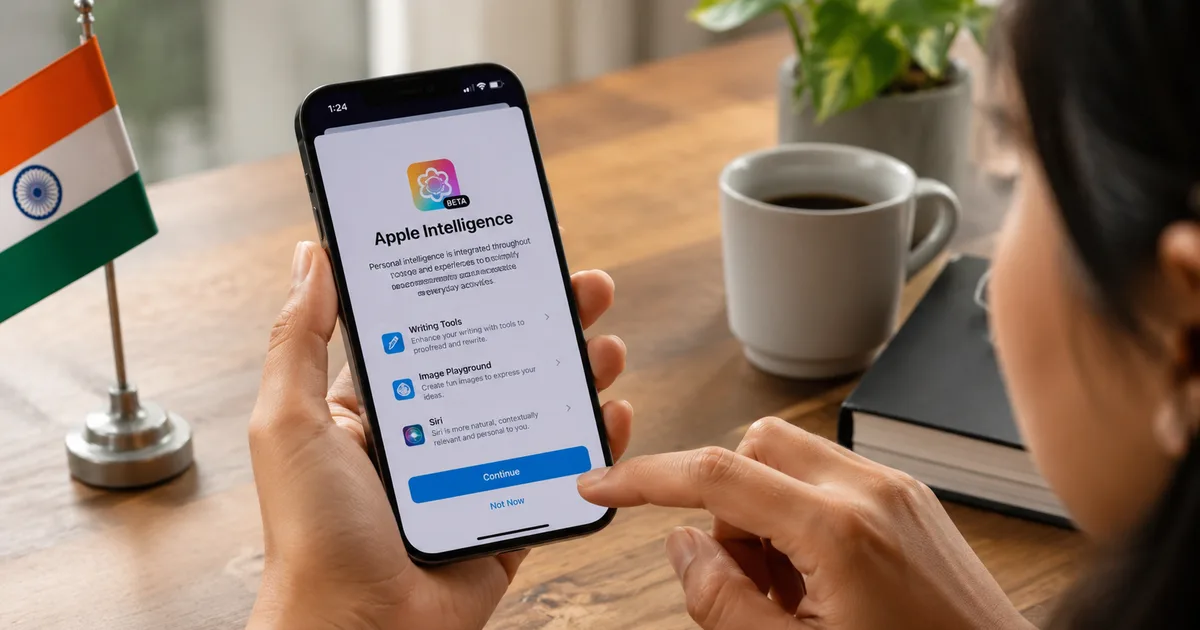
Apple Intelligence finally made it to India, and while the rollout took longer than most iPhone users would have liked, there's actually quite a bit here worth your attention if you're on a compatible device. The features have been arriving in waves, and as of mid-2026, India has most of the core Apple Intelligence features that US users got months earlier.
Set your expectations first, though. Not every feature Apple showed at its US launch has landed in India yet. Some are restricted by language. Some by region. And there was at least one very public screw-up, where Apple accidentally unlocked features for mainland China users before pulling it back within hours, which showed exactly how carefully Apple manages its rollout. India Today reported on that incident earlier this year. Apple is watching its regulatory exposure country by country, and India is no exception.
What Apple Intelligence features are available in India right now
Writing Tools is honestly one of the most practically useful things Apple Intelligence does. Select text anywhere on your phone, tap Writing Tools, and you can rewrite it, proofread it, get a summary, or shift the tone entirely. Works in Notes and Mail, and in most text fields across iOS. Tim Cook mentioned in an interview covered by Times of India that Writing Tools has consistently been the most-used Apple Intelligence feature among iPhone users globally. I'd believe it. It's the kind of thing you use without really thinking about it after a week.
Notification summaries group your app notifications into one-line digests. Instead of 18 separate WhatsApp messages, you see a short summary. Sounds minor. But it's genuinely useful if you're drowning in group chat notifications, which, if you're Indian, you almost certainly are.
Priority Messages in Mail surfaces time-sensitive emails automatically. Useful if you already use Apple Mail. Most Indian users on Gmail won't feel this one much.
Clean Up in Photos lets you tap an object in the background of a photo and remove it. Works surprisingly well. Honestly, it's faster than manually editing in Snapseed for quick cleanup jobs, and it takes about three seconds.
Image Playground generates images in a cartoonish Apple style. Fun, not particularly useful for professional work. Students seem to like it for presentations and stickers.
ChatGPT integration in Siri is the big one for most people. Ask Siri something complex and it can route your question to ChatGPT with your explicit permission each time. The integration is cleaner than I expected, and it makes Siri actually useful for the first time in a while. (Which, for the record, is a low bar to clear, but Apple has cleared it.)
Which devices support Apple Intelligence in India
Not every iPhone gets all of this. Here's the breakdown:
- iPhone 15 Pro and 15 Pro Max: most core features, but no Visual Intelligence (the camera-based one)
- iPhone 16, 16 Plus, 16 Pro, 16 Pro Max: full feature set including Visual Intelligence
- iPhone 17 series: everything above, plus improvements to on-screen awareness in Siri
- iPhone 14 and below: none of Apple Intelligence, period. The Neural Engine requirements are real and there's no workaround.
Visual Intelligence is worth a separate mention. Point your iPhone 16 camera at a restaurant menu or a product label and ask questions about it in real time. It works in India. Particularly useful at markets and restaurants where menus aren't always in English.
What the China incident tells us about India's rollout
Apple briefly and accidentally enabled Apple Intelligence for users in mainland China earlier in 2026, a region where Apple hasn't officially launched the service because of local data localization rules. Apple caught it within hours and reversed it. India Today covered the story.
For Indian users, this matters. It shows Apple runs a deliberate, country-by-country rollout based on regulatory compliance, not just language readiness. India now has the Digital Personal Data Protection Act (DPDP Act) in force, and Apple's pace of expanding features here will be at least partly tied to how those rules evolve. Our DPDP Act explainer covers what the law means for apps and AI services operating in India.
On the privacy question: Apple Intelligence processes most requests on-device using the A17 or A18 chip. When requests go to the cloud, Apple uses what it calls Private Cloud Compute and says no data is retained or used for model training. That's the public commitment. How that squares with DPDP Act obligations for data processors in India hasn't been publicly clarified by regulators yet. I'm not sure exactly when that clarity will come, but the compliance picture is still developing.
The $250 million lawsuit and why Indian users should know about it
Apple agreed to pay $250 million to settle a US class-action lawsuit where buyers claimed Apple misled them about Siri's AI capabilities in advertising. The BBC reported on the settlement. The core allegation: Apple marketed Siri as capable of things it simply couldn't do.
Indian users don't automatically get money from a US settlement. No similar class action has been filed in India as far as I can find. But the episode matters because the same Siri marketing ran here too.
The Siri that came with Apple Intelligence is genuinely different. It now has full on-screen context awareness, can remember things within a session, and can take actions across apps. That's closer to what Apple promised for years. The old Siri that couldn't reliably set two alarms from one voice command wasn't. The lawsuit settlement is at least partly an acknowledgment of that gap.
What's coming at WWDC 2026 and with the iPhone 18
Apple's developer conference is in June 2026, and it's expected to be AI-heavy. Ahead of WWDC, Apple already announced significant AI-powered accessibility features: smarter voice control and improved eye-tracking on iPhone, plus new language-aware tools for users who have difficulty typing. India TV News covered the announcement in May 2026. These features are rolling out through iOS updates and are worth checking under Settings > Accessibility when they arrive.
For Indian users specifically, two things to watch at WWDC:
- Hindi and Indian language support in Writing Tools and Siri. Right now, Apple Intelligence in India works in English. If Hindi is your main language for messaging or notes, you're waiting for this one.
- iOS 20 details. Apple's next major version is expected to bring Apple Intelligence deeper into third-party apps, which would significantly expand what the features can actually do.
The iPhone 18 Pro is expected in September 2026. Reports from MSN India and Digit.in suggest a larger battery and a smaller Dynamic Island, along with more AI hardware upgrades. Expected India pricing sits around Rs 1,39,900 for the base 18 Pro, roughly in line with 17 Pro launch pricing. If you're planning to upgrade and your current phone is still working fine, waiting for the 18 Pro is a reasonable call given what's likely coming on the AI front.
Is Apple Intelligence actually useful for Indian users?
Depends on what you do with your phone.
If you write a lot in English, whether emails, reports, content work, or professional messages, Writing Tools is a genuine time-saver. Clean Up in Photos gets used more than you'd expect once you know it's there. ChatGPT in Siri is better than opening a separate app for quick questions.
What's less compelling right now: Notification Summaries can strip important nuance from WhatsApp messages, and in busy group chats that can actually cause you to miss something. Image Playground is a novelty that most people play with once and forget. And if Hindi or any regional language is how you primarily communicate, most of Writing Tools and Siri's AI features don't fully apply to you yet.
The accessibility features are underreported, if you ask me. Basically, for users with low vision or motor difficulties, AI-powered voice and vision tools could genuinely matter more than Image Playground ever will for most people. Worth checking in Settings once the WWDC 2026 updates arrive.
Our setup guide walks through enabling Apple Intelligence on compatible iPhones step by step.
How to turn on Apple Intelligence right now
On iPhone 16 or newer, go to Settings > Apple Intelligence and Siri and enable it. Make sure you're on the latest iOS version. Most features are opt-in, not automatic.
iPhone 15 Pro and 15 Pro Max users follow the same path, just without Visual Intelligence in the feature list.
One thing to check: your iPhone's language should be set to English (India) for Apple Intelligence to show up. If you're on a different language variant, some features may not appear in settings even on a supported device. (Annoying, I know, but that's how it is for now.)