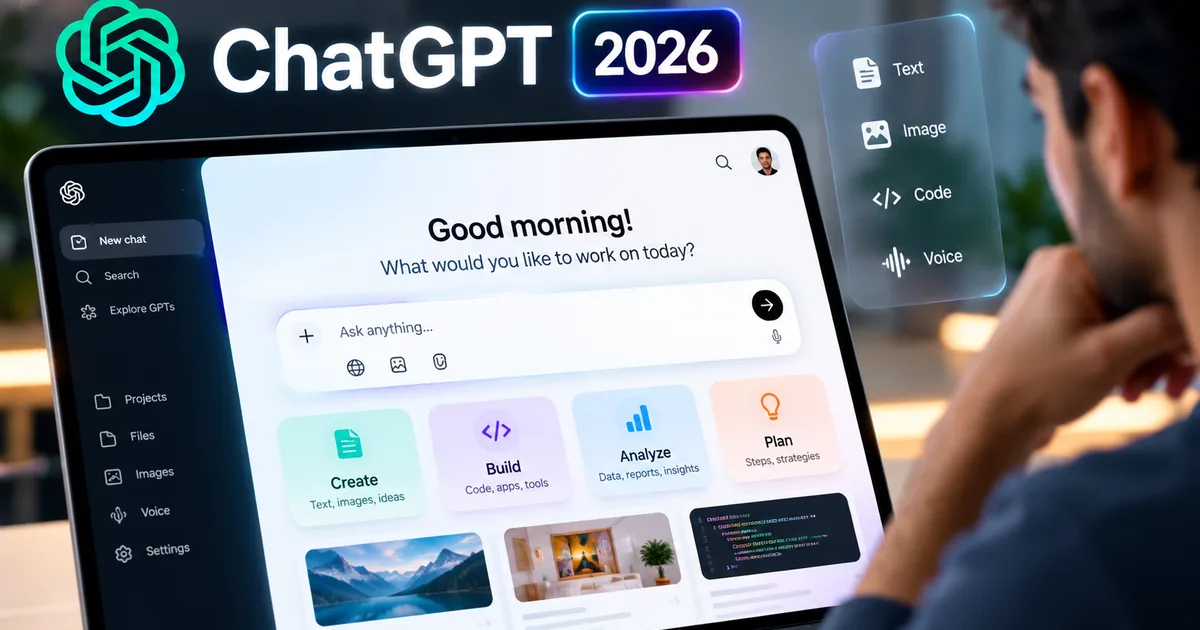
If you opened ChatGPT this morning, you might have noticed something different. The familiar, endless wall of text is gone. Instead, OpenAI has started rolling out its GPT-6 update, and with it comes a massive change they are calling "Intelligent UI". And honestly, it's about time.
For the last three years, we've treated AI chatbots like incredibly smart typewriters. You ask a question. It spits back paragraphs. But starting October 8, 2026, free and paid users in India are getting access to a completely new interface. ChatGPT can now generate interactive calculators, maps, diagrams, and even code sandboxes right inside your chat window.
I tried it out, and the difference is night and day. Ask about mutual fund returns, and it doesn't just give you a text explanation. It builds an actual calculator. You can drag sliders for your monthly SIP amount in rupees and see a dynamic chart of your projected wealth (which makes sense, actually, given how visual finance is).
So, what exactly is changing, and how can you use it?
What is ChatGPT Intelligent UI?
Basically, Intelligent UI is ChatGPT finally learning how to draw and build mini-apps on the fly. Before this, if a small business owner in Surat asked ChatGPT to help price their new clothing line, they'd get a bulleted list of suggestions. Boring. Now, they get an interactive pricing table with built-in profit margin calculators.
According to the official release details, this isn't just a cosmetic update. The GPT-6 model driving this can process your requests and figure out the best visual way to show the answer. It builds these elements using code in the background. All you see is a clean, working tool. I think that's the smartest part of the whole design.
Here's a breakdown of the new interactive features:
- Interactive Data Charts: Ask for the historical Nifty 50 performance, and you get a chart you can hover over to see specific dates and values. You don't have to squint at a static image anymore.
- Custom Calculators: From EMI calculators for a home loan to GST tax estimators, the AI generates custom tools based on your exact prompt. You type your numbers directly into the chat interface.
- Dynamic Maps: Planning a trip from Delhi to Manali? It generates an interactive map with waypoints, not just text directions. You can zoom in and out just like you would on Google Maps.
- Action Buttons: Responses now often include buttons to easily copy specific data, export tables to Excel, or tweak the output without typing a new prompt.
- Code Sandboxes: For the programmers out there, code blocks now come with a "run" button for certain languages, letting you see the output without opening a separate IDE.
This is a big leap. We've seen similar attempts from other platforms. If you want to see how the competition is stacking up, you can read our explainer on Meta Muse AI 2026 features and release date.
How Indian Users Are Actually Using It
The tech sounds impressive, but how does this help a normal person? I've been watching how people in my own circles are using this since the rollout started. And it's pretty wild.
Take students preparing for the UPSC or JEE. They often ask ChatGPT to explain complex topics. Now, when they ask about the monsoon cycle, they get animated, interactive diagrams showing wind patterns, rather than just reading a textbook description. It makes learning visual. Immediate. I saw a medical student use it yesterday to generate a rotating 3D model of a human heart just by typing "show me the ventricles."
For freelancers and agency owners, the forms and calculators are a lifesaver. You can ask ChatGPT to "create an invoice template for a client in Mumbai," and it builds a form right there. You fill in the INR amounts and hit a button to download a polished PDF. Boom. No need to mess around with Excel templates.
And then there's the speed. The GPT-6 update speeds up web search by 44 percent. When you ask it to summarize the latest news about the RBI repo rate changes, the answer arrives almost instantly, complete with a clean graph showing the rate history over the past year. That speed difference is very noticeable when you're on a spotty 4G connection on the metro (annoying, I know).
We're also seeing small shop owners use the new table features for inventory. Instead of keeping a ledger book, a hardware store owner in Pune can tell the app "make me a table with 50 bags of cement, 20 pipes, 100 bricks, and their current market rates." The app creates a neat, sortable table. You can update it with a single click.
The Privacy Angle: What Happens to Your Data?
Whenever a company releases a shiny new toy, we have to ask what it costs us in terms of data. The Intelligent UI requires the AI to process more complex instructions and user inputs. If you're feeding it your actual business inventory or personal financial numbers to build a calculator, where does that data go?
OpenAI states that they don't use data from enterprise or API accounts to train their models. But if you're on the free tier or the standard Plus plan, your inputs can be used for training unless you explicitly opt out in the settings. This is standard practice for them. Still, the stakes feel higher when you're inputting specific rupee amounts into a custom tax calculator rather than just asking for a pasta recipe.
My advice is simple. Play around with the calculators and charts, but don't feed it your actual PAN card details or exact bank balances. I'm not sure exactly why anyone would do that anyway, but people do. Use dummy numbers. You get the same interactive experience without handing over your personal financial blueprint.
Is It Better Than the Alternatives?
The AI space in 2026 is crowded. Look, we aren't just relying on OpenAI anymore. There are solid alternatives entering the Indian market right now. For instance, Flow AI's 2026 pricing and features have made it a strong contender for enterprise users, and we've also seen a lot of buzz around Jev AI and how to access it in India.
But OpenAI has an advantage here: familiarity. Millions of Indians already use ChatGPT daily on their phones and laptops. Slipping these interactive elements into an interface people already know is a smart move. They didn't reinvent the wheel. They just gave the wheel a touchscreen.
Google has been trying to do something similar with Gemini. But the implementation is honestly a bit of a mess. The way ChatGPT seamlessly switches from text to a full-blown calculator without you having to install plugins or click weird pop-ups is very well executed. It just works.
A Few Things That Need Fixing
It's not perfect yet. During my testing, the UI sometimes got confused if I asked for too many things at once. I asked for a chart comparing electric scooter prices (like Ather and Ola) in Delhi versus Bangalore, along with an EMI calculator. The AI gave me the chart. The calculator broke and wouldn't accept inputs.
Also, the interactive maps can be a bit generic when dealing with very specific, local Indian addresses. It knows the major highways. But don't expect it to accurately map the small gullies of Chandni Chowk just yet. If you ask it for driving directions through a busy neighborhood in Chennai, you're still better off using Google Maps.
I also noticed some lag on older Android phones. The Intelligent UI renders these mini-apps using your phone's processor directly. On a three-year-old budget smartphone, the interactive charts stuttered a bit when scrolling. It's not a dealbreaker. But it is something to keep in mind if you aren't using the latest hardware.
How to Get the GPT-6 Intelligent UI Update
If you're wondering how to turn this on, you probably don't have to do anything. OpenAI is rolling this out automatically. As of October 8, free users are getting access alongside Plus subscribers. It's a phased two-day rollout. If your app still looks like a wall of text, just wait a day or two.
To make sure you get it, ensure your mobile app is updated from the Play Store or App Store. Desktop users? Try clearing your browser cache and refreshing the page.
You don't need a premium subscription to test the basic charts and calculators. The free tier gives you a limited number of Intelligent UI responses per day before falling back to standard text. If you use it heavily for work, the paid tier is still the way to go.
"The shift from text-only answers to a dynamic UI means AI is finally moving from a research experiment to a proper consumer product."
We keep track of all these major platform shifts in our AI Tools & Software section, and this is definitely one of the biggest updates we've seen this year.
What This Means for the Future
We are looking at the death of the plain text answer. In a year, we'll probably look back at ChatGPT's old interface the same way we look at MS-DOS. Typing a question and getting three paragraphs of text is going to feel painfully slow. Archaic, even.
The new Intelligent UI forces us to change how we prompt. Instead of asking "Explain how compound interest works," we should be asking, "Build me an interactive compound interest calculator for a 10,000 rupee monthly investment." You have to train yourself to ask for the tool. Not just the information.
For tech enthusiasts wanting to stay updated on these changes, I highly recommend checking out our Latest Tech News hub regularly.
The tool is capable of giving you a full mini-application. You just have to remember to ask for it. So the next time you open the app, try asking it to draw a chart or build a form. You might be completely surprised by what happens.