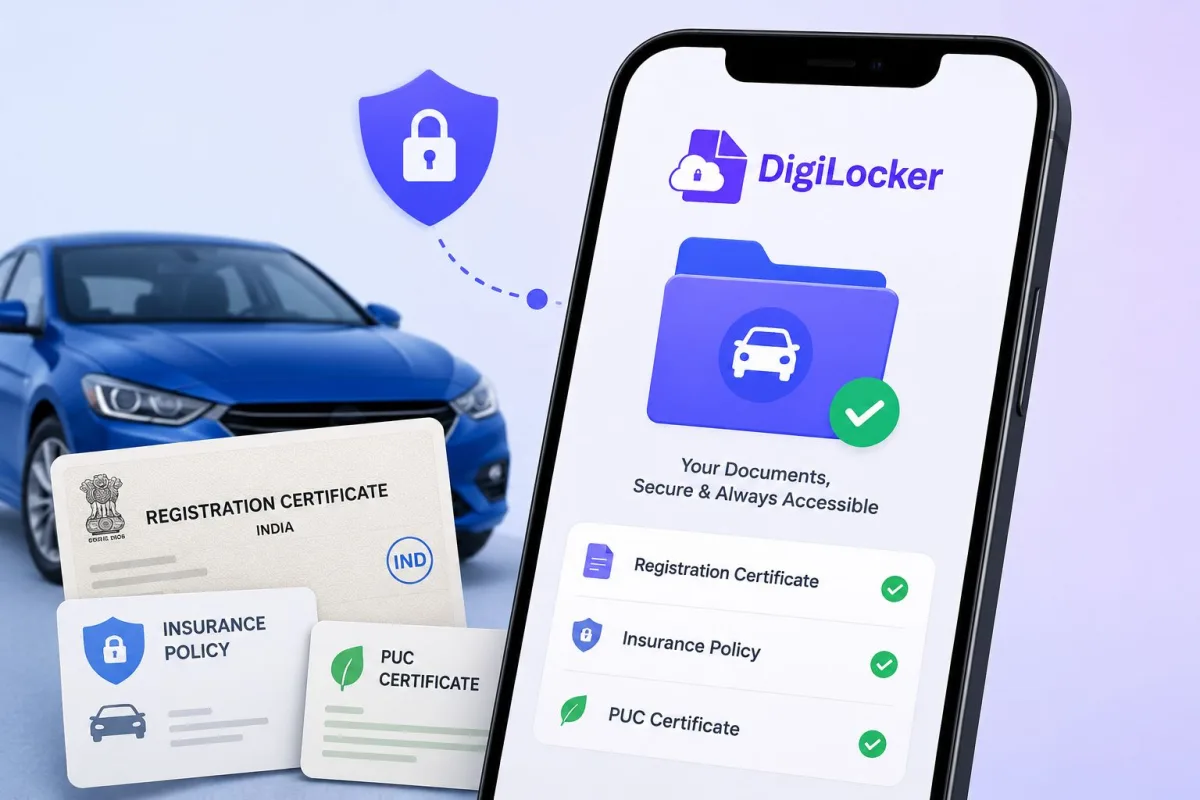
If you've ever been stopped at a traffic check in Bengaluru or waved over on the Delhi-Meerut Expressway and scrambled through your glove box for your RC, this guide is for you. DigiLocker vehicle documents — your Registration Certificate, Driving Licence, insurance, and PUC — are legally valid across India, and carrying the originals is genuinely optional. This has been the case since the Motor Vehicles (Amendment) Act 2019, actually, but a lot of people still don't know it, or don't quite trust it yet.
In 2026, the system has matured quite a bit. Parivahan data syncs faster, DigiLocker's document pull feature works consistently, and traffic enforcement personnel in most states have been trained to accept digital versions. So there's no real reason to keep lugging around laminated paper anymore.
Documents you can store in DigiLocker for your vehicle
Before the steps, here's what's actually available through DigiLocker:
- RC (Registration Certificate) — pulled directly from the Parivahan/NIC database using your vehicle number. This is a government-issued digital copy, not a scanned image you uploaded yourself.
- Driving Licence (DL) — linked via Parivahan Sewa, the same system all RTOs use across the country.
- Vehicle Insurance Certificate — available from insurers integrated with DigiLocker, including HDFC ERGO, Bajaj Allianz, ICICI Lombard, and New India Assurance.
- PUC (Pollution Under Control) Certificate — available in several states through Parivahan, though coverage is still patchy outside major cities.
The RC and DL are the most dependable. They come straight from government databases and carry the same legal standing as physical originals. Insurance and PUC are more hit-or-miss depending on your insurer and state.
Under the Motor Vehicles (Amendment) Act 2019, traffic officers are required to accept digital documents presented via DigiLocker or mParivahan. Asking for the physical original when a valid digital copy is shown is not in line with the law.
Setting up DigiLocker — step by step
Already have DigiLocker? Skip to the next section. If not, this takes about five minutes.
- Download the DigiLocker app from Google Play or the Apple App Store. The official app is published by the National e-Governance Division (NeGD). It's free, and the publisher name is the thing to check if you see duplicate results.
- Tap "Sign Up" on the opening screen. Enter your Indian mobile number. You'll get an OTP — enter it to continue.
- Set a 6-digit security PIN. This is your login key going forward. Pick something you'll remember but won't accidentally type in front of strangers at a traffic stop.
- Link your Aadhaar. This step is technically optional, but without it you can't pull your RC or DL automatically from Parivahan — which is really the whole point. Enter your 12-digit Aadhaar number; an OTP will go to the mobile registered with UIDAI. If that number isn't active or linked, visit any Aadhaar enrolment centre first to get it updated.
- Once linked, you'll land on the DigiLocker dashboard with 1GB of government-backed document storage tied to your Aadhaar identity.
Prefer a browser to an app? The web version at digilocker.gov.in works identically. And honestly, it's often more stable on older Android phones with limited RAM.
How to fetch your RC and driving licence from Parivahan
This is the part most people miss. There's a real difference between uploading a scan of your RC yourself (which you can do, but it carries zero legal weight at a traffic check) and requesting an officially issued digital copy from the Parivahan database. You want the second option. Here's how:
- Open DigiLocker and tap "Search Documents" — some app versions call it "Get Documents."
- In the search bar, type "Vehicle Registration" or "Registration Certificate."
- Select the result that shows the issuer as Ministry of Road Transport and Highways / Parivahan.
- Enter your vehicle registration number — for example, MH02AB1234 — along with your date of birth or chassis number as prompted. The app will tell you which field it needs.
- Tap "Get Document." Within a few seconds, your RC appears under the "Issued Documents" tab. That is the legally valid copy.
- For your Driving Licence, repeat the same process — search "Driving Licence," select the Parivahan issuer, then enter your DL number and date of birth.
The document in your Issued Documents tab has a QR code. Traffic officers can scan that with their device to verify the details against the live Parivahan database in real time. It's not a screenshot. It's a live verified document that can be checked on the spot.
One thing to sort before you start: your name on Parivahan should match your Aadhaar at least roughly. If your RC says "RAJESH K" and Aadhaar says "Rajesh Kumar Sharma," the pull might fail (annoying, I know). Check parivahan.gov.in first to see how your details appear there. If there's a mismatch causing persistent errors, you'll need an RTO correction. Worth getting done.
Adding vehicle insurance and PUC to your DigiLocker
For vehicle insurance, first check whether your insurer is a DigiLocker partner. HDFC ERGO, Bajaj Allianz, ICICI Lombard, and New India Assurance currently support it. If yours does:
- Go to "Search Documents" and type your insurer's name
- Select the result and enter your policy number along with your registered mobile or date of birth as prompted
- The insurance certificate gets added directly to your Issued Documents
For PUC, availability depends on your state and how reliably the testing centres upload data. Delhi, Maharashtra, and Karnataka tend to work well. Smaller states and older vehicles often don't. If PUC isn't available as an issued document through DigiLocker, you can upload a scanned copy as a self-uploaded file. But keep the physical PUC as backup, because self-uploaded files don't have the same legal standing at traffic checks that issued documents do.
How to share vehicle documents with a traffic officer
You've been waved over. Here's what to do:
- Open DigiLocker and tap "Issued Documents."
- Tap the document you need — RC, DL, or insurance.
- Hand your phone to the officer, or tap "Share" to generate a temporary link or QR code. The share link is typically valid for 30 days and can also be sent over WhatsApp if the officer prefers to verify it on their own device.
- The officer scans the QR code on the document to pull up the verified record from Parivahan in real time.
Officers in cities and on major state highways are generally familiar with this now. In some rural areas or smaller towns, you might still run into someone who insists on the original. Be polite, mention that digital copies are legally accepted under the Motor Vehicles Act, and if they still won't budge — just show the physical document. You haven't done anything wrong. Keeping the originals in your vehicle for now is still sensible. (I know that partly defeats the point, but we're in a transition period.)
DigiLocker via WhatsApp — the quick-access option
Here's something that didn't get nearly enough attention: you can access DigiLocker directly through WhatsApp. Send "Hi" to +91 9013151515 — the official DigiLocker WhatsApp number — and you can request, view, and share your documents without opening the app at all.
Genuinely useful if you live in WhatsApp and find app-switching irritating. The documents are the same officially issued copies from the same government databases, so there's no compromise on legal validity. Adoption has been growing through 2025-26 and it works smoothly once your DigiLocker account is already set up with Aadhaar.
When things go wrong — common problems and how to fix them
"No record found" for your RC: Your vehicle data may not have synced to the national Parivahan database. Check parivahan.gov.in directly. If your details appear there, wait 24 hours and try DigiLocker again. If your vehicle doesn't appear on Parivahan at all, your RTO may not have digitized the records. Visit them with your original RC and request a data upload.
DL number not matching: Licence number formats changed in several states when Parivahan was upgraded. Your old DL card may show a format that no longer matches the database. Check sarathi.parivahan.gov.in for your correct current DL number before trying to fetch it in DigiLocker.
App crashing during Aadhaar OTP: Fairly common on older Android phones with low RAM. Use the browser version at digilocker.gov.in instead.
Document showing as expired: DigiLocker doesn't store stale versions of time-sensitive documents. If your insurance or PUC has lapsed, renew it first, then fetch the updated certificate in DigiLocker.
For issues the app can't resolve, DigiLocker has a toll-free helpline at 1800-3000-9191. You can also browse our guides on other government digital apps or read our explainers on digital document rights in India for more context on how this stuff works legally.
One last thing worth being direct about. There are third-party apps that promise to store your RC, DL, and insurance "in one place" by scanning your documents. Some of those have had data security problems, and you simply don't need them. DigiLocker does the same job officially and for free. The risks around fake document storage apps are real and documented. Stick to DigiLocker or mParivahan. Both are free, both are legitimate, and between the two you have everything covered. Your five minutes of setup now will save you a lot of scrambling later.