If you've been staring at the same NCERT chapter for two hours and nothing is sticking, Google NotebookLM Audio Overviews might actually change how you study. The feature, which turns your own uploaded documents into a two-host AI podcast, has been available for a while, but the 2026 updates have made it genuinely useful for Indian students preparing for NEET, JEE, UPSC, CA Foundation, and board exams. And honestly? I think it's one of the more underrated study tools out there right now.
NotebookLM (now also called Gemini Notebook after Google's 2026 rebrand) is free. You don't have to pay anything to get into Audio Overviews. There is a Plus tier that runs around ₹1,699/month, which is a bit much for most folks. But the free version has enough to get the job done.
What Audio Overviews actually does
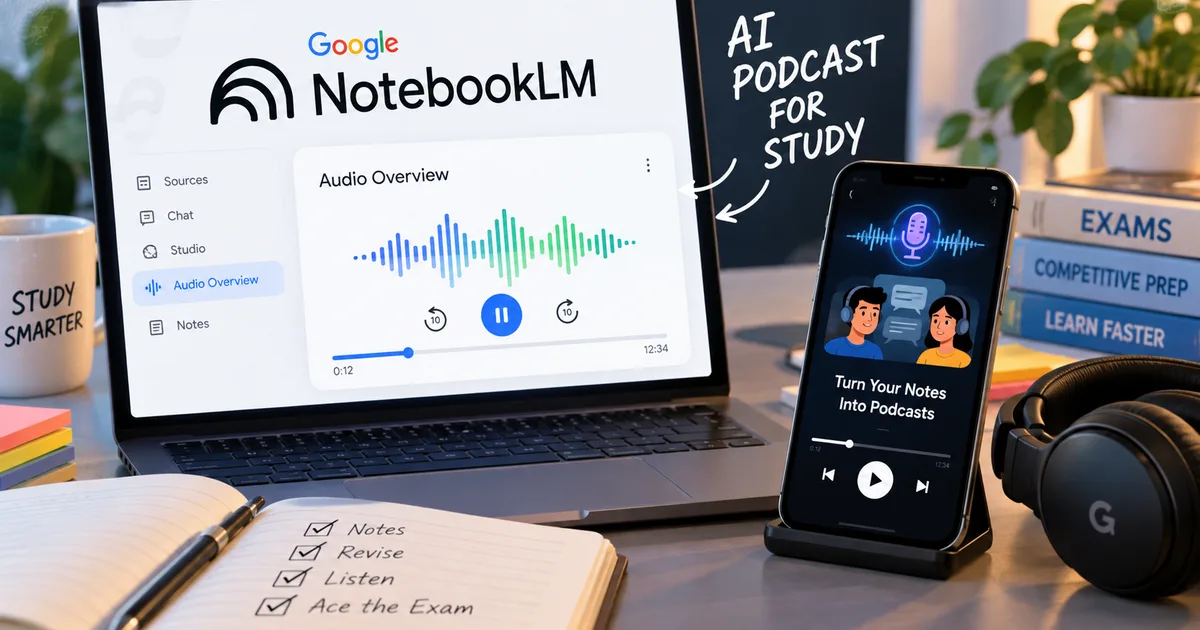
The core idea is simple. You upload source material (a PDF, a Google Doc, a YouTube link, a web page, or an EPUB ebook) and NotebookLM reads it. When you click "Generate Audio Overview," two AI voices talk about that material. It isn't a robotic text-to-speech reading. It's a real discussion. One host explains something while the other asks a follow-up question. They give examples and summarize.
Google's blog confirmed in early 2026 that they used the feature for India's Year in Search report. They turned data and documents into Audio Overviews in English and Hindi so people could "deep-dive in a language of your choice." Hindi support is experimental. But it works.
The March 2026 update added EPUB support, which is a big deal if you ask me. A lot of standard reference books (think NCERT exemplars or some Arihant titles) are available as EPUBs. So you can upload those directly instead of converting them to PDF first.
How to set it up (step by step)
This takes about five minutes the first time.
- Go to notebooklm.google.com and sign in with your Google account. No download needed, it's entirely browser-based.
- Click "New Notebook" and give it a name. Something like "NEET Bio - Cell Division" or "UPSC Polity - Fundamental Rights" works well.
- Click "Add Source" and upload your material. You can add up to 50 sources per notebook. PDFs, Google Docs, YouTube video links, website URLs, and EPUB files all work. For NCERT, just paste the official NCERT PDF link or download and upload the file.
- Once the sources are processed (usually takes 30-60 seconds), look for the "Audio Overview" card in the right panel.
- Click "Generate." The system takes 1-3 minutes to create the audio. Then you can listen right in the browser or download it as an MP3.
(I know that sounds like a lot of steps, but it's not. In my experience, the interface is clean. The whole thing feels fast.)
NotebookLM is one of the few AI apps that you can rely on. Since the AI-powered tool allows users to select their source material to prevent hallucinations, it is widely used by students and professionals to understand complex concepts in an easy-to-digest format. - The Indian Express
This is the part that matters for exam prep. Because NotebookLM only talks about what's in your uploaded sources, it doesn't make things up. If you upload Chapter 11 of NCERT Biology, the podcast will be about Chapter 11 of NCERT Biology. It isn't some random internet hallucination about biology.
Why this actually helps with Indian competitive exam prep
Let's get specific. Here are some real use cases that work.
NEET and JEE revision
Upload 2-3 chapters you're weak on. Generate an Audio Overview. Listen during your commute or while eating. The conversational format forces the AI hosts to simplify things. So you'll often hear an explanation that clicks better than reading the same paragraph for the fifth time.
For JEE Chemistry, I'd suggest uploading the NCERT chapter plus one good set of solved examples from a coaching PDF. The AI will weave both together in the audio. For NEET Biology, just the NCERT chapter is enough. The book is dense enough that a 10-12 minute audio overview covers a lot (which makes sense, actually).
UPSC current affairs and polity
In my experience, this is where NotebookLM gets really useful. Paste 4-5 recent news articles about a topic, like the new education policy updates or a Supreme Court judgment, and generate an audio. You get a summarized discussion in about 8 minutes. That beats reading 20 pages.
For Polity, upload Laxmikanth chapters (you can find PDF versions). The audio overview won't replace reading it. But it's a great way to do a first pass or a last-day revision before a prelims paper.
CA Foundation and other professional exams
Students preparing for CA Foundation or LLB entrance exams have been using NotebookLM to convert thick ICAI study material into audio. The process is the same. Upload the PDF and generate the audio. For accounting students, the AI will walk through concepts conversationally. That works surprisingly well for principles-based topics.
The new features in 2026 worth knowing about
Beyond EPUB support, a few other 2026 updates are worth flagging for students.
Cinematic Video Overviews are new. NotebookLM added a video version of the feature that turns documents into short explainer videos with visuals. It's still early and the visuals are AI-generated. But for topics with diagrams (think: human anatomy for NEET or circuit diagrams for JEE Physics), it can be more useful than audio alone.
Custom infographics are another addition. You can now ask NotebookLM to create infographics from your uploaded sources in 10 different styles including Scientific and Educational formats. For making quick revision sheets, this is genuinely handy.
Interactive mode lets you "join" the Audio Overview as a third voice. You can ask the two AI hosts questions mid-conversation. This is one of the better additions for active recall practice. Pause the audio. Ask "explain that again differently" or "give me an example from India." The hosts respond.
A Gadgets 360 report also mentioned that NotebookLM is testing a "Lecture Mode" for Audio Overviews. One AI host explains material in a more structured, educational format rather than a casual conversation. I think this would be really useful for topics that need sequential explanation, like organic reaction mechanisms or constitutional amendments.
For more on how Google's AI tools are evolving for Indian users, the Tech Explainers section covers these updates regularly.
Free vs NotebookLM Plus: what Indian students actually need
| Feature | Free | Plus (approx. ₹1,699/month) |
|---|---|---|
| Notebooks | Unlimited | Unlimited |
| Sources per notebook | Up to 50 | Up to 300 |
| Audio Overviews | Yes | Yes (more per day) |
| Video Overviews | Limited | More credits |
| Interactive mode | Yes | Yes |
| Custom infographics | Yes | Yes |
Honestly, for most students the free tier is enough. You'll hit some daily limits on audio generation if you use it a ton. But for daily exam prep (one or two audio overviews a day) free works fine. The Plus tier makes sense if you run a coaching institute and create content for multiple batches.
If you want to compare NotebookLM with other AI tools out there for Indian students, ChatGPT vs Gemini vs Copilot: Best AI Tool for Indian Students in 2026 breaks down the options with honest pros and cons.
What it can't do (and you should know this)
NotebookLM isn't a replacement for actually studying. The Audio Overviews work best as a supplement. Use them to review material you've already read. Or get a first-pass understanding before you sit down with the actual book. I'm not sure exactly why, but it helps set the context before reading.
The audio doesn't generate practice questions or mock tests on its own. For that, you'd need to use the notebook's Q&A feature separately. That's more like a chatbot that answers questions about your uploaded sources.
Also, the AI voices are English-based by default. Hindi support exists but it's a mess. Sometimes it switches mid-audio. Sometimes the pronunciation of Indian terms is off (annoying, I know). If you need fully Hindi-medium content, this isn't quite there yet.
Thing is, former NPR host David Greene raised concerns that Google used his voice for AI podcast tools without consent. Google has responded to this. But it's a reminder that these AI voices are built on real voice data. It doesn't affect how you use the tool. Still, it's context worth having.
A few practical tips before you start
- Keep notebooks topic-specific. One notebook per chapter or subject unit works better than dumping everything into one.
- For NCERT PDFs, use the official NCERT website versions, the formatting is cleaner and the AI processes them better.
- If you're preparing for UPSC, upload the question paper from last year along with your study material. NotebookLM can then generate an audio that focuses on exam-relevant angles.
- Download the MP3 before your exam day if you want offline access. The generated audio can be saved and listened to without internet.
- Try the interactive mode during your revision week. Talking back to the AI (asking it to rephrase or give examples) is better active recall practice than passive listening.
If you're already using other Google tools for exam prep, you should know how these integrate. Google Gemini AI Chrome Extension 2026 covers how the broader Gemini ecosystem connects with browsing and studying workflows.
Look, NotebookLM won't crack your exam for you. But if you learn better by hearing things explained rather than reading them, it helps. Or if you just need a different way into dense material, give it a shot. It is free and it works. That's more than you can say for most study apps promising the same thing for ₹5,000 a year.
Browse more tools like this in AI Tools & Software. Most of what's covered there has a free tier that Indian students can actually use without a credit card.