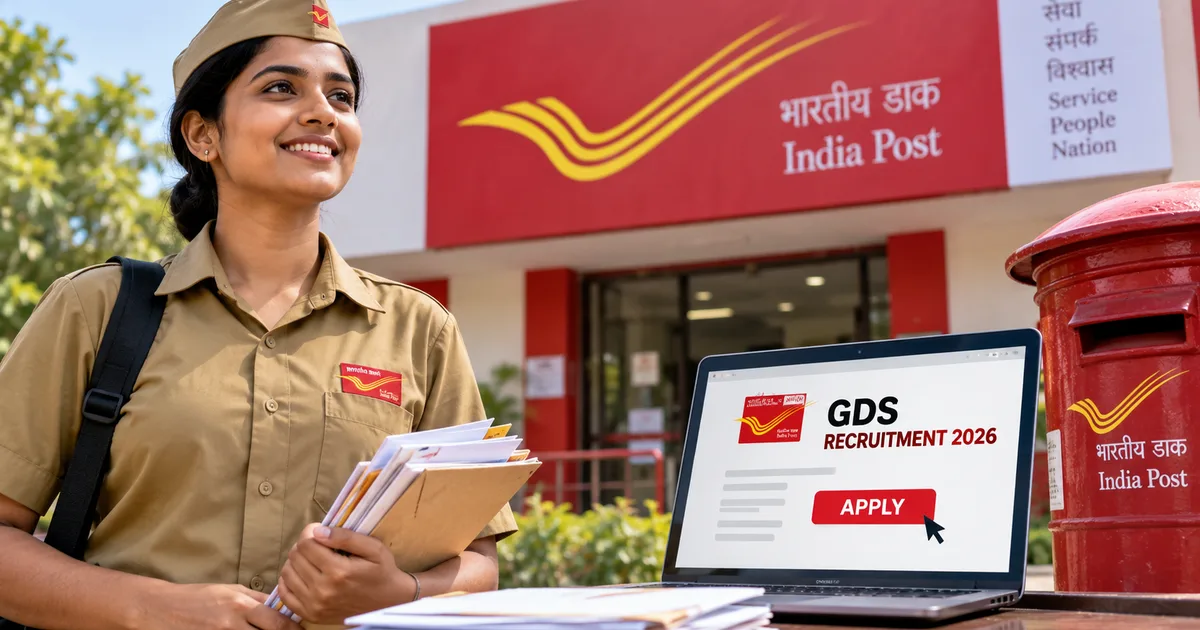
Honestly, the India Post GDS Recruitment 2026 is probably one of the best government job opportunities you'll see this year. Especially if you want to skip the competitive exam madness. They're hiring for over 25,000 positions across the country right now. If you've passed your Class 10 board exams and have a basic grasp of mathematics and English, you're ready to go.
I've seen a lot of recruitment notifications come and go. Most of them are bogged down with endless exam dates and tough physical tests. But the Gramin Dak Sevak (GDS) recruitment is actually different. It's straight-up based on your 10th standard marks. No written exam. No grueling interview panel.
Applying for government jobs online can be a deeply frustrating experience. The official portal gets slow during peak hours, and the photo upload rules are incredibly strict. One tiny spelling mistake means your application goes straight to the rejection pile. So, I'm going to walk you through exactly how to fill out this form without losing your mind, based on the official guidelines.
What is the India Post GDS recruitment?
The Department of Posts under the Ministry of Communications is looking to fill vacancies for three main roles under this recruitment drive (Advertisement No. 17-12/2026-GDS).
- For the Branch Postmaster role, you will manage the entire branch post office, handle day-to-day transactions, promote various government postal schemes, and maintain records.
- As an Assistant Branch Postmaster, you will assist the BPM, primarily selling stamps and stationery, handling mail delivery to doorsteps, and managing deposits.
- The Dak Sevak position is primarily focused on mail delivery and assisting in the railway mail services offices.
The pay isn't a massive corporate salary. But it's a stable government job. Branch Postmasters get a Time Related Continuity Allowance (TRCA) starting from ₹12,000 to ₹29,380. For Assistant Branch Postmasters and Dak Sevaks, it ranges between ₹10,000 and ₹24,470. I think that's a good deal for a job requiring just a 10th pass certificate and only about four to five hours of work a day. Especially if you live in rural or semi-urban India.
Detailed eligibility criteria
Don't bother applying if you don't meet the basic criteria. Your application will just get filtered out automatically.
Educational qualifications
You must hold a Class 10 (Matriculation) pass certificate from any recognized board. You have to have studied Mathematics and English as compulsory or elective subjects. So if you dropped maths in the 10th grade, you can't apply.
You also need to know the local language of the postal circle you're applying for. If you apply for a post in Tamil Nadu, you need to have studied Tamil at least up to Class 10. You can't just apply anywhere in the country without knowing the local language (which makes sense, actually).
Age limit
The age limit is strictly between 18 and 40 years, calculated as of September 21, 2026. Age relaxation applies according to the standard government rules. This includes 5 years for SC/ST and 3 years for OBC candidates.
Other mandatory skills
You need basic computer knowledge. They don't want a coding degree, but you should know your way around a basic desktop computer and a smartphone. You also have to know how to ride a bicycle. It's a mandatory requirement for the job because you will likely be traveling around villages.
Important dates you cannot miss
Look, don't wait until the last day. The server almost always crashes on the final day of a major government recruitment drive. I've seen it happen every time millions of people try to submit at the exact same minute. It's always a mess.
- Notification release: August 27, 2026
- One-time registration started: August 31, 2026
- Online application started: September 2, 2026, at 5:00 PM
- Last date to apply: September 21, 2026, at 5:00 PM
- Application correction window: September 23 to 24, 2026
"Applicants are advised to review their forms carefully and make necessary corrections within the stipulated time, as no changes will be permitted after the correction window closes." - Indian Postal Department
If you're also exploring other opportunities for young professionals, you might want to apply for the PM internship scheme. That's another massive government initiative this year.
Step-by-step guide to apply online
Grab your Aadhaar card, your 10th marksheet, a scanned photo, and a scanned signature. You'll also need a decent internet connection. We are doing this step-by-step.
Step 1: The one-time registration
First, you need to register yourself on the official portal to get your unique ID.
- Go to the official website at indiapost.gov.in/gdsonlineengagement and make sure it is the .gov.in site to avoid phishing scams.
- Click on the Registration tab on the left side of the homepage.
- Enter your mobile number and email ID. You will get an OTP on both. Verify them immediately. This is important because all future communication, including your selection status, will happen here.
- Fill in your basic details like your name exactly as it appears on your 10th marksheet, father's name, date of birth, gender, and category.
- Enter your Aadhaar number. While it says optional in some places, just put it in. It makes identity verification much smoother later, especially if your name has minor spelling variations.
- Submit the form to generate your unique registration number. Write this down somewhere safe or email it to yourself.
Step 2: Paying the application fee
Before you fill the detailed application form, you have to pay the registration fee. The rules get specific based on your category.
If you're a General, OBC, or EWS male candidate, you need to pay exactly ₹100. You can pay this online using UPI or a Debit card. I highly recommend using UPI because it's fast and usually doesn't fail. If you're a female, SC, ST, PwBD, or a transwoman candidate, you don't have to pay a single rupee. The fee is completely exempted for you.
Once you pay, keep the transaction ID handy. Take a screenshot just to be safe.
Step 3: Filling the detailed application form
Now comes the part where you enter your academic details.
- Go back to the homepage and click on the Apply Online button under Stage 2.
- Enter your registration number and select the postal circle you are applying for.
- An OTP will be sent to your registered mobile number. Enter it to log in securely.
- Fill in your communication address and permanent address accurately.
- Enter your Class 10 board details carefully. Select your exact board (CBSE, ICSE, or your specific State Board) and enter your marks or grades exactly as they are printed on your certificate. Do not guess these numbers. A discrepancy here will lead to immediate disqualification during document verification.
If you get stuck with browser issues during this process, read our latest tech guides for troubleshooting tips on clearing your cache and managing pop-ups.
Step 4: Uploading scanned documents
This is where a huge chunk of applicants mess up. Government websites are notoriously strict about file sizes and formats. You can't just upload a 5MB photo taken from your phone.
- Your recent photograph needs to be a clear JPG/JPEG file. The file size must be between 30 KB to 100 KB. The image dimensions should be 320 x 400 pixels, which is a 4:5 aspect ratio.
- Your signature also needs to be a JPG/JPEG file. Size must be between 20 KB to 100 KB, with dimensions of 300 x 120 pixels, which is a 5:2 aspect ratio.
Use a free online photo resizer tool to get these exact dimensions. Don't upload a blurry photo or a signature taken in bad lighting. It will simply get rejected.
Step 5: Choosing your post preferences
You have to select the division and the specific post offices where you want to work. The system lets you select multiple preferences.
Here is a highly practical tip. Choose areas where you actually don't mind living and working. For branch postmaster roles, you literally have to arrange accommodation for the post office at your own cost within that specific village. For assistant branch postmasters and Dak Sevaks, you must reside within the delivery jurisdiction of the concerned post office. Don't just pick a random district hundreds of kilometers away just because you think the merit cutoff will be lower there.
Step 6: Final submission and printing
Double-check absolutely everything. Read every spelling. Verify your marks again. Once you are completely satisfied, hit the final submit button. Download the final application form PDF and take a physical printout. You don't need to physically mail this printout anywhere, but you will absolutely need to show it during document verification if you get selected.
What about the correction window?
Mistakes happen. Maybe you entered 85% instead of 86%. Or maybe you misspelled your street name. The postal department knows this. So they'll open a brief correction window from September 23 to 24, 2026.
During these two days, you can edit things like your name, date of birth, marks, and post preferences. You can't change your registered mobile number and email ID under any circumstances. If a modification changes your category from an exempted one to a fee-paying one, you will have to pay the ₹100 fee then.
Get the phone number and email right the first time.
Expected cut-off marks
Since there is no exam, the entire selection process relies entirely on the merit list generated from Class 10 marks. The cut-offs for GDS posts are historically very high.
For General category candidates, you usually need marks well above 90% to secure a spot in competitive circles. OBC and EWS cut-offs hover slightly lower but are still intensely competitive. I'm not sure exactly why the numbers get so high, but the numbers here are a bit fuzzy sometimes. If you scored in the 60s or 70s, your chances are frankly quite low unless you are applying in very remote circles under a reserved category. Still, since the fee is just ₹100 (or free), it's worth applying regardless.
Watch out for GDS scams
Whenever a massive recruitment drive happens, the scammers come out of the woodwork. They know young job seekers are desperate. And they know they're vulnerable.
You might get WhatsApp messages claiming they have internal access and can guarantee you a spot on the merit list for a fee. Or you might see links asking you to download a sketchy APK file to check your application status. Don't engage. The official merit list will only be published on the indiapost.gov.in portal.
No government department will ever WhatsApp you an APK file or ask for UPI payments to release an offer letter. If you see something suspicious, report it immediately on the national cybercrime portal at cybercrime.gov.in or call the 1930 helpline. For more on how to stay safe from these specific kinds of frauds, read our latest online scam alerts.
If you're a student looking for financial support while you wait for job results, explore the Azim Premji scholarship as another legitimate opportunity worth looking into this month.
Final thoughts
Applying for the India Post GDS Recruitment 2026 is an entirely straightforward process if you follow the rules. Have your documents ready, and resize your photos properly before you start. Please don't wait until September 21 to submit your form. The selection is purely on merit based on your 10th marks. So if you've got good scores, you have a solid chance of securing a stable government position.
Get your application in.