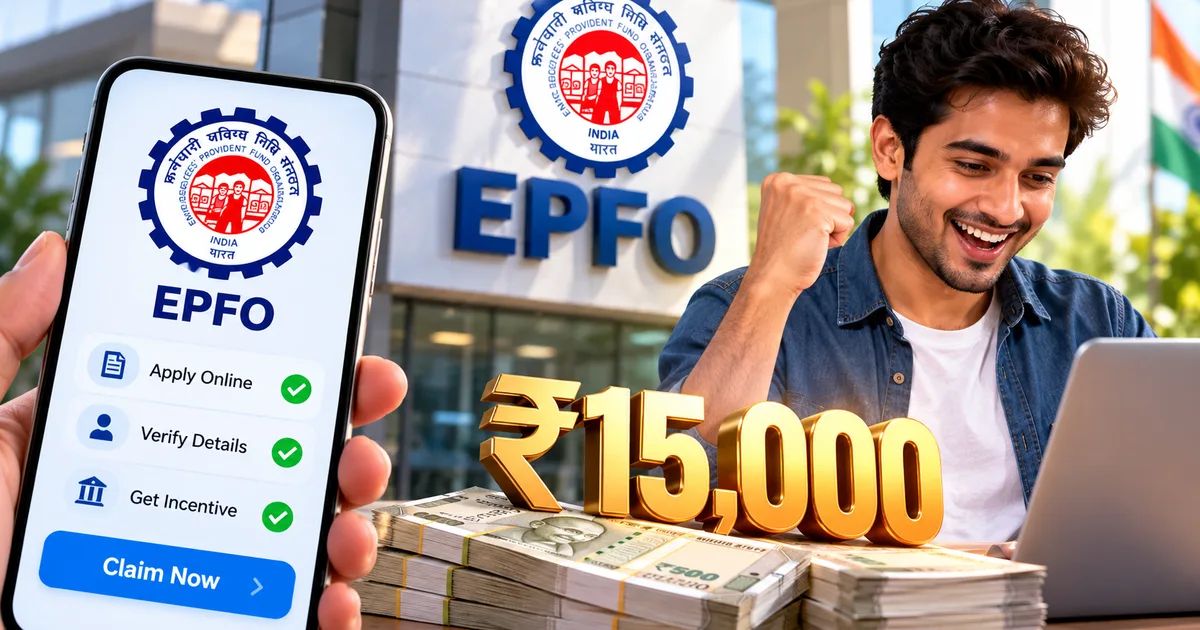
If you recently started your very first job in an office, retail store, factory, or tech firm in India, you might have money waiting for you from the central government. Under the EPFO ₹15,000 incentive scheme 2026, eligible new workers receive direct financial support of up to ₹15,000 credited right into their bank accounts. Many freshers have no clue this payout exists. Others hear about it from HR, but they assume it requires stacks of paperwork or running around government offices. It doesn't.
Getting this cash is straightforward if your company deposits your provident fund contributions on time.
Just last month, I watched my younger cousin stare at his first salary slip, totally lost over deductions like EPF and professional tax. He didn't know the central government introduced the PM Viksit Bharat Rozgar Yojana (officially called Part A of the Employment Linked Incentive initiative) to put extra cash into the pockets of fresh formal workers. But there's a catch. You've got to complete an online learning module to get the full amount.
How the ₹15,000 EPFO subsidy actually works
Look, the government doesn't just hand you fifteen thousand rupees on day one. It's not a joining bonus. The subsidy matches your first month of wages, up to a cap of ₹15,000. Earn ₹12,000? You get ₹12,000. If your pay happens to be ₹18,000, your payout hits the ceiling at ₹15,000. And the money moves straight from the treasury to your bank account through Direct Benefit Transfer (DBT), so your employer never touches this cash.
Basically, the payout splits into two instalments based on your job tenure:
- First instalment: Up to ₹7,500 arrives after you finish six continuous months of formal service with active EPF contributions.
- Second instalment: The remaining balance arrives after you complete twelve continuous months of service and finish a short training requirement.
According to the Union Ministry of Labour and Employment, the incentive under PM-VBRY aims to support fresh entrants into formal employment while encouraging long-term savings through mandatory financial education.
And yes, if you switch companies during the year, your tenure carries forward (which makes sense, actually). You just have to make sure your new employer links your existing Universal Account Number (UAN) without a gap in monthly deposits. Break the chain, and you're back to square one.
PM-VBRY eligibility criteria for first-time employees
Not everyone with a salary slip qualifies for this subsidy. In fact, the whole scheme targets first-time employees joining the formal workforce. That means your name and Aadhaar number can't have any prior active records in the Employees' Provident Fund Organisation database. If you had an active PF account before this, you're out of luck.
Before you waste time clicking around portal links, verify these conditions first:
- Your gross monthly salary must stay within ₹1,00,000 per month (which covers the vast majority of fresh college graduates and apprentices).
- Your employer must be an EPFO-registered establishment that deposits regular provident fund contributions for you.
- You must possess an active, Aadhaar-linked UAN generated on or after the scheme rollout date.
- Your bank account must have NPCI Aadhaar seeding active to receive DBT payments without bounce backs.
Now, that's great news for folks who worked freelance gigs or cash-in-hand roles before landing a registered corporate job. In my experience, a lot of freshers worry about that. But if you previously worked in an unorganised setup without PF deductions, you still count as a first-timer. No issues there. If you want to compare how other youth initiatives work, check our PM Internship Scheme eligibility guide for similar stipend requirements.
Steps to claim EPFO ₹15,000 benefit online
You don't need to submit physical forms at an EPFO regional branch. The whole verification sequence runs online through government portals you can access on your phone or laptop. It takes minutes.
Step 1: Activate your UAN and check Aadhaar seeding
Your company generates your 12-digit UAN when filing your first monthly return. Thing is, you've got to activate it yourself on the Member e-Sewa portal.
- Open your browser and navigate to the official EPFO Unified Portal (unifiedportal-mem.epfindia.gov.in).
- Look under the main login box on the right side of the screen and click the link titled "Activate UAN".
- Enter your 12-digit UAN, your 12-digit Aadhaar number, your full name exactly as printed on your Aadhaar card, your date of birth, and your active mobile number.
- Tick the consent box agreeing to Aadhaar OTP verification, then click the blue button labelled "Get Authorization PIN".
- Type the six-digit OTP received on your mobile phone and click "Validate OTP and Activate UAN".
Once it's active, log in with your UAN and password. A dashboard pops up. Look at the KYC column on the right side, where you'll see rows for Aadhaar and PAN details. That Aadhaar row must show a green status that reads "Verified". If it shows "Pending" or "Not Seeded", talk to your company HR department today, because the automated subsidy engine skips unverified profiles. Don't wait.
Step 2: Confirm your bank account is active on NPCI
This is where thousands of applicants hit a wall. Honestly, just having your bank account details typed into your EPF profile isn't enough for DBT credits. The central government sends PM-VBRY money using Aadhaar payment bridges managed by the National Payments Corporation of India (NPCI). If that link isn't active, the payment bounces.
- Open the official UIDAI website or the mAadhaar app on your smartphone.
- Select "Bank Seeding Status" from the Aadhaar Services section.
- Enter your twelve-digit Aadhaar number and the security captcha shown on screen.
- Enter the OTP sent to your registered mobile number and click "Submit".
- Read the status banner displayed on screen: it must say "Active" alongside your primary bank name.
If the screen says "Inactive" or points to an old college account you forgot about, head to your local branch. That's annoying, I know. But you can just ask the clerk for an "Aadhaar NPCI DBT Mandate Form" and submit it with a copy of your passbook. It usually updates within three working days.
Step 3: Complete the mandatory financial literacy course
To unlock the full ₹15,000 benefit, you must complete a digital financial literacy module hosted on the EPFO learning platform. It's mandatory for every first-time beneficiary. Don't skip it.
- Log in to your EPFO Member portal or open the central UMANG app on your Android or iOS device.
- Navigate to the "Services" menu and click on "PM-VBRY Beneficiary Corner".
- Click the button titled "Start Financial Literacy Module".
- Watch the brief interactive video lessons covering personal budgeting, emergency funds, and EPF pension fundamentals.
- Answer the ten multiple-choice review questions at the end of the module and click "Submit Course".
Once you finish, the portal immediately updates your profile with a digital badge showing "Financial Literacy: Completed". Don't stress about failing the quiz. If you get an answer wrong, you can retake it on the spot. The test is designed to teach you everyday personal budgeting, so you can repeat it right away until you pass.
Step 4: Track your DBT payment status on the portal
Once your six months of continuous EPF contributions clear and your course badge is active, the system lines up your payment batch automatically. You don't have to nudge anyone.
- Return to the EPFO Member e-Sewa portal and sign in with your credentials.
- Click on the "Online Services" tab in the top navigation bar.
- Select "Track PM-VBRY Benefit Status" from the dropdown menu.
- Review the status table on screen, which displays your employer name, contribution months verified, subsidy amount approved, and DBT transaction reference number.
If your transfer shows as "Processed", check your SMS inbox or bank app for a credit alert from "PFMS-EPFO" or "GOI-DBT". That means the cash has landed. For more walkthroughs on state and central benefit platforms, browse our collection of step-by-step tech guides covering essential digital services.
Financial literacy course requirement for EPF incentive
A lot of freshers complain about getting homework with government cash. I get it. Still, if you ask me, having this mandatory course is actually a smart move. Most fresh graduates in India start their careers without understanding how salary deductions work. They see money cut from their paycheck each month and assume it's just a tax loss. But it isn't. This short EPFO learning module breaks down the difference between the Employees' Provident Fund (which pays 8.25% annual interest) and the Employees' Pension Scheme (EPS). And it spells out why withdrawing PF funds every time you switch jobs is a terrible habit.
The course takes around 30 to 45 minutes to complete on a phone. You don't have to finish it in one sitting because the system saves your video progress automatically. You can review similar education initiatives in our UP Scholarship registration status guide or explore our detailed government scheme explainers to understand how welfare tech systems operate.
Common roadblocks that can delay your ₹15,000 transfer
Even if you check every box on paper, tiny data mismatches can put your payment on hold for months. It's a mess. If any detail on your profile clashes with government databases, the automated DBT pipeline pauses your payment batch without a warning phone call.
Watch out for these common stumbling blocks:
- Name mismatch between Aadhaar and EPF records: If your Aadhaar card includes your middle name or expanded initials but your employer submitted only your first and last name, the automated DBT pipeline rejects the transaction.
- Delayed employer contribution: Your six-month clock pauses if your company fails to deposit its monthly Electronic Challan cum Return (ECR) on time.
- Multiple UANs: If you did a college internship that assigned you a temporary UAN, your new company might create a duplicate UAN. This flags your profile as an existing worker and halts the incentive.
- Dormant bank account: If you haven't performed a transaction in your linked account for six months, the incoming DBT transfer fails.
Spot a mismatch in your name or date of birth? Submit an online Joint Declaration request through the EPFO portal right away. Your employer approves it digitally with their digital signature, and the EPFO field office updates the record without asking you to visit their office. Just log in and check your status every couple of weeks until both instalments reach your account.