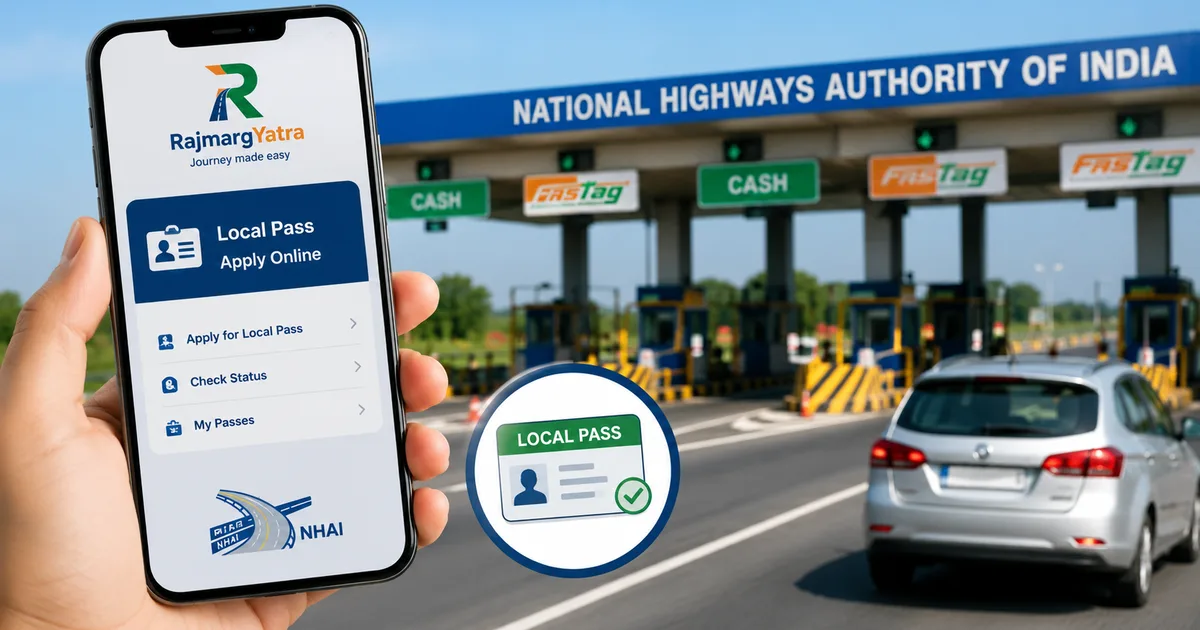
Living near a toll plaza has always meant dealing with traffic. The constant honking and the endless queues. But if you live within a 20 km radius of a toll plaza, getting your discounted local pass just got significantly easier. The new NHAI RajmargYatra App Local Pass 2026 feature removes the need to physically visit a toll office or argue with staff over Aadhaar photocopies. You can do the entire process online right now.
I tried setting this up for a relative in Haryana last week. Honestly, I expected the app to crash. Or ask me to visit the plaza anyway. But it actually worked. NHAI quietly rolled out this update, and it is a really practical fix. Before this, locals had to endure physical visits to dirty toll offices on the side of the highway.
So, here's exactly how the digital local pass works and who qualifies. We'll also cover the new automated grievance system called MargMitra that comes baked into the same app update.
Who exactly qualifies for the NHAI local pass?
Before you download anything, we need to talk about eligibility. The basic rules for local toll passes haven't changed at all. Basically, the only thing that changed is how you apply.
You qualify if your permanent residence is within 20 kilometres of an eligible toll plaza. And this distance is calculated linearly using GPS coordinates, not your driving route (which makes sense, actually). The vehicle you're registering must be a non-commercial one registered in your own name. If you drive a yellow-plate taxi or a commercial pickup truck, this specific pass isn't for you.
You get an unlimited travel pass for that specific plaza for a fixed monthly fee. That fee is INR 340 for the 2024-2025 financial year, though NHAI revises this slightly every April based on the Wholesale Price Index. Once approved, this pass links directly to the FASTag pasted on your windshield. So you don't need a separate sticker or any physical proof when crossing.
The documents you must have ready
Keep these details handy before you open the app. The session might time out if you take too long searching for them, and then you have to start over.
- Your vehicle registration number (the exact details on your RC)
- The active FASTag account linked to that specific vehicle
- Proof of residence (Aadhaar, Voter ID, or Indian Passport)
- The exact name of your nearest toll plaza
Your address on the ID proof must fall within the 20 km radius. The NHAI system uses a Geographic Information System (GIS) to verify this automatically during the application. If your address says you live in South Delhi but the toll plaza is in Meerut, the automated system rejects you instantly.
Step-by-step guide to apply on RajmargYatra
The RajmargYatra app is available on both Android and iOS stores. Download the official app published by NHAI. Don't download random third-party apps that claim to give toll discounts, because those are usually scams designed to steal your FASTag balance. Once installed, set up your profile using your mobile number. Make sure this number is the same one you used to buy your FASTag. Mismatched numbers cause a mess with backend errors.
1. Find the digital pass section
Open the app. Look at the bottom navigation bar and tap the 'Services' tab. Scroll down past the weather updates and toll plaza maps. You'll see a new option called 'Digital Local Pass'. Tap that to start the process.
2. Select your toll plaza
The app will ask for permission to access your phone's location. I recommend allowing this just for this step. The app automatically shows the toll plazas near you based on your GPS coordinates. But if the location fetch fails, you can manually search for the plaza name. Select the specific plaza you cross regularly.
3. Enter your vehicle details
Type in your vehicle registration number. The app connects directly with the VAHAN database maintained by the Ministry of Road Transport and Highways. It fetches your vehicle make and owner name. Verify these details on your screen. If the VAHAN database has incorrect info about your vehicle, you can't proceed with the digital pass.
You'll have to fix your RC at the local RTO first, which is a completely different headache.
4. Upload your proof of residence
This is where the system gets picky. You can choose to fetch your address via DigiLocker. Honestly, this is by far the fastest method. If you select the Aadhaar option via DigiLocker, you get an OTP on your Aadhaar-linked mobile number. The system verifies your address instantly.
Alternatively, you can manually upload a clear photo of your ID. If you upload manually, a human at the toll plaza reviews the application. And that takes up to three working days. Using DigiLocker usually gets you instant approval because the GIS system automatically verifies the coordinates of your address against the toll plaza location.
5. Make the online payment
Once your document is uploaded and verified, the app calculates your exact distance. If you're within 20 km, it takes you to the payment page. You have to pay the INR 340 monthly fee. The app accepts UPI and debit cards. I always use UPI because, in my experience, it rarely fails on these government platforms.
After a successful payment, your pass status shows as 'Pending Approval' or 'Active'. Once active, the pass operates seamlessly in the background. You don't get a separate physical card. When you drive through the designated toll plaza, the scanner reads your FASTag, recognises the local pass linked to your account, and deducts zero rupees.
Dealing with rejected applications and common errors
Applications usually fail for two main reasons. Either your address is just outside the 20 km limit, or the name on your RC doesn't match the name on your address proof.
If you live in a rented apartment and your Aadhaar has your hometown address, the app rejects you. You must have local address proof. A registered rent agreement usually works, but you can't verify that automatically via DigiLocker. You have to upload it manually and wait for manual verification by the toll operator. Sometimes toll operators reject these manual uploads claiming the photo is sketchy or blurry, forcing you to upload them again (annoying, I know).
If you face technical errors, NHAI has a feature called MargMitra within the app. MargMitra is a multilingual virtual assistant designed to handle highway complaints. You can type your questions in Hindi or English, and it actually understands context. I tested it with some basic queries about FASTag blacklisting, and it gave accurate answers instead of generic help links.
The reality of Indian toll plazas
Before this digital update, getting a local pass was a miserable experience. You had to physically drive to the toll plaza office. These offices are usually right next to the busy highway lanes, surrounded by dust and heavy trucks. You'd stand there carrying physical photocopies of your RC and Aadhaar, hoping the manager was available and willing to process forms.
Then you had to return every single month to renew the pass in cash. Many toll plaza operators made the manual process intentionally difficult. They'd ask for extra documents or claim the manager was on leave, trying to frustrate locals into just paying the full toll every day. The digital system fixes all of this. You apply from your couch. You renew it from your phone. It brings transparency to a process that used to involve opaque local rules and occasional bribery.
I find it interesting how Indian government apps are quietly becoming highly functional. We often complain about the IRCTC website crashing or DigiLocker server issues, but integrating VAHAN and FASTag into a single application just works.
Things you must keep in mind
You can't use this pass at any other toll plaza. It is valid only for the specific plaza you select during registration. If you drive to another city, your FASTag deducts the standard toll amount at all other plazas.
If you sell your car, you must cancel the pass and remove the vehicle from your FASTag account. If you don't, the new owner might misuse your linked bank account. We've seen a rise in FASTag related frauds recently. Keeping your vehicle list updated is very important.
The pass needs monthly renewal. The app sends you a push notification a few days before your pass expires. If you forget to renew, the regular toll fee is deducted from your FASTag the next time you cross the plaza. There are no refunds if you accidentally cross the plaza without an active pass.
What about MargMitra and highway complaints?
The update also brings MargMitra to the forefront. This virtual assistant handles more than just local passes. You can use it to report potholes or broken highway lights. The app allows you to attach photos and exact GPS coordinates when filing a complaint.
NHAI claims these complaints are routed directly to the specific contractor responsible for that stretch of road. If the contractor doesn't resolve the issue within a specific timeframe, penalties are automatically applied to their NHAI payments. I'm not sure exactly why, but the digital trail makes it harder to ignore complaints. Previously, finding out who was responsible for a specific stretch of highway was impossible for a regular driver. Now, the app figures out the jurisdiction based on your GPS location.
MargMitra also supports voice queries. That is helpful if you are trying to report something quickly. You literally just open the app and speak your complaint in Hindi or English. The system transcribes it and files the ticket. I highly recommend using this feature instead of arguing with toll plaza staff about bad road conditions.
Look, the NHAI RajmargYatra App Local Pass 2026 update won't solve the massive traffic jams at Indian toll plazas during Diwali. But it completely solves the administrative headache for people who have to cross them every single day just to go to work or drop their kids at school. Download the app, link your DigiLocker, and get it sorted.
The integration of VAHAN and DigiLocker into the RajmargYatra app eliminates the need for physical document verification, bringing significant relief to daily commuters living near national highways.