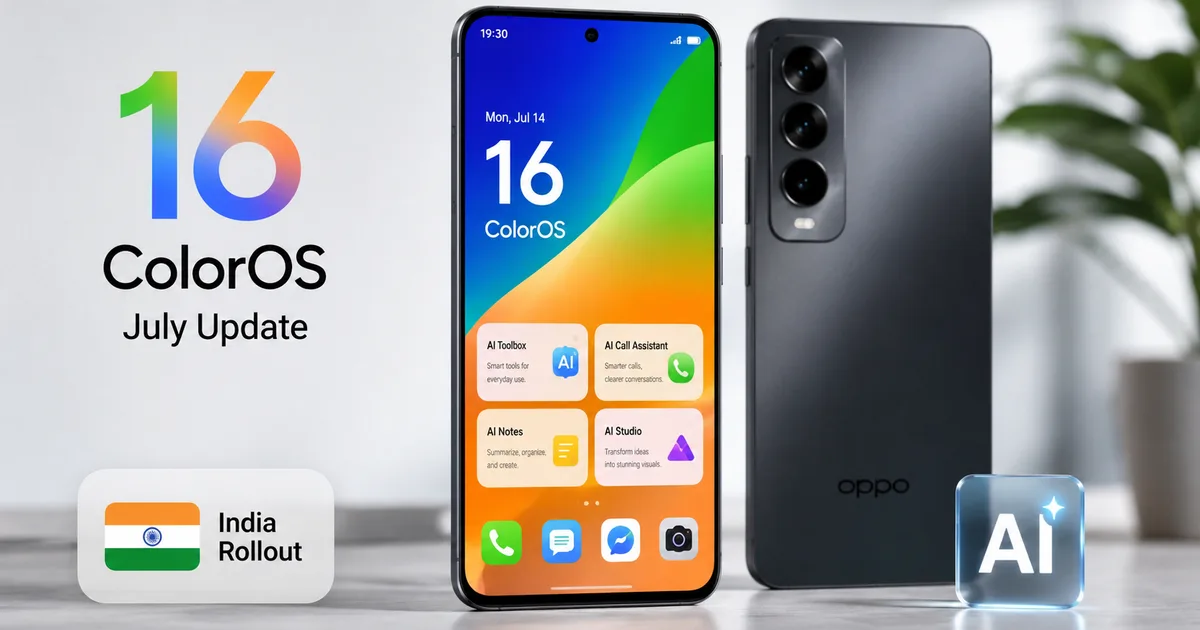
I usually ignore software updates for at least a week. Thing is, they have a habit of breaking something that worked fine yesterday. You never know when a simple security patch will suddenly make your battery drain twice as fast. But the Oppo ColorOS 16 July update is a bit different. I installed it this morning on a review device and noticed some actual quality-of-life improvements. It isn't a massive overhaul. It's mostly a refinement of what Oppo started earlier this year. If you own one of the supported devices, you might want to hit that download button sooner rather than later. The update brings some much-needed visual tweaks and a couple of AI features that I actually find useful.
Updates get annoying when you're in the middle of a busy workday. You're standing at a crowded tea stall trying to scan a QR code to pay forty rupees via UPI, and your phone starts lagging because a download is running in the background. I get it. We all just want our hardware to work when we need it without unexpected interruptions (annoying, I know). But you should probably make time for this one over the weekend. It's worth the twenty minutes your phone will spend restarting.
Why this specific update matters
Most monthly patches just fix unseen security holes. They're necessary, but boring. And this July release actually changes how you interact with the phone. The interface feels slightly more responsive. Oppo has clearly spent time tweaking the animations to drop fewer frames. So when you're swiping through heavy apps like Instagram or jumping between Chrome tabs, the phone just keeps up better. In my experience, that matters more than paper specs.
New fingerprint animations and visual tweaks
Oppo changed the fingerprint unlock animations. I know. It sounds like the least important thing in the world. But you unlock your phone fifty times a day. Seeing the same animation gets boring. The new update adds a few custom fingerprint animations that feel much faster, mostly because they killed that slight delay right before the home screen loads.
Honestly, this makes the phone feel snappier. It's a tiny change. But it makes a difference in daily use. When you're standing in the heat trying to quickly open an app, a fast unlock is all you care about. The haptic feedback tied to the unlock process also feels a bit tighter.
The face unlock system also got some attention. They improved the recognition for low light situations. I tried this last night in a dark room. It actually worked on the first try instead of making me type my PIN. I'm not exactly sure why it works better now, but the convenience is definitely there. You don't have to blast your face with maximum screen brightness just to read a text message at 2 AM anymore.
Camera additions for everyday use
They added two new camera filters. We don't need more filters, but Oppo threw them in anyway. One is a high-contrast black and white mode, and the other is a warm vintage-style color profile. I tested the vintage filter on some street photos and it looks decent. If you ask me, you'll probably use it twice and then forget it exists. The standard auto mode is still what you'll use 99% of the time.
What I find more interesting is the background processing for documents. When you snap a photo of your Aadhaar card or a receipt for work, the AI cleans up the text much better now. It removes shadows. This helps a lot if you frequently upload documents to DigiLocker or send them over WhatsApp to your chartered accountant. We share a crazy amount of paperwork through messaging apps here. Having a camera that automatically makes text legible without a separate scanning app is highly practical.
The smarter Contact Poster
Apple started the whole contact poster trend, and now everyone is copying it. Oppo calls their version the exact same thing. Basically, you can set a custom image and font for your profile. When you call another Oppo user, they see your customized screen. It replaces the boring default calling screen with something you designed.
This Contact Poster feature is currently in a preview state. It works fine. You can pick from different typography options or background blur effects. I just used a plain photo of my dog. It's a fun customization option if you care about how you appear on your friends' phones. But if you just use your phone to make quick calls to the plumber, you'll probably ignore this setting completely.
I read a few reports that this feature sometimes fails to sync if you're on a weak mobile data connection (which makes sense, actually). If you're struggling with poor 5G reception, maybe set your poster when you're connected to home Wi-Fi. The image files are compressed. Still, they need a decent connection to upload to Oppo's servers and sync across devices.
Performance fixes and Live Space
They fixed some bugs with Live Space. This is Oppo's version of the dynamic island or notification pill. It shows you ongoing activities like a timer or a food delivery status. Before this update, it was a bit sketchy. Sometimes it would just freeze on the screen. Then you had to swipe it away manually.
The July patch makes Live Space much smoother. It expands and collapses without dropping frames. I haven't tested it with local apps like Swiggy or Zomato yet to see if they hook into it properly. I'll update this post if I notice better integration there. Right now, it works flawlessly for the native voice recorder and clock apps.
Battery life is always the big worry with any system update. I've only used it for a day. So I can't give you a definitive battery verdict yet. The official release notes claim better standby optimization. If your phone was dying by 6 PM before, don't expect it to suddenly last until midnight. The changes are strictly under the hood to stop rogue apps from draining power in the background. If you notice severe heating issues, you might have malware. We published an article recently about spotting malicious apps, which you can read in our scams section. Sometimes bad battery life is just a mess of an app running crypto miners on your phone.
Storage management and cleanup
One hidden benefit of this update is how it handles cached files. After the installation finished, I noticed I had an extra gigabyte of free space. The update process automatically clears out old system logs and temporary files that you can't normally reach.
If you're rocking a phone with 128GB of storage, every gigabyte counts. Between massive WhatsApp backup files and heavy games like BGMI, storage anxiety is a real problem. This update gives you a little breathing room. Just remember that the update file itself is large. So you need enough free space to download it first.
Eligible devices and the India rollout schedule
This is the part that frustrates people. Rollouts are always staggered. Oppo is pushing this update to eight phones initially. The list includes the premium tier from the last two years.
- Find N3 Flip
- Find N2 Flip
- Reno 11 Pro 5G
- Reno 11 5G
- Reno 10 Pro+ 5G
- Reno 10 Pro 5G
- Reno 10 5G
- F27 Pro+ 5G
If you own one of the cheaper A-series phones, you have to wait. The exact dates for the mid-range devices aren't available yet. I checked the community forums, and it seems the broader rollout will happen in mid-August. You just have to be patient. I think there's a chance older budget models won't get the Contact Poster feature at all.
The update size is around 800MB depending on your exact model. You absolutely need to download this over a stable Wi-Fi connection. Don't try to download it while sitting in an auto rickshaw moving between cell towers. It'll probably fail and corrupt the download cache. Just do it at home.
Always back up your WhatsApp chats and important photos before hitting the install button. Things rarely go wrong, but you do not want to lose two years of memories because a software patch crashed midway.
How to check for the update
You probably know the drill by now. Open your settings app, scroll down to the bottom, and tap on "About device". Then tap the ColorOS logo at the top. The phone will connect to the server and check if your IMEI number is on the approved list for today.
If it says your software is up to date, you just have to check again tomorrow. There isn't a trick to force the update. Some people try changing their system date or using a VPN, but that rarely works with server-side rollouts. Oppo handles the batches automatically based on server load.
I recommend keeping automatic updates turned off. You should always be the one who decides when your phone restarts. Waking up to a phone that asks for a boot password you forgot because it updated overnight is a terrible experience. Take control of your own hardware. Read the latest news to see if an update has bugs before you hit install.
I'll keep an eye on the community boards. If people start reporting massive battery drain or broken UPI apps after installing this July patch, I'll update this article with a warning. For now, it seems stable and safe for daily use.