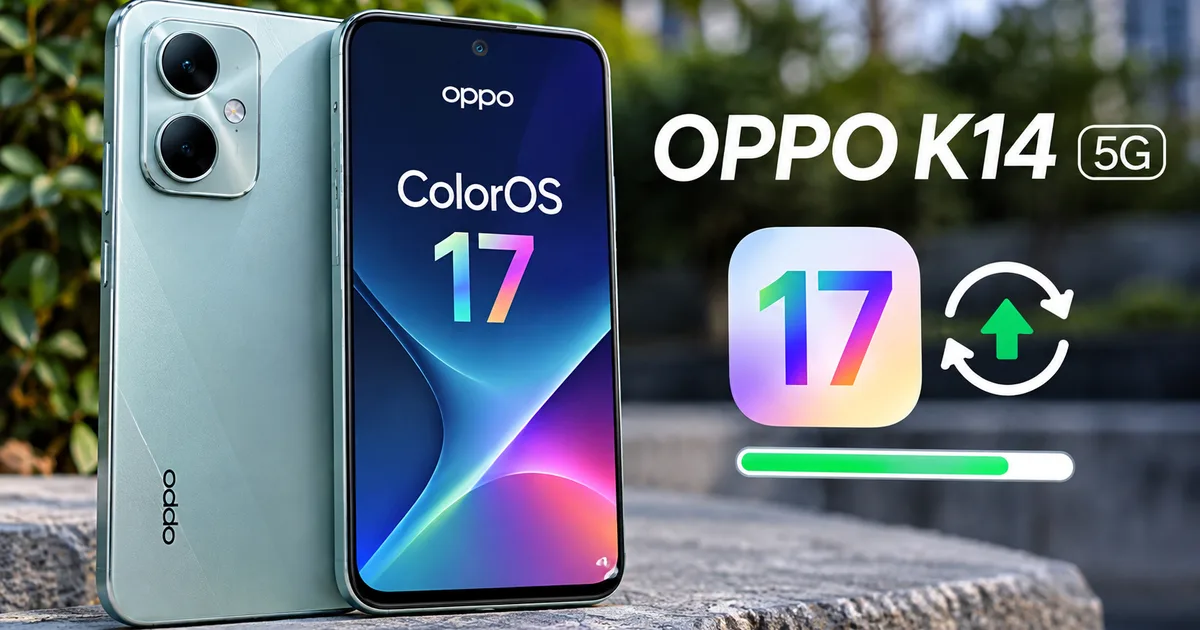
If you bought an Oppo K14 5G recently, check your Settings app tonight. The stable Oppo K14 5G ColorOS 17 update is rolling out in India now, and it brings Android 17 to the phone right at the end of November 2026. The Tech Outlook and MSN report it's arriving with the Oppo K14x 5G and Oppo F31 5G, plus the Oppo F33 5G.
Honestly, that timing surprised me. Mid-range K-series phones usually sit in a queue until February or March while flagships hog all the attention. Getting Android 17 before December ends is a real win if you ask me, especially for everyday buyers who normally get treated like an afterthought. We've been tracking this in our latest tech news coverage. I'm not sure exactly why Oppo is pushing software out faster this cycle, though nobody's complaining.
What is happening with the India rollout schedule
Don't panic if your phone still says you're up to date. Oppo isn't blasting the update out to every single handset in India on the same day.
Reports on the November 2026 stable schedule say the rollout moves in phases. It starts with Release Candidate users first. Everyone else gets it later. That wait feels frustrating when your friend already has the new icons and you don't (annoying, I know). Thing is, phased rollouts exist for a good reason. If a bad bug slips past testing and breaks an Indian banking app or causes random call drops on Airtel or Jio 5G, Oppo can stop the wave before half a million phones get hit.
And it's not stopping with the K14 lineup. YTECHB reported right after the initial announcement that ColorOS 17 is already live on the Oppo K13x and Oppo F29 5G too, which is faster than I expected. I think Oppo is trying to clear its mid-range backlog early. Check our full Oppo ColorOS 17 India rollout schedule to see where other flagship and budget models sit in the queue.
New ColorOS 17 features arriving on the Oppo K14 5G
Changelogs usually read like corporate poetry, packed with vague lines about smoother animations. But looking at what Flickonclick and PaidFreeDroid found in the November India build, there are a few practical upgrades here that actually help on Indian streets.
- Caller Name Announcements reads out who is ringing, which saves you from pulling your phone out of your pocket in crowded metro coaches or while waiting on a scooter at a red light just to dodge another spam loan call.
- Flexible Image Export gives you cleaner control when saving and sharing edited photos, handy when you need a crisp document scan for college admissions or KYC verification without fighting compression.
- OSee upgrades bring refinements to Oppo's visual and smart recognition tools, though Oppo hasn't spelled out whether every sub-feature behaves identically on K-series hardware compared to pricier Reno phones.
- A redesigned calculator app updates one of those boring stock tools you end up opening ten times a week for splitting restaurant bills, checking GST, or doing quick EMI math.
- Android 17 system-level permission controls and security patches tighten background access, which matters when your phone holds UPI apps, DigiLocker documents, and work email in one place.
I told my uncle about Caller Name Announcements last week, and he asked right away if it works on WhatsApp calls too. Oppo hasn't given a clear answer on third-party calling apps yet. Treat it as a normal dialer perk for now. Still, if you're driving or cooking, it beats squinting at a tiny screen.
Some buyers have also asked if the heavy on-device AI tools are in this update. Probably not all of them, in my experience. Budget and mid-range chips rarely get the same local AI features as flagship phones, and you can see how Oppo splits things up in our guide to ColorOS 17 AI features in India.
How Oppo K14 5G specs hold up after the upgrade
Software is only as fast as the hardware under it. Business Standard and Beebom Gadgets confirm the Oppo K14 5G has a MediaTek Dimensity 6300 chip, backed by a massive 7,000mAh battery and triple IP ratings for water and dust resistance.
Look, let's be honest about the Dimensity 6300. It's a steady 5G chip made for efficiency and everyday tasks like UPI payments or casual gaming, not heavy 3D titles at max frame rates. Android 17 won't change that. The real highlight after this OS jump is that 7,000mAh battery.
Big Android updates are famous for eating up battery during the first couple of days while the phone indexes files and learns your app habits again. On a slim 4,500mAh phone, that early drain is a mess. On a 7,000mAh battery, you barely notice it (which makes sense, actually), and even if day-one background work shaves an hour or two off your screen time, you'll still make it through a long commute without hunting for a charger or lugging a heavy powerbank.
Give your Oppo K14 5G about 48 hours after installing ColorOS 17 before judging battery life or warmth. Android 17 rebuilds app caches in the background right after a major jump, and things usually settle down by the third charging cycle.
Oppo also sells the K14 Plus 5G, which has an 8,000mAh battery and a Dimensity 7360 Max chip with a 1.5K AMOLED screen, plus there's the cheaper K14x 5G. The regular K14 5G sits right in the middle. It's built for students and delivery riders, or parents who care more about surviving monsoon splashes and two-day battery life than benchmark numbers. ColorOS 17 should suit that crowd fine, though it depends on how light Oppo keeps the animations on the Dimensity 6300.
Steps to install the update safely on your phone
Download sizes vary depending on your current security patch, and the exact numbers are a bit fuzzy since Oppo hasn't shared one figure for every Indian variant. Still, major Android jumps are always huge, usually a few gigabytes. Don't try grabbing it on patchy train 5G.
Checking for the OTA and preparing your data
Before you hit download, take ten minutes to prep your phone so nothing breaks mid-install.
- Open Settings, scroll to About device, and tap the ColorOS banner at the top to check for an official update.
- Tap the three-dot menu in the top-right corner of the update page and check the Official version or Release Candidate section if the main screen still shows no update.
- Connect to stable home Wi-Fi or hotspot broadband rather than cellular data, and make sure your battery sits above 50 percent even with that massive 7,000mAh tank.
- Clear out unused WhatsApp forwarded videos and confirm you have at least 10GB to 15GB of free storage so Android 17 has breathing room to unpack.
- Back up your chats and double-check that important PDFs like Aadhaar copies or train tickets are synced to Google Drive or DigiLocker before restarting.
Once your phone restarts into ColorOS 17, open your main UPI app at home first, whether you use PhonePe or Google Pay (or BHIM, for that matter). In my experience, nothing is worse than finding out your bank app needs a Play Store update or fresh verification when you're standing at a tea stall trying to pay Rs 20 by QR code. If you can't find the beta or release candidate toggle, our ColorOS 17 device list and install guide shows the exact menu layout. You can also check our practical how-to tech guides for backup tips.
Should you hit install today or wait a few days
Honestly, that depends on how much you need your phone to behave tomorrow morning.
Check the Release Candidate menu right away if your Oppo K14 5G is a backup phone or you like poking around new UI tweaks. Caller Name Announcements and Flexible Image Export are nice perks. Getting November's Android 17 patches helps too.
But if this is your main phone and you rely on courier partner apps and office authenticators, plus finicky regional banking software, waiting four or five days won't hurt. Let the first batch of Indian users install the stable update and spot any weird Bluetooth or notification bugs first. I think updating calmly over the weekend is the smarter move.