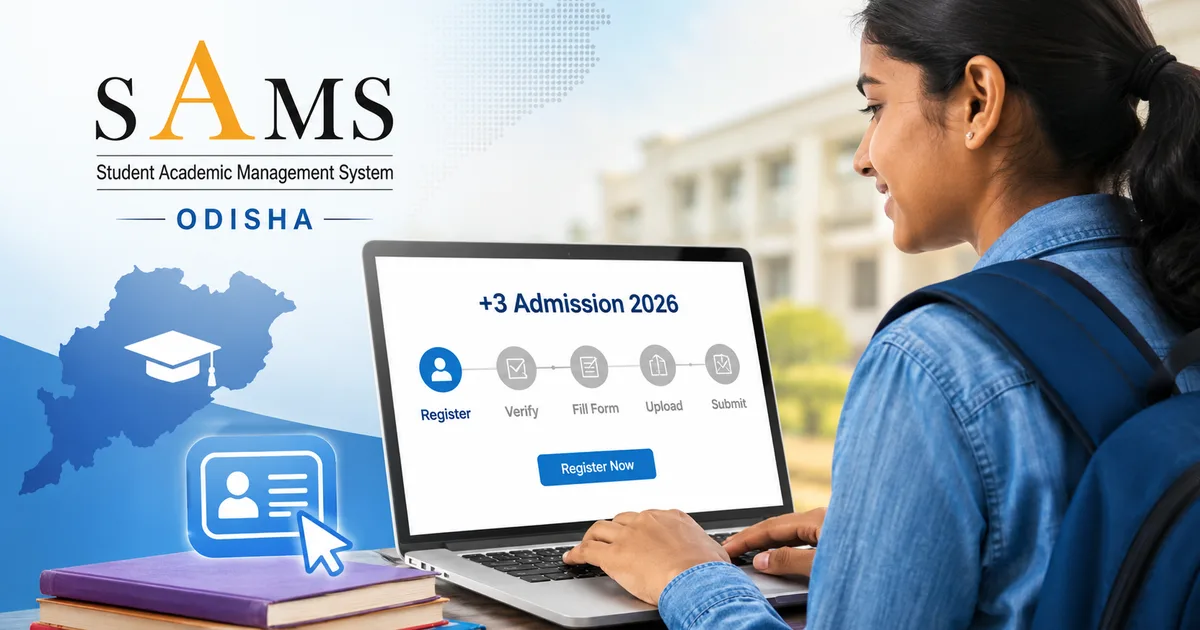
If you're an Odisha student who just finished Class 12 and are trying to figure out the SAMS Odisha +3 admission 2026 process, this guide will walk you through everything from registering on samsodisha.gov.in to submitting your CAF (Common Application Form) and checking your allotment list. The process has a few steps that can trip people up, especially if it's your first time. So read this carefully before you start clicking around.
What is SAMS Odisha and why does it matter?
SAMS stands for Student Academic Management System. Honestly, it is a massive system. It's the official portal run by the Higher Education Department, Government of Odisha. It has all the undergraduate admissions for state public universities, government colleges, aided and unaided colleges, and law colleges in the state.
Basically, if you want to get into a +3 (Honours or General) programme at any government or aided college in Odisha, this is the only way in. There is no offline option at all. You apply here and you confirm your admission here. Everything happens on this one portal.
For the 2026-27 academic session, the Higher Education Department opened applications through this portal. CAF registration began in late May and was supposed to close in early June 2026. But the deadline was later extended. The Indian Express reported that the registration window was pushed out to give more students a chance to apply. So if you missed the first window, you might still be within an extended deadline (depending on when you read this). I'm not sure exactly why they delay it some years, but it helps.
Documents and things you'll need before you start
Look, don't start the registration without having these ready. It is a mess. Half the time people get stuck mid-form because they don't have a document handy.
- Class 12 marksheet and pass certificate
- Class 10 marksheet (for date of birth proof)
- Aadhaar card (mandatory for identity verification)
- Scanned passport-size photograph (recent, white background, JPG format usually)
- Scanned signature
- Caste certificate (if applying under SC/ST/OBC category)
- Disability certificate if applicable
- Sports/NCC/NSS certificates if you're claiming those merit points
- Bank account details (for fee payment and potential refunds)
Keep digital copies of everything. The portal will ask you to upload them. File sizes are usually limited. Check the portal's instructions for exact specs before you scan anything, if you ask me.
Step-by-step: How to register on samsodisha.gov.in
Step 1: Go to the official website
Open samsodisha.gov.in directly. Don't Google "SAMS Odisha login" and click the first link you see. There are sketchy third-party sites out there. Just bookmark the official URL and use that.
Step 2: New student registration
If you're a first-time user, look for the "New Student Registration" or "Student Registration" option on the homepage. You will need to enter your basic details like name, date of birth, Aadhaar number, and mobile number. Your mobile number is super important. OTPs for verification will come to it throughout the whole process.
Once you register, the system generates a unique login ID and password. Write these down. Seriously. Don't rely on your browser to remember them. Losing your login credentials mid-admission is incredibly stressful (and annoying, I know). The account recovery takes time you might not have.
Step 3: Log in and fill the CAF
After you register, log in with your credentials. You'll find the CAF (Common Application Form) link right in your dashboard. This is the main application form. Here you fill in your academic details and select your preferred courses.
Take your time with the course and college preferences section. You can select multiple colleges in order of preference. The system does a merit-based allotment. So your rank and your preferences determine where you get admitted. Don't just pick your dream college. Think realistically and add backup options.
Step 4: Upload documents
After filling out the form, you have to upload the required documents. Make sure your scanned files are clear. They also need to be within the allowed file size limits. Blurry images can cause verification issues later on.
Step 5: Pay the application fee
There's a nominal application fee to submit the CAF. Payment is online through the portal. UPI and net banking are typically accepted. Since this is an Odisha government portal, UPI tends to work pretty smoothly. Save your payment receipt or transaction ID.
Step 6: Submit and take a printout
Once you fill everything and pay the fee, just submit the form. After submission, download and print the CAF acknowledgement. You'll need this for college reporting if you get a seat.
After submission: The merit list and allotment process
This is where a lot of students get anxious. Honestly, the wait is real. After the CAF window closes, the SAMS system processes the applications. Then it prepares merit lists based on your Class 12 marks (and any bonus marks for categories like sports or NCC).
For the 2026-27 session, the first allotment list was released on June 22, 2026, at 2:00 PM. Moneycontrol reported this. The allotment list was on samsodisha.gov.in as a PDF. Students could check their provisional seat allotment. Then they had a window to either accept the seat or wait for a better allotment in the next rounds.
There are typically multiple allotment rounds. So don't panic if you don't get your preferred college in the first list. The system runs second and sometimes third allotments. Seats shift around based on acceptances and rejections.
How to check your allotment
- Go to samsodisha.gov.in
- Log in with your SAMS credentials
- Look for the "Allotment" or "Seat Allotment Status" section in your dashboard
- You can also download the official allotment list PDF from the homepage announcements
What happens after allotment?
If you are allotted a seat, you need to confirm your admission online. Then you physically report to the college within the specified dates. The college will verify your original documents. They will also collect the semester fees. Don't miss the reporting deadline. Unconfirmed allotments typically get cancelled in the next round.
For fee payment at the college stage, amounts vary by institution. In my experience, government colleges in Odisha are some of the most affordable in the country for Arts and Science programmes. They often charge under ₹5,000-₹10,000 per year. Unaided colleges might charge more. Check the specific college's fee structure before you confirm.
SAMS Odisha student login: Accessing your account
Once you register, you use the student login on samsodisha.gov.in throughout the admission cycle. You use it to check your CAF status, view allotments, accept seats, and download documents. Careers360 reported that the SAMS student login is also where you manage your academic records even after admission. It's not just for the application phase.
If you forget your password, the portal has a reset option. You can use your registered mobile number or Aadhaar. Don't create multiple accounts thinking it helps. The system flags duplicate Aadhaar entries. That just creates verification problems.
B.Ed and CPET admissions also on SAMS
Thing is, the SAMS portal handles more than just +3 UG admissions. The Odisha B.Ed Entrance Exam 2026 registration also runs through the same portal. The Times of India reported that the process began around the same time as the UG admissions. So if you're a graduate looking at B.Ed, the exact same login system applies.
The CPET (Common PG Entrance Test) merit list for 2026 was also released through SAMS. Careers360 reported state-wise and subject-wise rank lists were available for postgraduate admissions. The numbers here are a bit fuzzy, but thousands apply. So if your family members are looking at PG courses, point them to this same portal.
Common mistakes to avoid
- Entering wrong Aadhaar or mobile number during registration — this creates problems you can't easily fix later
- Selecting only one college preference — always add multiple options
- Not checking the portal regularly after submission — announcements about extended deadlines, allotment dates, and document verification schedules are posted there
- Using third-party websites or agents — there's no need, everything is free and online on the official portal
- Missing the college reporting deadline after getting allotted — this is the most common way students lose their seats
Where to get help
If you face technical issues with the portal, the SAMS site usually has a helpdesk number. Think login problems or payment failures. You can also reach out to your district's higher education office.
For general questions about eligibility or course availability, most government colleges in Odisha have a phone number on the SAMS portal's college directory. Don't hesitate to call them directly. They are there to help.
And if you're looking for more step-by-step guides on education portals, check out our guides section. We cover everything from DigiLocker to scholarship portals. For the latest updates on Odisha admissions, our news section stays updated. If you get sketchy messages about SAMS admission fees, read about common education scams we've documented.
The Higher Education Department, Government of Odisha, runs all +3 UG admissions through the official SAMS portal at samsodisha.gov.in — there is no fee charged for CAF registration beyond the nominal application fee paid directly on the portal.
One last thing. The extended CAF registration deadline reported by The Indian Express shows that the department actually responds when students need more time. If you're cutting it close, check the portal for the latest dates. Don't just assume you missed your chance.