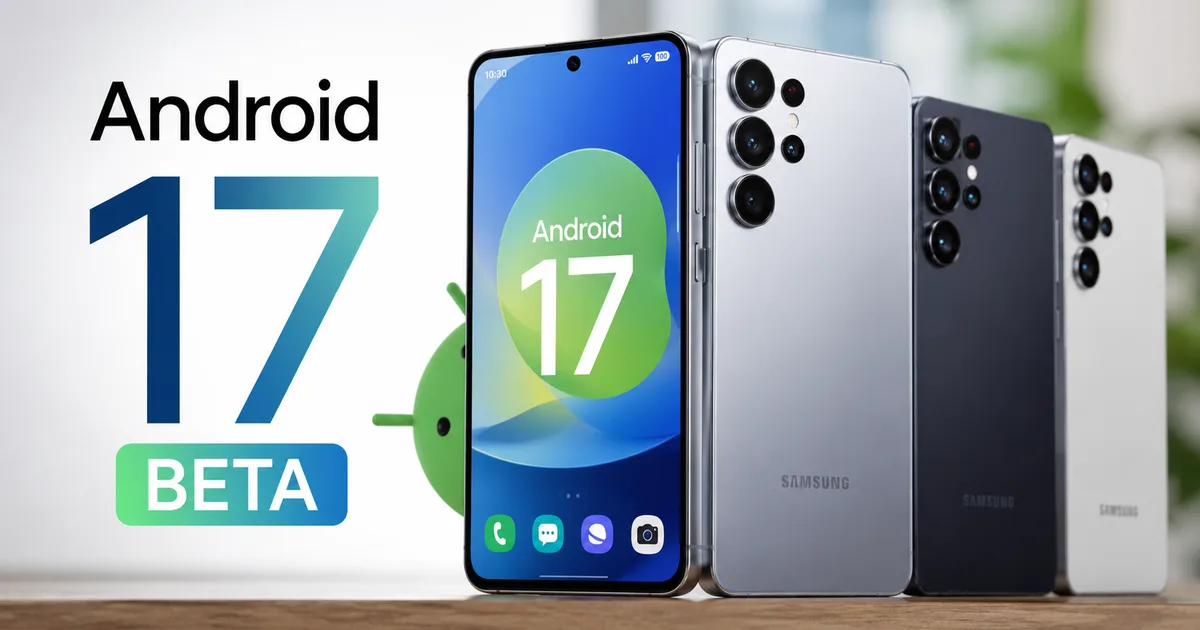
So the Samsung Android 17 Beta Update is finally here in India, and honestly, it's about time. I've been tracking the One UI 9 rollout for weeks. A lot of you have been asking when your Galaxy phones will actually get it. Here's the deal. Samsung just dropped the One UI 9 Beta 4 based on Android 17 for the Galaxy S26 series. And yes, Indian users are among the first to get their hands on it.
If you own a Galaxy S26, you can jump in right now. But older device owners will need to wait a bit longer. The release schedule for the stable version is still a few months out. The beta program is a solid indicator of what's coming, though. I installed it on my phone yesterday. I'll walk you through what works. I'll also show you what's broken. And we'll figure out if you should actually bother downloading a massive beta file over your Jio 5G connection (which can be sketchy, I know).
Eligible Galaxy devices for Android 17 in India
Not every Samsung phone gets the VIP treatment on day one. Right now, the Android 17 beta is strictly for the flagship tier. But Samsung has a pretty predictable pattern. They roll out to the newest S-series first. Then come the foldables. Older S-series follow that. Finally they hit the A-series phones that most of us actually buy.
The Galaxy S26 series (first in line)
Right now, the One UI 9 beta is live for these specific models:
- Samsung Galaxy S26
- Samsung Galaxy S26 Plus
- Samsung Galaxy S26 Ultra
If you have one of these, you can open the Samsung Members app and enroll today. The update is large. Make sure you have enough battery and a stable Wi-Fi connection. I wouldn't recommend using mobile data unless you have an unlimited 5G plan from Jio or Airtel. Honestly, a 3GB download will eat through a standard daily data limit in minutes. Nobody wants to be stuck at 64kbps for the rest of the day.
Older phones getting the update later
Samsung recently released the One UI 8.5 update for older models. Now they are preparing to expand the Android 17 beta testing. According to reports from Deccan Herald, the beta will hit these devices next:
- Galaxy Z Fold 7 and Z Flip 7
- Galaxy S25 series (including the FE model)
- Galaxy Z Fold 6 and Z Flip 6
- Galaxy A56 and A36
The A-series timeline is always tricky. If you bought an A55 last year for Rs. 35,000, you might not see the stable Android 17 update until late December or even January 2027. And if you have an M-series or F-series device, you are basically at the back of the queue. I think Samsung prioritizes the phones that cost the most money. That makes business sense. But it leaves millions of Indian users waiting for months.
How to install the One UI 9 beta in India
I know, sounds complicated, but it's not. Getting the beta is actually really simple if you have an eligible device. But beta software is buggy. Your banking apps might stop working. ICICI iMobile and the HDFC Bank app sometimes fail on beta builds. Even Google Pay via UPI breaks sometimes. If you rely on your phone for daily payments at the local kirana store or for scanning QR codes at the petrol pump, do not install this on your primary device.
This is how you get it:
- Download and open the Samsung Members app from the Galaxy Store or Google Play.
- Log in with your Samsung account. If you don't have one, you'll need to create it.
- Look at the top banner. Swipe until you see "Registration for One UI Beta Program".
- Tap the banner and accept the terms and conditions.
- Go to your phone Settings.
- Tap on Software Update, then Download and install.
The update will show up within a few minutes. If it doesn't, just restart your phone and check again. The download size for the Beta 4 update is usually around 2GB to 3GB. Give it some time. Keep your phone plugged into the charger while it installs. A dead battery during a software update is a nightmare scenario. It usually ends with a trip to the service center.
What's actually new in Android 17 and One UI 9?
Honestly, this is one of the more useful updates they've added. Google officially unveiled Android 17 at Google I/O back in May. Now Samsung is putting its own spin on it with One UI 9. You get all the base Android 17 stuff. You also get Samsung's heavy customizations. Let's look at what's changed.
Battery share bug fix
The One UI 9 Beta 4 update (and Android 17 QPR1 Beta 7) finally resolves a major bug. Before this, the Battery Share feature in the Quick Settings panel was a mess for some users. You would try to charge your Galaxy Buds. The phone would just ignore it. I tried this last week on an older build and it was incredibly annoying. Now, it works perfectly. You can drop your earbuds on the back of your phone and they start charging instantly. This is a small fix. But it matters when you are traveling and forget your watch charger.
AI features you might actually use
Samsung is pushing AI hard. They are calling it Galaxy AI. A lot of the new stuff in One UI 9 relies on it. But is it any good? Yes and no.
The voice experience is generated by AI. It's built right into the phone dialer. It can translate calls in real-time. So if you are talking to a client who only speaks Tamil, and you only speak Hindi, the phone is a live translator. The Indian language support is surprisingly good this year. They've improved the Hindi and Marathi models, along with Bengali.
"Samsung's Android 17 update is coming to millions of Galaxy phones via One UI 9, bringing intelligence upgrades to everyday tasks." - Forbes
There are also improvements to the photo editor. You can remove objects from the background much faster now. But some of these features feel like gimmicks. The text generation tools in Samsung Keyboard are fine. Most people just use ChatGPT or Claude anyway, though. You can read more about how these text models actually work in our explainer section.
Visual changes and lock screen
The lock screen customization is another area where things have changed. You can now resize the clock font. You can also move the notification widgets around more freely. It feels very similar to what Apple did a couple of years ago. But Samsung gives you slightly more control over the colors and spacing. I spent about twenty minutes messing around with the new widget stacks. It's a small change, but it makes the phone feel new again.
Why is the Android 17 file size so massive?
You might notice the download file for this beta is pushing 3GB. Why so big? Basically, it comes down to the new system architecture and the pre-packaged AI language models. The numbers here are a bit fuzzy, but the AI models take up a chunk. Instead of relying purely on the cloud for translation and text generation, Samsung is putting smaller AI models directly on your phone storage. This is good for your privacy, because your data isn't being sent to a server somewhere. But it eats up local space fast. If you only have the 128GB version of the Galaxy S26, you might need to clear out some old WhatsApp forwards. You might want to delete some 4K videos before you start the download too.
The bloatware problem in Indian Samsung phones
This is where I need to rant for a second. Samsung makes fantastic hardware. The displays are unmatched. But the amount of pre-installed junk on Indian Galaxy phones is absurd. Even on a Rs. 1 Lakh Galaxy S26 Ultra, you still find random apps pushing notifications. They push notifications for games you will never play.
With One UI 9, I was hoping they would finally clean this up. Did they? Barely. You still get the Galaxy Store sending you push notifications for random app downloads. You still have to manually uninstall shopping apps out of the box. I understand doing this on a Rs. 12,000 budget phone to subsidize the cost. Doing it on a premium flagship is just disrespectful to the buyer.
The new privacy dashboard in Android 17 makes it slightly easier to block these notifications. You can now revoke permission for system apps to send alerts. It takes about ten minutes to go through the settings and turn everything off. You shouldn't have to do it in the first place, though.
How Samsung compares to OnePlus and Xiaomi updates
If you are wondering why everyone makes a big deal about Samsung updates, you just need to look at the competition. OnePlus used to be the gold standard for fast software updates in India. But things changed after the Oppo integration. Now, OnePlus updates are often delayed. We've seen way too many green line display issues after software patches, too.
Xiaomi sells hardware with incredible specs for the price. But their HyperOS updates are notoriously slow to roll out across their massive lineup of Redmi and Poco phones. Samsung sits somewhere in the middle. They aren't as fast as Google's Pixel phones. They are far more reliable than the Chinese brands operating in India right now, though. When Samsung says you will get an update in November, you usually get it in November.
The reality of software updates in India
Let's talk about the broader problem. The Samsung Android 17 beta update schedule is great for power users. But for the average Indian buyer, software updates are still a mess. People buy a Rs. 15,000 phone and expect it to last four years. The hardware can handle it. The software doesn't.
Samsung has promised four years of OS updates for most of their mid-range and flagship phones. That's a massive improvement over where we were five years ago. But the rollout speed is still slow. When a new vulnerability is found, like the ones flagged by CERT-In regularly, users are left exposed for weeks. The government issues warnings. You can't protect yourself if the manufacturer hasn't pushed the patch to your specific model, though.
If you're buying a phone today, check the software update policy. A cheaper phone from a brand that never updates its software will cost you more when your banking details get stolen. Be smart about this. The initial price tag isn't the only cost.
And speaking of Indian regulations, there is an interesting angle here with the DPDP Act. The new privacy controls in Android 17 actually line up nicely with the data minimization rules in the Digital Personal Data Protection Act. Apps will now have a harder time scraping your location data in the background (which makes sense, actually). It just means apps can't track you as easily.
Watch out for fake update scams
This happens every single time a major update is announced. Scammers are already sending WhatsApp messages claiming to offer "Early Access to Android 17" or "One UI 9 VIP Download". These messages usually contain an APK file. They might have a link to a fake website instead.
This is how the scam works. The message promises a feature that isn't out yet. It claims you can skip the queue and get the beta immediately. You click the link, download the APK, and install it. The app then asks for permissions to read your SMS and control your screen. Once you grant those permissions, the scammers have full access to your phone. They can read your OTPs and empty your bank account before you even realize what happened.
Look, warning signs are obvious if you know what to look for. Official Samsung updates NEVER come through WhatsApp. They NEVER require you to download an APK file from a random website. Updates are always handled through the official Settings menu on your phone.
How to protect yourself? Just ignore these messages. Never install apps from outside the Google Play Store or Galaxy Store unless you are absolutely sure what you are doing. If you receive one of these messages, report the number on WhatsApp and block it. If you have already fallen for it and installed a malicious app, immediately turn off your internet. Then uninstall the app. Call your bank. You should also report it to cybercrime.gov.in or call the 1930 national helpline immediately. You can find more details on how these frauds operate in our scam alert guide. We also have a list of security tools you can use to check your phone for malware.
What to expect from the stable release
I'm not sure exactly why, but the exact numbers are hard to pin down. We expect the stable Android 17 update to start rolling out in late October or early November 2026. That timeline lines up with Samsung's history. The S26 series will get it first. The latest foldables like the Z Fold 7 will get it next.
When the stable version hits, it should be safe for everyone to install. Until then, the beta is strictly for enthusiasts. If you need your phone to work perfectly every single day for work or running a small business, just wait. The new features are nice. They aren't worth losing access to your UPI apps for a month. The beta testing phase is meant for developers and people who don't mind random crashes.
And that's the current state of the One UI 9 rollout. It's moving fast for the flagships. The rest of us will just have to be patient. I'll keep testing the beta and post updates if any major bugs pop up. Keep an eye on your Samsung Members app. Remember to back up your important documents to DigiLocker and your photos to Google Drive before you hit that install button. Major OS upgrades can sometimes fail and force a factory reset. It is rare. It happens, though. Don't take the risk with your family photos.
For more updates on software rollouts and hardware launches, check out our latest tech news. And if you are still confused about how to manage your device storage before a big update, we have a few step-by-step guides that might help.