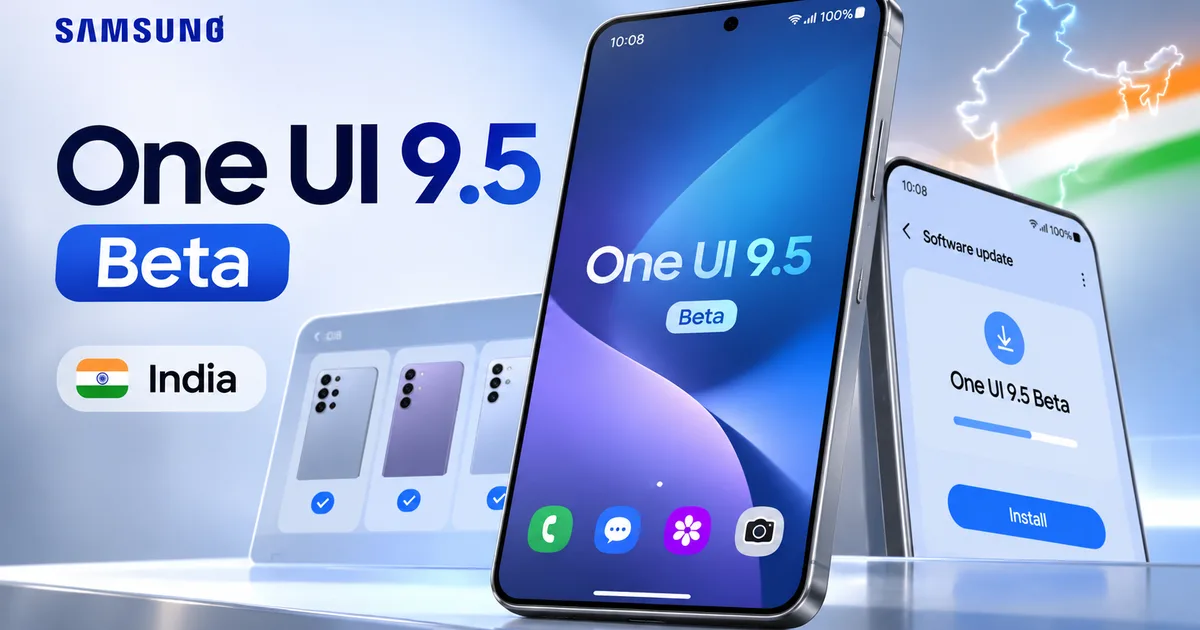
If you own a Galaxy S26, hit pause on whatever you're doing. Samsung just released the Android 17-based Samsung One UI 9.5 Beta India update, giving Indian users early access at the exact same time as South Korea and the US. No waiting two weeks. No region lock tricks. It's live inside your Samsung Members app right now.
For years, Samsung users in India complained about missing basic privacy controls that cheap budget phones already had. Well, that wait is over. Native App Lock is finally here. You also get updated camera controls, medication tracking in Samsung Health, live wallpaper effects, and a few visual tweaks. So if you want to try Android 17 before the stable update hits with the Galaxy S27 series early next year, here's what you need to know.
What is new in One UI 9.5?
Honestly, the biggest headline here is something Samsung should've added five years ago. I'm talking about native App Lock.
Until now, locking apps like Google Pay, PhonePe, WhatsApp, or your gallery without locking your whole phone was a total mess. You had to fiddle with Secure Folder or download sketchy third-party locker apps full of banner ads. Chinese phone skins like ColorOS and HyperOS solved this ages ago (which makes Samsung's delay even funnier, if you ask me). With One UI 9.5, Samsung finally built App Lock right into the system. You can lock any app behind your fingerprint or PIN straight from your home screen settings.
Camera tweaks are big here too. Samsung fixed a bunch of annoying camera UI quirks, and the viewfinder now puts your zoom sliders and main controls right on the primary screen. You don't have to tap through three sub-menus just to switch focal lengths while shooting a quick video of your kid running around. Shoot manual video? Pro and Pro Video modes now have custom user presets. You can save your shutter speed and ISO for indoor lighting, plus your white balance, and pull those settings up right away.
Advanced Pro video presets are restricted to flagship Galaxy models that support full manual camera modes out of the box, according to technical details shared by Samsung developers.
Samsung Health got a useful upgrade as well. The new Medications tool lets you log daily prescriptions and vitamin schedules, and it sends persistent reminders so you don't skip a dose. Then there's Mindful Note. It's a quick journal inside Samsung Health that gives you writing prompts for stress tracking. Smaller tweaks are in here too, like wallpaper Live Effects and floating accessibility shortcuts. There are even direct hearing aid toggles inside the quick settings panel.
Eligible Galaxy devices in India
Hold on before you rush to register. Check if your phone actually qualifies for this first testing wave. Samsung opened the beta in six countries at the same time: India, South Korea, the United States, the United Kingdom, Germany, and Poland.
Right now, only the latest flagship phones get in:
- Samsung Galaxy S26
- Samsung Galaxy S26+
- Samsung Galaxy S26 Ultra
Got a Galaxy S25, a Galaxy S26 FE, or a foldable like the Z Fold 8 or Z Flip 8? You can't join this beta wave yet. I'm not sure why Samsung left out the foldables for now, honestly. Internal testing builds for the S25 lineup are already floating around, so Samsung should expand eligibility in December or early January. Older phones like the S23 series won't get this beta at all, though you can check our Samsung Galaxy S23 One UI 9.0 Update India guide to follow stable updates for older phones.
And if you want to see how software rollouts look on other Android brands, take a look at our latest Tech News hub.
How to install Samsung One UI 9.5 beta in India
Ready to try it? The install process takes around fifteen minutes, but back up your data first. Beta software has bugs. Apps crash. In my experience, your banking app might complain about an uncertified OS build for a bit, though main Indian UPI apps generally work fine on official Samsung betas.
Here's how to register your phone and get the update:
- Open the Samsung Members app on your Galaxy S26 device. If you uninstalled it earlier, download it again from the Galaxy Store.
- Log into your primary Samsung account. Make sure the phone contains an active Indian SIM card.
- On the home tab of the Samsung Members app, scroll through the top sliding banners until you see the banner labeled One UI Beta Program.
- Tap the banner, read through the terms and conditions, and tap the blue Join button at the bottom.
- Wait about two minutes for your Samsung account to register on the beta server.
- Open your phone's main Settings app.
- Scroll down and tap Software update.
- Tap Download and install. Your phone will fetch the One UI 9.5 beta update file, which weighs around 3GB to 3.5GB.
- Once the download finishes, tap Install now. Your device will restart and apply the update.
Don't touch or reboot your phone while that installation progress bar is moving. Keep your battery above 50 percent, or just plug it into a fast charger (you really don't want it dying mid-update).
Important warning and how to roll back
Look, if you ask me, don't put this beta on your primary work phone if sudden battery drain or random app glitches will ruin your day. Beta builds are for testing (annoying when you just need your phone to work, I know). You'll probably run into minor frame drops in heavy games, or weird camera processing bugs on night shots.
Say you install the beta and it breaks an app you need daily. You can roll back to stable software. But there's a massive catch.
Thing is, rolling back means plugging your Galaxy phone into a PC running Samsung Smart Switch. Going back from beta to stable software triggers a full factory reset and wipes every piece of data on your phone. Your WhatsApp chats, downloaded files, photos, and local app data will be gone unless you backed them up to Samsung Cloud or Google Drive before joining the beta.
Need help managing phone storage or software maintenance? Browse our collection of how-to tech guides.
When does the stable One UI 9.5 update launch?
If you'd rather wait for a polished release, you won't be waiting forever. Samsung usually puts out three to four beta builds over two months. The exact release date is still a bit fuzzy, but based on past rollouts, I think stable One UI 9.5 will launch with the Galaxy S27 series in early 2027.
Once the S27 series ships, Galaxy S26 phones will get the stable update first. Foldables and older Galaxy flagships come after that. And if you're curious about the base features from the earlier Android 17 release, read our report on the Samsung Android 17 beta update device list.
For now, if you have a Galaxy S26 in India and want native App Lock, open Samsung Members and grab a slot before they fill up.