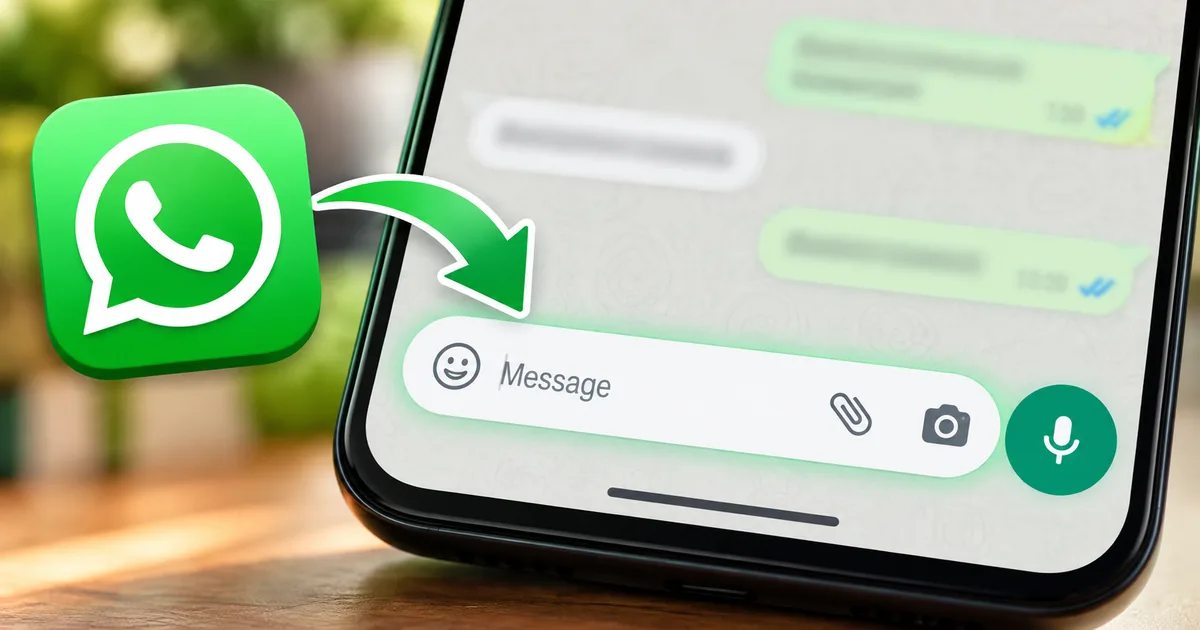
If you spend half your waking hours messaging on your phone like I do, any sudden change to your chat screen feels like someone rearranged your living room furniture without asking. Meta is now testing a major WhatsApp Android chat bar redesign that alters how the text input field, send icon, camera shortcuts, and media attachments sit at the bottom of your conversation window. The update, spotted by WABetaInfo in WhatsApp beta for Android version 2.26.41.11, introduces two distinct interface experiments that replace the familiar pill-shaped bar we've used for years.
It looks completely different.
More than 500 million people across India open WhatsApp every single day. That's a massive crowd. We use it for sorting out office updates, getting UPI alerts, forwarding festival greetings, or haggling with local vegetable vendors over text. When you change an app people tap that heavily, muscle memory takes a hit. And following the WhatsApp Android app navigation redesign from earlier this year, the main chat screen is finally getting rearranged.
What changes in the WhatsApp Android chat bar redesign
For years, WhatsApp on Android had a very simple setup. You had an elongated rounded capsule where you typed your text, flanked by an emoji button on one side and a paperclip attachment symbol on the other. Floating outside that bubble sat a standalone round green button. That green circle held either the send arrow or the microphone icon for voice notes.
That floating green button is gone in this test.
Meta is absorbing the integrated send button directly into the main text bar container. So instead of two separate elements floating over your keyboard, everything now lives inside one consolidated dock. WABetaInfo detailed how this shift changes the entire layout:
According to WABetaInfo, the update introduces two different layouts that change how users access the text input field and messaging controls, placing the input area higher up and pulling the action icons closer together.
Now, the text input box sits higher up inside the bar rather than dead in the middle. It's a small tweak. But on modern phones, it matters. Most phones sold across India right now, whether we're talking about budget Redmi phones or high-end Samsung flagships, have tall 20:9 screens. Reaching down into the bottom corners with one thumb feels like gymnastics when you're packed inside a crowded Mumbai local or balancing on a Delhi metro escalator. In my experience, lifting the text bar just a few millimeters higher keeps your typing thumb in a far more natural resting spot.
How the new UI layout changes everyday typing
The interesting thing is that Meta hasn't settled on a single solution yet. It's currently testing two competing layout variations among beta testers to see which one creates fewer accidental taps. (I'm not sure which one Meta prefers internally, but both are in active testing.)
Meta engineers broke the interface into two distinct concepts:
- The first design retains a familiar arrangement by keeping the emoji button on the right side of the text field, while placing the attachment paperclip and camera shortcuts on the left beside the newly integrated send button.
- The second design groups the emoji, attachment, and camera shortcuts together in a cluster on the left, leaving the send button completely alone on the right side of the container.
- Both designs eliminate the floating action circle entirely, locking every messaging action into a unified bottom tray.
Comparing layout one and layout two
Honestly, if you ask me, the second layout is way cleaner. Having all your creation tools (emojis, camera buttons, gallery files, and document attachments) grouped together on the left stops your thumb from darting back and forth across a tall screen. When you want to type, your right thumb handles typing and hitting send. When you want to attach a photo or a PDF bill, your left thumb handles media selection. It separates typing from media creation in a way that feels intentional.
The first layout is a bit of a mess by comparison. Squeezing the attachment and camera buttons directly next to the send button inside the bar creates a high risk of misclicks. Nobody wants to accidentally snap a blurry photo of their knee when they simply meant to hit send on a quick work update.
Voice note button placement and audio recording changes
If you live in India, you know voice notes are basically an official language. Auto drivers in Bengaluru use voice notes to confirm pickup spots, shopkeepers in Chandni Chowk dictate wholesale orders while inspecting cartons, students swap audio clips between lectures, and parents send long voice updates instead of typing. We send them constantly.
So what happens to the voice note button here?
When your text box is empty, the integrated send slot still turns into the familiar microphone icon. But because that microphone now sits inside the unified dock rather than inside a distinct floating circle, the physical target feels different under your thumb. The border around the button is gone, replaced by the outer contour of the chat bar itself.
The lock-to-record gesture also requires some getting used to. On the older design, you held the green circle and slid your thumb upward into empty screen space to lock the recording hands-free. In early feedback from beta testers, sliding up from within the integrated bar feels slightly stiffer, and swiping left to cancel requires a deliberate drag across the new icon group. It isn't broken by any means, but your muscle memory will definitely stumble during the first few days.
In my experience, getting used to a flatter audio button takes an adjustment period. (Annoying, I know, but when you send twenty voice notes a day, every millimeter matters.)
India beta rollout: when will normal accounts see it
Right now, this redesign is restricted to WhatsApp beta for Android version 2.26.41.11. Even within the beta channel, Meta uses server-side flags to enable the layouts for select accounts. That means installing the specific beta APK doesn't guarantee you'll see the new chat bar immediately.
The rollout timeline here is a bit fuzzy. Meta rarely gives firm calendar dates for interface tests. But looking at past feature cycles, interface revamps usually spend three to six weeks in beta before making their way to the stable Google Play Store release. If testing goes smoothly and user feedback doesn't reveal major usability bugs, regular users in India should start seeing the updated chat bar in an upcoming stable update.
Watch out for scams here.
Whenever news breaks about a visual update, sketchy websites and Telegram channels begin sharing links to fake APKs labeled as WhatsApp Gold, WhatsApp Pro, WhatsApp Pink, or leaked beta builds. Don't download these files. CERT-In has repeatedly warned Indian smartphone users that third-party modified WhatsApp clones often contain trojans designed to steal banking OTPs and read personal messages. If an update isn't delivered directly through the official Google Play Store, ignore it completely.
You can stay informed on verified digital safety alerts by checking our latest tech news updates. And if you're wondering how your specific smartphone handles incoming system updates, take a look at our Samsung Galaxy Android 17 update rollout guide for device timelines.
How this affects UPI payments and media sharing
WhatsApp in India is far more than a simple messaging app. It is an active payments platform running on the NPCI Unified Payments Interface rail. Millions of small businesses accept customer payments through QR codes and direct chat transfers.
Under the new chat bar designs, the rupee payment shortcut remains tucked inside the attachment sheet alongside documents, gallery photos, audio files, and contact cards. If you ask me, that's a sensible choice. Keeping the payment shortcut inside the sheet prevents accidental payment prompts while maintaining two-tap access when you need to split a dinner bill or settle an auto fare.
Photo sharing also gets a subtle refinement. Because the camera button now shares tighter spacing with the attachment clip, launching the in-app viewfinder is quicker. If you frequently share receipts, Aadhaar card photocopies, tax documents, or DigiLocker files with your accountant, having all input tools aligned in a single horizontal plane speeds up document selection.
For more everyday optimization tips across popular apps, browse our collection of how-to tech guides.
Why Meta keeps tweaking Android while leaving iOS alone
You might wonder why Android seems to get constant interface experiments while the iPhone version stays relatively static. Look, a report from GSMArena regarding Android beta version 2.26.38.10 showed that Meta has also been testing a more translucent, oval-shaped bottom navigation bar with a circular tab indicator that borrows visual cues from iOS.
Meta wants to harmonize the feel of WhatsApp across both operating systems, but Android has far more hardware diversity. In India alone, people use WhatsApp on ₹7,000 budget phones with sluggish refresh rates as well as ₹1,00,000 premium devices with sharp OLED panels. An interface element that looks great on a large screen can feel cramped on an entry-level handset with large system font scaling enabled.
I think that's why Meta is running two separate layout tests on Android. It has to see which configuration creates fewer input errors across varied screen sizes. It's a cautious approach, but a necessary one given that India is Meta's largest single user base in the world.
Final thoughts on the new chat interface
Change is always slightly jarring when it touches an app you tap a hundred times a day. The first time your WhatsApp updates to this new chat bar, you'll probably tap the empty spot where the floating green button used to live. Your thumb will pause. You'll wonder why someone decided to mess with something that wasn't broken.
Give it two days, though. The unified bar is a cleaner layout that wastes less vertical screen real estate. Having the text input anchored higher is gentler on your thumbs during extended typing sessions. In my view, whichever layout Meta picks, this redesign brings the old Android chat screen up to modern standards without making your daily messaging routine any harder.