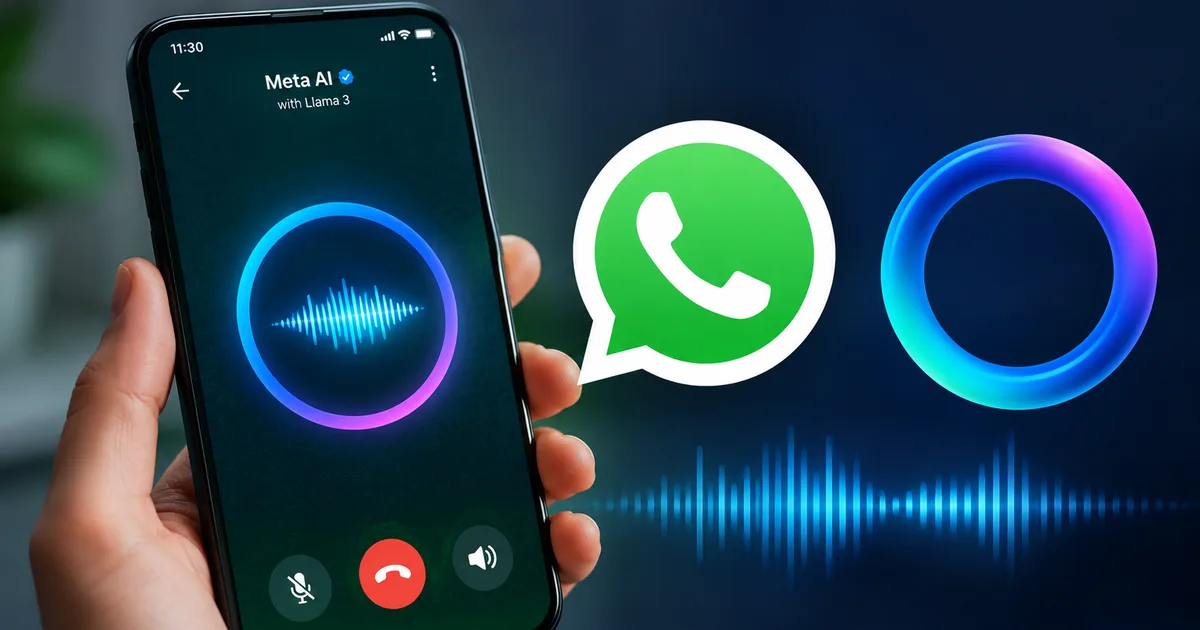
Look, typing long queries on a small screen is exhausting. I do it every day. But with the rollout of the WhatsApp Meta AI Voice Mode 2026, you finally have an alternative. This update lets you speak directly to the AI assistant inside your chat. Think of it like sending a voice note to a very smart friend who replies instantly. It sounds simple. Honestly, it's really intuitive once you set it up. But getting it to work the first time can be slightly confusing if you haven't updated your app settings.
Thing is, India is already the biggest market for WhatsApp. We send millions of voice notes daily. So bringing voice interactions to the built-in AI makes perfect sense. I tried it out this week. It's surprisingly responsive to Indian accents (which makes sense, actually). You don't need to fake an American accent just to ask for a paneer butter masala recipe.
What actually is this new voice feature?
Meta has been pushing AI into all its apps. You've probably noticed that blue ring in your search bar months ago. Until now, you had to type everything. Now, they're integrating voice conversations. The system is powered by new tech. That includes what Meta calls Muse Spark. That's their newest model built specifically to handle human interaction more naturally. If you ask me, the upgrade is noticeable.
And it talks back. You ask a question out loud. The bot responds with spoken audio. You can even interrupt it if it goes on a tangent.
Step-by-step guide to enable Meta AI voice conversations
Getting this to work requires a few specific steps. You can't just yell at your phone and expect it to listen. Here's how you set it up on an Indian WhatsApp account.
- Update your WhatsApp application from the Google Play Store or Apple App Store. Seriously, do this first. Most missing features are just because of an outdated app.
- Open WhatsApp and tap the blue Meta AI ring icon. You'll usually find this hovering at the bottom right of your chat list.
- Look for the new waveform icon next to the text input box. If you only see a microphone for regular voice notes, the feature hasn't hit your account yet. It rolls out in batches.
- Tap the waveform icon to start the voice mode. A new screen will pop up. It'll ask for permission to use your microphone. Allow it.
- Start speaking. Ask a question. "What's the current Repo Rate after the August RBI MPC meeting?" The AI will process your voice and reply audibly.
That's it. You're now having a conversation with an AI. (I know, it feels a bit weird at first). But you get used to it quickly.
Privacy features and incognito mode
We need to talk about privacy. A lot of you worry about Meta listening to your private chats. I get it. The company is actually testing an incognito mode for Meta AI chats right now. This means you'll soon be able to talk to the AI without it saving your chat history.
But right now, your interactions with the AI are separate from your personal chats. Your chats with family and friends are still end-to-end encrypted. Meta can't read those. But your chats with the AI are processed on Meta servers. So don't share your Aadhaar number or bank account details with the bot. Keep your financial data to yourself. Check our privacy guides for more details on securing your account.
Why the government is watching WhatsApp closely
This new feature comes at a complicated time for WhatsApp in India. Just recently, the Indian government gave WhatsApp three days to defend its upcoming username rollout. There are serious concerns about sketchy cybercrime and scams on the platform. I'm not sure exactly why they pushed it so fast.
The government halted the WhatsApp username rollout because police rely on phone numbers to track criminals. Anonymity is a massive risk for Indian cyber security right now.
If people can hide behind usernames instead of phone numbers, tracing scammers becomes harder. The IT ministry isn't happy about this. So while they push forward with AI features, WhatsApp is facing regulatory heat on other fronts. If you want to know more about staying safe online, read our latest scam alerts.
What to ask the AI in voice mode
So you have it enabled. What do you actually do with it? I've been testing different prompts to see where it excels.
- Drafting messages. You can say "Draft a polite message to my landlord asking for a rent receipt for my tax declaration." The bot will dictate a perfect message you can copy.
- Quick translations. Ask it how to say something specific in Hindi, Tamil, or Marathi. It handles Indian languages surprisingly well now.
- Summarising news. You can ask for a quick summary of the recent Chandipura virus outbreak or the new rules for DigiLocker. It gives you the facts in seconds.
- Event ideas. Ask it to plan a simple weekend itinerary for your family in Bengaluru under 2000 INR.
Troubleshooting common problems
Sometimes tech just refuses to cooperate. If you can't see the voice option yet, don't panic. These updates are deployed server-side. That means Meta flips a switch on their end. You could have the latest app version and still not see it today. The numbers here are a bit fuzzy on how fast the rollout is happening.
Check your internet connection. Voice interactions require a stable data connection. If your Jio or Airtel 5G drops to a weak 4G signal, the bot might take ages to reply or simply fail. Connect to a solid Wi-Fi network if you're testing it for the first time.
Also, check your phone microphone permissions in the main settings. Sometimes Android or iOS blocks WhatsApp from using the mic in the background. It's a mess when that happens.
How does it compare to Google Assistant and Siri?
We've had voice assistants for years. Google Assistant is baked into every Android phone in India. Siri handles things for iPhone users. So why care about another one inside a messaging app?
Because WhatsApp is where we already live. You don't have to switch apps. You don't have to wake up a separate service. You're already in WhatsApp messaging your mechanic or your boss. The Meta AI voice feature is right there.
Google Assistant is great for controlling smart home devices or setting alarms. But for generating text and summarizing complex topics, Meta AI is currently feeling a bit more conversational. Plus, the Muse Spark model seems specifically tuned to understand messy real-world phrasing rather than rigid commands. (Annoying, I know, when old assistants need exact syntax).
Siri still feels limited in India even with the recent Apple Intelligence announcements for the iPhone 16. Many of the advanced features are tied to US English or require newer hardware. WhatsApp Meta AI Voice Mode 2026 works on almost any smartphone that can run the app. Whether you have a 50,000 INR flagship or a 10,000 INR budget phone, you get the same AI capability. That level of access is huge for rural and tier-2 cities in India. In my experience, this is what matters most.
Voice AI and the Indian language landscape
India is a complex market for any voice technology. We mix English with Hindi and Tamil in our daily speech. We call it Hinglish or Tanglish. Early voice assistants struggled horribly with this.
Meta has clearly trained this new model on a massive amount of regional data. When you use the voice mode, it picks up on Indian slang and context much better than previous iterations. I tried asking it about local street food recipes. It didn't get confused by the terminology.
But it isn't perfect. If you speak very fast in a heavy regional dialect, it'll occasionally misunderstand you. The text transcription that appears on screen while you speak helps you see exactly what it heard. If it gets it wrong, you just tap the red button, cancel, and try again.
This is where the new incognito mode they're testing will be useful. Some people feel self-conscious about their English pronunciation. Knowing the chat isn't saved might encourage more users to practice speaking English with the bot. You can learn more about privacy settings in our detailed explainers.
Real world uses for Indian professionals
Let's move beyond just asking for recipes.
How can this actually save you time during a workday? For small business owners, this is a massive time saver. Imagine you run a small boutique and sell through WhatsApp Business. A customer asks a complicated question about shipping policies to a remote pin code in Assam. You can activate the voice mode, ask the AI to draft a polite response, and then forward that text to the customer. You did all that in ten seconds without typing a single word.
Students can use it for quick research. You're studying for a competitive exam and forget the exact dates of a historical event. Instead of opening a browser and sifting through ads, you just ask the AI in your chat list.
Even for daily administrative tasks, it's handy. Ask it to calculate GST for a 45,000 INR invoice. Ask it to explain the difference between a mutual fund and an ETF in simple terms before you invest your Diwali bonus. The answers are immediate and spoken aloud.
The dark side of voice AI in India
We can't ignore the risks. While Meta AI itself is a helpful tool, the rise of AI voice technology in general is causing massive headaches for Indian law enforcement.
Voice cloning scams are becoming incredibly common. Scammers use AI to clone the voice of a family member and call you in a panic, asking for an urgent UPI transfer. This WhatsApp feature doesn't clone your voice, but it normalizes talking to AI.
This is why the Indian government is being so strict with tech giants right now. They want accountability. The recent pushback against WhatsApp usernames is a clear sign that security is the top priority. If you ever encounter a scam on the platform, report it immediately to the national cybercrime portal at cybercrime.gov.in or call the 1930 helpline.
What to expect next from Meta
The voice mode is just the beginning. Meta is investing heavily in their AI infrastructure. They recently announced tools for the FIFA World Cup 2026 to bring fans closer to the matches. We'll likely see similar integrations for cricket in India soon. Imagine asking the AI for live IPL stats or player history without leaving your family chat group.
They're also rolling out Meta AI Studio, which lets creators build their own custom bots. Soon, you might be interacting with AI versions of your favorite Indian influencers directly on WhatsApp.
For now, the focus is on getting the basic voice conversations right. If you have the feature, try it out. If you don't have it yet, keep your app updated. It's rolling out slowly to all 500 million Indian users. Check out our tools section for more app updates.
How to ignore Meta AI if you hate it
Not everyone wants an AI in their chat app. Some of you just want to text your friends and family without a blue ring glowing at you.
Unfortunately, you can't completely uninstall or remove Meta AI from WhatsApp. Meta has deeply integrated it into the app structure. There's no hidden toggle in the settings menu to banish it.
But you can easily ignore it. Don't tap the blue ring. Don't start a chat with it. If you have an existing chat thread with Meta AI, you can delete the entire conversation just like you would with a normal contact. Long press the chat and hit the trash icon.
The AI only activates when you specifically interact with it or tag it in a group chat using the "@" symbol. It doesn't read your other messages. It doesn't listen to your microphone unless you explicitly press the voice button inside its specific chat window. So if you never open it, it basically sits dormant.
If you're still extremely concerned about data collection, your only real alternative is to use a different messaging app like Signal. But let's be honest, getting your entire extended family to switch off WhatsApp is practically impossible in India. You're better off just learning how to use the app safely. You can check our daily news updates to stay informed on any privacy policy changes.