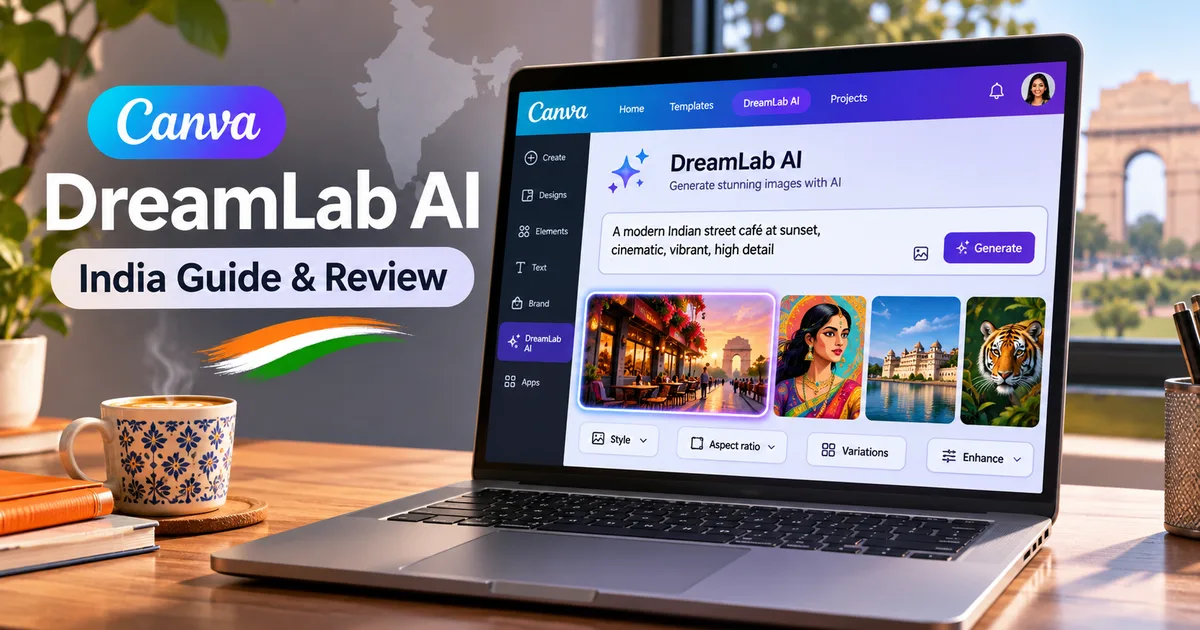
If you have logged into Canva recently, you might have noticed a shiny new button named Dream Lab sitting inside the editor. The Canva DreamLab AI image generator is Canva's latest attempt to stop us all from switching tabs to Midjourney or ChatGPT every time we need a quick picture for a poster or Instagram reel. I spent the last few days generating everything from South Indian breakfast plates to futuristic auto-rickshaws on it. Honestly, it's much better than the clunky text-to-image tools Canva tried giving us a couple of years ago.
Here's the deal: Canva didn't just skin someone else's API this time. They built their own underlying engine called Craft right inside their research lab. And if you're trying to make graphics for a local business, a school project, or a YouTube thumbnail in India, this tool changes your workflow quite a bit.
What is the Canva DreamLab AI image generator?
Canva launched Dream Lab so you get high-resolution images right in your workspace. You don't have to download pictures from outside generators and re-upload them into your templates anymore. Dream Lab sits right inside your design dashboard.
When Canva bought Leonardo.ai back in 2024, everyone wondered when that technology would show up inside the main app. Dream Lab is the answer, but with a twist. Along with Leonardo's existing engines, Canva dropped its own model named Craft. In my experience, crowdsourced AI benchmarks can be a bit fuzzy, but data from DesignArena puts Craft as the fourth most advanced image model overall. In specific categories, it scored higher. It took first place in People & Portraits out of 87 models tested, and first in Landscapes & Nature out of 85 models (which surprised me, honestly).
"Craft outputs rank #1 spot globally for both People & Portraits and Landscapes & Nature on DesignArena, making Canva Research the second placed lab globally for image generation." (Canva Research release notes)
Canva Research says they trained Craft on millions of design templates from their stock library. They also had real designers compare more than 25,000 pairs of generated images to fix up the final outputs. If you want to see how other visual software tools handle automatic assets, check out our guide on Canva Dream Lab AI features and India pricing, as well as our review of the Google Vids AI video generator.
Under the hood: How Canva Craft AI model works
Most text-to-image tools take your prompt and try to turn words into pixels instantly. That's why Midjourney or DALL-E sometimes gives people seven fingers or writes total nonsense on a store sign. It's annoying, I know.
Craft works differently by splitting the job into two clear stages:
- Stage 1: A planning model reads your prompt, figures out the visual layout, calculates element placement, and arranges text placement.
- Stage 2: A separate rendering model takes that blueprint and draws the final image at up to 2K resolution.
Thing is, this split system helps the engine understand design layout way better than standard models. If you ask for a Diwali sale flyer with text at the top and a lit diya at the bottom right, Craft actually places those elements where you told it to. I think that's a huge deal for fast daily design work.
Another big bonus is text accuracy. Craft puts readable text inside images across 55 languages. It also has over 30 aspect ratios. You can generate widescreen headers for YouTube, vertical assets for Instagram Stories, square post graphics, or custom banner sizes without weird cropping. And since generated objects are planned separately, you can pick out single items using Canva's Magic Layers without destroying the background picture behind them.
If you regularly use AI tools and software for daily creative work, this layer-based editing saves a lot of time you'd usually spend cleaning things up in Photoshop.
Canva DreamLab features and performance tested
I put Dream Lab through a few practical tests using situations an Indian freelancer or small business owner deals with every day. Here is how it performed across common prompt types.
Text rendering inside images
Getting clear English or Hindi text inside AI artwork used to be a mess with older tools. Craft handles short text surprisingly well. I prompted it for a bakery sign reading "Fresh Samosas Daily" in clean typography. The text came out sharp, correctly spelled, and positioned naturally on a wooden storefront background. But longer paragraphs still get garbled occasionally (I'm not sure exactly why it struggles with longer lines). So keep your text prompts short if you want clean results.
Photorealism and Indian cultural elements
Older image tools often made Indian faces look sketchy, with fake lighting or plastic skin textures. Craft is much better at portraits. Prompting "an elderly Indian tailor smiling in his brightly lit shop in Jaipur" yielded realistic skin tones, believable fabric folds, and accurate background details like sewing thread spools. The lighting felt natural instead of fake.
Speed and aspect ratios
Generating an image at 2K resolution takes around 6 to 10 seconds on a regular broadband connection. Canva announced that faster variants named Craft-fast and Craft-ultrafast are currently in development to speed up draft generation even further.
Here is how Dream Lab stacks up against other major visual creation tools out there right now:
| Feature | Canva DreamLab (Craft) | Midjourney v6 | DALL-E 3 (ChatGPT) |
|---|---|---|---|
| Max Resolution | 2K Resolution | 1024x1024 (Upscalable) | 1024x1024 |
| Text in Images | Supported (55 languages) | Basic English support | Good English support |
| Aspect Ratio Presets | 30+ preset ratios & custom | Manual aspect commands | Limited presets |
| Direct Canvas Editing | Native layer integration | None (External download) | In-painting only |
| Free Tier Access | 50 lifetime uses (Free accounts) | No free tier | Requires ChatGPT Plus |
If you want to read more about how chat apps compare with dedicated creative utilities, check out our guide on Claude Duet AI features and pricing.
Canva Pro pricing in India and credit limits
Look, free tools are great, but server time costs money. So Canva sets cap limits on how many images you can generate based on your plan.
Here is the exact breakdown of pricing and monthly AI credits for Indian users paying via UPI, debit cards, or net banking:
- Canva Free Plan: Free forever. Gives you 50 lifetime AI generation credits across Magic Studio tools including Dream Lab.
- Canva Pro Individual: ₹499 per month, or ₹3,999 per year when billed annually. Gives you 500 refreshed AI credits per month.
- Canva for Teams: ₹998 per month for up to five users. Credits are pooled across team members with admin allocation controls.
- Canva for Education & Nonprofits: Free for verified Indian school teachers, students, and registered NGOs, with full access to AI tools subject to fair usage policies.
Honestly, one thing I dislike: once you burn through your 500 monthly Pro credits, you cannot simply top up standalone credits with a quick ₹100 UPI payment. You have to wait until your billing cycle resets next month. Canva really needs to add a flexible credit add-on pack for heavy users in India.
How to use Canva DreamLab step by step
Getting started with Dream Lab takes less than two minutes. Follow these simple steps inside your desktop browser or mobile app:
- Open Canva and log into your account. From the homepage, click on the "Dream Lab" icon located on the left side menu bar or inside the Magic Studio tab.
- Select your output style. You can choose options like Photo, 3D Render, Illustration, Minimalist, or Vector Art from the drop-down menu.
- Pick your aspect ratio. Choose 16:9 for presentations, 9:16 for Instagram Reels or YouTube Shorts covers, 1:1 for social posts, or type in custom pixel dimensions.
- Write your detailed prompt. Describe the subject, background setting, lighting, and any specific text you want included. For example: "A modern workspace in Bengaluru with a laptop showing financial charts, morning sunlight filtering through blinds, realistic photo."
- Click "Generate" and wait a few seconds. Dream Lab generates four distinct image variations based on your prompt.
- Select your preferred image and click "Add to Design" to drop it directly into your current project, or click "Edit with Magic Studio" to separate background elements into layers.
For more walkthroughs on getting the most out of web platforms, explore our collection of how-to tech guides.
Is Canva DreamLab worth switching for?
If you're already paying for Midjourney or Flux, Dream Lab won't replace your entire setup for hyper-detailed concept art. But for 90% of everyday work done by Indian small business owners, social media managers, creators, and students, having a solid 2K generator right inside Canva is a massive time saver. You avoid switching tabs, you get text in multiple languages, and your images land straight into editable layouts.
It's practical, fast, and sensible. And if you ask me, that counts for a lot in design software.