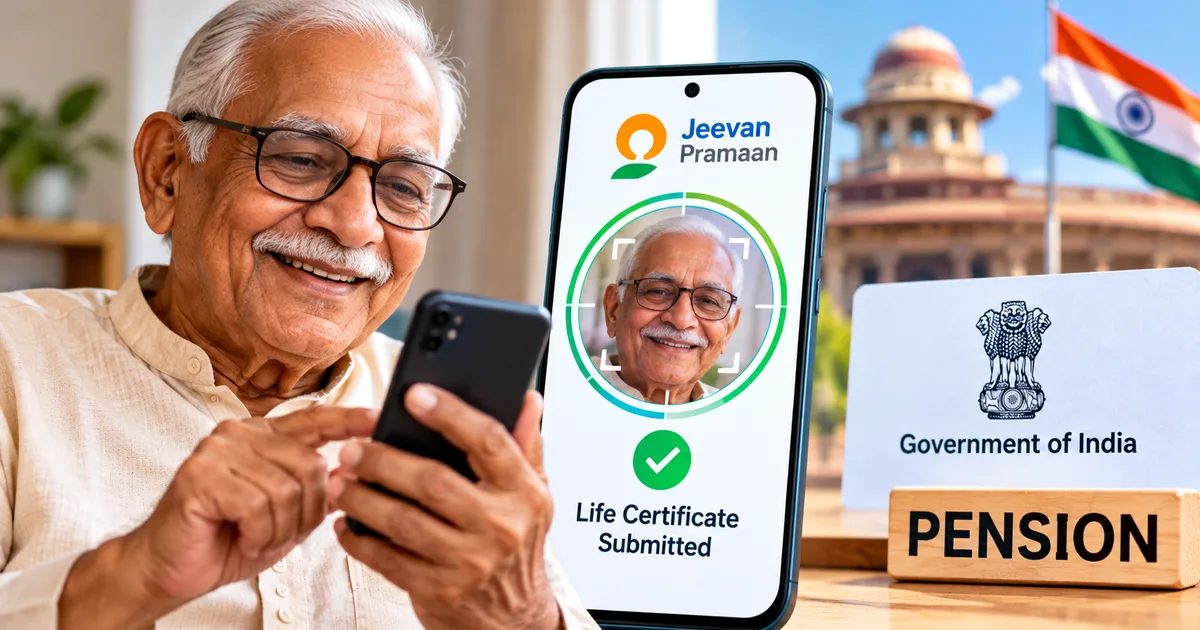
Every November brings the same familiar ritual for millions of Indian pensioners: proving they're alive so their monthly pension doesn't stop. For years, this meant waking up early and standing in a slow queue for hours at a crowded State Bank of India or Punjab National Bank branch. With Jeevan Pramaan 2026, you don't have to put your elderly parents through that hassle anymore. You can submit your digital life certificate right from your smartphone in about ten minutes.
Honestly, it was dead simple when I helped my 74-year-old uncle finish his submission last week. In my experience, older folks dread those annual bank visits the most, but we just sat on the sofa with a cup of tea. No bank counters. And we didn't spend ₹2,500 on a biometric fingerprint scanner either.
The Department of Pension and Pensioners' Welfare has made things much simpler with facial authentication (which makes sense, actually, given how common smartphones are now). If you've got an Android phone and an Aadhaar number, you already have what you need. Here's our practical breakdown of how the entire system works this year, along with the exact screens you'll encounter.
Who can submit digital life certificate in 2026 and when
Age decides the timeline here.
Super senior pensioners aged 80 and above got a head start. Their submission window opened on October 1, 2026. That gave them two full months to submit without any rush. For everyone else, including central government pensioners, state government retirees, EPFO EPS-95 beneficiaries, telecom pensioners, and defence veterans on the SPARSH portal, the regular window runs from November 1 to November 30, 2026.
The Department of Pension and Pensioners' Welfare issued a circular clarifying that pensioners aged 80 years and older can submit their annual digital life certificate starting October 1 every year, while pensioners below 80 years must submit theirs between November 1 and November 30 to avoid any interruption in pension disbursal.
Miss that November 30 cut-off, and your bank will pause your December pension credit until you provide proof of life. The money isn't lost. But getting it released later requires extra paperwork and follow-ups, which is a mess. If you ask me, finishing it early in November is your best bet because it saves a lot of unnecessary running around.
What you need before opening the app
Look, before you tap anything on your screen, get a few specific documents together. Searching for paperwork while an app timer runs is annoying, and the session will log you out if you take too long. In my experience, having the papers on the table beforehand cuts your effort in half.
- An Android smartphone running Android 8.0 or higher with an active internet connection and a working front camera of at least 5 megapixels.
- The pensioner's 12-digit Aadhaar number or 16-digit Virtual ID.
- The active mobile number linked with the pensioner's Aadhaar to receive the one-time password.
- The PPO number (Pension Payment Order), which is printed on the original pension passbook or pension sanction letter.
- The exact name of the pension sanctioning authority, sanctioning agency, and disbursing agency such as Central Government, Defence, or Postal.
- The pensioner's bank account number where the monthly pension arrives.
- A well-lit room with soft daylight on the face, avoiding harsh backlighting from a window behind you.
A quick note for Apple users: the government's facial recognition service still doesn't support iOS (annoying, I know). You can't do this on an iPhone or iPad at all. If everyone in your home uses Apple devices, borrow an Android phone from a neighbour or relative for fifteen minutes.
Two government apps you must install on your phone
This is where most people get tripped up. If you ask me, having two separate apps confuses almost every first-timer. Thing is, you need both from the Google Play Store because they operate together as a pair.
First, search the Google Play Store for AadhaarFaceRD developed by the Unique Identification Authority of India (UIDAI). Tap install. When the download finishes, you won't see an app icon in your phone's app drawer. Don't panic, because that's completely intentional. AadhaarFaceRD is just a secure background service that handles facial biometric verification for government apps, so it has no interactive screen of its own.
Second, install the Jeevan Pramaan Face App developed by the National Informatics Centre (NIC). You can find the direct download link on the official Jeevan Pramaan website (jeevanpramaan.gov.in) or on the Play Store under official government publishing handles.
Once both apps are on your phone, open the Jeevan Pramaan app. It asks for camera and location access. Grant both permissions right away, or the app won't be able to trigger the UIDAI face capture engine.
Step-by-step guide to submit Jeevan Pramaan online using face app
The whole submission works in two distinct stages. First comes operator authentication. Only after that does the pensioner complete their life certificate. If you're doing this for your parent, you count as the operator. I'm not sure exactly why the government set it up with a separate operator check first, but that's how it is.
-
Complete the operator authentication. When you first launch Jeevan Pramaan, the screen displays a header titled Operator Authentication. Enter your Aadhaar number and registered mobile number, plus your email address. Tap the orange Submit button. You'll receive a six-digit OTP on that mobile number within thirty seconds. Enter the OTP and tap Verify. Next, the screen will ask you to scan the operator's face. Hold the phone upright in front of your face. Keep still until the red oval turns green, then blink your eyes once when prompted. Once matched, the screen shows Operator Authentication Successful.
-
Enter the pensioner details. The app now takes you to a fresh screen titled Pensioner Authentication. Enter the pensioner's 12-digit Aadhaar number and their mobile number. Tap Submit, and enter the OTP received on the pensioner's Aadhaar-linked phone. Next comes a detailed form. Fill in the pensioner's full name exactly as it appears in Aadhaar records. Select the pension type from the dropdown, such as Service, Family, EPS, or Others. Pick the Sanctioning Authority and Disbursing Agency (such as your bank), and then select your specific bank branch. Carefully type the PPO number and the bank account number.
-
Answer the re-employment and remarriage questions. At the bottom of the form, you'll see two mandatory yes-or-no radio buttons asking whether the pensioner is re-employed or remarried. For most standard retirees, you will select No for both. Tick the declaration checkbox to confirm that all supplied information is accurate.
-
Review the summary screen. Tap Submit. The app displays a full preview screen showing every detail you just entered alongside the PPO number. Double-check every digit of the bank account and PPO. Seriously. If something looks wrong, tap the back arrow to edit it now, because modifying details after biometric submission requires visiting the pension office in person.
-
Perform the pensioner facial scan. Tap the Scan button. The screen switches to the AadhaarFaceRD camera view. Seat the pensioner facing natural light. Position their face inside the oval frame on the screen. The guide text under the oval will say Face Detected, Hold Steady. The oval border changes color from red to green. The system then displays a small prompt: Please Blink. The pensioner must blink both eyes slowly. The camera captures the image automatically with a subtle shutter click.
-
Receive your confirmation and Pramaan ID. Once the UIDAI servers match the face against the Aadhaar central database, the screen displays a green checkmark with the pensioner's photograph and the generated Pramaan ID. A confirmation SMS containing this Pramaan ID is sent instantly to the registered mobile number. Take a screenshot of this final screen for your personal records.
And that's the entire submission. No forms to sign, and no chasing down gazetted officers for signatures.
How to check digital life certificate status and download the copy
Once you see the green checkmark, your digital life certificate has been submitted to the central Jeevan Pramaan repository. But your pension disbursing bank or agency still needs to fetch it and process it on their end.
Basically, wait around twenty-four hours before you check. In my experience, banks almost never update their records right away. Visit the official portal at jeevanpramaan.gov.in and click on the Pensioner Sign In link. Enter the Pramaan ID from your confirmation SMS and the captcha code. You'll receive an OTP on your registered phone. After entering the OTP, you can view your digital life certificate card and download a PDF copy to save on your phone or store inside DigiLocker.
For defence veterans whose pensions moved to the SPARSH system, you can also log into your SPARSH portal account. Check the Track Status section to confirm that the life certificate verification date has rolled forward to November 2027.
If you enjoy keeping your essential personal records organized digitally on your phone, you can also check our step-by-step tech guides for managing other government paperwork online.
If you want to help your family download other official government participation certificates or identity documents, our Har Ghar Tiranga certificate download guide walks through another simple online process.
Common Jeevan Pramaan face authentication errors and how to fix them
While the process is straightforward, the facial scan can fail if conditions aren't ideal. If you ask me, lighting issues cause most of the trouble. Here are the issues people run into most often, based on what I've seen while helping seniors:
- Poor lighting or shadow mismatch. The AadhaarFaceRD algorithm is sensitive to shadows across the nose and cheeks. Avoid overhead tube lights that cast dark patches under the eyes. Instead, have the pensioner sit opposite a window during morning daylight.
- Difficulty with the eye blink. Many elderly individuals struggle to blink on cue when staring into a bright phone screen. Tell them to keep their eyes relaxed and close them naturally for a full second when the prompt appears. Do not squint or shake the phone.
- Camera permission disabled. If the Jeevan Pramaan app closes abruptly when you tap the Scan button, open your Android Settings, go to Apps, find both Jeevan Pramaan and AadhaarFaceRD, and ensure Camera and Storage permissions are set to Allow.
- PPO number mismatch. If the app displays an error stating Invalid PPO or Account Mismatch, verify your PPO against last year's pension slip. Even a missing forward slash or an accidental space will cause the bank's database to reject the submission.
Alternative options if face authentication fails repeatedly
Sometimes, severe cataracts or tremors prevent the UIDAI facial recognition model from hitting its confidence threshold. The numbers here are a bit fuzzy, but in my experience, a small fraction of senior faces simply won't match on a phone camera. If you try three or four times without success, don't stress the pensioner out.
You have reliable alternatives that still keep you away from crowded bank branches:
- India Post Payments Bank (IPPB) Doorstep Service. You can book a visit through the Post Info mobile app or by calling your local post office. A Gramin Dak Sevak comes directly to your house carrying a handheld biometric device. They verify the pensioner using fingerprint or iris scans right in your living room for a nominal fee of about ₹70.
- Common Service Centres (CSC). Almost every neighbourhood in urban and rural India has an authorized CSC kiosk. They charge around ₹30 to ₹50 to run the verification using commercial optical scanners.
- Doorstep Banking (DSB) alliance. Major public sector banks like SBI and PNB offer doorstep banking for senior citizens above 70 years, bookable via the PSB Doorstep app or toll-free helpline.
If you're helping older family members manage their daily financial apps and digital accounts, our JioFinance digital account setup guide covers another convenient tool worth exploring for simplified household banking.
Beware of pension verification scams during November
Every year when November starts, cybercriminals target retired seniors with fraudulent SMS messages and WhatsApp calls. Scammers claim that the victim's pension has been suspended due to an expired life certificate and offer to renew it over a WhatsApp video call.
Never share your Aadhaar OTP, bank debit card CVV, net banking password, or UPI PIN with anyone claiming to represent your pension office or bank. No government official will ever ask you to transfer ₹5 or ₹10 to activate a certificate (never do this, obviously). If you receive sketchy messages, report them immediately on the National Cyber Crime Reporting Portal at cybercrime.gov.in or call the 1930 emergency helpline. You can read more about recent fraud patterns on our latest online scam alerts page.
Submitting your proof of existence through the face app takes only a few minutes once you have the PPO handy. Getting it done in the first week of November gives you complete peace of mind. That way, your parent's monthly pension continues without a hitch.