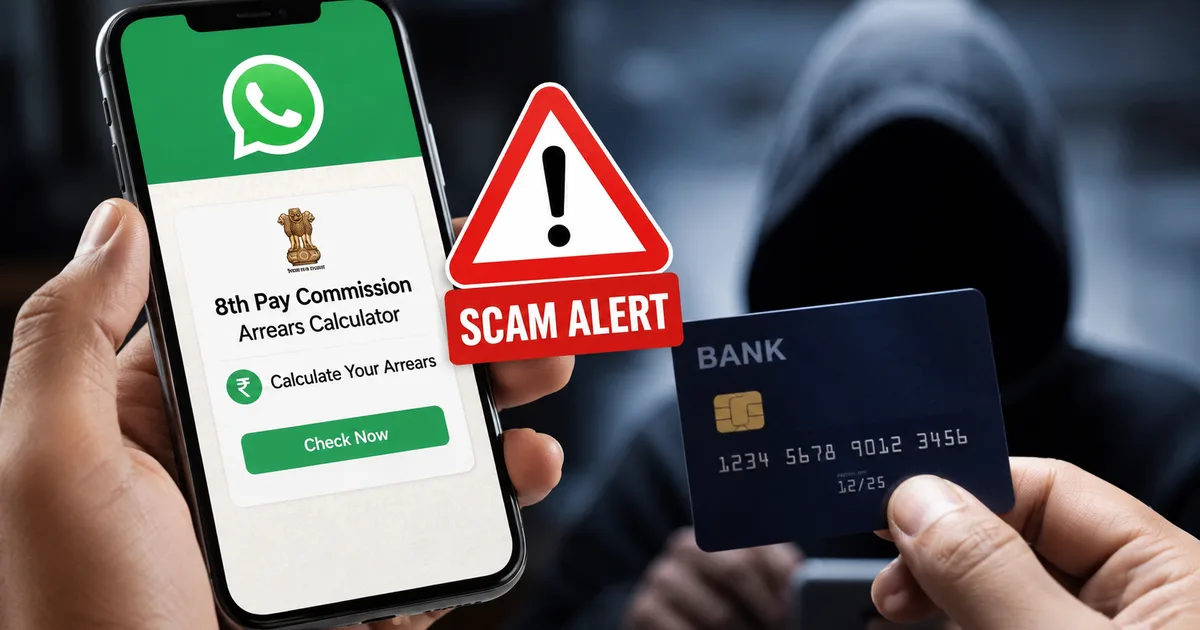
Look, I get it. The minute there's any news about the 8th Pay Commission, every central government employee wants to know exactly how much extra money they'll get. It's human nature. With talk of a 2.86 fitment factor and arrears potentially running into lakhs of rupees, the anticipation is huge. But scammers know this too. Right now, a highly dangerous fake 8th Pay Commission arrears calculator WhatsApp scam 2026 is spreading across department groups. They're using your curiosity against you.
I've seen dozens of these messages forwarded in railway and postal employee groups over the last few days. Honestly, they look completely legitimate. They promise to show exactly how much back pay you'll get based on your pay matrix level. But the reality is a targeted financial attack. It's designed to drain your bank account while you think you're calculating your future salary. In my experience, they always target the most anxious people first.
What is this fake calculator scam?
Fraudsters know the 8th Central Pay Commission consultations are ongoing. They are exploiting this. News reports are throwing around massive numbers. Based on recent consultations in New Delhi, employee associations want a merger of Dearness Allowance and basic pay. And if you look at the math circulating online, a Level 6 to 10 employee might see arrears ranging from Rs 8.5 lakh to over Rs 26 lakh. Top officials could see up to Rs 93 lakh in arrears. It is a lot of money. So when people hear they might get a cheque for Rs 14 lakh just based on fitment factor changes from 2.0 to 2.86, they want to verify it (which makes sense, actually). They want to know exactly what that means for their specific pay band.
That's the psychological trigger the scammers are pulling. They know you're thinking about that money. They know you're planning what to do with it. Maybe you want to pay off a home loan. Or maybe you want to invest in your kids' education. So when a message drops in your group chat claiming to give you the exact figure, it feels like a useful tool. It doesn't feel like a trap.
Basically, the scammers create a malicious Android application. It's usually named something like "8th_CPC_Arrears_Calculator_2026.apk". They drop this file into WhatsApp groups. They do this because government employees often share useful tools and PDFs with each other.
The message usually comes with an urgent warning. Sometimes it has a limited-time hook. It says something like "Check your arrears before the July deadline closes" or "Official calculator released for Level 1 to 14 employees." They make it sound official. Because it comes from a forwarded message in a trusted group, people click it. I think this is where most folks make their mistake.
But there's no official app. The government doesn't release standalone calculator apps via WhatsApp. When you download and install that file, you are handing over the keys to your financial life.
How the scam actually works
Honestly, this is one of the more dangerous scams I've seen recently. The process is remarkably simple from the user side. And that is why it's so effective.
Step 1: the WhatsApp forward
You receive a message with a link or an APK file directly attached. The text is very convincing. It might even copy the logo of a known financial news site. Sometimes it uses the National Emblem to look authentic. It asks you to install the app to calculate your DA and basic pay merger benefits.
Step 2: the installation request
Since the app is an APK file, your Android phone will warn you about installing apps from unknown sources. The scammers know this. So their message includes helpful instructions telling you to go to your settings and allow installations from WhatsApp. This is your first major red flag.
Step 3: demanding permissions
Once installed, the app opens. It might show a fake calculator interface. Before you can type in your basic pay, it asks for permissions. It wants access to your contacts and your SMS messages. It claims it needs these to send your calculation report.
Step 4: the OTP intercept
Once you grant SMS permission, the app can read every message you receive. It can also hide messages from you. The scammers sitting in a remote location now use your phone number to log into your UPI apps or internet banking. When your bank sends an OTP to verify the login, the malicious app intercepts it. It sends the OTP to the scammers and deletes it from your phone. You never even see the SMS arrive. The numbers here are a bit fuzzy, but we know this happens in seconds.
Step 5: draining the account
With the OTP in hand, the fraudsters reset your UPI PIN. Or they authorize large transfers. Within minutes, your hard-earned savings are gone. Because you are busy trying to get the fake calculator to work, you might not notice the bank alerts immediately. It's a complete mess.
The warning signs you need to spot
You have to be paranoid about this stuff now. The days of trusting everything your colleagues forward are over. You need to memorize these specific warning signs.
- If an app isn't on the Google Play Store or Apple App Store, don't install it. Period.
- A calculator has absolutely no reason to read your text messages. If a utility app asks for SMS access, it's a scam.
- Many of these messages have weird capitalization or spelling mistakes. Real government communications are usually proofread.
- Some versions of this scam ask you to pay a small registration fee of Rs 10 to unlock the calculator. Never enter your UPI PIN to receive money or access a service.
CERT-In regularly warns about these exact types of SMS-forwarding trojans. They are incredibly common. And they are completely devastating.
"Users must refrain from downloading apps from third-party sites or clicking on untrusted links received via SMS or WhatsApp. Always verify the source before granting permissions like SMS access."
How to protect yourself and your money
Prevention is basically just good digital hygiene. If you have older relatives or less tech-savvy colleagues, you need to explain this to them clearly.
Adjust your phone settings. Go into your Android settings. Ensure that the install unknown apps option is disabled for WhatsApp and your web browser. This stops accidental installations right at the source.
If you want to calculate your potential arrears, do it manually. The math isn't that hard. Or use established financial websites. Just don't download dedicated apps for this one task.
Talk to your colleagues. If you see someone forward an APK in a department group, call them out immediately. Tell the group it is malware. You could save someone their entire life savings just by speaking up. You can read more about how these group dynamics work in our guide on understanding WhatsApp fraud rings.
Make sure you have your bank's official app installed. Turn your notifications on. Don't rely solely on SMS alerts. Those can be intercepted by this exact type of malware. Push notifications from the banking app itself are much safer (annoying, I know, but necessary).
Never keep all your funds in an account linked to UPI on your primary phone. It's a terrible idea. Keep your main savings in an account that doesn't have UPI active. Better yet, keep it in an account you only access via a laptop or a secondary device that you don't use for WhatsApp. This single step acts as a massive firewall between a scammer and your life savings.
Monitor your CIBIL score regularly. Scammers steal your current balance, and they also use your stolen SMS OTPs to apply for instant personal loans in your name through various apps. You might not even know you're in debt until the recovery agents start calling. If you spot unauthorized loans, report them to the credit bureaus immediately. We cover this extensively in our financial safety explainers.
What to do if you already downloaded it
If you're reading this and realizing you installed that app yesterday, don't panic. Act immediately. You have a very narrow window to stop the damage.
Disconnect your phone from the internet. Turn off WiFi and mobile data right now. This cuts off the scammers' ability to get your OTPs or control the app remotely.
Delete the app. Go to your settings, find the app, and uninstall it. If you can't find it, you might need to factory reset your phone. Yes, it's a hassle. But it's better than losing everything.
Contact your bank. Use another phone if you have to. Call the customer care number on the back of your debit card. Tell them to freeze your internet banking and block your UPI immediately. Tell them you suspect your phone is compromised.
Where to report the fraud
If money has already left your account, you need to report it formally. Don't complain on Twitter. The Indian government has specific channels for this.
Call the National Cyber Crime Helpline at 1930 immediately. I'm not sure exactly why the banks take so long, but if you call within the first hour, there's a much higher chance they can freeze the funds. They can do this before the money is withdrawn from the scammers' mule accounts.
And you also need to file a formal complaint at cybercrime.gov.in. Keep all your bank statements and the transaction IDs ready. Keep screenshots of the WhatsApp messages ready too. The police will need these to track the money trail. For more detailed instructions on dealing with the aftermath, check out our step-by-step reporting guides.
The 8th Pay Commission will eventually announce its findings. You'll get your arrears when they're officially disbursed. Until then, don't let curiosity push you into making an expensive mistake. Tell your friends. Tell your coworkers. Keep your money safe.