The IBPS PO 2026 exam dates are officially out, with recruitment open for 7565 posts. Naturally, candidates are stressed and constantly checking their phones for that one important update: the admit card release. Scammers know this exactly. Right now, there's a highly sophisticated fake IBPS PO admit card 2026 SMS scam going around. It's designed to steal your login credentials and ultimately your money.
Honestly, it makes my blood boil. Targeting students and job seekers who are already under immense pressure is just a mess. I've been seeing reports of these messages flooding WhatsApp and standard SMS inboxes across India over the past few days. I think the numbers here are a bit fuzzy right now, but they're huge. So if you've applied for the banking exams this year, you need to be extremely careful about what links you click on your phone.
What exactly is the fake IBPS PO admit card scam?
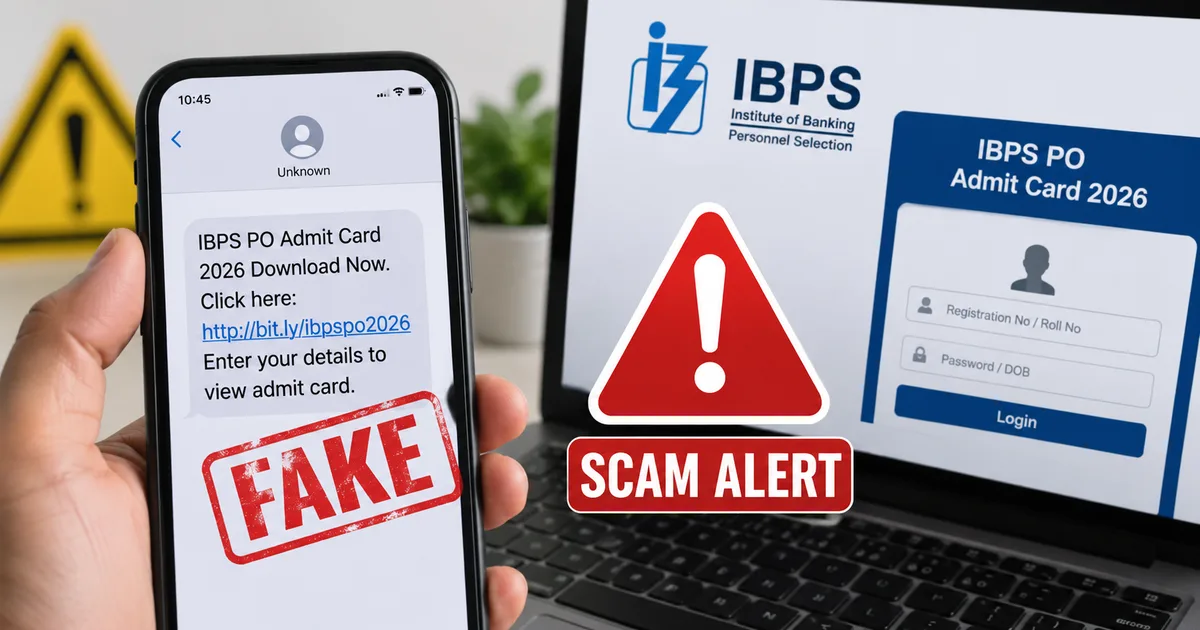
Basically, fraudsters are sending out mass text messages and WhatsApp alerts claiming that your IBPS Probationary Officer preliminary exam admit card is ready to download. The message usually includes a sense of urgency. They'll tell you that your application will be cancelled if you don't download the hall ticket within 24 hours.
And of course, they provide a very convenient link right there in the message.
Here's the deal. That link doesn't go to the official Institute of Banking Personnel Selection website (ibps.in). It redirects you to a cloned website that looks nearly identical to the real IBPS portal. Or worse, it prompts you to get a sketchy APK file onto your Android phone.
If you ask me, this is a targeted phishing and malware attack.
Once they have your credentials or access to your phone, they can intercept OTPs and drain your bank accounts. It's a terrifying escalation from the usual spam we all get (which is bad enough, I know). For more background on how these attacks operate, you can read our general guide on common mobile scams.
How the scam actually works, step by step
Understanding the mechanics of the fraud is your best defense. I spent some time looking into how these networks operate. The process is frighteningly systematic. In my experience, scammers stick to what works.
Step 1: The panic-inducing message
It always starts with an unsolicited message. You get an SMS that says something like: "Dear Candidate, Your IBPS PO 2026 Prelims Admit Card is available. Download immediately to avoid application rejection. Click here: [fake link]".
They use sender IDs that look vaguely official, like "VK-IBPSPO" or something similar. They're playing on your anxiety. When you've been studying for months, your first instinct is to secure that hall ticket.
Step 2: The fake portal or malicious app
If you tap the link, one of two things happens.
Scenario A is you're taken to a website that visually mimics the official IBPS login page. It'll ask for your Registration Number and Password or Date of Birth. The moment you type these in and hit submit (and it happens a lot), the scammers capture your login credentials in plain text on their servers.
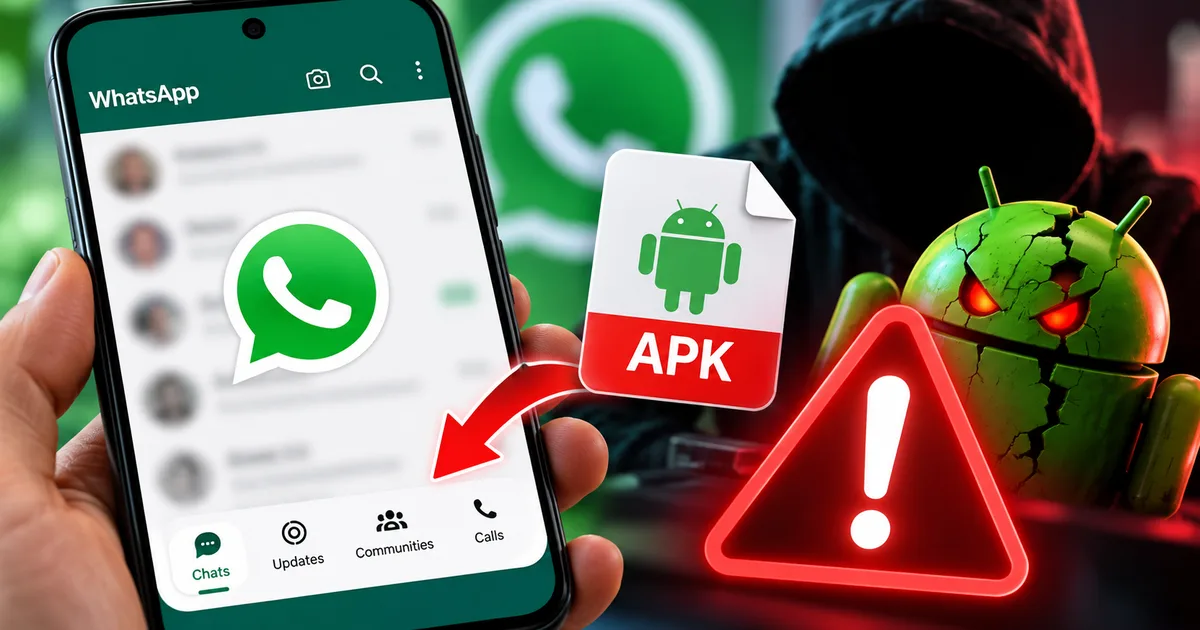
Scenario B is worse. The link prompts an automatic download of an Android application (.apk file). The file might be named "IBPS_AdmitCard_2026.apk". If you install this, you're giving malware full control over your device.
Step 3: Taking over your digital life
If you downloaded the APK, things get really bad very fast. This malicious app asks for extensive permissions. Especially the ability to read and send SMS messages. They want your SMS because that's where your bank sends your One Time Passwords (OTPs).
The scammers initiate a password reset on your bank account or try to link your number to a new UPI device. Your bank sends the OTP. The malware intercepts that OTP, hides the notification from you, and forwards the code directly to the scammers. Before you even realize something is wrong, your account balance is wiped out.
Critical warning: Never install apps from unknown sources or direct links in text messages. Your bank and the government won't ask you to install an APK file for an exam.
Warning signs that the message is fake
You don't need a computer science degree to spot these fakes. You just need to know what to look for. Here are the red flags I always tell people to watch out for. And honestly, they're pretty obvious once you know them.
- Look at the URL closely. The official website is exactly "ibps.in". Scammers use URLs that look similar but are slightly off, like "ibps-admitcard-nic.in" or "download-ibps-2026.com". If it doesn't end in exactly .in or .gov.in, close the tab immediately.
- Urgency and threats. Official bodies rarely threaten to cancel your application via SMS for not downloading a ticket immediately. Fear is a scammer's primary tool.
- Requests to install apps outside the Play Store. Admit cards are usually downloaded as PDF files from a website. There's absolutely no reason you'd need to install a dedicated Android app just to view a hall ticket.
- Grammar and spelling mistakes. Many scam messages still contain awkward phrasing or weird capitalization.
"Fraudsters are increasingly targeting job seekers and students because they know this demographic is actively expecting communications containing links and attachments. Always verify the source independently."
How to protect yourself and your bank accounts
Look, staying safe is just about building a few good habits. I want you to be able to focus on your exam prep, not worrying about your bank balance. If you ask me, this shouldn't even be a concern you have right now.
First, only ever visit the official website by typing it manually into your browser. If you want to check if the hall tickets are out, open Chrome or Safari and type "ibps.in". Navigate to the downloads section yourself. Never trust a link handed to you in a message.
Second, disable "Install Unknown Apps" on your Android phone. Go to your phone's settings, search for "unknown sources", and make sure no browser or messaging app has permission to install applications. This one setting can save you from a massive financial disaster.
Third, keep track of official news sources. When the admit cards are actually released, major news outlets will cover it. You can check our news section for verified updates on exam notifications and tech alerts.
If you're using a public computer at a cyber cafe to download your actual admit card, make sure you log out completely and close the browser when you're done. Never save your password on a public machine.
What to do if you clicked the link
Let's say you panicked. You clicked the link, and realized too late that it was a scam. Don't freeze. You need to act fast to minimize the damage.
If you just entered your IBPS login details on a fake site, go to the real official website immediately and change your password. If you use that same password for your email or bank accounts, change those immediately too. It's tedious, but you have to.
If you downloaded and installed an APK file, the situation is a bit more severe.
- Disconnect your phone from the internet right now. Turn off Wi-Fi and mobile data. This stops the malware from sending your intercepted OTPs back to the scammers.
- Boot your phone into Safe Mode.
- Go to your settings and uninstall the sketchy app.
- Honestly, to be completely safe, I strongly recommend doing a full factory reset of your device. It's annoying, but it's the only way to be 100% sure the malware is gone.
Where to report these scams in India
We can't just ignore these messages. We have to report them so the authorities can take down the fake sites and phone numbers. I'm not sure exactly why more people don't do this.
If you've lost money, you need to call the National Cyber Crime Reporting Portal helpline at 1930 immediately. The faster you call, the higher the chance they can freeze the fraudulent transaction and recover your funds.
You should also file a formal complaint online at cybercrime.gov.in. It takes about fifteen minutes, and it helps law enforcement track these networks.
Also, you can report malicious links and phishing attempts to the Indian Computer Emergency Response Team (CERT-In) by forwarding the details to incident@cert-in.org.in. They actively work to block these domains across Indian ISPs.
If you found this alert helpful, please share it with anyone you know who is preparing for bank exams this year. It's much better to be slightly annoying by sharing too many warnings than to see a friend lose their savings. For more deep dives into how these frauds operate, check out our other detailed guides.
Stay safe out there. Just focus on the preparation. And don't let these scammers derail your hard work.
The anxiety of banking exams in India
To really understand why this scam is so effective, you have to look at the context of banking exams in India. We're talking about millions of applicants competing for a few thousand spots. The IBPS PO 2026 recruitment has 7565 posts. And the competition is fierce.
Candidates spend years preparing, joining coaching institutes, taking mock tests, and sacrificing their social lives. The pressure from families and society to secure a government or public sector bank job is immense. When you're operating under that level of stress (which makes sense, actually), your critical thinking skills take a hit. You're constantly on edge, waiting for the next update.
Scammers exploit this psychological state. I think this is exactly why they are so successful.
They know you're expecting an SMS. They know you're waiting for a link. They're simply injecting themselves into an existing, highly anticipated communication channel. It is a very calculated move.
Why the shift to APK malware?
You might be wondering why scammers have moved from simple phishing sites to distributing APK files. The answer is that Indian banking security has actually gotten quite good. With mandatory two-factor authentication for almost all transactions, simply stealing a password isn't enough anymore. They need the OTP. In my experience, security upgrades just force scammers to get creative.
And the only reliable way to get your OTP is to compromise the device that receives it (annoying, I know, but true).
Android's open ecosystem allows users to side-load apps from outside the Google Play Store. Fraudsters take advantage of this by creating apps that look innocent, like an "Exam Prep App" or an "Admit Card Downloader". But they are actually banking trojans. Once installed, these trojans hide in the background. They specifically monitor incoming messages from banks and UPI platforms like Google Pay, PhonePe, Paytm, and BHIM.
The role of Aadhaar and KYC
Another angle these scammers sometimes use is tying the fake admit card download to a fake KYC update. The message might claim that your Aadhaar isn't linked properly and you need to complete a quick verification before downloading the hall ticket. It's a total scam, if you ask me.
Don't fall for this. The IBPS handles all document verification during the application phase or at the interview stage. They won't send you a random text message asking you to update your Aadhaar details on a third-party website to unlock an admit card. If you hand over your Aadhaar number and the OTP that follows, you are giving them the keys to your entire financial identity.
Using DigiLocker for official documents
While admit cards are typically downloaded directly from the examination authority's website, I should mention the government's push for digital document verification. Many official documents, including mark sheets and certificates, are now available via DigiLocker.
If you're ever in doubt about the authenticity of government document requests, remember that official channels are moving towards secure, centralized platforms like DigiLocker. Be extremely wary of temporary, poorly designed websites asking for your sensitive information.
I think the internet is a fantastic resource for learning and preparation. But it is also full of traps. Keep your guard up. Trust only official websites. Never install random apps. And don't let the stress of the exam make you a target for financial fraud.