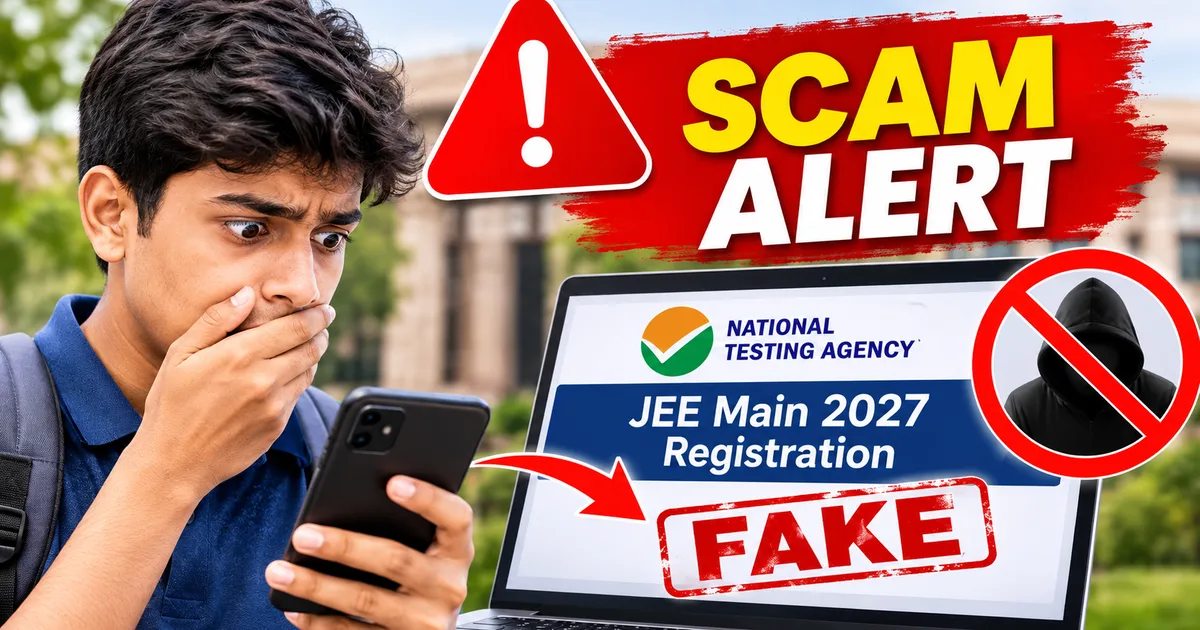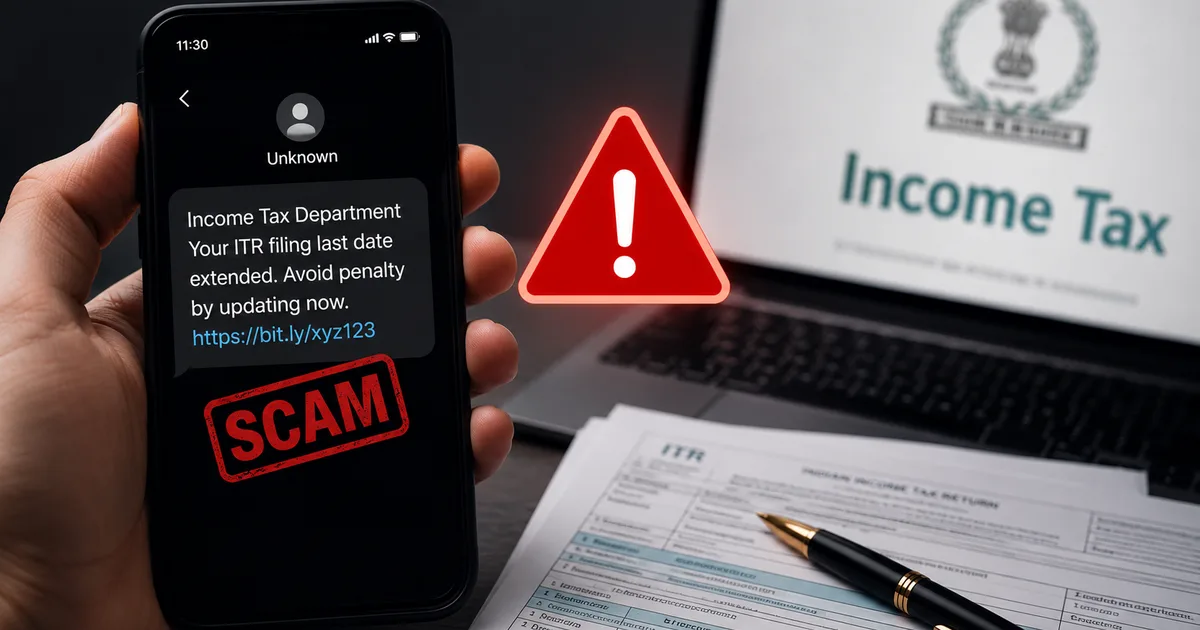
July 31st is here, and half the country is panicking about filing their income tax returns. And scammers know it. The Fake ITR Filing Last Date Extension Penalty SMS Scam 2026 is currently targeting thousands of taxpayers across India. I've been tracking these fraud messages for the past few weeks. Honestly, they're getting dangerously sophisticated.
You probably got a text or WhatsApp message this morning. It claims the July 31 deadline has been extended. But there's a catch. You have to pay a small penalty right now. Or maybe the message threatens you with a massive fine for missing the deadline and gives you a link to download your notice. Don't click it. Here is what is actually going on, and how you can protect your bank details.
What exactly is the fake ITR extension penalty scam?
Scammers are blasting out fake alerts pretending to be from the Income Tax Department. They use the confusion about deadline extensions to trap you. Every single year, people wait until the very last minute. They hope the government will push the deadline to August. So, scammers prey on this exact expectation and anxiety. In my experience, the panic is what gets people.
The Income Tax Department didn't extend the general July 31 deadline for AY 2026-27. Some groups requested a 15-day extension due to severe floods in Gujarat. But there is no blanket extension for salaried individuals across the country (which makes sense, actually). The scammers read the news about extension requests and use it to craft believable lies.
Basically, these SMS and WhatsApp messages usually fall into three major traps.
- The late fee trap asks for a quick ₹1,000 or ₹2,000 via a UPI link to extend your filing deadline.
- The urgent tax notice trap claims you have 72 hours to respond or face criminal charges and severe financial penalties.
- The refund failure trap states your massive tax refund is stuck because you missed a verification step.
The second one is particularly nasty this year. According to InfotechLead, these fake notices often include a link to download a file. Security researchers found that these are 2 MB to 35 MB malware files.
Once downloaded, they install spyware on your Android phone and clone your income tax portal login screen to steal your credentials.
The Income Tax Department will never send you an SMS with a random APK file or ask you to pay a penalty via an unverified UPI link. Official communications only direct you to the e-filing portal.
How the ITR malware scam actually works
I'll break down the step-by-step process of how people lose their money. Clicking a simple link is just the start. The methods are layered. And they are designed to bypass your natural skepticism. Honestly, the scammers put a lot of work into this.
Step 1: The panic message arrives
You get an SMS that looks incredibly official. It might say "RM-INCOMTX" or something similar in the sender ID. They do this to mimic government channels. It warns you that your PAN is blocked due to non-filing of ITR for AY 2026-27. It gives you a strict 72-hour deadline to respond. This is a classic social engineering tactic. It is designed to make you act without thinking clearly.
Step 2: The cloned portal
If you click the link out of panic, it takes you to a website that looks exactly like the actual e-filing portal. It has the same blue and white theme, the exact logos, the correct government emblems, and the "Azadi Ka Amrit Mahotsav" banner. But if you look at the URL carefully, it won't be incometax.gov.in. It'll be a sketchy variation like incometax-update-gov.com or just a raw IP address. Most people checking on their phones never notice the URL bar.
Step 3: Stealing your login details
The fake portal asks you to log in using your PAN and password. Once you do that, the scammers instantly have your credentials. But they don't stop there. They prompt you to download an updated ITR form or a tax computation utility to process your penalty or extension request. This is the 2 MB to 35 MB malware file I mentioned earlier. They mask it as a necessary PDF viewer or a specific government app. They also ask for your Aadhaar number or DigiLocker PIN under the guise of e-verification. Once they have your Aadhaar and PAN, they can practically assume your financial identity.
Step 4: The final bank drain
If you install that malicious file, you give the scammers full access to your phone's SMS inbox. They use your stolen PAN details to log into the real tax portal and find your linked bank account numbers. Then they initiate fund transfers. Since they can read your OTPs through the malware, they authorize the bank transactions silently before you even realize what hit you. Some of these scams even try to set up a new UPI PIN using the OTPs intercepted by the malware. Since UPI is directly linked to your bank account, this gives them a direct pipeline to drain your funds. They don't even need your ATM card. I know someone who lost ₹85,000 last week precisely because of this exact sequence.
They woke up to empty accounts.
For more on how these malicious applications spread and operate, read our comprehensive guide on common financial scams in India.
Warning signs: How to spot a fake tax notice
You need to know how to identify these frauds instantly. The government has a standard, formal way of communicating. Scammers almost always mess up the specific details. You just need to know what to look for.
- Check the sender ID immediately. Official IT department SMSes usually come from verified IDs like "ITDEFL" or "CMCPAN". If you get a message from a regular 10-digit mobile number, it's unequivocally a scam. Block the number.
- Verify the URL without clicking it. The only official website for filing returns and checking notices is eportal.incometax.gov.in. Period. Anything else, no matter how official it sounds, is fake.
- Watch for language and grammar mistakes. These fake messages often have weird capitalization, spelling errors, or poor grammar. The Income Tax Department uses standard, legally vetted templates.
- Don't trust artificial urgency and threats. The real tax department gives you reasonable time to respond to a notice, usually 15 to 30 days. They don't say to reply within 2 hours or face arrest. The government moves slowly. Scammers move fast.
- Ignore demands for UPI payments. The government never collects late fees via WhatsApp UPI links. Check the UPI handles. If someone is asking for a penalty payment, the UPI ID shouldn't be a random phone number or a weird string of characters. Official payments happen through secure bank payment gateways, not direct P2P UPI transfers.
Also, the tax department never asks for your debit card details, CVV, internet banking passwords, or ATM PIN to process a refund or collect a penalty. If you see a payment gateway asking for this specific information on a random link, close the tab immediately. That's a dead giveaway. The numbers here are a bit fuzzy, but I think thousands fall for this every day.
How to protect yourself from the ITR deadline fraud
So, how do you keep your bank account and your personal data safe? It comes down to following a few strict, non-negotiable rules during tax season.
First, absolutely never click on links in an SMS or WhatsApp message about your income tax. I can't stress this enough. If you think you might have a penalty or a notice, open your browser. Type in the official e-filing website address yourself, log in, and check your dashboard. Any real notice will be listed securely under the Pending Actions or e-Proceedings tab in your account.
Second, don't download any files sent via WhatsApp or links in an SMS. The government provides all necessary offline utilities directly on their official downloads page. A 35 MB file sent via Telegram is a virus, not a tax form. Never sideload APK files onto your Android phone unless you're absolutely sure of the source (annoying, I know, but necessary).
Third, turn on two-factor authentication for everything that matters. Your email, your bank accounts, your social media, and your e-filing account. The e-filing portal supports Aadhaar OTP, net banking login, DSC, and secure access codes. Use them. Even if a scammer gets your password, they can't log in without that second factor.
Fourth, keep your phone operating system updated. Apple and Google constantly patch security vulnerabilities. Running an old version of Android makes it a mess. It is much easier for these malware files to take root. And if you are expecting a refund, you can always check the status via the official portal or your DigiLocker. You don't need a third-party app to tell you if your money is coming. I'm not sure exactly why people trust these random apps, but they do.
If you need help understanding the actual filing process and how to navigate the real site safely, you can read our explainer on navigating the e-filing portal.
What to do if you clicked the link or installed the app
Mistakes happen. These scams are designed to be stressful and confusing. If you realize you fell for the fake ITR filing last date extension penalty SMS scam, you need to act fast. Speed is your only defense here. If you ask me, the first hour is the most critical.
If you only clicked the link and entered your password on a fake site, go to the real incometax.gov.in immediately and change your password. Then, check your profile settings to see if any contact details like your email or mobile number were modified by the attacker. They often change these to intercept future official communications.
If you downloaded and installed an app from a link, things are a mess. Here's what you must do right now, in this exact order.
- Put your phone in airplane mode immediately. This cuts off the scammer's internet access to your device and stops them from transmitting your OTPs.
- Call your bank from another phone and freeze your accounts, debit cards, and UPI IDs immediately. Tell them your phone has been compromised.
- Boot your phone in safe mode and try to uninstall the malicious app. A full factory reset is the safest option. It wipes everything, including the hidden malware.
- Report the fraud to the authorities. This is non-negotiable.
Where to report ITR scams in India
Reporting the scam is critical, even if you didn't lose money. It helps authorities track the server locations and shut down these fake portals before they trap someone else. In my experience, a lot of people skip this step out of embarrassment.
You must report cyber fraud on the national portal at cybercrime.gov.in immediately. It is the official channel for all digital financial crimes in India. If money has already been deducted from your account, call the national cybercrime helpline at 1930 immediately. The faster you call, the higher the chance they can freeze the transaction before the money leaves the banking system.
The Indian Computer Emergency Response Team (CERT-In) also actively tracks these malware campaigns. You can report phishing emails or malicious links to them directly at their incident reporting portal. They analyze the malware and issue nationwide advisories.
And remember, if you haven't filed your return yet, just go to the official site and do it. If you missed the deadline, you can still file a belated return until December 31, 2026, with a penalty of up to ₹5,000 under section 234F. You pay this penalty through the official TIN NSDL portal or the e-Pay Tax service on the income tax website. You never pay through a random UPI link sent to your phone.
Stay sharp out there. Verify everything twice. Don't let the panic of tax season cost you your hard-earned money. Always rely on official channels. If something feels off, it usually is. You can find more safe computing tips and threat breakdowns in our digital security guides.