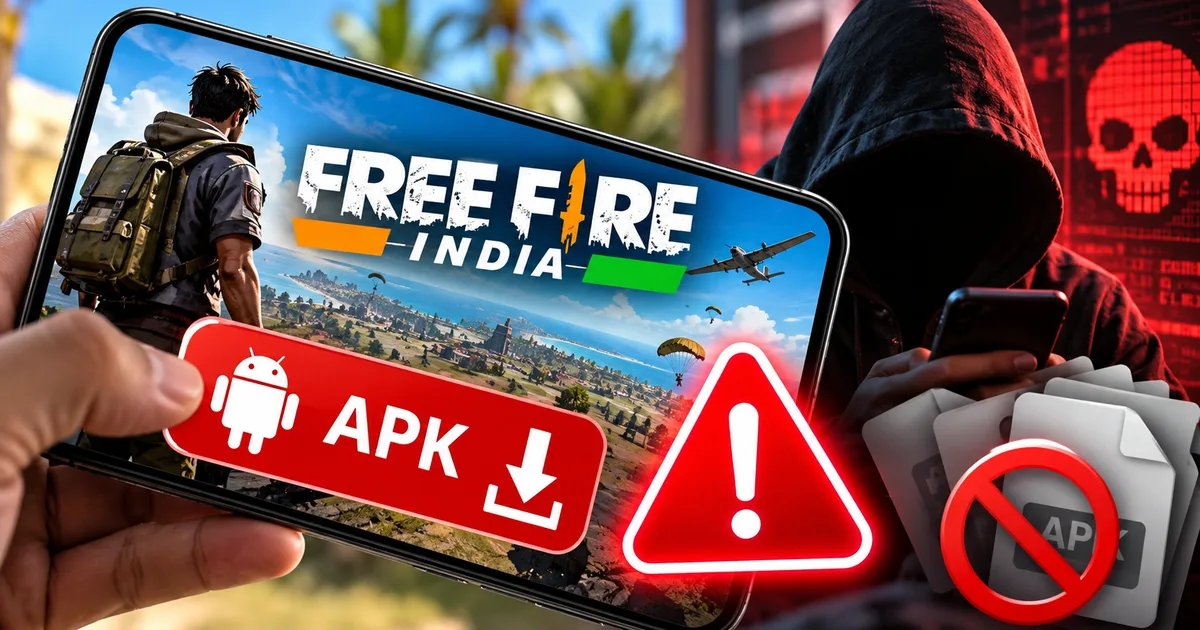
If you spent any time on Telegram gaming groups or YouTube Shorts recently, you probably ran into posts claiming that Garena quietly released the game early. They give you a download link and promise unlocked skins, telling you to bypass the official Play Store waiting list. Don't touch those files. The fake Free Fire India APK download scam is currently spreading across Indian gaming communities, and it has nothing to do with the actual battle royale release. Instead of letting you jump onto the battlegrounds, these packages secretly install banking trojans. They read your text messages, steal your notifications, hijack your screen, and empty your bank account before you even notice your phone slowing down.
Here's the deal: Garena hasn't launched any standalone installation package for India. The game is still unreleased while regulatory clearances and localized data storage protocols wrap up (which makes sense, actually, given the scrutiny). But scammers know millions of Indian teens and young adults are desperate to play. So they exploit that impatience ruthlessly.
Thing is, this isn't an isolated trick either. Fraudsters across India are recycling the exact same dirty software packages under different names. In Mumbai alone, police reported that citizens lost over ₹2.7 crore to APK download scams in just thirty days, usually through fake utility bill updates or entertainment apps. Similar malware operations target players looking for fake BGMI update downloads on shady community channels. When you tap install on an unverified file, you aren't getting a game. You're handing a scammer complete remote control over your entire digital life.
In my experience, this Free Fire wave is hitting students and working professionals especially hard. Our team tracks these threats daily across our cyber fraud tracking alerts, and the pattern is ugly. A lot of parents hand their personal Android phones to their kids for gaming. They have no clue that a single sideloaded installation can wipe out savings linked to their UPI accounts.
How the fake APK installer takes over your phone
Scammers don't rely on fancy zero-day exploits to get inside your device. They just rely on you doing the heavy lifting for them.
The whole operation is a three-stage setup built to bypass Android's built-in safeguards.
Stage 1: The bait on Telegram and YouTube
The scam begins with short video clips on Instagram Reels and YouTube Shorts. Fraudsters upload old gameplay footage from the global version of Free Fire MAX and slap an Indian flag graphic in the corner. Then they claim it's the exclusive 2026 Indian build. In the video description, they direct viewers to a Telegram channel or a cloud storage link on sites like MediaFire or Mega.
In those Telegram groups, admins pin messages with download buttons promising free diamonds and instant server access. They disable comments so victims can't warn anyone else. When someone clicks the link, an installation file with a title like FreeFireIndia_2026_Beta.apk downloads directly onto their phone storage. If you ask me, turning off comments should be an obvious red flag right away, but excited players rarely stop to question it.
Stage 2: Sideloading and permission grabbing
Android naturally warns you when you attempt to run packages outside Google Play. The screen flashes a warning about installing apps from unknown sources. Fraudsters anticipate this. So their video guides tell players to go into phone settings, enable unknown source installations, and dismiss Play Protect warnings.
Once you tap install, the app doesn't open a game. It displays a fake loading screen that freezes at 99 percent, or simply crashes and hides its icon from your app drawer. Behind that frozen screen, the app requests high-privilege Android system permissions. The most dangerous is the Accessibility Service.
Look, never grant Accessibility permissions to any app unless you have a specific disability need. Accessibility services exist to help vision-impaired users navigate Android. When a malicious app gets this access, it can read every word displayed on your screen, log what you type, and simulate button taps without your consent.
The malware also asks for SMS read permissions and notification listener access. Once granted, it registers an unconditional SMS forwarding background task that silently redirects all incoming messages to an offsite server (annoying, I know, but remarkably effective for thieves).
Stage 3: Silent account draining via SMS redirection
Now the attacker has everything they need. They don't need your physical phone.
On their own device, the fraudster enters your mobile number into banking apps or payment services like PhonePe, Google Pay, Paytm, or BHIM. When the bank sends a six-digit verification code, your phone receives it. But you won't see it vibrate. The malicious service intercepts the notification, marks it as read, deletes the SMS from your inbox, and forwards the code directly to the criminal through an encrypted Telegram bot API.
If they don't already have your debit card details, they use a phishing overlay. The app throws up a fake prompt asking you to verify your identity or enter your UPI PIN to claim free in-game diamonds. The moment you enter those credentials, they execute unauthorized fund transfers to digital wallets or pre-purchased mule accounts.
Cyber criminals exploit gaming excitement because young players readily disable operating system warnings. Once an unknown APK gains notification access and SMS permissions, attackers control the two-factor authentication channel needed for financial transfers.
By the time the victim realizes what happened, thousands of rupees are gone. Honestly, what's even worse is when fraudsters take short-term personal loans through instant lending apps already installed on the phone, transferring the borrowed cash straight to their own accounts.
Clear warning signs of a fraudulent game installer
You don't need a degree in computer science to identify these malicious packages. Scammers cut corners, and their fake installers leave obvious clues.
Keep an eye out for these specific red flags before you ever consider running an APK from the web:
- The file size is suspiciously small. A full modern battle royale game with textures and audio files requires between 1.5GB and 3GB of storage. If someone hands you an installation file that is only 30MB or 45MB, it's a dropper script, not a game.
- The installer requests sensitive system rights. A genuine game asks for storage access to save game assets, or microphone access for voice chat. If a package demands permission to read text messages, access contacts, or manage phone calls, close the installer immediately.
- The download source isn't the Google Play Store. Garena has stated repeatedly that official releases will appear on verified app marketplaces. Any file distributed through Telegram, WhatsApp forwards, or shady blog links is an unverified binary.
- The application icon disappears right after installation. Legitimate games place an icon on your home screen. Malware hides its presence so you forget it's running in the background.
- Your device begins overheating and draining battery rapidly. When a background trojan constantly scans SMS databases and transmits telemetry data to a remote command server, phone processors stay active even when the screen is locked.
- The download page asks you to turn off Google Play Protect. Scammers claim Play Protect flags the game because it's a pre-release version. That is a complete lie. Play Protect flags it because it contains known malware signatures.
I think the most worrying part is how easily this trick spreads. This exact signature appears in other entertainment scams as well, including malicious OTT app packages that promise free streaming passes but quietly install screen-mirroring spyware.
How to protect your Android phone and clean off infections
If you or someone in your family already downloaded one of these files, don't panic. But you need to act quickly. Every minute the malware stays active gives the attacker another window to intercept messages.
Follow these remediation steps immediately:
- Cut internet connectivity right away. Swipe down your notification shade and turn on Airplane mode, then manually turn off Wi-Fi. This severs the connection between the malware and the scammer's command server, stopping ongoing data exfiltration.
- Boot your Android device into Safe Mode. Press and hold your phone's power button until the power menu appears. Long-press the Restart or Power Off icon on screen until the Safe Mode prompt appears, then tap confirm. In Safe Mode, all third-party apps are prevented from starting automatically.
- Check device administrator apps. Go to Settings, search for Device Admin Apps, and review the list carefully. If you see any unknown app with administrative rights, revoke them immediately. Malware often uses admin status to prevent users from hitting the uninstall button.
- Inspect Accessibility Services. Open Settings, navigate to Accessibility, and look under Installed Apps. Turn off any service that you didn't deliberately enable for a known accessibility tool.
- Remove the offending package. Open Settings, go to Apps, tap See all apps, and search for recently installed items. Look for apps with generic names like System Update, Service, or blank icons. Tap the app, clear its cache and storage data, and hit Uninstall.
- Run a full security scan. Once connected to a secure network, open Google Play Store, tap your profile icon, select Play Protect, and run a scan to confirm no residual components remain.
If the suspicious app still won't disappear or your phone continues displaying intrusive popups, don't take half-measures. Backup your irreplaceable personal photos and offline documents to a computer, and perform a full factory reset. A clean wipe removes rootkits and stubborn persistence scripts that standard uninstallers miss. You can check our detailed phone security walkthroughs if you need step-by-step help with device recovery.
Also, make sure you keep your phone's operating system updated. Recent Android security patches actively block sideloaded apps from claiming Accessibility privileges unless you go through multiple hidden developer menus, making it much harder for trojans to succeed.
Where to report cyber fraud and recover lost money
When money disappears from your bank account, speed is your single biggest advantage.
The numbers here are a bit fuzzy depending on how fast you spot the debit, but cyber police call the first two hours after a fraudulent transaction the golden hour. During this window, the money is often still sitting in the scammer's intermediary payment wallet or nodal bank account before being routed through dozens of mule accounts or cashout points.
If you notice an unauthorized debit from your State Bank of India, HDFC Bank, ICICI Bank, or Axis Bank account, take these actions immediately:
- Call the National Cyber Crime Reporting Helpline by dialing dial 1930 immediately. Keep your transaction details ready, including the 12-digit UPI reference number (UTR), the exact amount deducted, the sending bank account, and the beneficiary UPI ID or account number. The operator can initiate an emergency freeze on the beneficiary account through the Citizen Financial Cyber Fraud Reporting and Management System.
- File an official cyber complaint online at cybercrime.gov.in. Upload screenshots of the fraudulent Telegram group, the APK file name, your bank statement showing the unauthorized debit, and any SMS alerts you received. Keep the generated acknowledgement number safe for police follow-ups.
- Contact your bank's emergency fraud desk. Tell them your phone was compromised by mobile malware. Instruct them to block your debit card, freeze internet banking access, and delink your mobile number from all active UPI applications until you clean your device.
- Report the malicious APK details to the Indian Computer Emergency Response Team at CERT-In (https://www.cert-in.org.in/). CERT-In analyzes emerging malware samples and coordinates with telecommunications providers to take down fraudulent command-and-control servers operating across Indian IP pools.
Losing money to a phone scam is frustrating, but remember that fraudsters rely entirely on deception and speed. If you stick to official app stores and ignore random APK files shared on social media, your phone stays safe. Share this warning with your gaming friends and family members before someone taps the wrong link.