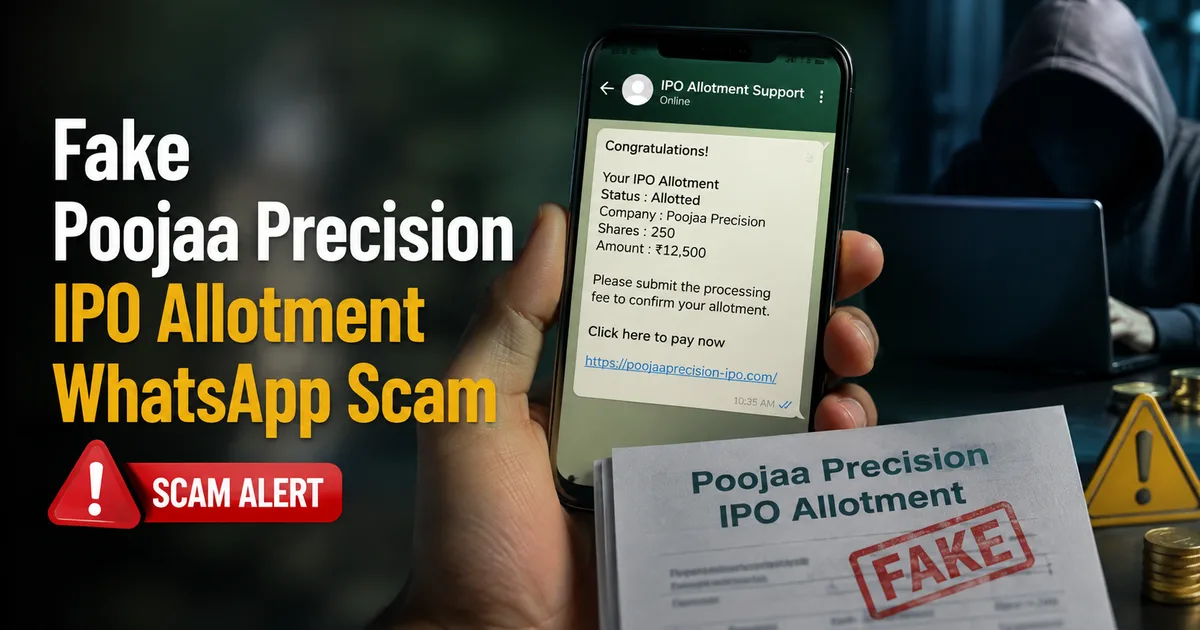
Look, the IPO market right now is absolutely crazy. Everyone wants a piece of the action. And scammers know it. I've been getting forwards all morning about the Poojaa Precision IPO allotment, and it's a complete mess. Basically, scammers are running a massive fake Poojaa Precision IPO allotment link WhatsApp scam in 2026, and they're specifically targeting regular Indian investors who are just trying to see if they got lucky.
If you applied for the Poojaa Precision SME IPO, you're probably anxious to know your status. The grey market premium is supposedly signaling a 75% listing premium. That's serious money. Everyone is hoping to double their investment in a matter of days. But here's the deal. If you get a WhatsApp message from an unknown number giving you a "direct link" to check your allotment, don't click it. I can't stress this enough.
This isn't some harmless spam trying to sell you a credit card. This is a targeted attempt to wipe out your bank account. Honestly, the scale of this particular fraud is alarming. Scams like this have exploded over the past few months. Just last week, an 80-year-old man in Bengaluru lost over Rs 2.51 crore to a fake IPO investment scam he found on Facebook. People are losing their life savings. Because they trust a simple message on their phones.
What is the fake Poojaa Precision IPO allotment scam?
So, what exactly are we dealing with here? Scammers are exploiting the hype around the Poojaa Precision IPO to steal your credentials. They send out bulk WhatsApp messages that look incredibly professional. The message usually claims that the allotment is out. It gives you a link to check if you got the shares. They might even use official-sounding language, referencing your PAN card or application number to sound legitimate.
The link, however, is a trap. It doesn't go to the official registrar. It doesn't go to the BSE website. It goes to a fake portal designed to look exactly like a legitimate financial website. The design and layout are copied perfectly to fool you into thinking you're on a safe platform. Or worse, it downloads a malicious APK file straight onto your phone.
I've seen a few variations of this. Some messages say your allotment is confirmed. They say you need to pay the remaining balance to claim your shares. Others say there was a payment failure and your shares will be cancelled unless you verify your UPI pin immediately. Some even claim you won a "bonus allotment" and just need to click the link to accept it. It's all fake. Every single bit of it.
How the WhatsApp IPO scam actually works
Understanding the mechanics of this fraud is your best defense against it. Scammers are getting smarter. Their methods are pretty slick. They rely on social engineering and a bit of technical trickery. This is how they operate step by step.
First, they get your number. You might wonder how they know you applied for an IPO. The truth is, they probably don't. They buy huge lists of phone numbers belonging to active retail investors or people who frequently trade stocks. Sometimes, this data is leaked from unregulated brokers or third-party financial apps. They cast a wide net, knowing that with a popular IPO like Poojaa Precision, a good percentage of the people they message will have actually applied.
Second, they send the bait. You get a WhatsApp message. It might have the official BSE logo as the profile picture, or the logo of a well-known registrar. The text is urgent and pushes you to act quickly. "Poojaa Precision IPO Allotment Declared. Click here to check your status and claim your shares before the deadline." They want you to panic and click before you think. (Which makes sense, actually.)
Third, you click the link. This is where things go wrong fast. Depending on the specific scam they're running, one of two things happens next.
Scenario A: The Fake Login PageThe link takes you to a website that perfectly mimics the official IPO registrar or a popular stockbroker app. It asks for your PAN card number and your Demat account details. Sometimes they even want your net banking login credentials. They might even ask for your Aadhaar number or DigiLocker PIN to "verify" your identity. They make the form look very official. Once you type that info in, they have everything they need to access your accounts. You just handed them the keys to your financial life.
Scenario B: The Malicious App DownloadThis one is far more dangerous. It's unfortunately becoming very common. The link prompts you to download an app to check your status. It's usually an APK file that bypasses the Google Play Store. If you install it, you're giving a remote hacker full control over your phone. They can read your incoming SMS messages. This means they can intercept the OTPs sent by your bank when they try to transfer your money out. You won't even know it's happening until your account is empty.
Fourth, they drain your funds. Once they have your OTPs or login details, they work fast. They transfer your money to mule accounts. These are bank accounts set up using fake identities or bought from people willing to sell their accounts for a small fee. From there, the money is often converted to cryptocurrency. Or it's withdrawn from ATMs in different states. By the time you realize your IPO application wasn't the only thing processed, your bank balance is zero.
Warning signs you should never ignore
You can spot these scams if you know what to look for. Scammers always leave traces. Keep these red flags in mind the next time you get a sketchy message.
- The message comes from a random, unsaved 10-digit mobile number, or a foreign number starting with +92 or +62. Official updates from your broker or the exchange usually come from verified business accounts with the green tick, or standard SMS short codes.
- The link looks weird. It won't be bseindia.com or the official registrar's site. It will be something like bse-allotment-update.vip, poojaa-ipo-status.in, or some other random string of words. They use random domains to trick you, hoping you don't look closely at the URL bar.
- The message creates a false sense of urgency. They tell you that you must act within the next 30 minutes, or that your allotment will be cancelled if you don't verify right now. Real financial institutions do not force you to rush like that. IPO allotments are processed in batches and your status doesn't expire in 10 minutes.
- They ask for your UPI PIN to "receive" the shares or a refund. You never need to enter your UPI PIN to receive money or shares. You only enter your PIN to send money. This is the absolute golden rule of digital payments in India. If anyone asks for your PIN to give you something, it is a scam. Period.
- The app asks for strange permissions. If an IPO checking app wants permission to read your SMS messages, access your contacts, or view your phone logs, delete it immediately. A simple status check does not require access to your personal messages.
If you want to read up on similar tactics and how to spot them across different platforms, we've covered other frauds extensively in our scam alerts section. You should probably check that out to protect yourself from future attacks.
How to safely check your IPO allotment
I know waiting for the allotment is stressful. You have money locked up and you want to know the outcome. But you have to do it the right way. Don't take shortcuts. A few minutes of patience could save you lakhs of rupees.
Always use the official sources. For the Poojaa Precision IPO, or any IPO for that matter, you should only check your status on the official website of the BSE or the designated registrar for the issue. You can usually find the registrar's name in the IPO prospectus, on your broker's app, or on legitimate financial news websites. (I'm not sure exactly why they don't make this easier to find, but that's how it is.)
Don't trust links forwarded in WhatsApp groups. Even if your best friend or family member sends it to you, they might've been duped themselves. They might be unknowingly spreading the scam. Type the official URL directly into your browser. Bookmark it if you have to.
If you're using a stockbroker app like Zerodha, Groww, Upstox, or Angel One, check the status directly within their official mobile app. Don't click on external links claiming to be from your broker. Most legitimate brokers will send you an email or an in-app notification once the allotment is finalized.
If you're unsure about the safety of your device, or if you want to learn more about securing your online presence, read our detailed guides on digital security. We cover everything from setting up two-factor authentication to identifying phishing emails.
What to do if you clicked the fake link
Okay, let's say you made a mistake. It happens to the best of us. You clicked the link. You downloaded the app. Or maybe you entered your details on the fake site. Don't panic. Act immediately. Time is running out. Every minute you waste is another minute the scammers have to access your funds.
First, turn off your mobile data and Wi-Fi immediately. Put your phone in airplane mode right now. Don't wait. This cuts off the scammer's connection to your device and stops them from intercepting OTPs or downloading more malicious files.
Second, use another device to contact your bank. Borrow a phone from a family member or friend. Call your bank's official customer care number. Don't search for the number on Google using the infected phone, because scammers often plant fake customer care numbers online, and malware can hijack your search results. Look at the back of your debit card or your physical bank passbook for the real number. Tell them you suspect fraud and ask them to freeze your account and block your debit and credit cards immediately.
Third, if you installed an APK file, you need to factory reset your phone. I know it's a massive hassle to lose your photos and messages, but in my experience, it's the only way to be absolutely sure the malware is completely gone. Don't just uninstall the suspicious app. These malicious programs often hide deep within the system files. Factory reset the entire device to wipe it clean.
Fourth, change all your passwords. From a safe device, change your net banking password and your email passwords. Update your UPI PINs too. If you use the same password across multiple sites, change them all.
Where to report the scam
The Indian government has set up specific channels for reporting cyber fraud. You have to use them. Even if you didn't lose any money, reporting the scam helps authorities track down the criminals and take down the fake websites.
Go to the official National Cyber Crime Reporting Portal at cybercrime.gov.in. File a detailed complaint. Include the phone number that sent you the message. Add the exact link they used, and screenshots of the WhatsApp chat and the fake website if you have them. The more details you provide, the better.
You should also immediately call the national cybercrime helpline at 1930. This number is specifically designed for reporting financial frauds. The faster you call them, the higher the chance they can freeze the stolen funds before the scammers withdraw the cash. They have a system in place to alert banks and payment gateways across the country.
You can also check the official advisories from CERT-In. They frequently post updates about new malware strains and phishing tactics targeting Indian users. Staying informed is half the battle. They are the frontline defense against cyber threats in India, and their website is a goldmine of information on how to stay safe.
Look, these scammers are ruthless. They don't care if you're a student, a pensioner, a small business owner, or a daily wage earner. They just want your money, and they'll use every trick in the book to get it. The Poojaa Precision IPO is just the flavor of the week. Next week it'll be another company, or another fake scheme. Maybe another WhatsApp forward. You have to stay alert. Don't let the fear of missing out make you careless with your hard-earned bank details. Verify everything. Trust nothing that comes through a random WhatsApp message. That's the only way to protect yourself.