The threat hiding in your inbox
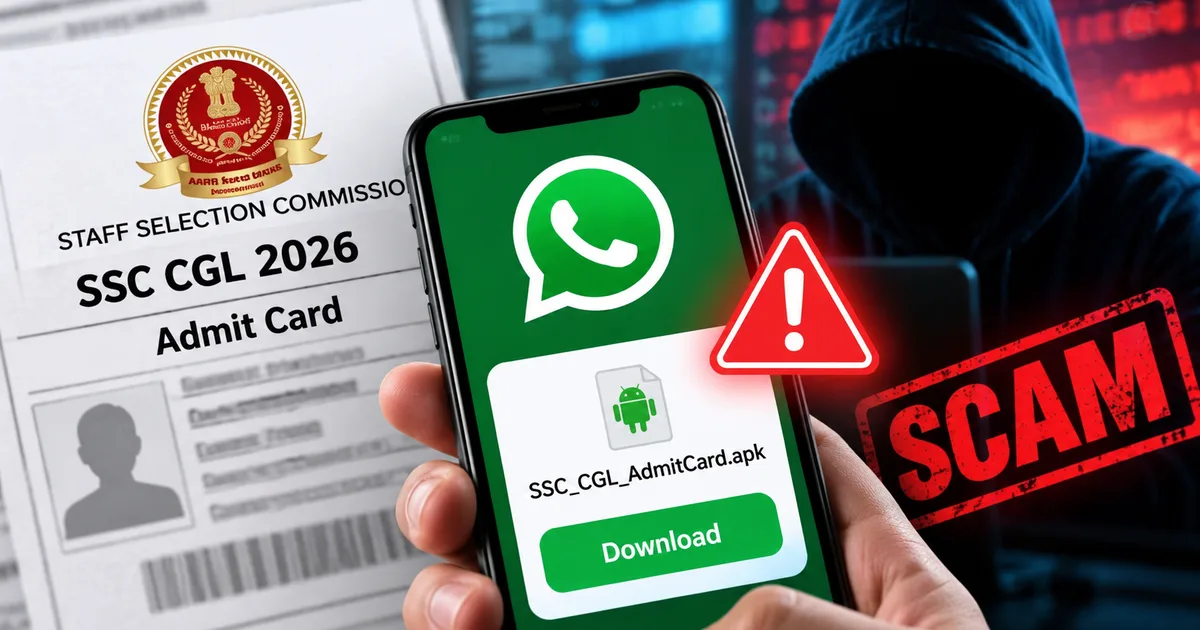
If you're preparing for the Staff Selection Commission exams right now, you're probably checking your phone constantly. You want that notification. You need to know your exam center. And scammers know exactly how desperate you are. Right now, a highly coordinated fake SSC CGL 2026 admit card download WhatsApp APK scam is actively stealing money from aspirants across India.
This isn't your standard phishing link where someone asks for your password. It's much worse. It's a piece of malware that silently takes over your Android phone. I've been tracking how these frauds operate over the last few months, and the tactics are getting aggressive. Honestly, scammers just weaponize our anxiety. They know that when a message claims your exam is rescheduled, you stop thinking critically and just click. The pressure of the 13,917 vacancies makes people act completely irrationally (which makes sense, actually). I think the scammers are counting on that exact panic.
What is the SSC CGL APK scam?
To understand this fraud, we have to look at how modern cybercriminals operate in India. They don't need to trick you into handing over your OTP over a phone call anymore. They just need you to install a tiny file on your smartphone. If you ask me, this is the scariest part of the whole fraud.
The scam starts with a WhatsApp message. It looks legitimate. It might even have the SSC logo as the profile picture, so you think it's real. The text usually says something about a sudden change in exam dates or a final warning to download your hall ticket. Thing is, attached to this message is a file. The trick is that this file isn't a PDF. It's an APK file.
APK stands for Android Package Kit. It's the file format Android uses to install applications. When you tap that file, you aren't opening a document. You are installing an unverified app directly onto your phone. This completely bypasses the security checks of the Google Play Store. It's a huge mess.
We've seen this exact method destroy bank accounts recently. Just a few weeks ago, a man in Chandigarh lost almost Rs 5.5 lakh. He got a message about a pending traffic challan with an APK file attached. He downloaded it to review the alleged fine, realized it looked sketchy, and deleted it shortly after. But the damage was done. The app intercepted his OTPs in the background, and scammers maxed out his ICICI and SBI credit cards while he was completely unaware. You can read more about similar threats in our section on latest scam alerts.
The people behind the SSC CGL fraud use the exact same malware script. They just changed the file name from "E-Challan.apk" to "SSC_CGL_Admit_Card_2026.apk".
How the fraud actually works
The sequence of events is straightforward but fast. You need to know how quickly you can lose everything.
First, you get the message. It often comes from an unknown 10-digit number. Lately, police have noticed a massive rise in fraud calls and messages originating from Pakistan country codes, but many also use hijacked local Indian numbers. The Economic Times reported that Delhi Police recently issued explicit warnings about these APK messages. The numbers here are a bit fuzzy, but the threat is real.
"Fearing heavy fines, many people click on the link, which results in their phones being hacked. Fraudsters then gain remote access, putting victims at serious risk of financial loss," a senior Delhi Police officer recently warned regarding this exact style of malware.
You panic about your exam status and download the file. Your Android phone will likely show a warning saying "Install unknown apps" and ask for permission. In your rush, you hit allow.
The app installs. It might show a fake loading screen or an error message saying the server is down. You think it's just a glitch. You might even uninstall it.
But the app has already asked for, and received, SMS permissions.
This is the core of the attack. The malware sits in the background and watches your incoming text messages. Then the scammers try to log into your internet banking or try to link your bank account to a new UPI app on their own devices. I've seen this happen to people, and it's heartbreaking.
Your bank sends an OTP to your phone to verify the login. The malware reads the OTP, sends it to the scammer's server, and then immediately deletes the text message from your phone. You never even hear your phone ping. It's completely silent.
The scammer enters the OTP and drains the account. It's that simple. And it's devastating. The Economic Times recently reported on a man from Khadakpada who clicked a fake Mahanagar Gas bill link. He paid a nominal Rs 10 fee. Minutes later, Rs 8.68 lakh vanished from his accounts. Twenty-one other people fell for the exact same trick, losing over Rs 22 lakh collectively. The mechanism is identical. They trick you into installing an APK. They get your OTPs. They empty your accounts.
Warning signs you should never ignore
You can spot this scam before it ruins your month. You just have to know what to look for.
The biggest red flag is the file extension. Official government documents and admit cards are always in PDF format. Always. If a file ends in .apk, it's an application trying to install itself on your device. Never download an APK file from a WhatsApp message.
Another sign is the source of the message. The Staff Selection Commission doesn't send admit cards via WhatsApp (annoying, I know, because it would be convenient). They'll send you an SMS or an email telling you to log in to ssc.gov.in to download your documents. They don't send files directly.
Watch out for the language used. Scammers rely on artificial urgency. They'll say your application will be rejected in two hours if you don't download the file immediately. Real government portals give you weeks to download your hall ticket.
So if you're applying for multiple exams, be aware that this tactic is spreading. We're already seeing reports of fake IBPS PO admit card 2026 SMS scams using similar scare tactics to push malware onto the phones of banking aspirants. In my experience, these scammers just copy and paste the same strategy for every major exam.
How to protect your device today
You have to take proactive steps to secure your Android phone right now. Don't wait until you get one of these messages. Look, it's just not worth the risk.
- Disable unknown sources: Go to your phone settings, search for "Unknown apps" or "Install unknown apps". Make sure permission is turned off for WhatsApp and your file manager. This single setting stops APK scams in their tracks.
- Enable Google Play Protect: Open the Google Play Store, tap your profile icon, select Play Protect, and tap the gear icon to turn on device scanning. This will help detect known malware even if you accidentally download it.
- Rely on official channels: If you hear a rumor about SSC CGL notifications or admit cards, open your browser and type in the official URL yourself. You can also use the government's DigiLocker app to securely access your issued documents without clicking random links.
Be skeptical of groups. Scammers often operate in large WhatsApp or Telegram study groups. They drop these malicious links and pretend to be helpful students. A lot of people fall for fake SSC MTS Havaldar 2026 result link WhatsApp scams because someone in their study group vouched for the link. I think people trust their peers too easily in these stressful study groups.
What to do if you already downloaded the APK
If you read this too late and you already tapped on one of those fake files, you have to act immediately. Don't wait to see if money disappears.
Put your phone in airplane mode right away. This cuts off the internet connection and stops the malware from sending your OTPs to the scammer.
Use a different phone or a laptop to immediately log into your internet banking and change your passwords. Call your bank's customer care number and tell them your phone is compromised. Ask them to temporarily block all UPI and online transactions. Basically, bank reps deal with this all day, so don't be embarrassed to tell them what happened.
You'll need to completely wipe your infected phone. A simple uninstall is usually not enough, because these apps can hide their icons or install secondary payloads. You have to perform a full factory reset to ensure the malware is completely gone.
Once your phone is clean and your accounts are secure, you need to report the crime. The government has set up infrastructure for this. Go to cybercrime.gov.in and file a detailed report. You must also call the national cybercrime helpline at 1930. The faster you call 1930, the higher the chance they can freeze the fraudulent transactions before the money is moved to untraceable accounts. I'm not sure exactly why the banks don't block these transfers automatically, but you have to make that call.
The cybersecurity agency CERT-In constantly issues warnings about these evolving campaigns. The reality is that the technology is getting cheaper for criminals to use. We have to be the firewall.
Stay alert and check the file formats. Never let panic dictate what you click. Your bank account depends on it.