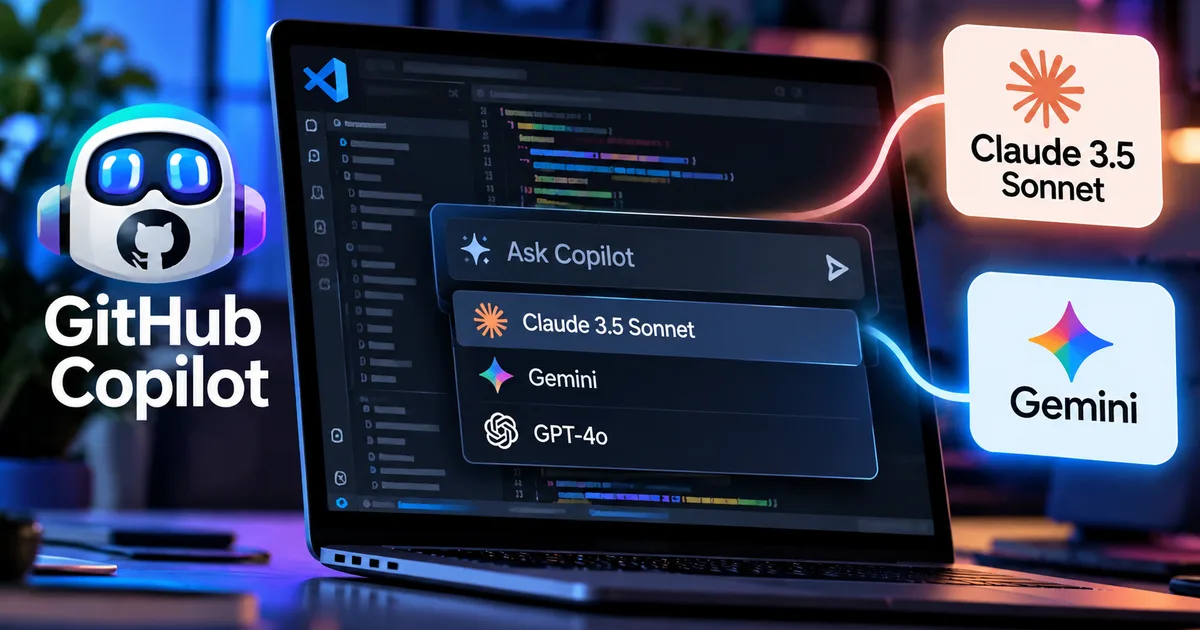
GitHub Copilot can now use different AI brains — and that's a bigger deal than it sounds
If you've been using GitHub Copilot for coding, you've probably noticed it running on OpenAI's models by default. That's been the deal since Copilot launched. But in late 2024, GitHub quietly changed the rules. They announced multi-model support, meaning you can now pick Claude 3.5 Sonnet from Anthropic, Gemini 1.5 Pro from Google, or o1-preview from OpenAI, all from inside VS Code. Same Copilot subscription. Different model underneath.
Honestly, this is one of the more interesting shifts in AI coding tools in a good while. It isn't magic. But it openly admits what most AI companies won't say out loud: no single model is best at everything. In my experience, pretending otherwise has always been silly.
Why multi-model support matters for developers
Think about it this way. Claude 3.5 Sonnet is genuinely strong at longer code reasoning tasks, especially when it has to hold context across big files. Then there is Gemini 1.5 Pro. It has a massive context window of 1 million tokens, which means it can theoretically read your entire codebase before answering. GPT-4o is fast. It handles everyday autocomplete without breaking a sweat. Independent benchmarks from 2024-2025 back these differences up, even if the gaps shift with every new release.
For Indian developers, having the right model for the job saves real time. Look at freelancers handling large client projects, or students grinding through tough DSA problems on LeetCode. Getting the right tool matters. And since you aren't paying extra per model switch (for now, at least), learning the ropes is a no-brainer.
That said, the pricing model is shifting. GitHub moved away from counting simple "premium requests" and switched over to GitHub AI Credits from June 2026. Every prompt gets billed strictly by tokens. That means both your input and output count. So if you pick Claude or Gemini instead of the base model, you burn through credits faster. If you ask me, keeping an eye on your balance is just common sense.
How to switch models in VS Code right now
Setting this up is simpler than the docs make it look. Here is what you actually do:
- Open VS Code. Make sure GitHub Copilot is installed and you're signed in with a Copilot Individual, Business, or Enterprise subscription.
- Open the Copilot Chat panel — either click the chat icon in the sidebar or press Ctrl+Shift+I on Windows/Linux (or Cmd+Shift+I on Mac).
- In the chat input box, look for the model selector. It shows the currently active model name — usually something like "GPT-4o" or "Claude Sonnet."
- Click on it. A dropdown appears showing all available models: Claude 3.5 Sonnet, Gemini 1.5 Pro, o1-preview, GPT-4o, and newer options depending on your plan.
- Select the model you want. The switch takes effect immediately for that session.
You can change the model per conversation, too (which makes total sense, actually). Run Gemini for a massive architecture review when you need long context. Hop to Claude for refactoring messy code. And for quick autocomplete suggestions? Just stick with GPT-4o. It works. The whole workflow feels surprisingly flexible once you get used to it.
I'm not sure exactly why, but there is still one detail without a clear official answer: whether your model choice persists across VS Code restarts. In my experience reading through GitHub's documentation, the chat panel seems to remember your last pick. But inline completions, that ghost text showing up as you type, might still default back to the base model unless you manually change it in settings.
Claude 3.5 Sonnet in Copilot: where it actually shines
Anthropic's Claude 3.5 Sonnet was their flagship model through most of 2024 and 2025 before Claude 4 came along. Inside Copilot, it is especially sharp at a few specific tasks:
- Explaining what a block of code does in plain language, without oversimplifying
- Refactoring messy legacy code with consistent reasoning across 200-300 lines
- Writing tests that actually make sense for the logic being tested
- Handling ambiguous prompts better than GPT-4o in many cases (though this is subjective)
If you are building Python backends or Node.js APIs where the model has to track heavy codebase context, Claude 3.5 Sonnet is well worth a test run. It just handles messy logic better. See also our comparison of Claude Opus 4.8 vs GPT-5 for Indian professionals if you want a deeper look at where Anthropic's lineup lands overall.
Gemini 1.5 Pro in Copilot: good for large codebases
Google's Gemini 1.5 Pro is the model to reach for whenever a project gets massive. That 1 million token context window is enormous. In practice, it completely changes how you work when you need answers spanning multiple files, or when you want the AI to digest your entire repository before offering suggestions.
In practice, this really helps when:
- You're onboarding to a new project and want to ask broad "how does X work here?" questions
- You're debugging something where the issue could be in any of five different files
- You need the model to understand your project's specific conventions before suggesting code
For Indian developers working on enterprise client repos or hefty open-source contributions, this is legitimately useful. Gemini 1.5 Pro inside Copilot is quite different from opening Google AI Studio in a browser tab. You stay right inside your editor, alongside your actual files, without pasting code into an external chat box. Honestly, that workflow convenience alone saves a ton of friction.
Curious about how Gemini fits into the broader picture? Our piece on Google DeepMind Gemini 3.0 and its India coding features covers where the model family is heading next.
What the new auto-tier system means for you
GitHub introduced new "Auto" model tiers back in September 2026. Basically, instead of picking an individual model, you just pick your priority:
- Efficiency: Cheaper, faster, good for simple completions
- Balance: Mix of speed and quality, the default for most tasks
- Intelligence: Best quality output, higher credit cost
Visual Studio Magazine ran tests on this in September 2026, feeding the exact same prompt across the tiers. The Intelligence tier gave noticeably sharper and deeper answers. But it also chewed through credits like crazy. For daily coding tasks, Balance is where you will probably want to spend most of your time. Save the Intelligence setting for nasty bugs or hard architectural questions.
Thing is, this is clever product design. Most developers do not want to research LLM benchmark tables every morning just to write a script. Tiers hide that complexity for anyone who simply wants decent results without obsessing over the engine.
Pricing reality for Indian developers
GitHub Copilot Individual costs $10/month, which is roughly ₹840/month at current conversion rates. That price gets you a base pool of GitHub AI Credits. But when you run premium models like Claude 3.5 Sonnet or Gemini 1.5 Pro on tough tasks, you burn through that balance much faster than you would on the default setup.
The Hindustan Times reported earlier in 2026 that token-based billing could bump effective costs by up to 9x for heavy power users compared to the old flat setup. Now, that is an extreme worst-case scenario. It mainly hits people running heavy models non-stop across giant codebases. The numbers here are a bit fuzzy for average usage, but if you are a freelancer or student doing regular work, the monthly allocation is plenty. Just check your credit balance inside your GitHub account settings once in a while so there are no surprises.
If you are a student, you can get GitHub Copilot for free through the GitHub Student Developer Pack. Anyone enrolled at an Indian college who has not applied yet should jump on this right away. You get Copilot Individual at zero cost, and it comes with full multi-model access.
For a broader look at how Copilot compares against rival tools, check out our piece on ChatGPT vs Gemini vs Copilot for Indian students in 2026.
Copilot vs Cursor: does multi-model change the equation?
Cursor has been winning fans among developers who crave deeper editor control. But multi-model support in Copilot narrows that gap fast. If your everyday workflow centers on GitHub repos and VS Code, jumping ship to Cursor just for model variety does not make much sense anymore.
Still, Cursor holds an edge in local file indexing. It scans your entire project directory in a way that feels smoother than Copilot's chat window approach. Both tools are capable. Which one you should pick comes down to your personal workflow.
For more hands-on tool comparisons and straight talk on what is worth your time, head over to our AI Tools and Software section.
A few things worth being honest about
Multi-model support is genuinely useful, but it comes with a few real limitations:
- Model availability changes. GitHub has added and removed models before. What's available today may shift.
- Inline completions and Copilot Chat may behave differently with different models. Not every feature works the same across all model options.
- You're still inside the GitHub Copilot sandbox. You don't get the same level of model configuration that you'd have using the APIs directly.
- Credit consumption with premium models on a Copilot Individual plan can add up faster than you'd expect if you're doing heavy refactoring sessions.
None of this means you should ignore the feature. They're just practical realities to keep in your back pocket so you aren't caught off guard.
GitHub Copilot's multi-model support lets developers choose between Claude 3.5 Sonnet, Gemini 1.5 Pro, and OpenAI models within VS Code — all under a single Copilot subscription, with credits consumed based on model and task complexity.
Here is the bottom line. If you subscribe to Copilot and haven't tried the model switcher yet, give it ten minutes this week. Fire up Claude 3.5 Sonnet on a gnarly refactoring job, or toss a massive architecture question at Gemini. You might discover an immediate favorite. Or you might decide the default model works fine for your routine. Either way, having that choice right in your editor is a huge win. For more deep dives, our how-to tech guides walk through practical setups step by step.