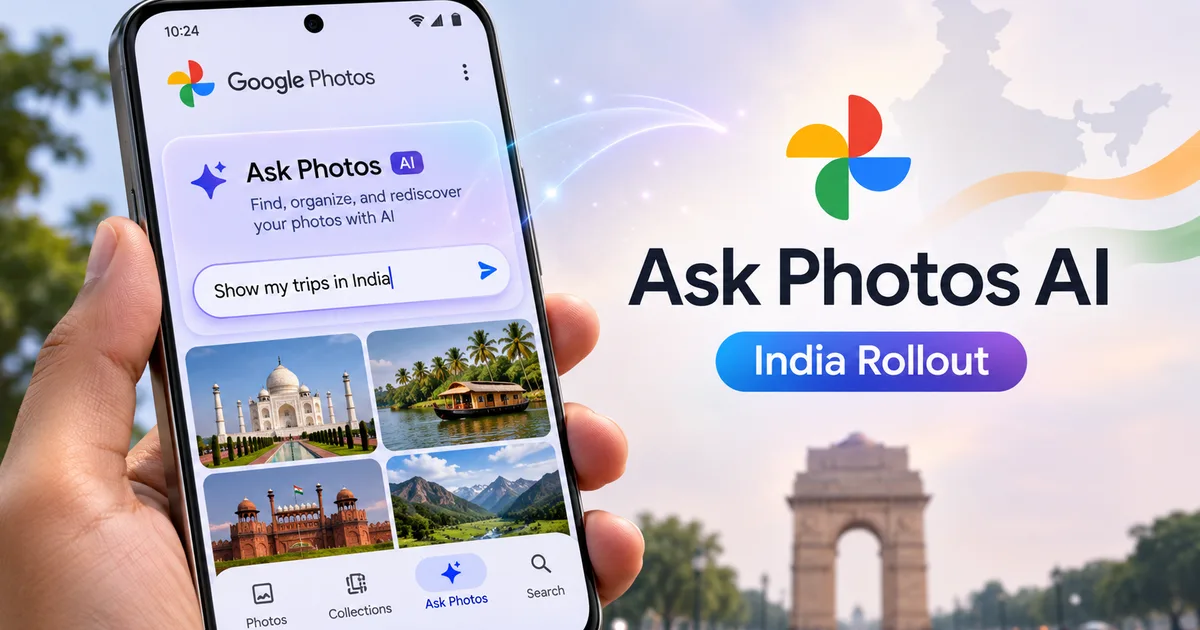
If your Google Photos library looks like mine, you probably have thousands of random images taking up cloud storage. Three thousand are screenshots of UPI payment receipts, eight hundred are blurry photos of stray dogs, and at least fifty are hurried snaps of your PAN card and Aadhaar card taken under bad lighting. Finding anything specific used to mean scrolling endlessly until your thumb gave up. But with the Google Photos Ask Photos AI feature India rollout, Google is replacing the old search bar with conversational intelligence powered by Gemini. Instead of typing basic words like beach or cat, you can now ask actual questions in plain language.
I tested this on my phone over the past week. Honestly, it changes how you look for old memories. Though it comes with a few weird quirks (which makes sense, actually) you should know about before turning it on.
What is Google Photos Ask Photos?
Ask Photos is an upgraded search tool inside the Google Photos app. It relies on Gemini personal intelligence to understand context in your photos instead of just reading file metadata or simple tags.
Old search in photo apps looked for simple matches. Search for cake, and the app showed every birthday cake in storage. Ask Photos is different. It checks people, places, dates, and text in your images. You can ask, "Where did we eat dinner during our Goa trip last year?" The app scans geotags, menu photos, and timestamps to pull up the exact picture of the bill or dish. In my experience, it usually gets it right on the first try.
Google launched this in India alongside countries like the US, Japan, and Australia before expanding to Europe. If you want to check out other updates in Google's AI lineup, take a look at our guide on Google Gemini AI 2026 Update: India features and pricing.
How to setup Ask Photos on Android and iOS in India
The feature rolls out via a server-side update. You don't need a brand-new phone like the Pixel 10a to use it, though flagship devices get updates faster. You can keep track of hardware updates in our breakdown of the Google Pixel November 2026 Feature Drop: India Rollout.
Here's how you set it up, step by step.
Step 1: Update your app and name your contacts
Open the Google Play Store or Apple App Store and update Google Photos to the latest build. Once that's done, open the app and tap your profile icon in the top right corner. Make sure your face groups are right. Go to Photos settings, select Group similar faces, and tag yourself, your family, and your close friends. If the AI doesn't know who Rahul or Priya is, half your natural language searches will fail.
Step 2: Access the Ask tab
Look at the bottom navigation bar inside the app. If the update is live on your account, the standard Search tab is replaced by a new Ask Photos tab with the Gemini star icon. Tap it. The first time you open it, Google asks for permission to let Gemini analyze your photo library data. Tap agree.
Step 3: Complete initial indexing
Your phone won't do all the heavy lifting locally. Google servers index your backed-up photos to build a contextual map. If you have over 20,000 photos, this indexing process takes anywhere from a few hours to two days. Keep your phone on Wi-Fi overnight so it finishes the initial pass. I think this background processing is why the battery doesn't drain too fast.
Practical Indian prompts to try right now
Most AI demos show clean examples like "sunset at the Pacific Ocean." That isn't how Indian users use phone cameras. We store LPG customer numbers, wifi passwords taped behind routers, and photos of RC books. Here are prompts that actually work well in real-world Indian conditions:
- Document lookup: "Show me my car insurance policy copy" or "What is my Aadhaar card photo from 2022?"
- Travel memories: "What hotel did we stay at in Jaipur when it rained?"
- Event details: "Photos of the wedding stage decoration from last November."
- Specific items: "What was the total bill amount on my last vehicle service receipt?"
Thing is, Gemini is surprisingly good at reading bad handwriting on bills and pulling out details. I asked it to find my scooter service invoice from eight months ago. It pulled up the exact image and highlighted the final price in a quick text summary right above the photo grid. (Honestly, my handwriting is a mess, so I was impressed).
Edit with Ask Photos: Prompt-based photo editing
Finding photos is only half of it. Google has also introduced Edit with Ask Photos. Instead of messing around with brightness sliders or saturation controls, you just describe the edit you want with text commands.
When you open a photo and tap Edit, you get a text box where you can type instructions like:
- "Remove the background glare from the street light."
- "Crop out the random person standing on the right side of the photo."
- "Give this picture a warm evening tone."
- "Fix the soft focus on my face."
The AI handles object removal, lighting adjustments, and framing in a few seconds. If you want more tutorials on practical photo and video software tools, check out our hub for AI Tools & Software.
Edit with Ask Photos lets Android users make visual tweaks by describing changes in natural language, eliminating the need to manually navigate complex photo editing tools.
Ask Photos vs traditional Google Photos search
To see if this upgrade really makes a difference, I ran a direct comparison across common daily search tasks.
| Search Query / Task | Old Google Photos Search | Ask Photos with Gemini AI |
|---|---|---|
| "Find my scooter registration paper" | Shows random pictures of scooters and generic documents. | Pulls the exact RC card photo and displays the registration number in text. |
| "What did we order at the South Indian restaurant?" | Shows all food pictures in your gallery without context. | Filters for photos taken at that restaurant location and identifies the dosa or thali dishes. |
| "Photos of me wearing a blue kurta at Diwali" | Fails on combined filters; shows all Diwali photos or all blue clothes. | Accurately matches clothing color, person tag, and holiday event context. |
| Edit request: "Fix background light glare" | Requires manual adjustment using sliders under editing tools. | Applies automatically based on your typed request. |
Privacy, performance, and limitations
Let's talk about privacy. Sending your entire photo history through AI models raises valid questions. Google states that your photos inside Google Photos aren't used to train global Gemini models without your permission. But humans might review flagged or anonymized query snippets to check quality.
If you store sensitive items like bank passbooks or medical reports, you should use the Locked Folder feature. Photos inside the Locked Folder are encrypted locally and excluded from Ask Photos indexing. (I do this for sketchy receipt photos, too).
So, the feature isn't flawless. I'm not sure exactly why, but when asking for event photos across different time zones, the AI occasionally miscalculates dates. Early testers also noted time-zone bugs when converting event posters into calendar entries. Basic search works fine for everyone. But advanced editing tools like Magic Editor functions sometimes require a paid Google One subscription if you go over monthly free limits.
For more detailed walk-throughs on setting up app security, visit our main section for How-to Tech Guides.
Is Ask Photos worth enabling?
Honestly, yes. If you have years of photo clutter, Ask Photos makes your library actually usable. It turns a messy digital attic into an archive you can talk to. Finding a two-year-old electricity bill snap in under five seconds is worth the two minutes it takes to turn it on.