Imagine your CEO messages you on WhatsApp asking for an urgent fund transfer of five lakh rupees to close a deal. You see their profile photo and their actual phone number. You quickly make the transfer, only to realize later that you fell for the I4C Boss Scam. This isn't a hypothetical scenario anymore. Indian offices are losing lakhs of rupees daily to this highly targeted fraud. Cybercriminals no longer just send random phishing links. They use advanced WhatsApp Web malware to hijack executive accounts, so they can impersonate business leaders and steal corporate money directly.
Honestly, the Ministry of Home Affairs recently warned Indian businesses about this dangerous trend. I'm not sure exactly why it's spiking so fast right now. But if you ask me, if you use WhatsApp Web on office computers, you've got to pay close attention to how this fraud works.
It's way more sophisticated than the simple phishing tricks we used to see.
Thing is, scammers don't even need your password to get in. They target junior staff and finance teams who handle all the day-to-day payments because those guys have the keys to the bank accounts. It's clever. By using stealthy browser scripts, they bypass standard security checks. So your two-factor authentication won't save you if your active login details get stolen (which is terrifying, actually). It's a quiet attack. You won't see any clues until the money is already gone.
According to the Indian Cyber Crime Coordination Centre, hackers are actively distributing malware that specifically targets WhatsApp Web sessions, so they can bypass two-factor authentication and steal corporate funds.
To keep your business safe, you should read our other guides on cyber scams targeting Indian firms. Honestly, understanding these tactics is your best defense.
What is the I4C boss scam?
This scam's a form of CEO impersonation fraud. The name comes from the Indian Cyber Crime Coordination Centre, or I4C (which is the specialized cyber wing of the Ministry of Home Affairs). They've noticed a sharp rise in cases where employees got urgent messages from their bosses. These messages always demand immediate payments.
But the way scammers get access is the real shocker.
Basically, scammers don't just create a fake profile with the boss's photo. That's old school. Instead, they take control of the actual WhatsApp account by targeting the executive's computer rather than their phone. Once they're inside the chat history, they spend time reading older messages. In my experience, they focus on conversations with accountants and finance managers. This helps them figure out who has the real power to transfer money and exactly how the company processes payments on a daily basis.
They wait for the perfect moment (like when the CEO is traveling or in a known meeting). Then they strike. They send a message that looks completely authentic because it comes from the real number.
How WhatsApp Web malware starts this threat
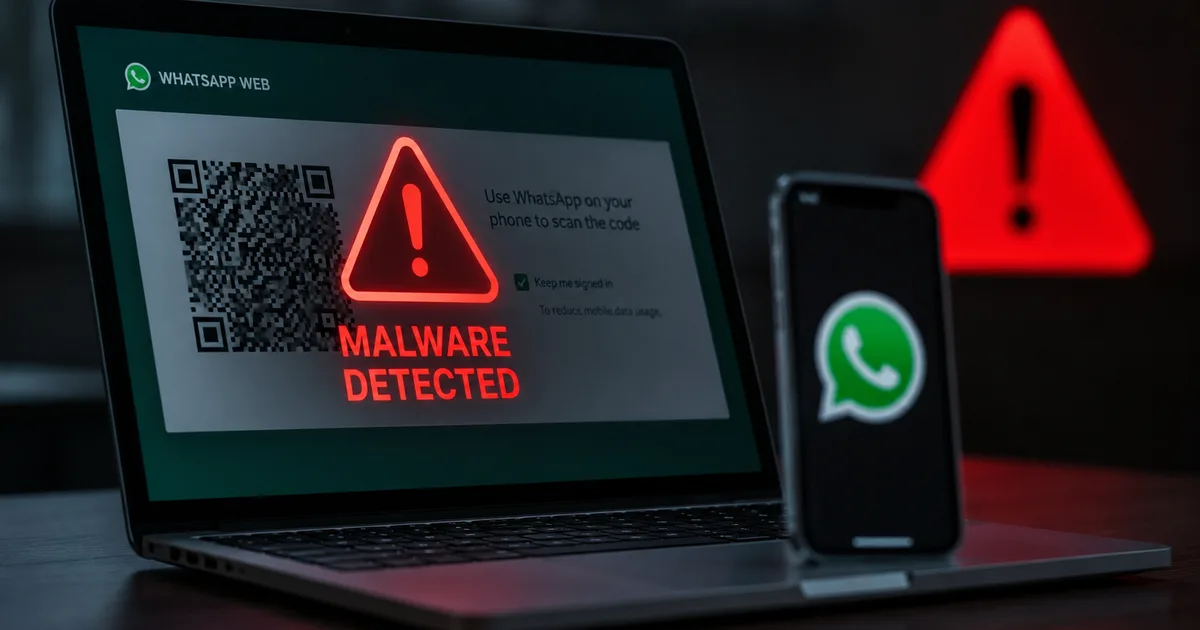
The core of this attack is session hijacking. When you log into WhatsApp Web, your browser saves a session token (to keep you logged in, obviously). That way, you don't have to scan the QR code every single time. And scammers use custom malware to steal these tokens. It's sneaky. They usually spread this malware through sketchy email attachments that look like harmless documents, like tax forms or business proposals. Once a user clicks the file, the silent program runs in the background. It finds the browser folder where WhatsApp session data is stored and copies it.
The stolen data goes straight to the attacker's server.
Then, the attacker imports this token into their own web browser. Suddenly, they've got a clone of your WhatsApp account open on their screen. They can read your chats and send messages. What makes this terrifying is that WhatsApp doesn't trigger a new login alert. The session is technically already active (meaning no new security check is triggered), which is a mess for security. Honestly, even if you've got two-factor authentication turned on, I think it won't help you because that authentication step already happened on the victim's computer.
This is why regular antivirus scans aren't always enough. But they fail. Many custom browser scripts bypass basic security software by hiding inside regular browser processes. To prevent this, don't click on unsolicited links or install unknown extensions, and never share OTPs or active session codes.
How this scam works step by step
To protect your organization, you must understand the exact sequence of events. It's a process. In my experience, attackers rely on a chain of mistakes to pull off this heist.
- The attacker sends a phishing email to a corporate executive. The email contains a link or an attachment that downloads info-stealing malware.
- The executive clicks the link or opens the attachment, which runs a hidden script on their computer.
- The script locates the browser's local storage and extracts the active WhatsApp Web session token.
- The malware sends this stolen token back to the cybercriminal's server.
- The cybercriminal loads the session token into their browser to get full access to the executive's WhatsApp account.
- The criminal monitors chats to find the contact details of the company's accountant or finance head.
- The hacker sends an urgent message to the accountant, asking for a quick transfer of funds due to an emergency.
- The accountant, seeing the message is from the boss's actual number, transfers the money to the specified bank account.
- The stolen funds are quickly moved to multiple mule accounts across India. This makes recovery extremely difficult.
This process is incredibly fast. Honestly, the whole thing from token theft to the final bank transfer takes less than a few hours. It's crazy. You won't notice any breach until the real CEO asks about a completely different task later in the day.
By then, the scammers have already withdrawn the cash from local ATMs.
Warning signs of corporate WhatsApp scams
Look, you don't need to be a tech expert to spot these attacks. Scammers almost always leave behavioral clues in their messages. It's true. Paying attention to these details can save your company from massive losses, so here are the main warning signs you should watch out for.
- Unusual urgency: The message demands that you transfer money immediately, often within ten or fifteen minutes.
- Strict instructions not to call: The sender claims they are in a confidential meeting or a flight, and tells you not to call them for verification.
- Bypassing standard procedures: The request asks you to ignore normal corporate approvals or documentation steps.
- Unfamiliar payment channels: The boss asks you to send money to a new vendor's UPI ID or a personal bank account you haven't used before.
- Slight changes in language: The text might contain spelling mistakes or a tone that's different from how your boss usually speaks.
- Frequent disconnects: If your WhatsApp Web session keeps logging out or acting slowly, it might mean another device is accessing your account.
If you ask me, if a message feels slightly off (and it usually is), you shouldn't ignore it. Never ignore that gut feeling. Even if the message comes from your boss's real profile, check it.
Steps to protect your business from UPI fraud
Protecting your business requires a mix of good habits and strict technical controls. Software alone won't keep you safe. Honestly, in my experience, here are the actions you've got to take today to protect your team.
Here's the absolute rule: never transfer money based solely on a WhatsApp chat. You must verify the request through a direct phone call, and you should check WhatsApp linked devices regularly to detect hijackers.
- Always verify over a phone call: If you receive a request to transfer money, call the person on their mobile network. Don't call them on WhatsApp, as the hacker might answer.
- Set up two-step verification: Enable PIN-based two-step verification on WhatsApp to add an extra layer of protection, though you must still protect your browser.
- Monitor linked devices: Open WhatsApp on your phone and go to settings to review the list of linked devices daily. Log out of any browser session you don't recognize.
- Implement dual authorization: Ensure that any payment above a certain limit, say fifty thousand rupees, requires approval from two different people.
- Use dedicated computers for finance: Don't allow employees who handle corporate banking to use their work computers for personal browsing or social media.
- Keep software updated: Update your web browsers and operating systems regularly to patch vulnerabilities that malware might exploit.
You can read more about safe practices in our tech news section, where we cover the latest advisories from Indian security agencies.
Where to report these cyber incidents
If your company falls victim to this scam, you must act immediately. Every minute counts. The Indian government has set up specific systems to help you recover your money and report these crimes. Honestly, here's what you need to do right after you realize a fraud has happened.
Remember to report any corporate financial loss within the golden hour.
First, call the national cybercrime helpline at 1930. It's fast. This helpline connects you to a network of banks and law enforcement agencies that work to freeze the recipient's account. In my experience, the sooner you call, the higher the chance you'll recover your funds.
You must also register a formal complaint on the official portal at cybercrime.gov.in.
Make sure you keep all evidence (like screenshots of the WhatsApp chat and transaction IDs, plus UPI details and bank account numbers). If you suspect malware's on your systems, scan them and tell your IT team. You should also report the issue to CERT-In.
For more tips on securing your online accounts, check out our safety guides.