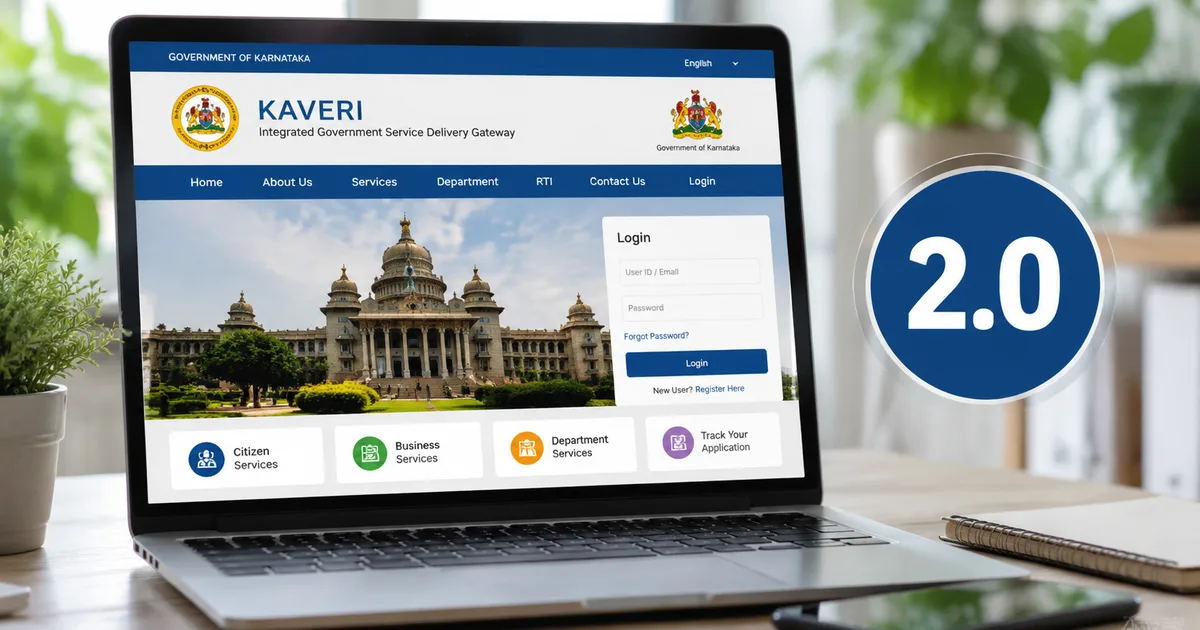
Buying property in Karnataka used to mean clearing your entire schedule for a week. You'd stand outside the sub-registrar office and pay middlemen just to get a token. Then you'd pray the servers didn't crash while you were at the counter. Things have actually improved. If you're buying a flat in Bengaluru or a plot in Mysuru today, you have to use the Kaveri 2.0 portal 2026 system. It forces almost the entire process online. You upload documents and pay the stamp duty. Then you only show up at the office for a quick biometric scan.
I looked at the data recently. The Department of Stamps and Registration launched paperless registration through this portal at the sub-registrar office in Chamarajanagar a while ago, and now it covers the whole state. Honestly, it's better than the old manual system. But it isn't a flawless experience. The servers still act up during peak hours. You'll see strange error messages. I'm going to walk you through exactly how to get this done without losing your mind. Or paying an agent 10,000 rupees for something you can do yourself on your laptop.
The shift to paperless property registration in Karnataka
The state government has been pushing hard to digitise land records. They announced a massive tech reform push in the Karnataka Budget 2026. The revenue department got funds to upgrade both the Kaveri and Bhoomi portals. They even talked about an AI-based Kaveri 3.0 registration system and a new GIS land stack coming soon. That sounds impressive on paper. I think the numbers here are a bit fuzzy, honestly. But right now we have version 2.0, and we just have to make it work.
Basically, the idea is transparency. The old manual system required you to physically hand over a demand draft and thick stacks of paper. The sub-registrar would manually verify everything and check the property valuation in massive printed books. That left a lot of room for corruption and speed money. The new online system calculates the guidance value automatically. It bases this on the exact property location you select on the map (which makes sense, actually). So it removes the human element from the valuation process completely.
The implementation has been a bit of a mess in places. But the goal is clear. They want to eliminate paper files. You can read more about how these government tech upgrades are rolling out across different states in our latest news section. The move to digital is happening everywhere, from property records to driving licenses. And Karnataka is trying to lead the charge.
Watch out for the e-Khata scams before you begin
I have to warn you about something before we get into the exact steps. Digitisation doesn't stop scammers. It just makes them change their methods. We saw a massive registration scam recently where five sub-registrars were suspended in Bengaluru. This happened after 1,332 illegal property registrations went through the system.
The scammers were manipulating the e-Khata system. They found loopholes during the transition period to Kaveri 2.0. They managed to register properties using fake Khata documents. They bypassed the checks that were supposed to prevent this exact thing. Always ensure your property has a genuine, verifiable e-Khata before you even log in to register a sale deed. You can verify property documents independently on the Bhoomi portal.
Look, if a seller pressures you to skip verification because they know someone at the office, walk away immediately. That's a massive red flag. Property investments in India involve your life savings. Don't rush the due diligence. You can check our detailed guide on real estate frauds in our scam alerts directory for more details on how these operations work and how to spot fake documents.
Checklist of documents you need right now
Don't create an account on the portal until you have all these files ready on your computer. The session times out quickly for security reasons (annoying, I know). You'll have to start over if you spend ten minutes looking for a PDF on your hard drive.
- Your Aadhaar card and the seller's Aadhaar card. Both must be linked to active mobile numbers. The portal relies heavily on Aadhaar OTP verification to confirm identities.
- PAN cards for both parties. You cannot register property without a PAN if the transaction value exceeds 50,000 rupees, which is basically every property in Karnataka today.
- The drafted sale deed in PDF format. You still need a lawyer to draft the actual legal text of the deed. The portal just registers it, it does not write the contract for you.
- Passport size photos of the buyer, the seller, and two witnesses. Have them scanned and saved as JPG files. Keep the file size under 1MB each to avoid upload errors.
- Property tax receipts showing zero pending dues for the current financial year.
- The digital e-Khata certificate for the property.
Step-by-step Kaveri 2.0 portal 2026 registration process
Set aside about an hour for this process. I strongly recommend doing this early in the morning or late at night. The servers get hammered after 11 AM when all the document writers and real estate agents log in at once.
- Go to the official Kaveri Online Services portal. Create a new user account if you do not have one already. You will need your full name, mobile number, email ID, and Aadhaar number to register.
- Log in with your new credentials. You will see a main dashboard with several government services. Click on the button specifically for new document registration.
- The first major section is property details. You have to select the district, taluk, hobli, and village from the dropdown menus. Enter the property identification number or survey number exactly as it appears on your older documents.
- The system will automatically fetch the government guidance value for that specific area. It calculates the stamp duty and registration fee based on this guidance value or your actual sale price, whichever amount is higher.
- Next is the party details section. You enter the names, addresses, and Aadhaar numbers of the buyer, the seller, and your two witnesses. The system verifies these details against the central database in real time.
- Upload your drafted sale deed and the supporting documents like PAN and e-Khata. Keep the file sizes small. The portal hates large, unoptimized PDFs and will just freeze without giving you an error message.
- Review all the entered information carefully. Once you submit this page, making changes requires cancelling the whole application and starting the process again from scratch.
- Pay the stamp duty and registration fees online. The portal integrates with the Khajane II state payment gateway. You can use net banking, debit cards, or UPI for smaller amounts. For actual property transactions, you will almost certainly need to use RTGS or net banking because of the high transaction value. UPI limits will not cover a 5 lakh rupee stamp duty payment.
- After successful payment, the system generates a receipt with a unique reference number. Save this PDF immediately and print a copy.
- Book an appointment at your local sub-registrar office. The portal shows a calendar with available time slots. Pick a date and time that works for everyone involved.
How to handle payment failures on the portal
This is the most stressful part of the entire process. You're transferring lakhs of rupees for stamp duty and the screen just goes blank. Don't panic. It happens constantly on government websites.
If your money is deducted from your bank account but the Kaveri portal shows a failed transaction, don't try to pay again immediately. The Khajane II system takes up to 48 hours to reconcile payments with the banks. Save your bank transaction reference number. Take a screenshot of the debit message. Check the portal again the next day. The status usually updates to successful automatically once the servers sync up.
I recommend using SBI or HDFC net banking for these large payments. In my experience, they have the highest success rates and fastest reconciliation times on government portals. You can find more tips on handling digital payment failures and navigating banking systems in our detailed explainer section.
Dealing with server downtime and glitches
The Kaveri 2.0 portal is an ambitious piece of software. It handles thousands of users simultaneously across the state. Glitches are common. We saw major disruptions in Belagavi recently. Property transactions were completely halted because the e-Khata and Kaveri 2.0 systems just stopped talking to each other. Local political leaders actually had to seek urgent government intervention to get things moving again.
There was also a reported DDoS cyber attack on the portal not too long ago. Hackers flooded the servers with fake traffic to take them offline. I'm not sure exactly why they targeted it. The government managed to mitigate the attack quickly. But it shows how vulnerable these centralized digital systems are to outside interference.
If the portal is down, you just have to wait. There's no offline alternative anymore. The sub-registrar can't bypass the computer system even if you're standing right in front of them with cash. Try logging in early morning or late at night. The servers are a lot more responsive when the government offices are closed and the daily load drops.
What to expect at the sub-registrar office
The online process takes care of the heavy lifting. The actual physical visit to the office is surprisingly anti-climactic. You arrive fifteen minutes before your booked time slot. Then you just hand over the printed application form and the payment receipt to the clerk at the counter.
The buyer and the seller sit in front of the sub-registrar with the two witnesses. They check your original Aadhaar cards and PAN cards to confirm your identities. Everyone provides a biometric thumbprint scan on a small machine. Then you get your photo taken by a webcam attached to the desk. The sub-registrar approves the digital file on their screen after matching the biometrics.
That's it. You walk out. The registered sale deed is emailed to you with a digital signature within a few hours. You can also download it directly from your Kaveri portal dashboard anytime you want. You might want to check our digital tools directory for apps that help you manage these government documents securely, like DigiLocker.
The new system isn't perfect. It still requires patience and a good internet connection. But compared to the old days of carrying cash in briefcases and negotiating bribes just to get a file moved from one desk to another, Kaveri 2.0 is a massive upgrade for Karnataka residents. It puts the control back in your hands.