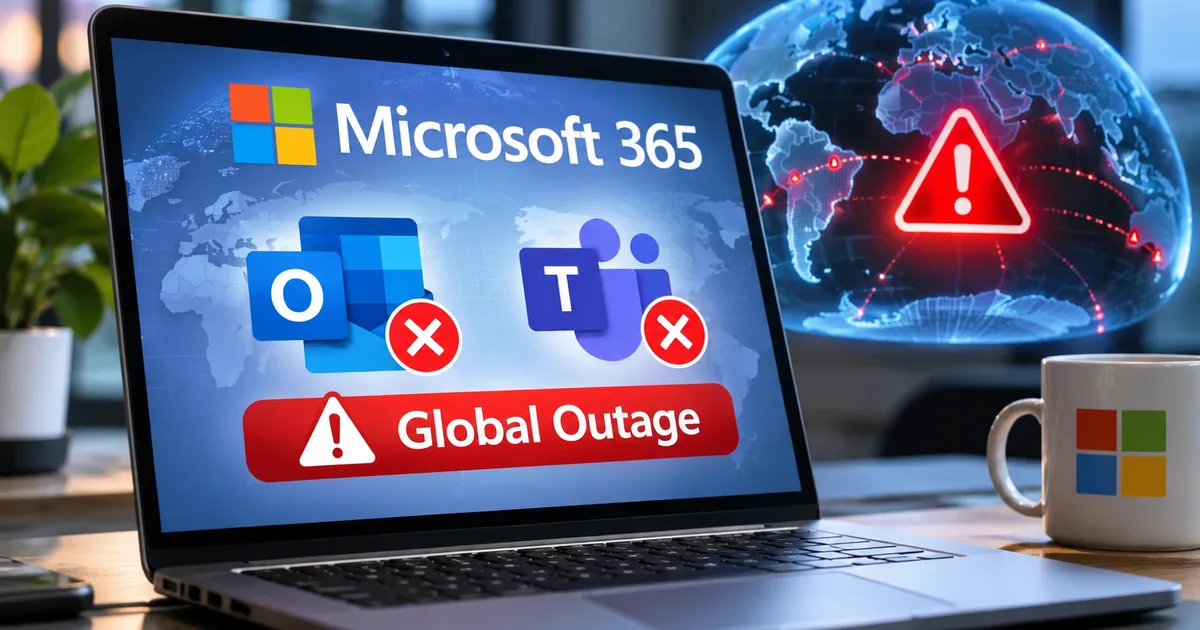
If you opened your work laptop in Bengaluru, Pune, Gurugram, or Mumbai on Friday morning and stared at a spinning wheel inside Outlook, you weren't alone. Half the office probably blamed the local broadband provider first. By 9:30 am, people were messaging colleagues on WhatsApp just to ask if the client presentation email had gone through. This massive Microsoft 365 global outage actually started late Thursday night at around 9:30 pm IST (16:00 GMT) and dragged on for well over 19 hours. It locked millions of workers out of their inboxes, meeting calendars, shared files, and AI tools across 74 countries.
It was a total mess.
If an app dies for twenty minutes, you grab a cup of chai. But when your main office software stays broken across two working days, everything grinds to a halt (annoying, I know). Airlines stop getting customer support emails, and IT helpdesks go blind. Nobody knows which meeting link to click, and in my experience, half the office just ends up sitting on WhatsApp waiting for an update from the boss. So why couldn't a tech giant worth trillions of dollars in market value just flip a switch to bring Outlook back online? It's all about how cloud email works under the hood and why server recoveries sometimes backfire.
What actually broke during the Microsoft 365 global outage
Look, the trouble in India started when the first wave of complaints hit outage tracker Downdetector around 11:00 pm IST on Thursday, November 12. Folks working late shifts at IT services firms and global capability centres suddenly couldn't open their mailboxes. At the worst point of the crash, nearly 1,30,000 users globally had logged outage reports on Downdetector within a single hour. The real number of affected workers is a bit fuzzy since most employees don't manually log reports, and around 430 million people use Microsoft 365 apps worldwide.
Things got quieter overnight in India while most offices slept. Then Friday morning hit.
Failure reports shot right back up after 6:00 am IST on November 13. Indian professionals were checking work phones over breakfast and logging in for early calls, only to find their apps dead. Even past 11:15 am IST on Friday, Microsoft's official service health dashboard was still showing active degradation across both enterprise and consumer accounts (which rarely happens for that long). And the damage wasn't limited to a single inbox screen, if you ask me.
- Users could not open their mailboxes on Outlook for the web or the desktop app, and incoming or outgoing emails sat stuck in transit for hours.
- On Microsoft Teams, you could still join audio and video calls or send messages in group chats, but the calendar tab refused to load, making it impossible to schedule new meetings or view existing invites.
- SharePoint Online files and workplace security tools that verify safe links inside messages failed to respond properly.
- Microsoft Copilot Chat refused to load or generate answers because it lost access to workplace emails, calendar entries, and shared documents.
- Third-party AI tools including OpenAI's ChatGPT and Anthropic's Claude suffered broken Microsoft 365 connectors, cutting off business users who link their chatbots to company files.
Indian companies felt the pain right away. Low-cost carrier IndiGo had to put out a public notice telling flyers that its email customer support channel was down because of the Microsoft disruption. Emailing customer care about a stuck refund or a flight change query on Friday morning did nothing. The airline had to redirect travellers to its 6E Skai virtual assistant on its website and mobile app instead.
How Exchange Online works behind the scenes
Thing is, most non-technical users think Outlook and Teams are totally separate programs just because they have different icons on your laptop taskbar (and Copilot feels like its own app too). But if you regularly read our simple tech explainers, you already know that front-end apps are really just display windows for shared cloud databases running in the background.
At Microsoft, the central engine powering all of this is called Exchange Online.
I think the easiest way to picture Exchange Online is like Dadar station in Mumbai or New Delhi Railway Station. Outlook is just the ticket counter window. Say you send an email or book a 3:00 pm review call on Teams. Those actions travel straight through the tracks of Exchange Online, and the exact same thing happens when you ask Copilot to summarise what your manager sent you yesterday.
That's why Friday's crash behaved so weirdly. A bunch of my friends in Pune and Hyderabad told me they could still chat with teammates and jump on live Teams voice calls, yet their Teams calendar was completely blank. How does that happen? Well, live voice calls and instant chat messages run on separate media and messaging servers, while your meeting calendar is stored right inside your Exchange Online mailbox. When Exchange Online chokes, Teams loses its memory of who is supposed to meet whom and at what time.
This same dependency broke workplace AI tools too. According to BBC data cited by News18, over 90 percent of Fortune 500 companies now use Copilot after spending heavily on it over the past year. Many Indian companies have also started drafting Outlook emails with AI to save time on client replies. Once Exchange Online went dark, Copilot couldn't read your inbox or check your schedule. Even external AI platforms like ChatGPT and Claude, which use special software bridges called connectors to search your company's Microsoft 365 workspace, hit a brick wall.
Why Exchange Online server failures took over 19 hours to fix
Whenever a tech outage drags past the 12-hour mark, family and office WhatsApp groups start buzzing with sketchy rumours about Russian or Chinese hackers. We saw the exact same panic during the August 2026 WhatsApp server outage earlier this year. But Microsoft stated clearly on Friday that it found no evidence of any cyberattack or malicious activity behind the crash, and the failure wasn't triggered by a sudden surge in user traffic either.
So what went wrong?
According to Microsoft's engineering updates, a large batch of backend Exchange Online servers unexpectedly went offline at the same time (I'm not sure why that first batch tripped, since Microsoft hasn't shared the exact hardware or code trigger yet). That created what engineers call elevated load on the remaining healthy servers across multiple geographic regions. Worse, every time Microsoft's engineers patched and rebooted the dead servers to put them back on the live network, those freshly restarted servers immediately froze up and died again.
"I don't think it's unprecedented. I mean, the scale is impressive. It's very embarrassing for Microsoft and really, really annoying for the rest of us." - Rupert Goodwins, technology analyst and journalist, speaking to Al Jazeera
To understand why a repaired server crashes the second you turn it back on, picture the Fastag toll plaza on the Mumbai-Pune Expressway on a busy long weekend. Suppose ten toll lanes are open, and four of them suddenly suffer a power cut and shut their boom barriers. Traffic doesn't magically decrease. Instead, all ten lanes worth of cars try to squeeze into the remaining six lanes, and the whole plaza slows down to a crawl.
Meanwhile, a 5-kilometre backlog of honking cars builds up behind the closed gates. Then a technician fixes one broken toll booth and lifts the barrier. Within ten seconds, five hundred impatient drivers try to ram into that single newly opened lane at once, and they jam the scanner and break the barrier all over again (highway traffic gives us enough headaches in real life, I know, but cloud data packets behave almost identically).
In cloud computing, this traffic jam is called a retry storm. When Outlook on your laptop and iPhone loses connection to Microsoft's servers, it doesn't just give up politely. Every few seconds, millions of phones and laptops, along with office tablets and third-party AI connectors, automatically hammer the server doors asking, "Are you back yet? Can I get my mail now?" So when Microsoft brought repaired servers back online on Thursday night, that massive backlog of automated connection requests slammed into them instantly and knocked them flat before they could stabilise.
How engineers break a cloud retry storm
Fixing a cascading failure like this takes way more than hitting the restart button. Microsoft had to throttle incoming connections and artificially block certain types of background traffic in specific regions. At the same time, engineers had to reroute data along alternate network paths while slowly bleeding the backlog into the healthy servers drop by drop. Honestly, I think that slow throttling was the most frustrating part for office teams, because some people got their email back at 10:00 am while the person sitting at the very next desk couldn't load a single folder until late afternoon.
What the Outlook and Teams outage in India means for your emails and business
One big worry during a long email blackout is whether important messages sent to you while the system was down are lost forever. Normally, if an email server can't deliver a message to a recipient's server within a set window, it gives up. It just sends a bounce-back failure notice to the sender. To stop millions of invoices, flight tickets, bank alerts, and client contracts from bouncing during this crash, Microsoft stepped in and extended its email timeout limit to 48 hours.
Basically, any mail sent to your Outlook address between Thursday night and Friday afternoon was placed in a holding queue rather than deleted (which makes sense, actually).
Still, if you run a small or medium business in India, the frustration is real. Companies in India pay anywhere from Rs 145 per user per month for basic Microsoft 365 business plans up to Rs 1,800 or more per user for top-tier enterprise bundles, plus around Rs 2,500 a month per seat if they add full enterprise AI assistants. Many founders who spent the year buying Copilot tools for Indian businesses learned the hard way on Friday. When you put your email, calendar, document storage, and AI assistant inside a single software basket, you get a massive single point of failure.
If you're still seeing glitches in your inbox or calendar as the servers catch up, here's what I think you should do right now.
- Stop hitting the Send/Receive button repeatedly or closing and reopening Outlook every two minutes, as that only adds to the connection queue for your local tenant.
- If you run IT for a small company, check the official Microsoft 365 Admin Center health dashboard rather than changing your domain DNS or mailbox settings, because the fault isn't on your local computers.
- Wait before resending large attachments that appear stuck in your Outbox, since the 48-hour timeout extension means queued emails will eventually go through and resending them may flood clients with four copies of the same file.
- Warn your staff to watch out for fake "Microsoft 365 Account Verification" messages over the weekend, because scammers routinely use major news outages to send phishing links.
Don't brush off that last point about scammers. Whenever a big platform crashes for a full day, scammers jump right in. They send out fake SMS and email alerts claiming you need to re-verify your corporate password to restore lost emails. As we often point out in our recent online scam alerts, Microsoft won't ever ask you to enter your workplace password or OTP on an external link to recover delayed mail. If your company gets targeted by outage-themed phishing or fake tech support scam calls, report the scam immediately to CERT-In or on the national cybercrime portal at cybercrime.gov.in (or call the 1930 helpline if any financial fraud is involved).
Cloud companies love promising 99.9 percent uptime in their sales brochures. But when the remaining 0.1 percent happens all at once across 74 countries, you realise that even the biggest tech giant on earth is just running a giant room full of computers that occasionally choke on their own traffic.