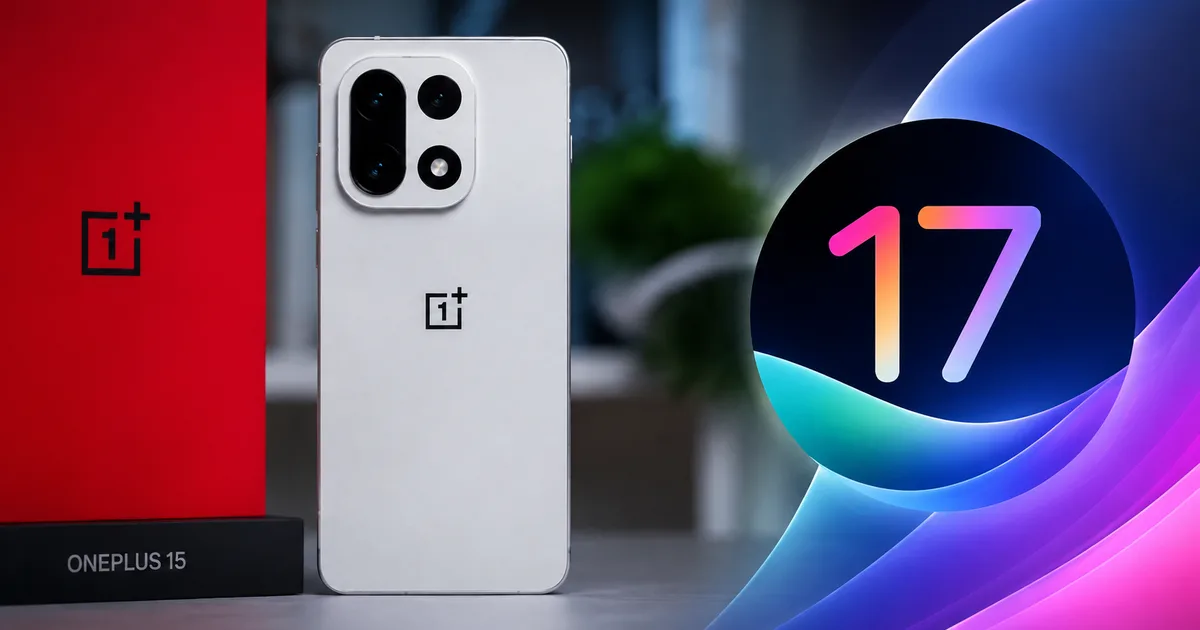
So, you bought a OnePlus 15 recently and you're wondering what's next for your phone. Here's the deal: the OnePlus 15 ColorOS 17 beta India rollout has officially started. Honestly, I've been waiting for this one. It is a pretty massive shift because, for a lot of Indian users, this is the first real taste of a post-OxygenOS world on a flagship OnePlus device.
I know, changing operating systems sounds complicated. It isn't. But it's different. You really need to know what you're signing up for before you hit that download button. The software you use every day to pay for groceries on UPI is getting a major overhaul. You also use it to check emails. And you use it to text your family.
What exactly is the ColorOS 17 beta?
Think of a beta update like moving into a new apartment before the paint is dry. You get to use the new rooms. But occasionally a door might stick. Or the hot water cuts out. Basically, the OnePlus 15 ColorOS 17 beta India program is a closed test. OnePlus is letting a small group of users try out the Android 17-based software. I'm not sure exactly why they keep it so restricted at first, but they do. They'll release it to everyone in a few months.
Why do they do this? To catch bugs.
It's that simple. If a banking app like YONO SBI crashes on this new software, they want to fix it now. They don't want to wait until millions of Indians update their phones overnight. If people suddenly can't pay their auto drivers, it's a mess. Beta testers are the guinea pigs who find these bugs. They find the bugs so the final version is smooth.
Right now, this closed beta is specifically targeting the OnePlus 15 and the OnePlus 15R in India. If you have an older phone, you'll have to wait. They have to sort out the flagship devices first.
The big visual changes you'll notice immediately
If you're coming from OxygenOS 16, things will look different. In my experience, some of these visual changes are actually a good thing. We spend hours looking at our screens every day. The interface has to be clean. It has to be responsive.
First off, the animations are noticeably smoother. When you swipe up to go home, it's faster. They tweaked the underlying code to prioritize the app currently on your screen. This cuts down on those tiny micro-stutters. You know, the ones you get when switching heavily between WhatsApp and Instagram.
Then there's the customization. ColorOS has always let you change things like icon shapes. Now they added more options specifically for the lock screen. You can add interactive widgets. These show your Swiggy order status. Or track your Uber directly without unlocking your phone. That's a tiny change. But it saves time when you're standing on the street waiting for a cab. (Which is super handy in the rain, honestly.)
The control center is revamped. It's a bit more rounded now. Also, the toggles for Wi-Fi and Bluetooth are easier to reach with one hand. This is a big deal considering how massive the OnePlus 15 is.
Top AI features in ColorOS 17
But the biggest focus this year is clearly artificial intelligence. Every tech company is pushing AI right now. OnePlus is no exception. They integrated new tools directly into the operating system. You probably don't care about the corporate buzzwords. You just want to know what these tools do in real life. Here is what you get in the OnePlus 15 ColorOS 17 beta India release:
AI Eraser 3.0
You took a great photo at India Gate. But there are ten random people in the background ruining the shot. AI Eraser lets you circle them and boom, they're gone. The phone fills in the background automatically based on what it thinks should be there. I tried this last week on an older software version. It was decent. But the ColorOS 17 version is supposed to handle complex backgrounds way better. It recognizes shadows now. And it spots reflections. That makes the edited photo look much more natural.
Smart Call Summary
This one is genuinely useful for professionals. If you're on a 20-minute client call, you tap a button. The AI listens in. When you hang up, it generates a text summary of the important points. And it grabs the action items. No more frantically scribbling notes while trying to talk. Be careful using this for sensitive banking calls though. The data processing here feels a bit sketchy to me. You always want to be mindful of where your voice data is processed. OnePlus claims it is handled securely on the device.
Article Summarizer
Reading a 3,000-word news report on the latest RBI regulations? The built-in browser can summarize the whole report into a few bullet points in seconds. It works well for straightforward news articles. But I wouldn't trust it entirely for complex legal documents just yet. AI still occasionally hallucinates facts. So use it as a quick scanner.
AI Studio for images
This feature takes a standard selfie and lets you turn it into different art styles. You can generate a cartoon version of yourself. Or you can make a stylized portrait. It's fun for about ten minutes. You might use it for a new WhatsApp profile picture. But it isn't something you'll use every single day. Still, it is baked right into the gallery app now.
Eligible devices for the ColorOS 17 closed beta
Not everyone can get this update today. The closed beta is heavily restricted. Here are the eligible devices right now:
- OnePlus 15
- OnePlus 15R
That's it for the first wave.
If you own a OnePlus 14 or a OnePlus 13, you aren't eligible for this specific closed beta. OnePlus usually opens up the testing to older flagship devices a few weeks later. Then they move on to the Nord phones. They do this in stages to ensure their servers don't overload. And they want to contain major bugs to a smaller group of users. I think the numbers here are a bit fuzzy about how many they actually let in. You can keep an eye on our news section for updates on when those rollouts begin for other models.
How to apply for the beta program
If you have an eligible device and want to test the software, you have to apply manually. It won't just appear on your phone like a regular security patch.
Here is exactly how you do it:
- Open your phone's Settings app.
- Scroll down to the bottom and tap on "About device".
- Tap the "Up to date" banner at the very top of the screen.
- Tap the three dots icon in the top right corner.
- Select "Beta program" and follow the on-screen instructions.
You need to fill out a short application. They usually ask for your phone number. Or they want your email address. Once you submit the application, you wait. OnePlus reviews the applications and selects a limited number of users. Usually, it's a few thousand for the closed beta phase. If you get picked, the update shows up in your settings in a few days. Just like a normal update. If you don't get picked, you have to wait for the open beta phase. That open beta phase usually follows a month or two later.
How to prepare your phone for the update
If you get selected for the beta, don't blindly hit install. You need to prepare your phone first. A bad beta update can literally erase all your data.
First, back up everything. Upload your photos to Google Photos. Or move them to a local hard drive. Use the built-in backup tool to save your call logs to Google Drive. And make sure your WhatsApp chats are fully backed up to your Google account.
Next, charge your phone to at least 80 percent. These updates take time to install. If your phone dies halfway through the process, you could end up with a useless brick. Also, make sure you're on a stable Wi-Fi connection. The ColorOS 17 beta file is massive. It's usually over 5GB. Trying to download it on a spotty 5G connection while riding the metro is a bad idea. (Trust me on that one.)
The risks of installing beta software
One quick warning. Beta software is buggy. It's just a fact. It'll likely drain your battery faster than normal. That happens because background processes are constantly logging errors. Your phone might run hotter than usual while playing games like BGMI. Some of your daily apps might just refuse to open.
If you rely on your OnePlus 15 for your business, don't install this beta. If you need 100% reliability for making UPI payments at the local store every day, wait for the stable release. Seriously. The headache of a phone crashing when you scan a QR code just isn't worth getting a new lock screen widget early. If you want more details on safe software practices, check out our guides section.
What this means for the future of OxygenOS
This is the part that has some longtime OnePlus fans worried. The transition to ColorOS 17 is a definitive shift away from the old OxygenOS experience. For years, OnePlus phones in India ran OxygenOS. It was famous for being incredibly clean and fast. It was very close to the stock Android experience you get on a Google Pixel.
Now, the codebase is completely merged with OPPO's ColorOS. The name OxygenOS might still be used in some marketing materials. Or it might show up on the boot screen in certain regions. But the software you run is ColorOS. The OnePlus 15 ColorOS 17 beta India rollout pretty much confirms this unified direction.
Is this a bad thing? Not necessarily. ColorOS is feature-rich. And it's stable in its final releases. It has deep customization that older versions of OxygenOS never had. But if you bought a OnePlus phone specifically because you loved the old OxygenOS, you might find this new software a bit heavy at first. There are more menus and more options. You'll see more pre-installed apps. If you're ever confused about these changes, you can always read our explainers to understand the differences.
Final thoughts before you update
The Android 17 update brings some solid improvements. The AI tools look genuinely useful rather than just being gimmicky. And the performance tweaks are always welcome on a high-end device. Just remember that a closed beta is a test environment. You're basically volunteering to do free quality assurance work for OnePlus.
If you're comfortable with that risk, go ahead and apply. You just need to know how to back up your data. And you need a OnePlus 15 or 15R. It's a fun way to see what's coming before everyone else. But if you need your phone to work perfectly every single time you pick it up, sit this one out.