If you're waiting to get your money back from the Sahara cooperative societies, you need to read this immediately. The government recently expanded the claim process, but cybercriminals are using this chance to steal your hard-earned savings. Watch out. Fraudsters are actively circulating fake links that mimic the official Sahara India Refund Portal on WhatsApp and SMS. They want to steal your Aadhaar and banking credentials. You've got to learn to identify these fake links before you lose your money. I'll explain exactly how this scam operates and how to stay safe.
The Ministry of Cooperation has expanded refunds to cover resubmissions of claims up to 10 lakh rupees. In fact, the government shared in Lok Sabha that they've refunded over 8,800 crore rupees to more than 40 lakh Sahara depositors till February. With that kind of volume, depositors are a prime target. Honestly, the 10 lakh expansion is a massive relief (which makes sense, actually), but the lack of a secure notification system leaves the door wide open for scammers. Many depositors aren't very tech-savvy. So, scammers find it easy to trick them with fake links. I think the numbers here are a bit fuzzy, but these fake portals are definitely popping up everywhere since the refund limit went up.
How the Sahara refund scam works step by step
Scammers use social engineering and fake websites to trick people. They exploit the long wait depositors have gone through to get their money back. Here's how they get you.
The bait: SMS or WhatsApp messages
You get a random SMS or a WhatsApp message saying your Sahara refund is ready. The message usually says something like: "Your Sahara India claim has been verified. Click this link to receive 10,000 rupees in your bank account immediately." They want to make you rush. If you ask me, they look incredibly real. Scammers use fake file numbers or throw in names of government offices just to look official.
The trap: a cloned registration website
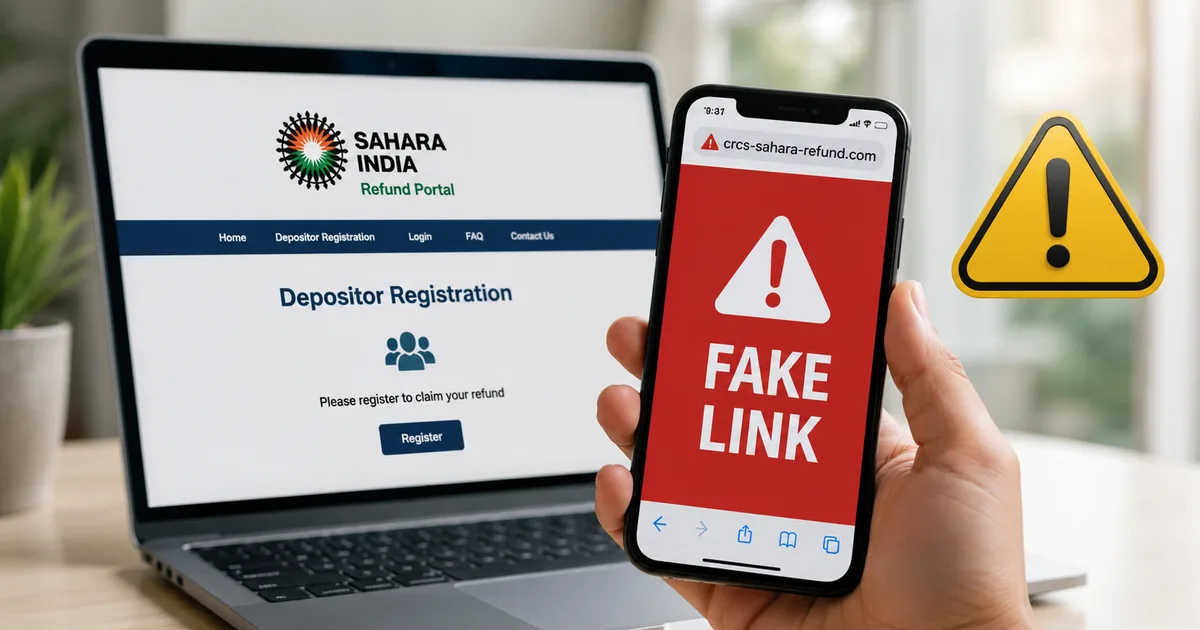
Clicking that link opens a site that looks exactly like the official Central Registrar of Cooperative Societies portal. I checked some of these fake portals last week, and the resemblance is frightening. The page is full of government logos, photos of ministers, fake seals, and the national emblem. Scammers buy domain names that look almost the same as the official one, like sahara-crcs-refund-gov.in or crcs-gov-refund.online. But the URL always gives it away.
The theft: OTP and Aadhaar details
The fake site asks for your Aadhaar number and the mobile number linked to it. Once you put those in, you have to enter an OTP from your phone. Thing is, you don't realize the scammer's using your Aadhaar on a real banking portal or UPI screen in the background. That OTP actually authorizes a cash transfer or registers your UPI account on the scammer's phone. If you type that OTP into the fake site, the scammer instantly takes over your bank account and drains your money. It takes seconds.
Sometimes, the site asks you to pay a processing fee of 100 to 500 rupees via UPI to get your refund. They'll show a QR code or redirect you to a sketchy payment page (annoying, I know). Once you pay this amount or enter your UPI PIN, scammers copy your PIN to execute larger unauthorized transactions.
Red flags when attempting your Sahara refund login
You can protect yourself by recognizing warning signs on a scam website. In my experience, real government portals operate under strict rules and don't behave like commercial or fake sites. So, pay close attention to these red flags when you try a Sahara refund login.
- The website URL doesn't end with gov.in or nic.in. Real Indian government sites always use these domains. If you see domains ending in .com, .org, .net, or .online, it's definitely a fake site.
- You get direct messages containing links. The Ministry of Cooperation doesn't send WhatsApp messages or SMS with direct links to claim refunds. Their messages are just informational. They'll tell you to visit the official website yourself.
- The site asks for your UPI PIN or banking passwords. The official portal only requires your Aadhaar details, mobile number, cooperative society membership details, and bank account details. It never asks for a UPI PIN or passwords.
- Look out for spelling errors, broken links, bad formatting, or low-resolution images. Fake sites are put together quickly, and you'll see errors in Hindi or English.
- You're asked to pay a fee to speed things up. The government has made it clear that the refund process is free. Any demand for money is a clear sign of fraud. Walk away.
How to identify the official CRCS Sahara Refund portal
The official portal is run by the Ministry of Cooperation and the Central Registrar of Cooperative Societies. In my experience, it's best to stick to that. The correct address is mocrefund.crcs.gov.in. Type it yourself.
The official CRCS Sahara Refund Portal is mocrefund.crcs.gov.in. The government doesn't authorize private apps, agents, third-party companies, or external websites to collect claims or distribute refunds.
When you visit the official site, check the security certificate. Look for the padlock icon next to the URL in your browser's address bar. The connection has to be secure. Also, make sure the website doesn't redirect you to any weird third-party payment gateways. If you're resubmitting claims where discrepancies were found, the government has a dedicated link, which you can also find on the main Ministry of Cooperation website.
Steps to protect your personal details and money
If you want to apply for a refund or check your status, I think you have to be extra careful online. The Indian Computer Emergency Response Team has warned people again and again about clicking on sketchy links related to government schemes. Here are some simple steps to keep your money safe:
- Never click on links sent via SMS, WhatsApp, email, or social media. If you want to check your status, search for the official website yourself or use your bookmarks.
- Keep your Aadhaar-linked mobile number secure. Don't share OTPs with anyone, especially if you didn't start the transaction. Read the OTP message carefully; it usually says what the OTP is for.
- Don't trust local agents who say they can speed up your Sahara refund for a fee. The process is completely online, and no third party can change the timeline or approval status.
- Double-check any news about Sahara refunds from real sources or check our financial guides for safety tips. Don't rely on forwarded messages in WhatsApp groups.
- Keep your mobile operating system and security apps updated. This helps block known phishing links and malicious websites before they can load.
Where to report Sahara refund fraud
If you ask me, if you've lost money to a fake Sahara refund scam, you have to act fast. Reporting it early gives you a better chance of freezing the stolen money in the scammer's account before they withdraw it. You must report any cyber fraud within the first few hours to maximize the chance of recovering your funds.
You should report the incident right away on the National Cyber Crime Reporting Portal at cybercrime.gov.in. This is the official platform run by the Ministry of Home Affairs to handle cyber fraud. You can also call the national helpline at 1930. The helpline operators will guide you through registering a complaint and working with your bank to block further transactions.
Also, you can submit reports of phishing sites to the Indian Computer Emergency Response Team at incident@cert-in.org.in. By reporting the fake URLs, you help CERT-In take down the websites. This keeps other depositors from falling for the same scam (which is the goal here, really). Remember to keep copies of transaction details, screenshots of the fake site, the message you got, and bank statements. They're key evidence for the police investigation.