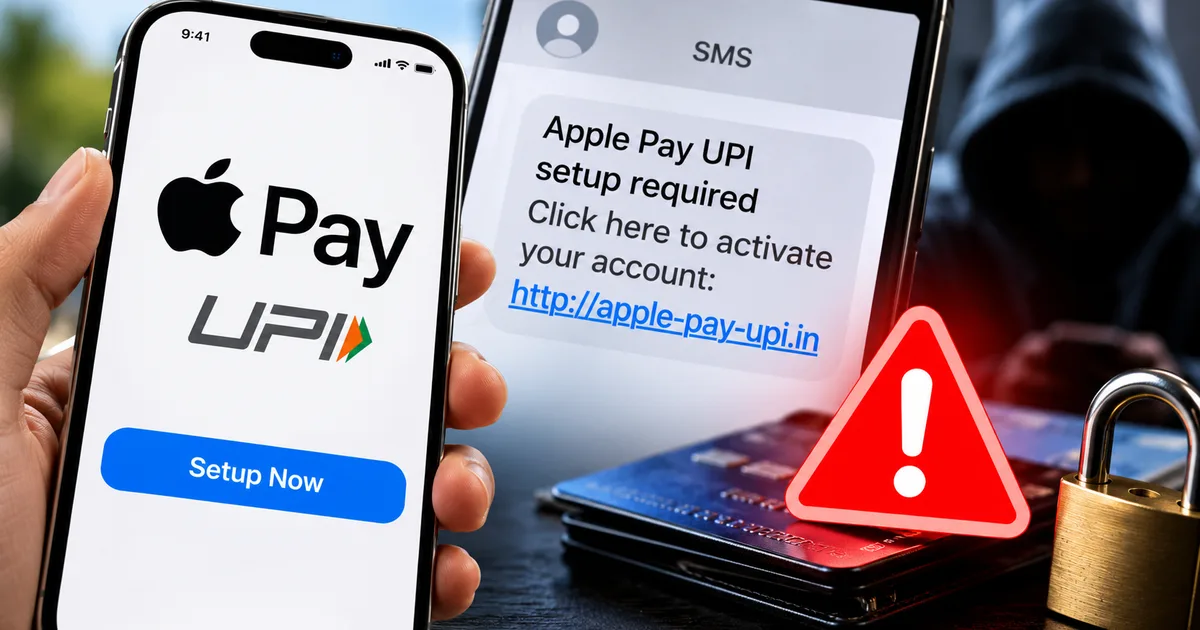
So, Apple Pay's finally in India. It went live on September 30, 2026. If you follow Latest Tech News, you probably already heard the hype. But here's the deal. In my experience, scammers are using this big launch to steal your money with the new Fake Apple Pay India 2026 UPI Setup SMS Scam. They know people are confused about how Apple Pay actually works here. And they're using that confusion to empty bank accounts.
I've been looking into a massive wave of fake SMS and WhatsApp messages claiming to help you set up Apple Pay with UPI. Thing is, Apple Pay in India doesn't even support UPI right now. It only works with Axis Bank credit cards. If you get a message offering UPI setup for Apple Pay, it's a scam. Plain and simple.
Here is exactly what this fraud is. I'll show you how they trick you and what to do if you clicked that link.
the confusing reality of the apple pay india launch
To understand why this fraud is working so well, you just have to look at how Apple launched the service. People have been waiting for Apple Pay in India for years. We all assumed it would plug straight into the Unified Payments Interface when it finally arrived. After all, UPI accounts for around 84% of India's digital payment volume. We're used to scanning a QR code for everything from a cup of chai to a new TV.
But Apple took a different route. At launch, Apple Pay is strictly a card-based wallet (annoying, I know). And you have to use specific cards. You can only use eligible Visa and Mastercard credit cards issued by Axis Bank. That's it. No debit cards. No RuPay cards. And definitely no UPI support.
This narrow launch created a massive information gap. People downloaded iOS 18, opened their Wallet app, and tried to add their HDFC or SBI accounts. When it didn't work, they went searching for solutions online. Scammers saw this frustration and built a trap.
what the fake apple pay upi scam is
The scam takes advantage of the fact that Indian users desperately want UPI on their iPhones. Basically, scammers send out bulk text messages looking like official bank alerts or Apple notifications.
These messages usually say something like, "Apple Pay UPI is now live! Click here to link your bank account and get ₹500 cashback." Or they might warn you, "Your Apple Pay registration is incomplete. Verify your UPI ID here to avoid account suspension."
They prey on your desire to use the new feature or your fear of missing out. And because the actual setup process is limited to a small fraction of users right now, people are willing to believe there's some secret workaround. They think there's a special link they need to click.
how the apple pay setup fraud actually works
I want you to see exactly how this plays out step by step. If you know their playbook, you can spot the trap before it snaps.
- You receive an urgent text message or WhatsApp forward. It claims your Apple Pay registration is pending or offers early access to the UPI feature.
- You click the link in the message.
- The link redirects you through several pages. A recent TraceX Labs report showed how scammers are abusing Google Apps Script for these redirects. They use legitimate Google infrastructure to hide their malicious URLs.
- You land on a fake website that looks exactly like an official Apple or Axis Bank login page. Sometimes, it asks you to download a "security plugin" or a custom APK file to enable UPI. (I know, sounds complicated, but it's not. They just want you to install their malware).
- The fake page asks you to verify your bank account by entering your UPI PIN or net banking credentials.
- The moment you enter your PIN, the scammers drain your account in the background.
They don't want your password. They want direct access to your funds. And if you download their fake app, they might even get screen recording access to see your OTPs. This is very similar to the tactics we covered in the Fake CBI Digital Arrest Scam 2026: Protect Your Bank Account article. They trick you into handing over the keys to your bank account.
why scammers are using google apps script
A lot of these fake Apple Pay links look surprisingly legitimate. That's because scammers are getting smarter with their infrastructure. A recent September 2026 report from TraceX Labs pointed out a massive spike in Google Apps Script abuse.
Basically, scammers use legitimate Google tools to create their redirects. When you look at the URL in the SMS, it might start with script.google.com. Your brain sees "Google" and thinks it must be safe. It bypasses a lot of basic spam filters for the exact same reason.
The TraceX report says that these scripts can process HTTP requests and handle parameters before redirecting you to the actual malicious payload. So you click a Google link. It processes your click. Then it silently drops you onto a fake Axis Bank or Apple login page hosted on a sketchy server somewhere else.
They use this exact method for phishing. They use it for distributing malicious APKs. It's a highly effective way to trick people who normally know better than to click on random bit.ly links.
warning signs you are dealing with a fake setup
You can spot these scams easily if you know what to look for. Here are the major red flags you need to watch out for.
Apple doesn't send setup links via SMS. Apple Wallet is built directly into iOS. You don't need to click a link in a text message to activate it. You just open the Wallet app on your iPhone and tap the plus sign. That is the only way to start the process.
Mentions of UPI or RuPay. I'll say it again because it's the most important thing to remember. Apple Pay in India has no UPI support right now. Any message or WhatsApp text promising Apple Pay UPI integration is completely fake. Don't engage with it.
Requests for an APK download. iPhones don't use APK files. Those are for Android devices. If a link asks you to download an app from outside the official Apple App Store, you're definitely being scammed. This is a common tactic we see across our Scam Alerts & Safety section. Scammers try to get Android users to download fake Apple Pay apps. They know Android users might also be confused about the launch.
Pressure to act fast. Scammers always create a false sense of urgency. "Link your account in 24 hours or your Apple ID will be suspended." Don't buy it. Take a breath. Close the message. Check official sources.
understanding the real apple pay requirements
To protect yourself, you need to understand how the real service works. You can only use Apple Pay if you meet all of these specific criteria.
First, you need the right hardware. Apple Pay requires an iPhone XR or a newer model. If you're trying to set it up on an Apple Watch, you need a Series 6 or newer.
Second, your software needs to be updated. Your iPhone must be running iOS 18 or later. Your Apple Watch needs watchOS 11 or later.
Third, you need the right bank card. As of October 2026, you must have a Visa or Mastercard credit card issued by Axis Bank. You can add this card through the latest Axis Bank app or directly in the Apple Wallet.
When you pay in a store, you double-click the side button. You authenticate with Face ID. Then you hold the phone near the contactless reader. You don't scan a QR code. You just tap and pay.
how to protect yourself from fake payment apps
You need to be proactive here. Protecting your money requires more than ignoring bad links. You must set up the real service correctly. And you have to be smart about your digital footprint.
First, only use the official methods I just mentioned. If you don't have an Axis Bank credit card, just wait. Apple will likely add more banks soon. Trying to force it to work through third-party links is a mess and will only get you scammed.
Second, be deeply skeptical of any bank rewards related to Apple Pay. We saw this exact same pattern with the Fake HDFC Bank Credit Card Reward Points SMS Scam 2026: Protect Your Bank Account. Scammers love dangling fake cashbacks to make you drop your guard.
Third, never enter your UPI PIN to receive money or set up an account. Your PIN is only for sending money. If a website asks for your UPI PIN to verify your identity or activate a service, close the tab immediately.
Keep your iPhone updated. Apple pushes out security patches for a reason. Make sure you're always running the latest stable version of iOS.
what to do if a family member falls for this
We all have that one uncle or parent who forwards every WhatsApp message they receive. They're the prime targets for this fake Apple Pay India 2026 UPI setup SMS scam.
If an older relative clicks the link and loses money, don't shame them. Scammers are professionals. They build these traps to look indistinguishable from real bank communications.
Sit down with them and immediately call 1930. Guide them through the cybercrime.gov.in complaint process. Then, take 15 minutes to audit their phone. Delete any strange apps they might have downloaded, and clear their browser cache. Most importantly, teach them the golden rule of Indian digital payments. Your UPI PIN is only for sending money. It's never for receiving or verifying an account.
I know it's frustrating to deal with this stuff (which makes sense, actually). But educating your family is the only real defense we have against these large-scale SMS frauds.
where to report apple pay scams in india
If you clicked a bad link or gave away your details, you have to move fast. The first few minutes are the most important. The numbers here are a bit fuzzy, but scammers can drain your available borrowing limit very quickly.
Call the national cybercrime helpline at 1930. This is the fastest way to alert the authorities. It might freeze fraudulent transactions before the money leaves the banking system.
Then, file a formal complaint at cybercrime.gov.in. Take screenshots of the fake SMS and the WhatsApp number. Grab the fake website if you still have it. Provide as much detail as possible.
You also need to contact your bank immediately. Call their emergency number. Block your cards and your UPI ID. Don't wait to see if a transaction goes through. Block it all immediately.
CERT-In, India's cybersecurity agency, regularly warns internet users about these types of phishing attacks. They emphasize that banks and official payment apps will never ask for your PIN via a text link.
Look, the rollout of Apple Pay is a big step for iPhone users in India. It makes tap-to-pay much more convenient. But you have to be smart about it. Stick to the official Wallet app. Ignore the SMS links. Remember that UPI isn't part of the deal yet.